
WWZMDiB CH341A EEPROM BIOS Programmer
4.1Editor score
Supports 24 and 25 series chips
Includes SOIC8 clip for in-circuit use
No welding required for basic tasks
This guide compares the top ten bios flash tools for programmers and technicians, evaluating speed, compatibility, ease of use, and reliability to help you
Finding the right bios flash tool is essential for technicians who need to update firmware or recover corrupted system files efficiently without causing damage to the motherboard or chips involved.
We compared ten leading products based on their compatibility with various chip series, programming speed, included accessories, user feedback, and overall value to create this comprehensive list for professionals.
Each pick highlights key features and trade-offs so you can decide which device fits your workflow best while keeping in mind that product prices and availability may change over time.
4.1Editor score
4.4Editor score

4.3Editor score
The following table provides a side-by-side comparison of all ten products to help you quickly identify which device offers the best combination of features and performance for your specific flashing needs.




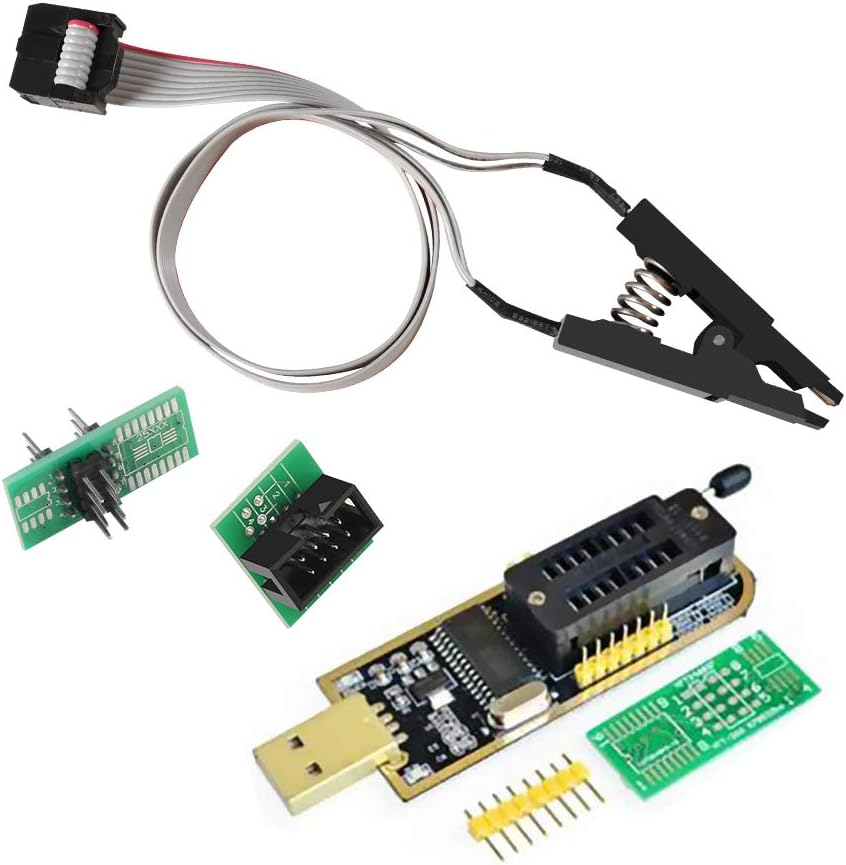
The WWZMDiB CH341A EEPROM BIOS Programmer is a highly affordable option designed for users who need to backup erase or program various software on compatible chips without breaking the bank.
We may earn a commission when you buy through this link, at no additional cost to you.
It is compatible with most 24 and 25 series SOP8 and SOP16 chips and allows you to clamp the chip directly with a test clip meaning no welding is required for many operations.
While the CH341A and CH341B chips are one hundred percent compatible you must confirm the chip voltage to avoid burning it since this product only supports 3.3v and 5V switching.
This tool is ideal for beginners or hobbyists looking for a reliable entry-level programmer to handle basic tasks on common EEPROM and flash chips without investing in expensive equipment.
This device offers a cost-effective way to start working with BIOS flashing and chip programming tasks without requiring a large upfront investment.
The included clip allows you to work in-circuit on many devices which saves time by removing the need to desolder chips before programming.
We may earn a commission when you buy through this link, at no additional cost to you.
The ACEIRMC SOIC8 SOP8 Flash Chip IC Test Clips kit enhances the standard CH341A programmer by adding the ability to program EEPROM chips in-circuit without needing to disassemble them first.
We may earn a commission when you buy through this link, at no additional cost to you.
This makes flashing the BIOS simpler and more efficient for technicians who need to update or repair firmware quickly while keeping the hardware intact and functional.
While the main purpose of the CH341A programmer is to backup erase and program software users should note that ESMT SST class 25 chips can only be read and not written with this chip.
Due to peripheral circuits some chips cannot be clipped directly so checking the chip location on the motherboard before purchasing is essential to avoid compatibility issues during use.
The SOP8 clip allows you to access the chip directly on the board which significantly reduces the risk of damage during removal and reinstallation.
The package includes a USB programmer module and clips ensuring you have everything needed to start working immediately without buying extra parts.
We may earn a commission when you buy through this link, at no additional cost to you.
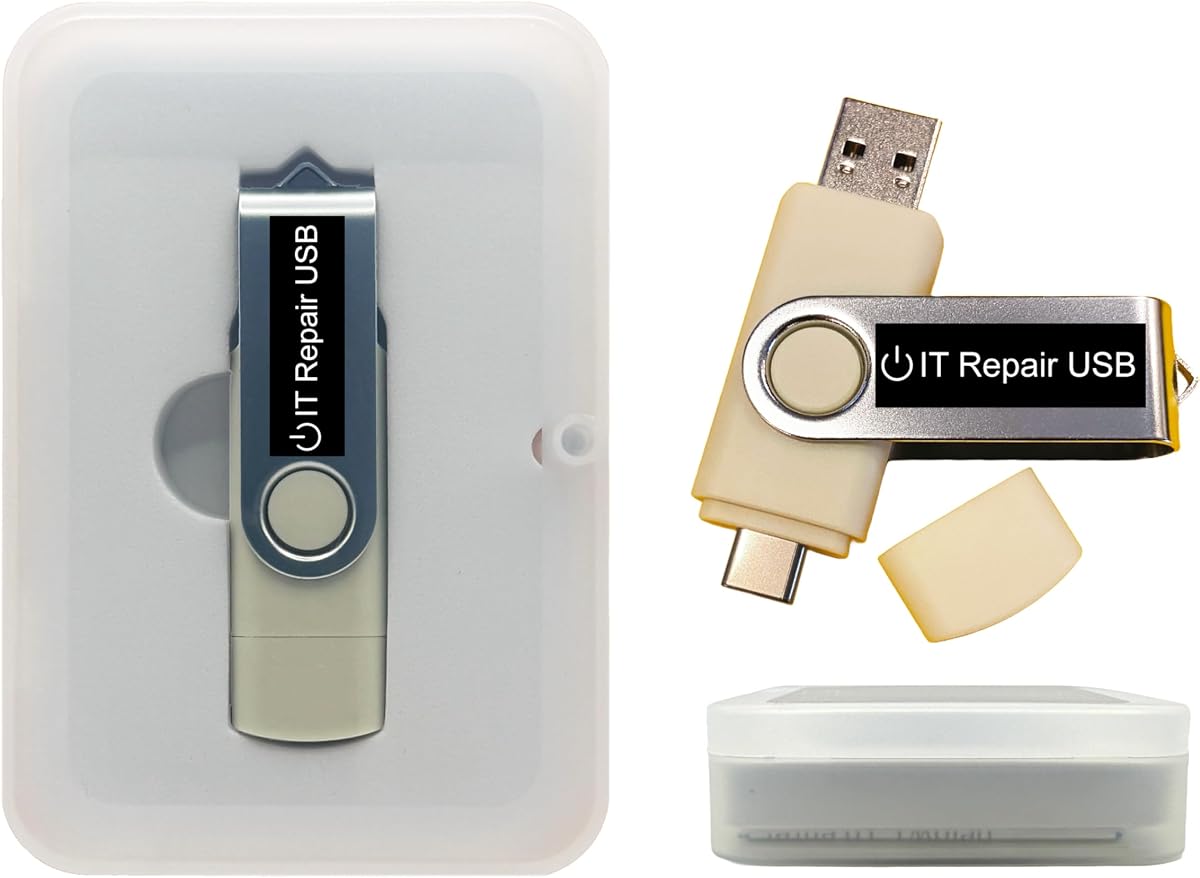
The Password Reset Bootable USB for Windows and Linux PC is a dual drive solution that allows you to reset or recover forgotten passwords without reinstalling the system or losing important files.
We may earn a commission when you buy through this link, at no additional cost to you.
It supports nearly all laptops desktops and servers including both Legacy BIOS and UEFI boot modes which ensures broad compatibility across different hardware generations and operating systems.
The device features a user-friendly interface with on-screen guidance so you can unlock user accounts in minutes using a trusted tool that requires no internet connection to function properly.
While it is a great utility for IT professionals and power users it has a lower rating compared to other tools which may indicate occasional compatibility issues with specific system configurations.
By supporting both Legacy and UEFI modes this drive ensures you can boot it on older and newer machines without needing to change BIOS settings manually.
The tool is designed to unlock accounts without reinstalling the operating system which means your personal files remain intact during the password reset process.
We may earn a commission when you buy through this link, at no additional cost to you.
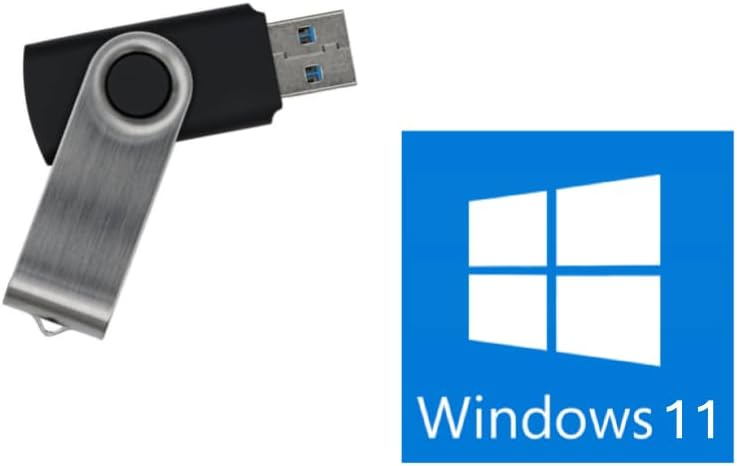
The Bootable USB Drive for Windows 11 is an 8GB installer designed to reinstall or repair the Windows operating system without the typical TPM requirement usually enforced by the OS.
We may earn a commission when you buy through this link, at no additional cost to you.
It is compatible with both UEFI and Legacy boot modes which means it can be used on a wide range of PCs from older systems to modern laptops running Windows 11 or 10.
Important notes indicate this USB cannot fix failing hardware like dead motherboards or bad RAM so you must verify your PC can enter BIOS before purchasing to ensure it will work.
This drive is handmade and tested in a small Texas tech shop which provides peace of mind for users looking for a reliable local option to recover their Windows systems quickly.
By removing the TPM requirement this tool allows you to install Windows 11 on hardware that does not meet the official system security requirements.
The product is tested in a family-owned business in Texas which suggests a hands-on approach to quality control before the drives are sent to customers.
We may earn a commission when you buy through this link, at no additional cost to you.
This ACEIRMC kit is suitable for amateur programmers working with 24 and 25 series FLASH chips and offers significant performance improvements over older ATMEGA8 based programmers.
We may earn a commission when you buy through this link, at no additional cost to you.
The programming speed is up to two to three times faster than ordinary alternatives and the erasing speed is probably around two to three Mbit per minute which speeds up tasks.
The package includes a CH341A USB programmer plus a 1.8V adapter for iPhone or motherboard SPI Flash Memory which expands the range of compatible chips beyond the standard options.
With a SOP8 SOIC8 to DIP8 EZ programmer adapter socket converter module and a test clip socket adapter this kit provides a complete set for various repair and backup scenarios.
The improved erase and write speeds mean you spend less time waiting for operations to complete when working with multiple chips in a repair session.
The inclusion of a 1.8V adapter allows you to work with chips that require lower voltage which is a common requirement for certain modern devices.
We may earn a commission when you buy through this link, at no additional cost to you.
The EZP2023 USB Programmer is widely considered the fastest BIOS chip programmer on the market with read speeds taking only three seconds and write speeds taking about nine seconds for specific chips.
We may earn a commission when you buy through this link, at no additional cost to you.
It automatically identifies chip models which is particularly useful for 25 series chips while it requires manual selection for some 24 and 93 series EEPROM devices to ensure proper operation.
The unit fully supports various memory chip series including 25 SPI FLASH 24 for EEPROM and 95 for EEPROM making it a versatile tool for professional technicians who work with diverse hardware.
With a full set that includes twelve adapters this programmer ensures you can handle most common scenarios without needing to buy extra accessories immediately after purchasing the base unit.
The read and write performance significantly outpaces older models which saves valuable time when you need to flash multiple boards or recover data quickly.
Automatic chip model identification reduces the chance of user error during setup which helps prevent potential damage to the chip due to incorrect configuration.
We may earn a commission when you buy through this link, at no additional cost to you.
The Windows PC Repair Bootable USB Recovery Toolkit is an all-in-one computer repair tool that provides system diagnostics and the ability to fix startup problems without modifying the PC.
We may earn a commission when you buy through this link, at no additional cost to you.
It is fully customizable so you can easily add replace or upgrade any compatible bootable ISO app installer or utility to suit your specific technical requirements or preferences.
This drive allows you to run Live or use it as a recovery OS which means you can operate directly from the USB to troubleshoot unbootable Windows systems or recover files.
While the hardware is premium and supported it has a lower rating than some alternatives which may suggest that the interface or success rate varies across different user experiences and systems.
The ability to add your own ISO apps makes this a flexible solution that can grow with your needs as you discover new tools to add to the drive.
The lightweight rescue environments included can help diagnose and restore aging computers without needing to install new software on the slow or failing drive.
We may earn a commission when you buy through this link, at no additional cost to you.
The SOP16 IC Test Clip is designed to make refreshing the programmer easier and more efficient especially for those who work with 25 series wide and narrow body chips frequently.
We may earn a commission when you buy through this link, at no additional cost to you.
It supports chips ranging from 150MIL to 300MIL and features hardened clips with a thick gold-plated layer processing pin connector to ensure stable connections during programming operations.
A notable feature is the 40cm connection line which gives you plenty of room to move around and position the clip comfortably on larger circuit boards or desktop setups.
While the clip is well made users should note that chips on a circuit board can be affected by peripheral circuits meaning some boards may not be able to program online successfully.
The gold-plated pins and hardened clip design minimize the risk of connection drops or errors during the critical moments of reading or writing data to a chip.
By supporting both wide and narrow body chips this clip ensures you can work on a broader range of hardware without needing multiple different clips.
We may earn a commission when you buy through this link, at no additional cost to you.
This Bootable USB for Windows 11 and 10 works with Secure Boot enabled which is a significant advantage over other recovery tools that require you to change BIOS settings before use.
We may earn a commission when you buy through this link, at no additional cost to you.
It always installs the latest official Windows directly from Microsoft ensuring that you never use pirated copies or outdated ISOs which could cause security or compatibility issues.
The product is developed in the United States with real people providing support via live chat or email so you get responsive help when you need to troubleshoot installation issues.
However it requires a UEFI BIOS and does not support legacy BIOS in the current version which means it may not work on very old computers that rely on legacy boot modes.
Being able to boot with Secure Boot on avoids the need to disable security features which keeps your system safer and simplifies the recovery process.
Downloading genuine Windows directly from Microsoft ensures you have the latest updates and drivers integrated which reduces the risk of post-installation errors.
We may earn a commission when you buy through this link, at no additional cost to you.
The Kali Linux Bootable USB is a professional-grade platform trusted by IT experts and security researchers for vulnerability assessment forensics and digital investigation tasks.
We may earn a commission when you buy through this link, at no additional cost to you.
It includes over 600 pre-installed penetration-testing and security-analysis tools for network web and wireless auditing which makes it a comprehensive kit for ethical hacking purposes.
The drive is customizable so you can add replace or upgrade any compatible bootable ISO app installer or utility which gives you the flexibility to tailor the environment to your needs.
With builds for amd64 and arm64 this USB can run or install Kali on Intel AMD or supported ARM-based PCs offering broad compatibility across different hardware architectures.
Having hundreds of security tools pre-installed saves you the time and effort of setting up a security lab manually on your own machine.
Support for both standard x86 processors and ARM-based devices ensures you can use this drive on a wide variety of laptops and single-board computers.
We may earn a commission when you buy through this link, at no additional cost to you.
Selecting the right bios flash tool requires evaluating several key factors to ensure the device meets your technical requirements and workflow preferences.
You must verify that the tool supports the specific chip series you will be working with such as 24 25 or 93 series to avoid incompatibility issues during programming.
Check the supported voltage levels like 3.3V or 1.8V to ensure they match the requirements of your target chips to prevent damage.
Tools that allow in-circuit programming save time by letting you flash chips without removing them from the motherboard which reduces the risk of physical damage.
Look for accessories like SOIC8 clips that enable this feature if you plan to work on assembled boards frequently.
For professionals who handle multiple devices a faster read and write speed is crucial to maintain efficiency and reduce waiting times during repairs.
Compare the reported speeds of different programmers especially if you deal with large EEPROM or flash memory chips regularly.
A good programmer often comes with a variety of adapters like SOP8 to DIP8 or 1.8V converters to extend its usability across different hardware types.
Ensure the package includes the adapters you need so you do not have to purchase them separately later on.
Different chips require different operating voltages and a tool that can automatically detect or switch between these voltages adds significant safety and convenience.
Always check if the device supports manual voltage selection or detection to avoid burning sensitive components.
A clear and simple software interface helps reduce the learning curve and minimizes errors when configuring settings for different chip types.
Look for tools that offer automatic chip identification to streamline the setup process and improve accuracy.
While budget options are attractive consider whether they offer the reliability and accessories needed for your specific tasks to avoid hidden costs.
Premium tools often justify higher prices with faster speeds and better support which can save time and money in the long run.
Before connecting any chip to the programmer always ensure that the voltage settings match the chip specifications to prevent permanent damage to the hardware.
When using clips to attach the chip gently clamp the test clip onto the chip pins and verify that all connections are secure before initiating any read or write commands.
Store your programmer and clips in a clean dry place away from static electricity and dust to maintain the longevity and reliability of the components over time.
A bios flash tool is used to read write backup or erase firmware stored on EEPROM or flash memory chips in computers and electronic devices.
Not always. Many modern tools support in-circuit programming which allows you to flash the chip while it is still on the board using a clip.
CH341A programmers typically support 24 and 25 series chips such as 24CXX and 25CXX but some like ESMT SST class may be read-only.
Standard bios flash tools are not designed for Windows recovery. Instead use specialized bootable USB drives that allow system reinstallation or password resetting.
This may happen if the voltage settings are incorrect or if the clip is not making proper contact with the chip pins during the connection.
Yes there are several open-source software packages available that support CH341A and other common programmer chips for reading and writing data.
We highlighted top picks like the WWZMDiB CH341A for budget users and the EZP2023 for those needing high speed and broad adapter support.
Prioritize the compatibility with your specific chip series and the speed of the programmer to ensure the tool fits your daily workflow needs perfectly.
Remember that prices and availability may change so double check current listings and reviews before making your final purchase decision.