
Recharge Auto Clicker Tapper for TikTok
4.3Editor score
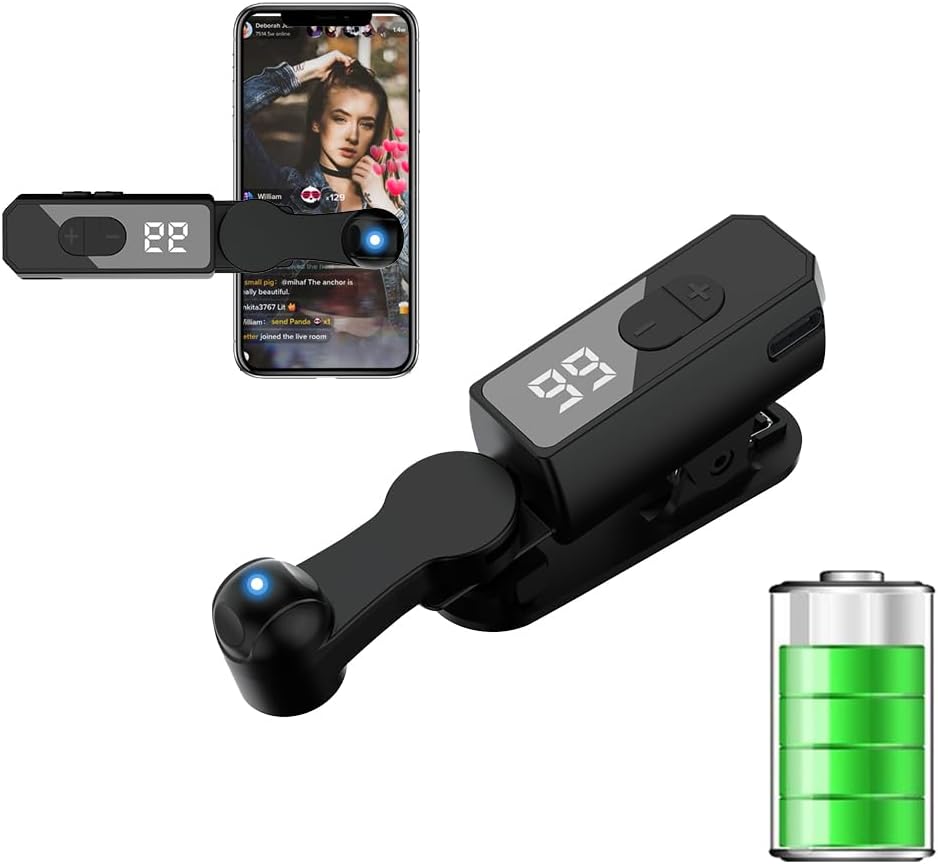
Built-in battery design
108-speed gear settings
LED digital display included
Discover the top auto clicker for iPhone and iPad devices to automate taps, boost engagement, and save time during gaming or streaming activities.
Finding the right auto clicker for iPhone and iPad can transform how you interact with repetitive tasks on your mobile devices. These tools help automate taps for games, live streams, and reward activities without requiring constant manual input.
We compared ten physical auto clickers based on speed settings, battery life, compatibility, and ease of use. Each product was evaluated for its ability to mimic human touch and avoid detection systems while maintaining device safety.
Each pick below highlights key features, pros, cons, and ideal use cases to help you decide. Keep in mind that prices and availability may change over time, so check the latest listings before purchasing.
4.3Editor score

4.3Editor score

3.8Editor score
The following table provides a side-by-side comparison of all ten auto clicker models reviewed in this guide. Each entry highlights essential specifications to help you quickly identify the best fit for your needs.


This physical auto clicker stands out for its ability to bypass anti-cheat systems commonly found in online games. With a rating of 4.3 stars, users appreciate its reliable performance and ease of setup.
We may earn a commission when you buy through this link, at no additional cost to you.
The device offers 31-speed gears ranging from one click per 60 seconds to 33 clicks per second. This flexibility makes it suitable for both slow repetitive tasks and fast-paced gaming scenarios.
While it requires a USB connection, the trade-off ensures consistent power without worrying about battery depletion. The memory function saves your last used gear parameter after power off for convenience.
Ideal for gamers and streamers seeking a physical solution, this clicker delivers stable performance. Its compatibility with multiple devices adds value for users with different platforms.
Physical clickers avoid detection by automated software systems that block digital auto click apps during gameplay.
Adjustable gears let you tailor tapping frequency to match game mechanics or task requirements precisely.
We may earn a commission when you buy through this link, at no additional cost to you.
Similar to the first model, this A2 variant offers robust physical clicking capabilities with a strong 4.3-star rating. It is designed to simulate finger taps accurately without triggering detection systems.
We may earn a commission when you buy through this link, at no additional cost to you.
The 31-speed gears provide extensive control over tapping frequency. You can save your preferred gear automatically, ensuring quick setup for repeated tasks without reconfiguring each time.
Dependency on a USB power source means you should plan your setup accordingly. However, the stability it offers often outweighs the need for cordless operation in stationary scenarios.
Best for users needing consistent high-speed tapping, this clicker supports games and live broadcast likes. Its multi-device compatibility adds versatility for households with varied devices.
Choose from 31 gears to match precise tapping needs across different apps and games.
Simulated finger clicks reduce risk of account flags compared to digital software solutions.
We may earn a commission when you buy through this link, at no additional cost to you.
This model maintains the core strengths of the series with reliable performance and user-friendly features. Its 4.3-star rating reflects satisfaction among users needing dependable physical click automation.
We may earn a commission when you buy through this link, at no additional cost to you.
The adjustable speed gears allow customization from slow to fast tapping. Memory features ensure you do not lose settings after powering off, streamlining repeated use sessions.
While USB dependence limits mobility, the device delivers consistent output without battery concerns. The included screen clip and adhesive sticker offer flexible mounting options for various phone sizes.
Recommended for stationary setups like desktop gaming or live streaming, this clicker handles repetitive tasks efficiently. Its silent operation ensures no noise disturbance during use.
Saved gear parameters remain stored after power off for instant resumption of previous settings.
Use adhesive stickers or clips to secure the clicker on different device screen dimensions.
We may earn a commission when you buy through this link, at no additional cost to you.
As a budget-friendly wireless option, this rechargeable clicker offers excellent value for casual users. The built-in battery removes the need for constant cable connections during tasks.
We may earn a commission when you buy through this link, at no additional cost to you.
With 108-speed gears, you gain extensive control over tapping rates. The LED display shows click counts, making it easier to track progress during extended sessions.
Battery life may require periodic recharging, but the convenience of wireless use is significant. Its compact form factor fits easily in pockets for on-the-go tasks.
Ideal for TikTok likes or light gaming, this model balances cost and functionality well. The digital display adds a layer of user feedback that many competitors lack.
Built-in battery enables cordless use without relying on external power sources constantly.
LED screen displays click numbers helping users monitor task completion accurately.
We may earn a commission when you buy through this link, at no additional cost to you.
This wireless clicker distinguishes itself with an impressive 12-hour battery life, perfect for long sessions. Users rate it 4.2 stars for its reliable performance and ergonomic comfort.
We may earn a commission when you buy through this link, at no additional cost to you.
The LED digital display keeps you informed of settings and status. An ergonomic shape ensures comfortable handling during extended use, reducing hand strain.
Note that some devices may limit high-frequency signals, so adjust settings accordingly. The silent operation ensures it does not disrupt quiet environments like offices.
Great for all-day tasks or travel, this clicker offers robust battery performance. Its compatibility with various smartphones adds to its appeal for diverse user needs.
High-capacity battery supports up to 12 hours of continuous wireless operation on single charge.
Designed for comfortable grip reducing fatigue during prolonged usage sessions.
We may earn a commission when you buy through this link, at no additional cost to you.
Silent operation is the standout feature here, making it suitable for quiet environments. With 107 speeds, it offers broad flexibility for different task requirements without Bluetooth pairing.
We may earn a commission when you buy through this link, at no additional cost to you.
The optical projection system prevents screen scratches and audible clicks. An LED counter tracks every tap ensuring accurate operation monitoring during use.
Battery life averages 8 hours which is decent but less than some competitors. The compact build allows easy storage and portability for users on the move.
Best for discreet tasks like TikTok likes, this clicker avoids noise disruption. Its straightforward setup and wireless convenience make it user-friendly for beginners.
Optical projection replaces mechanical clicks ensuring zero noise during operation.
107 speed options allow precise customization for various app interactions.
We may earn a commission when you buy through this link, at no additional cost to you.
This clicker excels at mimicking natural finger pressure and angle, reducing bot detection risks. Its 4.3-star rating highlights user satisfaction with the human-like tapping precision.
We may earn a commission when you buy through this link, at no additional cost to you.
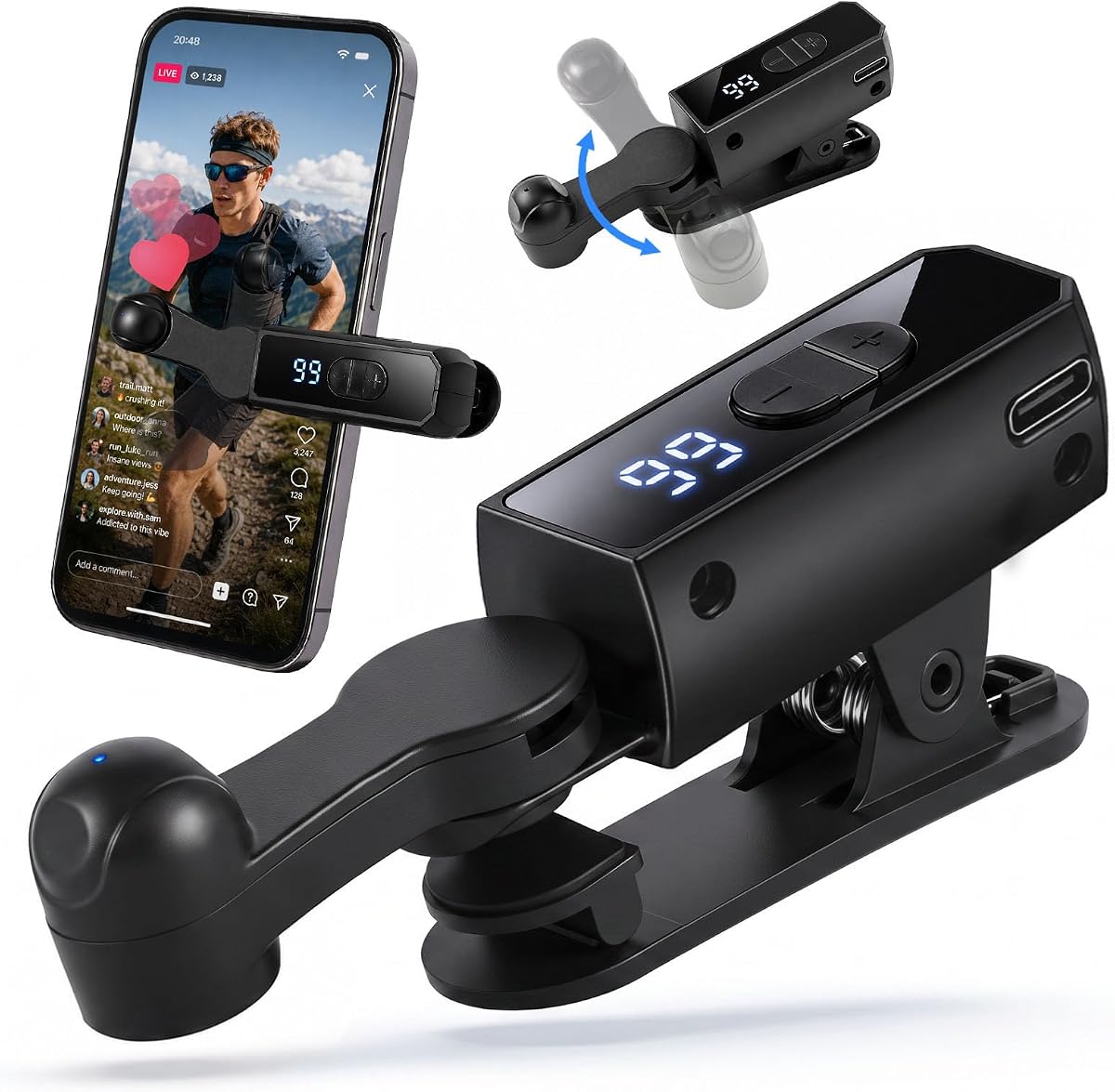
A silent motor ensures quiet operation, and a 180-degree rotatable stand offers flexible positioning. The LED display allows easy monitoring of speed and settings.
Battery performance ranges from 5 to 10 hours depending on usage intensity. Regular charging may be needed for extended all-day tasks compared to higher capacity models.
Suitable for iPhone and Android alike, this model balances stealth and efficiency. The rotatable stand adds adaptability for different screen orientations and use cases.
Simulates real finger pressure to avoid detection by automated systems on apps.
180-degree rotation provides flexible positioning for landscape or portrait screen modes.
We may earn a commission when you buy through this link, at no additional cost to you.
Designed for portability, this clicker simulates human finger pressure effectively across multiple devices. A 4.3-star rating reflects its reliability for TikTok and gaming tasks.
We may earn a commission when you buy through this link, at no additional cost to you.
The silent motor and soft rubber contacts protect your device screen while ensuring quiet use. Speed settings are clearly displayed for straightforward adjustments.
Battery life of 4 to 8 hours may require recharging during long sessions. However, its compact size makes it easy to carry and store when not in use.
Best for users seeking a discreet and portable solution, this model delivers consistent performance. Its multi-device compatibility adds value for those owning both iOS and Android devices.
Compact design fits easily in bags for on-the-go automation tasks.
Soft contacts protect coatings preventing scratches during long-term daily use.
We may earn a commission when you buy through this link, at no additional cost to you.
This value bundle offers two clickers in one purchase, ideal for households or shared devices. The 3.8-star rating suggests potential setup variance but highlights cost effectiveness.
We may earn a commission when you buy through this link, at no additional cost to you.
Spatial mapping technology ensures touchless screen protection avoiding wear on glass. With 107 speeds and a 10-hour battery life it supports extensive automation tasks.
The foldable design aids portability though setup is required for each unit individually. Users may need to calibrate settings separately which can be time-consuming initially.
Best for users needing multiple units for different devices this bundle provides flexibility. The touchless feature adds a layer of safety for valuable or sensitive screens.
Spatial mapping technology avoids physical contact reducing screen wear risks.
Includes two clickers enabling simultaneous use across multiple devices.
We may earn a commission when you buy through this link, at no additional cost to you.
As a standard model in the lineup, this physical clicker offers reliable performance for everyday tasks. The 4.3-star rating reflects user trust in its durability and design.
We may earn a commission when you buy through this link, at no additional cost to you.
It supports 31-speed gears and includes multiple mounting accessories like clips and stickers. The memory function ensures settings remain saved after power off for convenience.
Dependency on USB power may limit use to stationary setups. However, this trade-off ensures consistent performance without battery interruptions during critical tasks.
Recommended for consistent repetitive tasks, this clicker delivers stable output. Its multi-device compatibility makes it a versatile choice for households with mixed platforms.
Rigorously tested construction ensures long service life and minimal technical problems.
Includes click head screen clip and stickers for flexible mounting options.
We may earn a commission when you buy through this link, at no additional cost to you.
Selecting the right auto clicker requires understanding key factors like power source, speed range, and compatibility. This guide outlines essential considerations to help you make an informed decision.
Decide between physical wired clickers that use USB power and wireless rechargeable models. Wired options offer continuous power without battery concerns while wireless ones provide mobility and convenience.
Choose wired models for stationary tasks and wireless for portability.
Look for adjustable speed settings that match your specific task requirements. Some models offer a wide range of gears allowing precise control from slow to fast tapping.
Ensure the speed range meets your app or game needs.
Verify that the clicker supports your device operating system such as iOS or Android. Some models are optimized for specific platforms ensuring better integration and performance.
Check compatibility to avoid functionality issues.
Physical clickers often bypass anti-cheat systems found in online games better than software solutions. Look for devices designed to simulate human finger taps accurately.
Prioritize physical clickers if playing online games.
For wireless models battery life determines how long you can use the device without recharging. Higher capacity batteries support longer sessions especially for extended gaming or streaming.
Review battery specifications to ensure it fits your usage patterns.
Consider the size and weight of the clicker if you plan to carry it frequently. Compact designs are easier to store in pockets or bags for on-the-go tasks.
Opt for portable designs if mobility is a priority.
Some clickers use touchless mapping or soft silicone contacts to prevent screen scratches. This is crucial for maintaining device value and appearance over time.
Choose models with protective features to safeguard your screen.
User-friendly controls like clear displays and simple buttons simplify setup and adjustment. Models with memory functions allow quick resumption of previous settings.
Look for intuitive interfaces to save time during use.
Start by securely attaching the clicker to your device screen using the provided adhesive or clip. Ensure the click head aligns with the target area on your screen for accurate tapping.
Adjust the speed settings using the available buttons or gears to match your desired tapping frequency. Some models have LED displays to help monitor settings while others use simple button presses.
Regularly clean the clicker contacts and screen areas to prevent dust buildup. Store the device in a cool dry place when not in use to maintain battery health and extend lifespan.
Physical clickers are less likely to be detected compared to software apps because they simulate actual finger taps. However, some advanced anti-cheat systems may still flag unusual input patterns.
Most physical clickers do not require software installation since they operate independently via hardware controls. Wireless models may need charging but no app setup is typically needed.
Battery life varies by model ranging from 4 to 12 hours on a single charge. It depends on usage frequency and speed settings chosen during operation.
Many models are compatible with both devices provided they support touch screen input. Always check product specifications to confirm support for your specific device size.
High-quality clickers use soft silicone contacts or touchless technology to prevent scratches. However, improper setup or low-quality materials may cause wear over time.
Using auto clickers for liking videos or engaging in tasks is generally safe but may violate terms of service. Use caution to avoid account restrictions or flags.
The ten auto clickers reviewed offer a range of features from physical reliability to wireless convenience. Selecting the right one depends on your specific needs like gaming or streaming.
Prioritize factors such as battery life speed range and compatibility to ensure satisfaction. Physical models provide better anti-cheat protection while wireless ones offer mobility.
Always check current prices and availability before purchasing as these may change over time. This guide helps narrow down choices to find the most suitable tool for you.