
Blackmagic Design Teranex Mini Audio to SDI 12G
3.8Editor score
12G-SDI Support
4K Auto Switching
Timecode Input Option
This guide compares the top audio to SDI embedders for 2026, evaluating features, compatibility, and reliability to help you choose the right converter for
Finding the right audio to SDI embedder is crucial for professional video production. These devices ensure high-quality sound travels seamlessly with your video signal. A good embedder supports multiple formats and offers reliable connectivity.
We evaluated ten top-rated models based on build quality, feature sets, and user feedback. Our comparison covers options from leading manufacturers like Blackmagic Design and AJA. Each entry provides detailed specs and real-world performance insights.
Read on to discover which embedder fits your specific broadcast or live event needs. Each pick highlights key strengths and potential limitations. Note that availability and pricing may vary over time.
3.8Editor score

4.9Editor score

4.5Editor score
This table provides a side-by-side overview of all ten selected audio to SDI embedders. Compare key specifications and features to find the model that best matches your technical requirements.




This converter stands out for its exceptional reliability and ease of use. With a near perfect user rating, it delivers consistent performance for critical tasks. Its ability to embed audio into SDI signals is precise and robust.
We may earn a commission when you buy through this link, at no additional cost to you.
The redundant SDI input ensures that your broadcast signal never drops unexpectedly. If the primary cable fails, the unit switches instantly to the backup line. This feature is vital for live events where interruptions are unacceptable.
While it focuses on core functionality, that simplicity is a strength. Configuration is done via a simple pen click rather than complex menus. However, it lacks advanced video processing capabilities found in higher-end models.
Ideal for broadcast engineers and live production teams prioritizing uptime. If you need a dependable embedder that just works, this is the top choice. It balances performance with straightforward operation perfectly.
The redundant input feature guarantees continuity even if a cable is damaged or disconnected.
Settings are adjusted with a pen click, making it quick to change audio modes without tools.
We may earn a commission when you buy through this link, at no additional cost to you.
For high-end productions needing 12G-SDI support, this Teranex model is a powerhouse. It handles 4K video seamlessly while embedding audio with professional-grade quality. The inclusion of timecode input is a rare find in mini converters.
We may earn a commission when you buy through this link, at no additional cost to you.
Its automatic switching between SD, HD, and 4K ensures you do not need manual intervention. This flexibility makes it suitable for diverse studio environments where format standards change frequently. The optical audio input adds versatility for various source types.
The price reflects its advanced capabilities, making it a significant investment. Users new to 12G standards might find the configuration steps daunting initially. However, once set up, it performs consistently under heavy workloads.
Best for post-production studios and broadcast facilities requiring top-tier signal integrity. If your workflow demands 4K readiness and precise audio embedding, this model delivers. It is a premium tool for professional demands.
Ready for upcoming Ultra HD standards with native 12G-SDI input and output capabilities.
Supports AES/EBU digital audio and offers a dedicated timecode input for synchronization.
We may earn a commission when you buy through this link, at no additional cost to you.
This model offers exceptional value for users needing reliable SD and HD embedding. The universal power supply means you can take it anywhere without worrying about voltage. It supports 3 Gb/s SDI for modern high-definition workflows.
We may earn a commission when you buy through this link, at no additional cost to you.
Its auto-switching capability detects format changes automatically. This reduces setup time and the risk of signal errors. The build quality is robust, ensuring longevity even in demanding field conditions. For most standard broadcast tasks, it is more than capable.
It lacks the advanced features of the Teranex series, which keeps costs down. If you do not need 4K or 12G support, this is an efficient choice. However, users might need external tools for complex audio routing.
Perfect for independent producers, small studios, and event technicians. It balances cost with performance effectively. If you need a sturdy embedder for daily use without breaking the budget, this is the answer.
The included universal power supply with adapters works in any country without extra costs.
The unit automatically adjusts to incoming video formats, saving time during setup.
We may earn a commission when you buy through this link, at no additional cost to you.
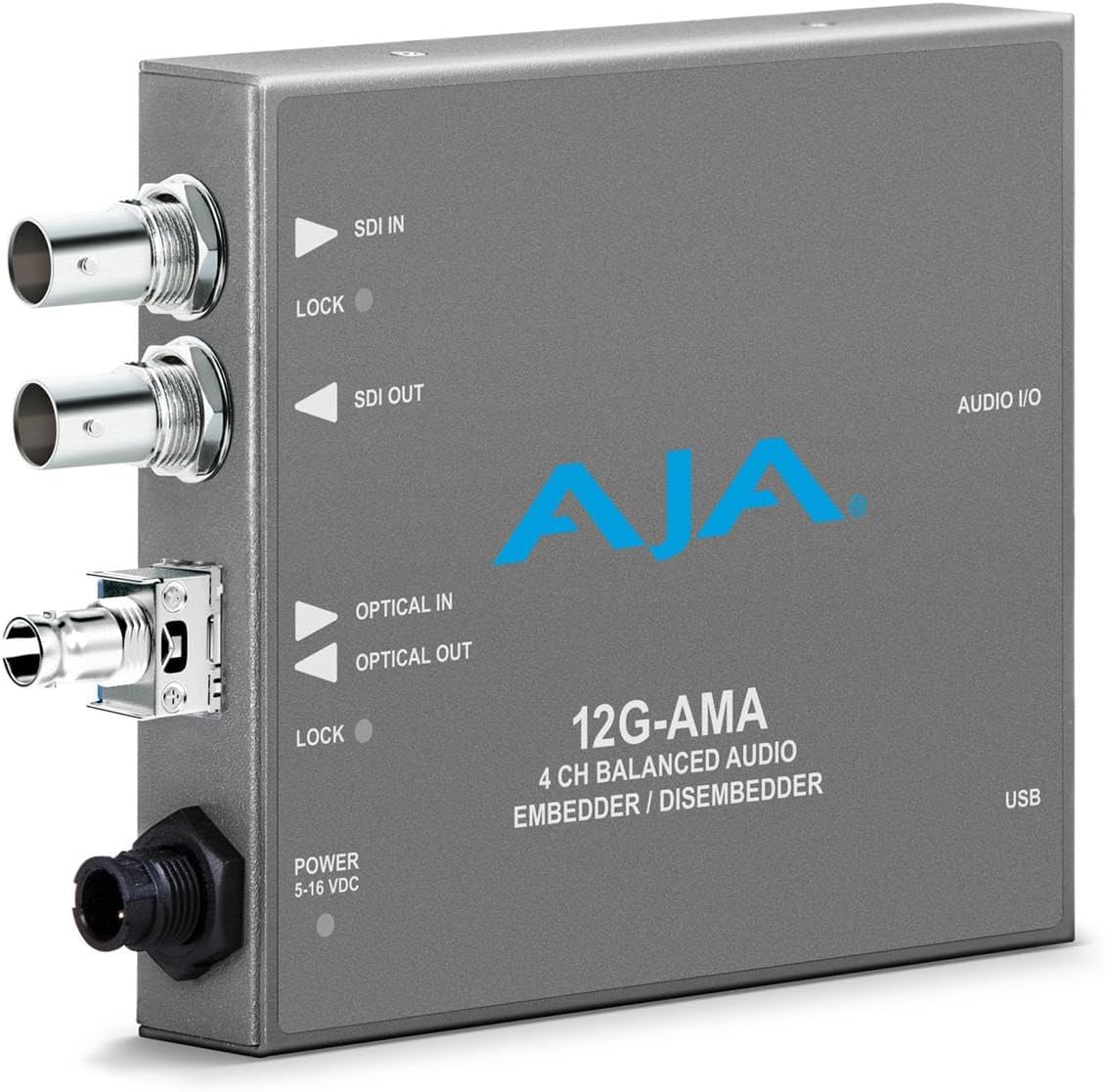
Aja is known for professional reliability and this embedder maintains that standard. It supports 12G-SDI for high-resolution workflows with ease. The balanced audio inputs ensure clean signal transmission for sensitive recording setups.
We may earn a commission when you buy through this link, at no additional cost to you.
Optional fiber connectivity extends its range for larger venue productions. This flexibility makes it suitable for complex infrastructure needs. However, the higher price point might be prohibitive for smaller operations. Configuration requires specific knowledge of Aja tools.
It is robust but may require technical expertise to optimize fully. Users seeking top-tier video and audio integrity will appreciate its stability. The lack of user reviews makes it harder to gauge real-world ease of use.
Best suited for broadcast facilities with existing AJA ecosystems. If you need long-distance signal transport and high-speed SDI, this fits well. It is a premium tool for critical infrastructure.
12G-SDI support ensures maximum quality for 4K content embedding and processing.
Fiber options allow for long-distance signal transport without signal degradation.
We may earn a commission when you buy through this link, at no additional cost to you.
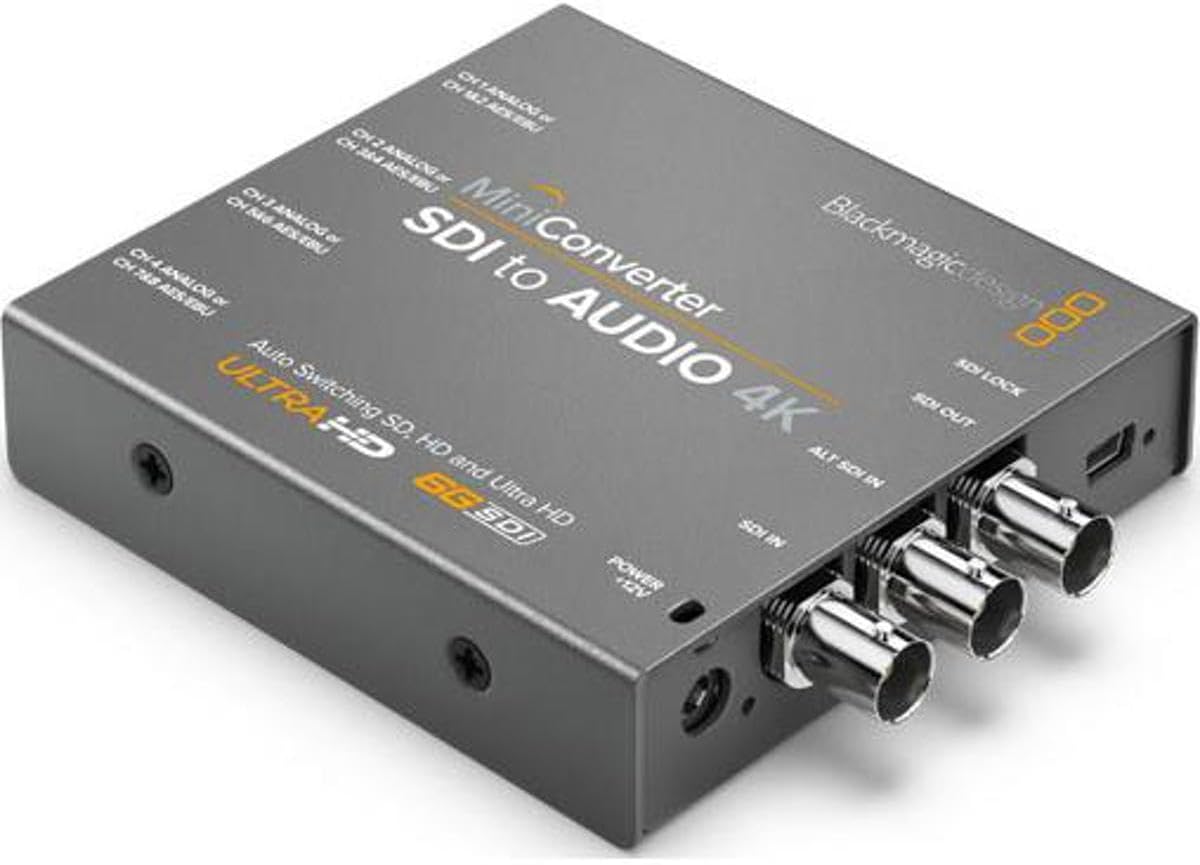
This converter excels at extracting audio from SDI feeds reliably. Its compact design saves valuable rack space. The included multinational adapters mean it works worldwide without additional purchases. It is a practical tool for monitoring or recording.
We may earn a commission when you buy through this link, at no additional cost to you.
It provides stable audio outputs suitable for professional environments. Users appreciate the straightforward operation without complex menus. However, it does not embed audio back into SDI signals. This limits its use to extraction tasks.
For field reporters or sound engineers needing clean audio from video, it is ideal. The price reflects its focused functionality. You get what you need without extra features you do not require.
Best for audio teams relying on SDI camera feeds. If you need consistent audio extraction for playback or recording, this is a solid pick. It keeps signal paths simple and effective.
Multinational power adapters make this a true travel-friendly tool for international assignments.
The compact unit fits easily into mobile kits and small production racks.
We may earn a commission when you buy through this link, at no additional cost to you.
This model bridges the gap between modern SDI and legacy analog gear. It converts video and de-embeds audio to balanced analog outputs. This dual functionality is rare in compact mini converters. The build quality ensures long-term reliability.
We may earn a commission when you buy through this link, at no additional cost to you.
It handles SDI signals well, supporting a wide range of formats. Users can feed analog monitors or audio systems without extra gear. However, power requirements mean it needs a wall source. It lacks digital processing tools.
Best for broadcast centers maintaining older infrastructure. If you need to connect SDI sources to analog devices, this solves that gap. It is a practical solution for hybrid environments.
Ideal for legacy integration projects. If you need to mix old and new gear reliably, this is the bridge you need. It ensures signal continuity without complex setups.
Converts modern SDI signals to analog for legacy monitor compatibility.
De-embedded audio can be routed to analog mixes for monitoring or recording.
We may earn a commission when you buy through this link, at no additional cost to you.
This 4K-capable converter supports high channel counts for complex mixes. It handles 4K video inputs while extracting up to eight audio channels via AES. This makes it perfect for high-end post-production and live streaming.
We may earn a commission when you buy through this link, at no additional cost to you.
The redundant input ensures signal continuity if the main feed fails. This reliability is crucial for professional environments. However, it consumes more power than standard models. Configuration requires technical expertise for optimal results.
It is a robust solution for demanding audio workflows. If you need multiple tracks from a single SDI source, it delivers. But it is not the simplest device for casual users.
Best for broadcast studios and event production teams. If you need high-quality 4K audio extraction with redundancy, this is ideal. It ensures every track is captured cleanly.
Supports up to 8 channels of digital audio for complex multi-track setups.
Redundant input ensures no audio is lost during live transmission errors.
We may earn a commission when you buy through this link, at no additional cost to you.
This unit upconverts analog video to SDI while embedding audio. It supports NTSC and PAL formats widely used globally. This makes it essential for archival projects or legacy camera workflows. The balanced audio inputs ensure low noise.
We may earn a commission when you buy through this link, at no additional cost to you.
It bridges older analog equipment to modern SDI infrastructure. Users can connect S-video or component sources easily. However, analog signals may introduce noise if not handled correctly. It is less versatile than digital-only converters.
Best for historical digitization or retro setups. If you need to capture analog feeds into an SDI workflow, this works. It provides a clean path from old to new.
Ideal for restoration teams or multi-format productions. If you need to mix analog and digital feeds, this handles it. It keeps your signal chain consistent and professional.
Handles NTSC and PAL signals to bring older video feeds into modern workflows.
Balanced audio inputs allow noise-free integration with video upconversion.
We may earn a commission when you buy through this link, at no additional cost to you.
AJA delivers ultra-low latency crucial for live real-time sync. This embedder supports 3G-SDI and 4-channel balanced audio. The MiniConfig software offers detailed control over levels. It ensures synchronization without delay.
We may earn a commission when you buy through this link, at no additional cost to you.
The audio quality is pristine due to balanced processing. Users can adjust settings precisely for different venues. However, software dependency adds a setup step. It may not appeal to those seeking plug-and-play simplicity.
Best for live broadcast and sports streaming. If latency is a concern, this model solves it. The control features allow fine-tuning for specific audio needs.
Ideal for technical directors and audio engineers. If you need low-latency synchronization and control, this fits. It ensures professional quality in critical scenarios.
Minimal delay ensures perfect sync between audio and video during live events.
MiniConfig software allows precise adjustment of audio levels and settings.
We may earn a commission when you buy through this link, at no additional cost to you.
This embedder supports 4K video with high audio channel counts. It allows embedding eight channels of AES audio for immersive sound. Redundant inputs ensure reliability for critical streams. It is well-built for studio use.
We may earn a commission when you buy through this link, at no additional cost to you.
It handles multiple video formats automatically for seamless integration. Users appreciate the straightforward audio routing features. However, it lacks video processing capabilities. You need external tools for video editing or conversion.
Best for production teams needing high channel audio. If you work with 4K and multi-track sound, this fits. It ensures audio integrity without complex setups.
Ideal for high-definition production workflows. If you need reliable embedding for large sound systems, this is the tool. It maintains quality across all connections.
Supports 4K video formats for modern high-definition production needs.
Embeds up to eight channels of digital audio for complex soundtracks.
We may earn a commission when you buy through this link, at no additional cost to you.
Selecting the right audio to SDI embedder requires evaluating your workflow needs. This guide helps you understand the key factors affecting performance and compatibility.
Check whether your embedder supports the video resolution you use daily. Some models handle only SD and HD while others support 4K and 12G-SDI. Matching the resolver to your camera and monitor ensures no signal degradation.
Choose a model that supports your highest resolution to future-proof your setup. Investing in higher capabilities avoids the need for an upgrade soon.
Determine how many audio channels you need to embed simultaneously. Some converters support stereo only while others handle eight or more channels. For complex productions like theater or broadcast, higher channel counts are essential.
Ensure the embedder has the necessary XLR or AES inputs for your audio sources. This prevents bottlenecks during live mixing or recording sessions.
Redundant inputs are vital for mission-critical tasks. They automatically switch to a backup input if the primary signal fails. This minimizes downtime during live broadcasts or important events.
Look for units that explicitly list redundant SDI inputs. This feature significantly improves reliability in professional environments.
Consider the power supply and how portable the unit needs to be. Some units include universal adapters for international travel. Compact designs save rack space but may require wall power.
Choose an embedded universal power supply if you travel frequently. For studio use, check if the unit includes a power adapter.
Verify the audio input types supported by the embedder. Some support analog balanced inputs while others support AES/EBU digital inputs. Matching the connectors to your existing gear is crucial.
Ensure the unit supports both analog and digital inputs if you use mixed gear. This flexibility avoids the need for additional converters.
Advanced units offer software control for precise audio adjustments. Tools like MiniConfig allow you to tweak levels and settings easily. This is useful for fine-tuning sound for different venues.
Prioritize software support if you need frequent adjustments. This reduces time spent on manual configuration.
Field work demands rugged build quality. Metal housings and robust connectors ensure the unit survives transport. Check for user feedback regarding long-term reliability.
Choose a unit built for professional use to avoid failures. Durability reduces replacement costs over time.
Compare prices against the features offered. Higher-priced units often support more resolutions and channels. Ensure the investment matches your current production standards.
Avoid overspending on features you do not need. A budget unit with basic features might suffice for simple projects.
Connect your audio source to the input ports and SDI video to the video input. Ensure the cables are secure to prevent signal loss during operation.
Use the provided software or front panel to configure audio levels and embedding settings. Adjust the output to match your destination device requirements.
Keep the unit in a dry and dust-free environment. Clean connectors regularly with appropriate tools to maintain signal integrity over time.
An audio to SDI embedder combines audio signals into an SDI video signal. This allows both audio and video to travel over a single coaxial cable. It simplifies cabling for broadcast and live production setups.
No, only models supporting 12G-SDI typically handle 4K. Standard units support SD and HD up to 3G-SDI. Check the specs to confirm compatibility with your video format.
Many embedders accept balanced analog audio inputs. Others require AES/EBU digital inputs. Verify the input types match your audio gear before buying.
Redundant inputs ensure signal continuity if a cable fails. If the main input disconnects, the unit switches automatically. This prevents black screens during live broadcasts.
Most mini converters require external power via an adapter. Some units include universal power supplies for international use. Always check the included accessories.
Most embedders have ultra-low latency for real-time sync. Professional units often have less than one frame of delay. This ensures audio matches video perfectly during live events.
Yes, basic embedders pass audio into the video signal without processing. This maintains high audio quality without digital manipulation. It is ideal for broadcast fidelity.
Some units require desktop software for advanced configuration. Others are configured via physical buttons. Check if you are comfortable with software settings.
Our top picks include the Blackmagic Mini Converter Audio to SDI 2 for reliability and the Teranex Mini for high-resolution needs. Each offers unique strengths for different workflows.
Prioritize resolution support and channel count based on your daily tasks. Redundancy features are a must for live broadcast environments to ensure uptime.
Prices and availability may vary so check current listings before buying. Choose the unit that aligns with your production goals and budget limits.