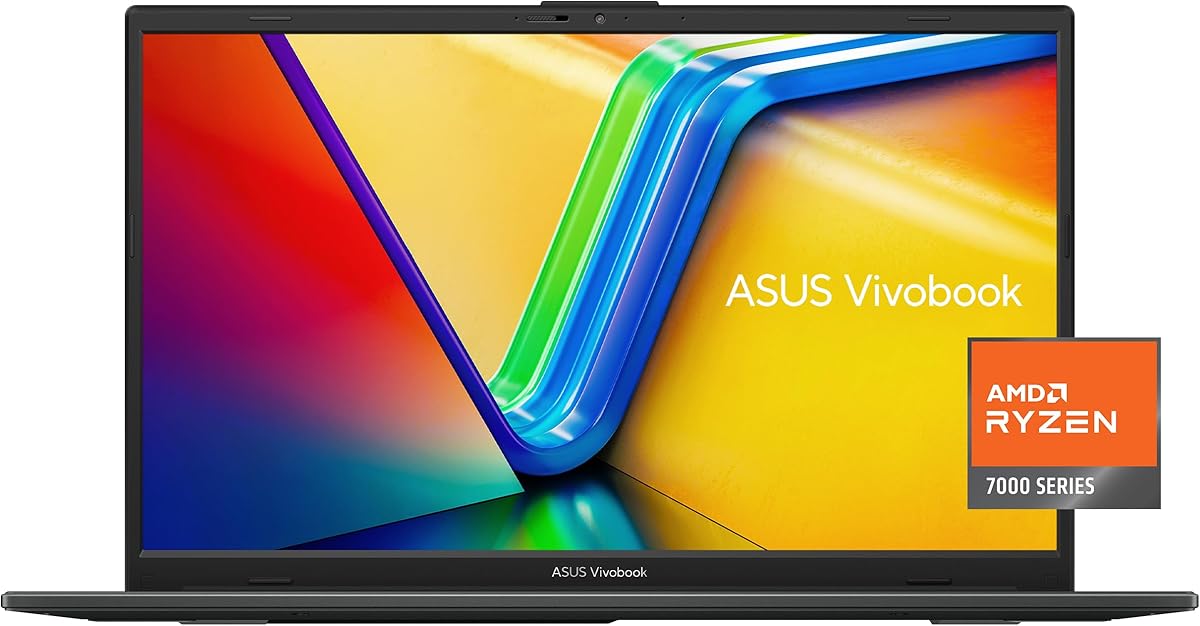
ASUS Vivobook Go 15
4.3Editor score
AMD Ryzen 3 7320U Processor
8GB DDR5 RAM for multitasking
Military Grade Durability Design
Choosing the right laptop is crucial for student success today. You need a device that handles coursework, research, and entertainment without breaking the bank. ASUS offers a wide range of options tailored to different budgets and performance requirements.
We compared ten real ASUS models based on processor speed, memory capacity, storage type, and build quality. Our analysis focuses on features that matter most to learners, such as portability, display clarity, and connectivity options for remote learning.
Each pick in this guide highlights specific strengths like AI capabilities or long battery life. Please note that availability and pricing can change frequently, so verify details before making your final decision to ensure you get the best deal available.
4.3Editor score

4.8Editor score

4.5Editor score
As an Amazon Associate we earn from qualifying purchases.
This side-by-side comparison helps you quickly identify key differences between models. Look at processor types, memory sizes, and storage capacities to match a device with your specific academic workflow needs.


The ASUS Vivobook Go 15 is a strong entry-level choice for students needing reliable basic computing. It holds a solid 4.3 rating from users who appreciate its durability and value. The device focuses on essential tasks like writing papers and browsing the web.
We may earn a commission when you buy through this link, at no additional cost to you.
Its AMD Ryzen 3 processor combined with 8GB DDR5 RAM handles everyday multitasking smoothly. The 15.6 inch display offers a clear view for long study sessions without straining your eyes. Physical webcam shields add a layer of privacy during online classes.
Storage is limited to 128GB, which may require external drives for large media files. While adequate for documents, it might feel tight for heavy software installations. However, the fast charging feature helps keep productivity high during busy days.
This laptop is ideal for students on a strict budget who need a sturdy machine for general coursework. If you rely mostly on cloud storage and basic apps, this model delivers excellent reliability without unnecessary costs.
US military-grade testing ensures this device withstands the rigors of student life including daily commutes.
Multiple ports including USB C and HDMI allow easy connection to projectors and external drives.
We may earn a commission when you buy through this link, at no additional cost to you.
This variant upgrades the processor to an AMD Ryzen 5 for better speed in heavier applications. Users report a smooth experience for streaming and productivity tasks thanks to the 512GB SSD. It maintains the same slim design as the budget version.
We may earn a commission when you buy through this link, at no additional cost to you.
The increased storage space allows you to store more projects locally without needing constant cloud access. IceCool technology keeps the system running cool even during intense work sessions. Wi-Fi 6E ensures stable internet connections for virtual lectures.
While the RAM remains at 8GB, which is sufficient for most students, power users might find it limiting eventually. The cooling system is efficient but noise levels can rise under load. Overall it balances cost and performance well.
Choose this model if you need more local storage and slightly faster processing for light multitasking. It is a sensible step up from the entry-level version for those who want better longevity.
With 512GB SSD you can save more files locally reducing reliance on external storage drives.
ASUS IceCool technology helps maintain performance by managing heat effectively during use.
We may earn a commission when you buy through this link, at no additional cost to you.
This model stands out with its Snapdragon X processor designed for next generation AI workloads. It carries a high 4.8 rating reflecting satisfaction with its performance and build quality. The device is optimized for Windows 11 Copilot+ features.
We may earn a commission when you buy through this link, at no additional cost to you.
With 16GB of RAM it handles complex multitasking and modern educational tools effortlessly. The 14 inch WUXGA display provides crisp visuals that are easy on the eyes. Qualcomm Adreno GPU ensures smooth graphics for media consumption.
Transitioning to new silicon might require some adaptation for specific legacy software but future compatibility is strong. The battery life is a major advantage for all day class attendance without charging. It represents a forward looking investment.
Students interested in AI and long term value should consider this premium option highly. It offers cutting edge technology that will remain relevant as software requirements evolve over the next few years.
Optimized for Copilot+ PC features enabling advanced AI tools for enhanced productivity.
14 Inch WUXGA screen delivers sharp text ideal for reading and writing tasks.
We may earn a commission when you buy through this link, at no additional cost to you.
This lightweight option is built for basic tasks and portability above raw power. Users note it is extremely affordable making it accessible for tight budgets. However the 4GB RAM limits multitasking capability significantly compared to other models.
We may earn a commission when you buy through this link, at no additional cost to you.
The Intel Celeron processor handles web browsing and word processing adequately but struggles with heavy loads. The 15.6 inch display offers good size for reading but brightness is standard. Fast charge support helps extend usage time between plugs.
Storage is via eMMC which is slower than SSDs found in higher tiers. This can result in longer boot times and file access delays. It is best suited for users who primarily use web apps rather than local software.
Select this laptop if your main constraint is cost and you only need simple computing. It serves well as a secondary device for travel but may not last as long under heavy daily use.
Slim design makes it easy to carry between classes and dorm rooms without strain.
Designed for basic productivity ensuring you can get started without financial stress.
We may earn a commission when you buy through this link, at no additional cost to you.
The 16 inch display provides ample workspace for split screen tasks and detailed projects. It features the efficient Snapdragon X processor which balances speed and battery life well. Users appreciate the immersive viewing experience for research and entertainment.
We may earn a commission when you buy through this link, at no additional cost to you.
With 16GB RAM this machine manages heavy browser tabs and applications without slowing down. The 16:10 aspect ratio offers more vertical space useful for reading documents. The Adreno GPU handles light creative tasks effectively.
The larger screen size naturally adds weight making it less convenient for daily commuting than smaller models. It is better suited for stationary study spots or shared desks. Battery efficiency remains high despite the larger panel.
For students who prioritize screen real estate for coding or design work this is a strong choice. It offers the performance of a premium device with the comfort of a bigger canvas.
16 inch WUXGA display allows multiple windows open side by side comfortably.
Snapdragon X processor ensures long battery life even with a large screen active.
We may earn a commission when you buy through this link, at no additional cost to you.
This configuration targets users needing significant storage and professional features. The 1TB SSD ensures you never run out of space for large data sets. It includes a docking hub which simplifies connection to peripherals and monitors.
We may earn a commission when you buy through this link, at no additional cost to you.
The Intel Core 5 120U processor provides reliable performance for office tasks and research. Windows 11 Pro adds security features useful for managing academic data and connections. Wi-Fi 6 keeps you connected even in crowded campus networks.
The 12GB RAM is non standard which may complicate future upgrades. Some users report mixed experiences on build consistency compared to direct factory models. However the storage and ports offer great utility for hybrid students.
If you manage large files and need extra connectivity this bundle offers excellent value. The included accessories save money on third party peripherals you might otherwise buy separately.
1TB SSD provides massive local storage for years of academic projects and media.
Included docking hub allows easy attachment of extra monitors and peripherals.
We may earn a commission when you buy through this link, at no additional cost to you.
This model strikes a practical balance between cost and performance for daily use. The 16GB RAM ensures smooth operation even with many browser tabs open. Users find it reliable for standard college workloads and media consumption.
We may earn a commission when you buy through this link, at no additional cost to you.
The Intel Core 5 120U offers sufficient power for everyday applications without excessive heat. The 15.6 inch screen provides a comfortable view for reading textbooks and writing essays. Wi-Fi 6 ensures stable internet access across campus.
It lacks the AI optimizations found in newer Snapdragon models but is very competent. Battery life is decent but not class leading requiring occasional charging during long days. It is a safe choice for general student needs.
Choose this if you want a traditional laptop experience with ample memory. It avoids niche features while delivering consistent performance for most educational software.
16GB RAM allows you to run multiple heavy apps without slowdowns.
15.6 inch display gives enough room for split window productivity.
We may earn a commission when you buy through this link, at no additional cost to you.
This premium bundle delivers desktop level performance in a laptop form factor. The Core i9 processor handles video editing and complex simulations with ease. It has a strong rating due to its high speed and storage capacity.
We may earn a commission when you buy through this link, at no additional cost to you.
With 32GB of RAM you can run virtual machines or heavy development environments without issue. The 1TB SSD ensures fast loading times for all your files. A fingerprint reader adds convenient security for logging into your system.
The high performance does generate heat so the included PCO Cooler helps manage temperatures. It is likely overkill for simple writing tasks but perfect for engineering or creative majors. The price reflects this top tier capability.
If your course load involves rendering or data science this machine will not hold you back. It is a long term investment that grows with your academic and professional needs.
Core i9 ensures you can tackle demanding software with high efficiency.
Fingerprint reader allows quick and secure access to your work.
We may earn a commission when you buy through this link, at no additional cost to you.
This model combines AI efficiency with serious graphics capabilities for creative work. The Ryzen AI processor offers high TOPS for local AI tasks without needing cloud access. Users praise the vibrant display and gaming performance.
We may earn a commission when you buy through this link, at no additional cost to you.
With 16GB RAM and dedicated Radeon graphics it handles video editing and light gaming well. The WUXGA screen delivers sharp colors and clarity for visual content. Battery life is extended thanks to efficient power management.
It is designed for users who want more than just basic office tasks. The included game pass offers value for entertainment but check availability. It stands out as a versatile device for both study and play.
Choose this if you need creative tools or gaming capabilities in a student laptop. It bridges the gap between a work machine and a media device effectively.
Ryzen AI 7 350 processes local AI tasks quickly for better workflow.
WUXGA display provides vivid colors perfect for graphic design work.
We may earn a commission when you buy through this link, at no additional cost to you.
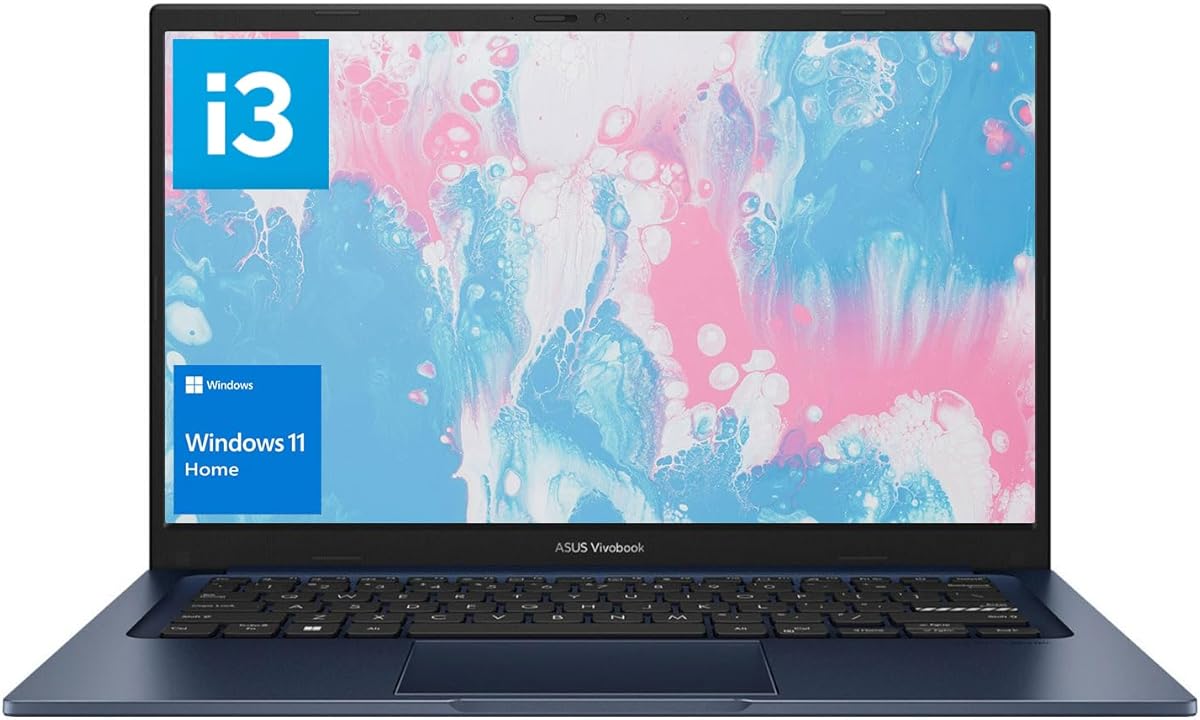
This option offers a sweet spot of memory and storage for a lower price. The 16GB RAM is a highlight allowing smooth multitasking on limited tasks. It is reliable for standard assignments and web research needs.
We may earn a commission when you buy through this link, at no additional cost to you.
The Intel i3 processor is efficient but not meant for heavy video editing. The 14 inch size makes it easy to carry between classes comfortably. Wi-Fi 6 supports fast downloads of course materials and updates.
It lacks advanced AI features or high end graphics but meets basic needs well. The build is standard for its price class focusing on function over form. It is a sensible choice for straightforward academic use.
For students needing a reliable workhorse without paying for extra power this is ideal. It provides ample memory and storage to last through a degree program.
16GB RAM and 512GB SSD cover most daily needs for students effectively.
14 inch chassis keeps the weight low for easy daily transport.
We may earn a commission when you buy through this link, at no additional cost to you.
Selecting the right laptop involves weighing several key factors. This guide breaks down what to look for so you can match a device to your academic demands.
The processor is the brain of your laptop. For general writing and browsing an Intel Core i3 or AMD Ryzen 3 works well. If you run heavy software like video editors or CAD tools look for Intel Core i5 or Ryzen 5 models.
Choose a processor that matches your specific course requirements to avoid slowdowns during critical work.
RAM determines how many programs you can run at once. 8GB is a minimum for modern Windows use but 16GB allows smoother multitasking. This is useful when you have many browser tabs and documents open simultaneously.
Aim for 16GB RAM if you plan to keep your laptop for several years.
SSDs are faster than eMMC storage so prioritize them for better speed. 256GB is decent for basic files but 512GB or 1TB provides more room for projects. Large storage helps if you download many applications or store media locally.
Ensure your storage capacity can handle your expected data growth over time.
Long battery life is vital for studying in libraries or between classes. Look for models that promise 8 hours or more of real usage. Some newer chips like Snapdragon offer extended efficiency compared to older Intel models.
Check real world reviews to confirm advertised battery times match actual student usage.
A clear screen reduces eye strain during long study sessions. Full HD resolution is standard but IPS panels offer better viewing angles. A 14 or 15 inch size balances portability with screen real estate effectively.
Prioritize bright displays with anti glare coatings for use in varied lighting.
Students carry laptops daily so weight matters. Devices under 4 pounds are easier to transport. Slim designs fit better in backpacks but ensure the chassis is sturdy enough to handle drops or bumps.
Select a size and weight you can comfortably carry every day.
Modern laptops sometimes lack full size ports requiring adapters. Check for HDMI for projectors and USB-A for flash drives. Wi-Fi 6 ensures fast stable connections on crowded campus networks.
Verify the ports you need are included to avoid extra adapter costs.
Student laptops face travel and daily wear. Military grade testing ensures resistance to physical stress. This can mean fewer repairs and a longer lifespan for your device in busy environments.
Look for durability ratings if you move around campus frequently.
Keep your laptop on hard flat surfaces to allow proper cooling vents to function. Avoid placing it on soft beds or blankets which can trap heat and cause performance issues.
Use a soft microfiber cloth to clean the screen and body gently. Avoid harsh chemicals that can damage the anti glare coating on the display or the keyboard surface.
Update your software regularly to ensure security and performance stability. Enable power saving modes during the day to extend battery life for your next study session.
Models with Snapdragon processors like the Vivobook 14 tend to offer the longest battery life. They are optimized for efficiency so they can run for many hours on a single charge. This makes them ideal for full days on campus.
Yes 8GB is sufficient for basic tasks like web browsing and word processing. However upgrading to 16GB allows you to run more applications at once. It provides better future proofing for heavier software.
Basic models handle light games but heavy gaming needs dedicated graphics. The Vivobook models with AMD Radeon GPUs offer better gaming performance. Check specific specs for your desired game requirements.
Many Vivobook models feature military grade durability testing. This means they are built to withstand drops and daily wear. Look for designs with reinforced hinges for extra protection during transport.
A 14 inch laptop is generally the most portable for daily carrying. A 15 or 16 inch screen offers more workspace for detailed projects. Choose based on how much you travel versus work at a desk.
Most models include HDMI or USB-C ports for external displays. This allows you to connect a second screen for a larger workspace. It is useful for research and multitasking at home.
We reviewed ten distinct options ranging from budget friendly entry models to powerful premium machines. Each ASUS Vivobook brings unique strengths like long battery life or high performance processors to meet different needs.
When making your choice consider your specific software requirements and budget. Prioritize memory and storage to ensure the device remains useful as your academic demands grow over time.
Prices and availability change frequently so always check the current details before buying. This guide helps you navigate the options to find the perfect companion for your studies.