
C21N1347 Laptop Battery
4.4Editor score
38Wh capacity for X555 series
Low voltage compatible design
Affordable replacement solution
Finding a reliable power source is crucial for keeping your ASUS laptop running smoothly throughout the day. A high-quality replacement battery ensures you stay productive without being tethered to a wall outlet. The right choice depends on your specific model and usage needs.
We compared ten top-rated options based on compatibility, cell quality, safety certifications, and user feedback. Our analysis focuses on models that meet OEM standards while offering competitive value. Each product was selected for its ability to restore original performance levels to your device.
Every pick includes key specifications and compatibility details to help you make an informed decision. Note that pricing can fluctuate daily based on demand and promotions. Always verify your exact laptop model number before purchasing to ensure a perfect fit.
4.4Editor score

4.3Editor score

4.6Editor score
As an Amazon Associate we earn from qualifying purchases.
This side-by-side comparison highlights the key specifications and compatible models for each top-rated replacement battery. Use this table to quickly identify which option matches your specific ASUS laptop series and power requirements.
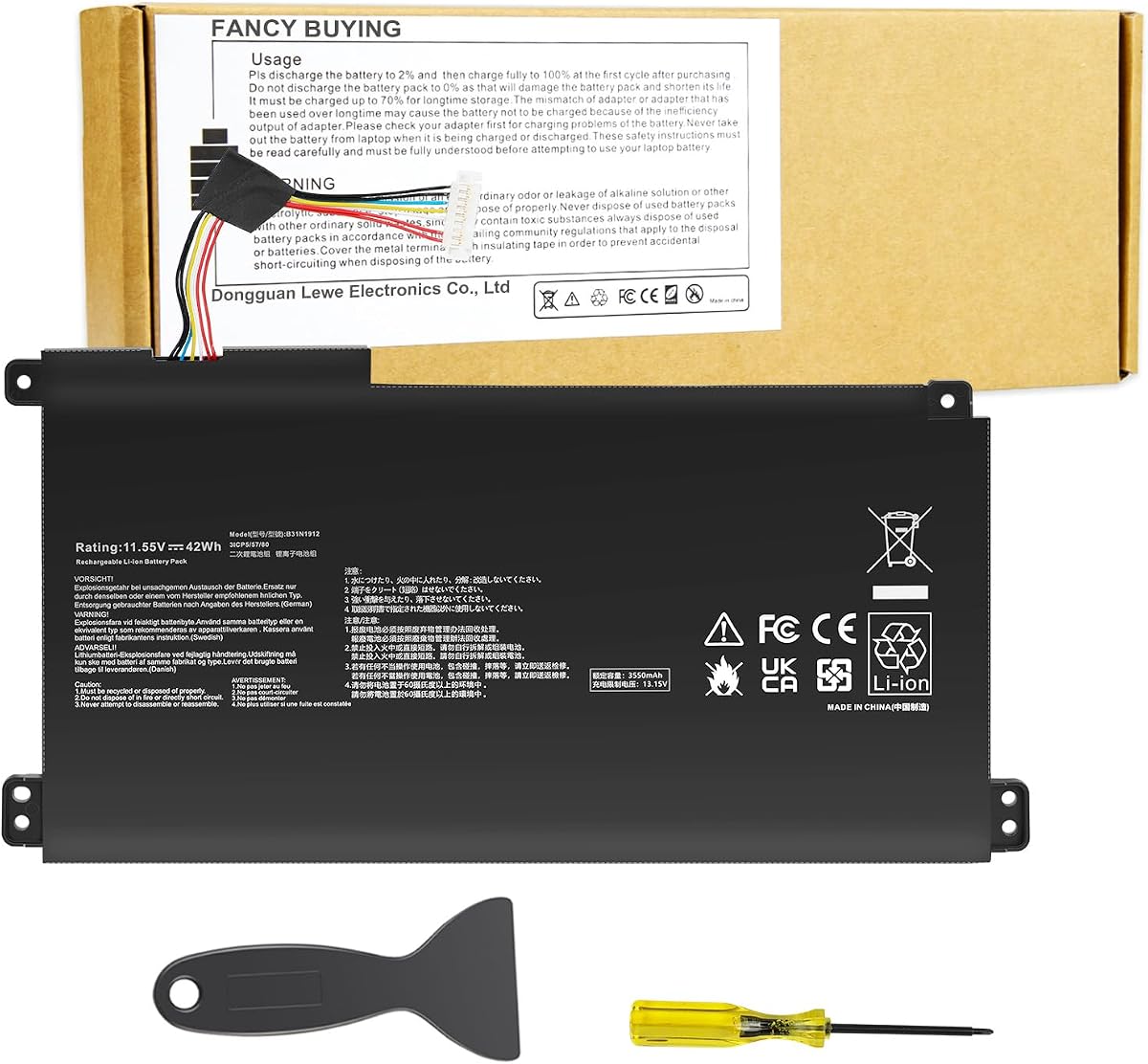


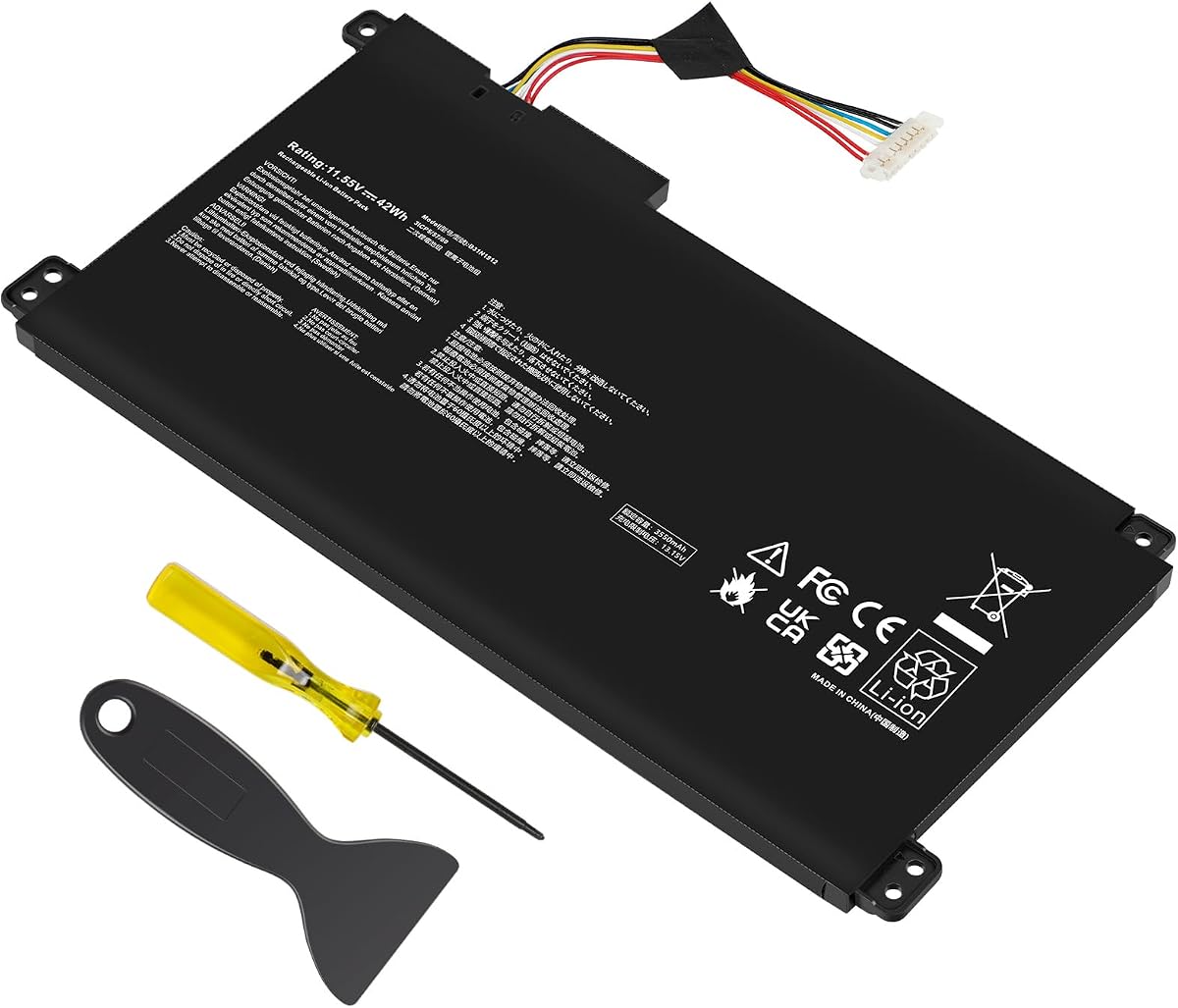

This B31N1912 replacement targets the popular VivoBook E410 and L410 series with strong performance. It holds a 4.3 rating from verified buyers who value reliability. The battery offers a solid 42Wh capacity suitable for standard daily tasks like browsing and note-taking.
We may earn a commission when you buy through this link, at no additional cost to you.
Its standout quality lies in the broad compatibility list covering E410MA L410MA F414MA and E510MA models. The Li-ion cells are rated for up to 500 recharge cycles ensuring longevity. Safety features include UL CE and FCC certifications protecting against overheating and overloads.
A minor trade-off is the short Amazon return window which closes after one month. Buyers should test the battery immediately upon arrival to avoid issues. If the new battery is not recognized it may need a charge cycle to wake up properly.
This is the ideal pick for anyone owning a VivoBook E410 L410 or E510 series. It balances cost safety and performance effectively. We recommend checking your exact model number before purchasing to ensure the perfect fit.
Works with multiple VivoBook variants including E410MA L410MA F414MA and E510MA series for broad utility.
Certified by UL CE and FCC to prevent short circuits and overheating during regular use.
We may earn a commission when you buy through this link, at no additional cost to you.
This second option also targets the B31N1912 standard but adds valuable accessories to the package. It comes with an auxiliary installation tool and user manual to simplify the swap process. Users appreciate the clear instructions for reconnecting internal components safely.
We may earn a commission when you buy through this link, at no additional cost to you.
The battery maintains the 11.55V and 42Wh specs found in the original design. It fits VivoBook 14 models including E410 L410 F414 and L510 series. The 60-day return policy offers more time than typical Amazon windows for verification.
One limitation is the need to contact the seller directly if issues arise after the first month. The return window closes a month after receipt so early testing is vital. Ensure the interface is fully connected during installation to avoid recognition errors.
This model is perfect for DIY enthusiasts who want guidance during installation. The included tool reduces the need for extra purchases. Always verify your part number matches the replacement before ordering.
Includes auxiliary tools and user manual to guide you through the physical replacement steps.
Offers a 60-day return window allowing more time to verify performance before it closes.
We may earn a commission when you buy through this link, at no additional cost to you.
The C21N1347 offers an affordable solution for owners of older X555 and A555 series laptops. It delivers a 7.6V 38Wh output which suits basic tasks. With a 4.4 rating it stands out for value among replacement options for legacy devices.
We may earn a commission when you buy through this link, at no additional cost to you.
Its key strength is the specific compatibility with X555L X555LA and X555LD models. The Li-polymer construction ensures it is lightweight and safe for portable use. It meets CE and FCC standards ensuring environmental safety and stability.
Since this is an older model battery the capacity is lower than modern VivoBook options. Users may need to discharge to 10 to20 percent before charging to wake it up. This cycling process ensures the battery management system calibrates correctly.
This is the top pick for budget conscious users with an X555 laptop. It restores battery life without a high cost. Verify your model number matches the series list before purchasing to avoid fit issues.
Provides a low cost way to extend the life of older X555 and A555 series laptops.
Uses Li-polymer technology for better safety and lower weight compared to older cell types.
We may earn a commission when you buy through this link, at no additional cost to you.
This A32-K55 replacement serves a wide range of older ASUS series including A45 A55 and K55. It offers a substantial 5200mAh capacity ensuring long run times for basic use. It is ideal for users who need to keep legacy laptops functional.
We may earn a commission when you buy through this link, at no additional cost to you.
The battery features strong safety circuits including overcurrent and temperature control. It meets OEM standards for charge cycles and reliability. The 12-month warranty gives peace of mind for long term usage and support.
Because it targets older models the weight and design may differ from modern thin laptops. Users should confirm physical compatibility with their specific chassis before buying. It may not fit newer ultrabooks due to size differences.
This is the go-to pick for A45 K55 and F55 series owners. It provides reliable power for workstations and older personal laptops. Always check your original battery part number against the compatibility list.
Designed specifically for older A45 A55 K55 and R400 series laptops still in use today.
Includes a full 12-month warranty ensuring protection against early failure or defects.
We may earn a commission when you buy through this link, at no additional cost to you.
This option focuses on VivoBook 14 and 15.6 inch models with a high rating of 4.3. It provides the standard 11.55V and 42Wh performance needed for daily productivity. The package includes tools and a manual to guide installation safely.
We may earn a commission when you buy through this link, at no additional cost to you.
The compatibility list covers E510 L510 and R522MA series alongside E410 models. Users note the battery fits well and restores original power levels. The 60-day return window offers more flexibility than standard policies.
Handling requires care to ensure the interface is fully connected during installation. Avoid discharging to zero percent as this may prevent the battery from waking up properly. Test the battery thoroughly before the return window closes.
This is the recommended pick for L510MA and E510KA users. It balances performance and safety with excellent support. Always verify your exact model and screen size before ordering to ensure compatibility.
Comes with installation tools and user manual to simplify the replacement process for beginners.
Designed to fit both 14 and 15.6 inch VivoBook models accurately and securely.
We may earn a commission when you buy through this link, at no additional cost to you.
This battery targets the TUF FX504 FX505 and FX80 series with a robust 48Wh capacity. It provides reliable power for gaming and heavy processing tasks. It is the top choice for users needing endurance during intense workloads.
We may earn a commission when you buy through this link, at no additional cost to you.
The 11.4V rating and thermal protection functions ensure stability under load. It is built for fast charging and low power consumption. The 12-month warranty covers defects ensuring long-term peace of mind for gamers.
Gaming laptops often run hotter so the thermal control is a critical feature. Ensure the battery is seated correctly to avoid overheating during use. Avoid draining it to zero to maintain long-term cell health.
This is the ideal pick for FX504 and FA506 owners. It delivers solid performance without the cost of a full system upgrade. Verify your model number matches the FX or FA series before purchasing.
Offers 48Wh capacity to support demanding gaming and multimedia tasks effectively.
Includes temperature control functions to prevent overheating during high-intensity use.
We may earn a commission when you buy through this link, at no additional cost to you.
This B31N1912 replacement from TREE.NB emphasizes rigorous testing for consistent quality. It maintains the standard 11.55V and 42Wh output for VivoBook 14 models. Users report strong reliability and accurate capacity performance over time.
We may earn a commission when you buy through this link, at no additional cost to you.
The battery features a low self-discharge rate which helps it hold charge while unused. It is compatible with E410MA L410MA and E510KA series. Customer support is available to resolve any compatibility issues quickly and efficiently.
While specific technical details are minimal the product quality is verified through testing. Users should test it upon arrival to ensure it holds a charge. The 11.55V matches the original specs for seamless integration.
This is a strong option for E410MA and L410MA series. It offers consistent performance with reliable support. Always verify your exact model number to ensure a perfect fit for your laptop.
Rigorously tested to ensure correct voltage capacity and stable current for reliable operation.
Designed to lose less charge over time when unused compared to standard cells.
We may earn a commission when you buy through this link, at no additional cost to you.
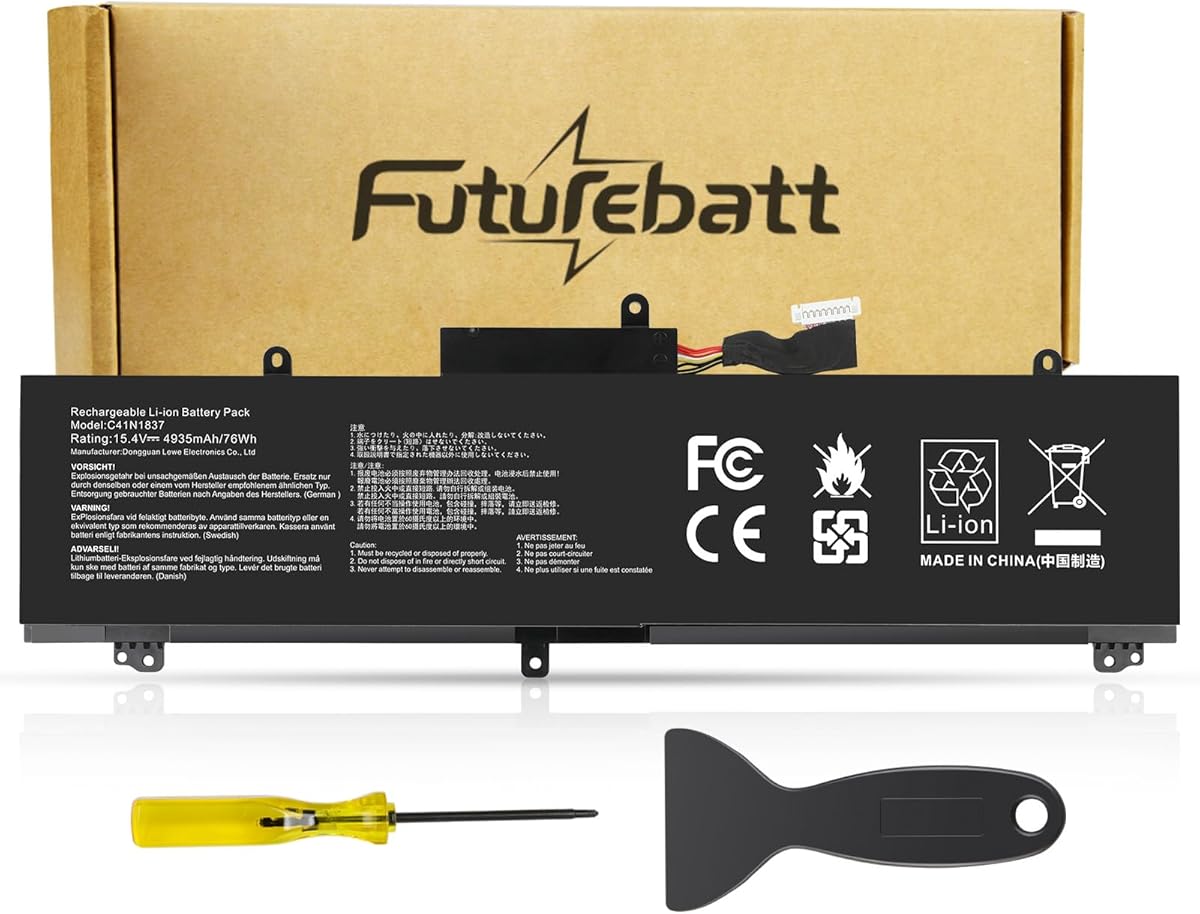
This C41N1837 battery provides high performance for ROG Zephyrus and TUF DASH models. With 15.4V and 76Wh capacity it delivers strong endurance for gaming. It is a premium choice for users prioritizing power and safety.
We may earn a commission when you buy through this link, at no additional cost to you.
The high capacity supports longer runtimes than standard 42Wh batteries. Multiple safety protections prevent overloads and overheating during intensive use. Users value the fast charging and low power consumption design.
The higher cost reflects the larger capacity and premium build quality. Ensure the model matches your specific Zephyrus or DASH series. Testing upon delivery is recommended to verify full capacity performance.
This is the top pick for ROG Zephyrus GA502 and GU502 owners. It restores full power without compromise. Always verify your model matches the ROG series before purchasing.
Features a massive 76Wh capacity for extended gaming and multimedia sessions.
Includes multiple circuit protections to ensure safe operation during high-power usage.
We may earn a commission when you buy through this link, at no additional cost to you.
This B31N1912 option from TREE.NB offers a 4.4 rating and strong safety certifications. It works with VivoBook 14 and R522MA series models. The 11.55V and 42Wh specs match OEM standards perfectly for reliable power.
We may earn a commission when you buy through this link, at no additional cost to you.
Certified by UL and CE this battery meets strict safety standards. Users appreciate its stability and lack of overheating issues. It restores original runtime for productivity and light gaming effectively.
Note that return windows close quickly so early testing is essential. If not recognized discharge to 10 to20 percent and cycle to wake it up. Ensure the interface is fully seated during installation.
This is the top choice for R522MA and E510KA users. It balances safety and performance effectively. Always verify your exact model number before purchasing to ensure a perfect fit.
Certified by UL and CE to meet high safety standards and protect against hazards.
Exact match for original voltage and capacity ensuring seamless integration with your system.
We may earn a commission when you buy through this link, at no additional cost to you.
This C41N1731-2 replacement is the highest rated option with a 4.6 score. It targets ROG Strix G15 G17 and G512 series. The 67Wh capacity and BattArmor safety system provide premium protection and endurance for gaming.
We may earn a commission when you buy through this link, at no additional cost to you.
It features advanced 5.0 technology for safer performance and longer life. The package includes installation tools and a guide to help with the process. Users report reliable power and fast charging speeds.
The premium price reflects the high capacity and advanced safety features. Ensure your model matches the G15 G17 or G512 series before buying. Handle with care to preserve the internal circuit protection.
This is the perfect pick for ROG Strix G15 owners. It offers high capacity and strong safety. Always verify your model number to ensure compatibility before ordering.
Offers the highest user rating in the lineup ensuring proven reliability and satisfaction.
Includes a comprehensive safety system to protect against overcharge and temperature issues.
We may earn a commission when you buy through this link, at no additional cost to you.
Selecting the right replacement battery requires checking compatibility model specs and safety features. Use this guide to find a reliable option that restores your device performance.
Always match your laptop model and part number exactly. Check for E410MA L410MA or X555 series before buying to ensure physical fit and connector alignment.
Verify your model number before purchasing.
Standard VivoBook replacements use 11.55V and 42Wh capacity. For gaming models like ROG Strix look for 15.4V and higher Wh ratings like 67Wh.
Ensure voltage and capacity match original specs.
Look for Li-ion or Li-polymer cells from reputable manufacturers. Grade A cells last longer and charge faster than generic alternatives.
Check for Grade A cell specifications.
Verify UL CE and FCC certifications are listed. These prevent overheating and ensure environmental safety standards are met.
Check for UL CE FCC safety marks.
A good replacement includes a 12-month warranty and responsive email support. This covers defects and helps with installation issues.
Confirm warranty length and support channels.
Amazon windows close quickly often after one month. Test the battery immediately upon arrival to verify performance.
Test the battery immediately upon receipt.
Some packages include tools and manuals while others do not. Ensure you have the right screwdrivers and knowledge for your model.
Check if tools are included with your order.
New batteries may not show up until cycled. Discharge to 10 to20 percent then recharge 3 to 4 times.
Follow wake-up instructions carefully.
Upon receiving your battery test it immediately by powering on the laptop. If not recognized discharge to 10 to20 percent then charge fully.
Cycle the battery 3 to 4 times over the first week to calibrate the management system and ensure accurate power reporting.
Avoid draining the battery to zero percent regularly as this shortens lifespan. Store in a cool dry place to prevent overheating.
Check your laptop model and the part number on your old battery. Match this exactly with the compatibility list like E410MA or X555 to ensure fit. Using the correct model number avoids connection issues and physical mismatches.
Most E410 and L410 replacements use 11.55V and 42Wh capacity. Higher end gaming models like ROG use 15.4V with 67Wh or 76Wh options for better endurance.
Some packages include tools and user manuals while others do not. Always check the product details for accessory lists before buying to prepare for installation steps.
Quality replacements offer up to 500 recharge cycles before significant capacity loss. This means 1 to 3 years depending on usage frequency and charging habits.
Discharge the new battery to 10 to20 percent and cycle 3 to 4 times to wake it up. Also check that the interface is fully connected inside the laptop case.
Modern batteries have overcharge protection but regular full discharges help maintain health. It is safer to unplug once fully charged to reduce stress on the cells over time.
Look for UL CE and FCC marks to ensure protection against overheating and electrical issues. These certifications guarantee environmental safety and reliable construction standards.
The return window closes after one month for most sellers. Test the battery immediately and contact the seller if issues arise to avoid missing the refund period.
The B31N1912 VivoBook series offers top performance for most users with strong safety and support options.
Prioritize compatibility and safety certifications over price to ensure your device runs reliably and safely.
Always verify your exact model number and check current prices before finalizing your order to secure the best fit.