
Thermalright TL-C14C-S X3
4.7Editor score
High flow 75.8 CFM
S-FDB bearing technology
17 light modes support
This guide compares the top ARGB 140mm fans for cooling performance, lighting quality, and build reliability to help you choose the right model for your build.
Modern PC builds rely heavily on effective cooling solutions that balance performance with aesthetic appeal. ARGB 140mm fans have become the standard for enthusiasts looking to optimize airflow while showcasing their hardware through vibrant lighting effects.
We evaluated ten top-rated models based on airflow capacity, static pressure, noise levels, and lighting synchronization features. Each product was analyzed for bearing quality, PWM control, and overall value to ensure comprehensive coverage of the current market.
This list highlights standout options ranging from budget-friendly triple packs to premium magnetic daisy-chain systems. Please note that product availability and pricing can fluctuate, so verify details on the official product pages before making your final purchase decision.
4.7Editor score

4.8Editor score

4.6Editor score
The following table provides a side-by-side comparison of all ten selected fans. It highlights key specifications such as maximum RPM, airflow volume, and unique features to help you quickly identify the model that best suits your specific cooling requirements.




The Cooler Master MasterFan MF140 Halo stands out as our top recommendation due to its unique Duo-Ring lighting design and hybrid blade construction. With a rating of 4.8 stars from users, it offers a premium look while maintaining reliable cooling performance for various case configurations.
We may earn a commission when you buy through this link, at no additional cost to you.
Its hybrid static pressure blades are engineered to handle resistance effectively, making it suitable for both intake and exhaust positions on radiators or mesh panels. The inclusion of 24 individually controlled LEDs ensures vibrant lighting effects that can be synchronized with major motherboard software suites.
While the price point is higher than budget options, the build quality and noise reduction technologies justify the investment. The sound-absorbing materials and optimized balance reduce operational noise, which is critical for users prioritizing a quiet system environment.
We recommend this fan for builders who want a balance of high performance and aesthetic appeal. It is ideal for those willing to invest in components that offer advanced lighting control and efficient airflow management across different mounting scenarios.
The dual ring lighting setup creates a striking visual effect that distinguishes it from standard single-ring fans available in the market today.
Hybrid blades improve static pressure and airflow simultaneously, ensuring efficient heat removal from dense components like GPUs and CPUs.
We may earn a commission when you buy through this link, at no additional cost to you.
The Thermalright TL-C14C-S X3 package delivers exceptional value for builders needing multiple fans without breaking the budget. Rated at 4.7 stars, this three-pack combines silent operation with effective cooling capabilities suitable for standard case ventilation.
We may earn a commission when you buy through this link, at no additional cost to you.
Its S-FDB bearing ensures smooth and quiet operation, maintaining noise levels below 26.4 dBA even at maximum speed. The fan blades are designed with PBT+PC material to resist heat and ensure longevity over extended usage periods.
Although it lacks advanced daisy-chain connectivity, the direct connection via standard PWM and ARGB headers provides reliable control. The soft lighting effect created by the atomizing blades helps blend lighting into the case aesthetic without harsh glare.
This fan is the ideal choice for budget-conscious users who need to fill multiple spots in a case. It provides consistent cooling and acceptable lighting quality that works well for entry-level to mid-range builds.
Buying a three-pack allows you to outfit an entire case for a fraction of the cost of buying single premium units individually.
The S-FDB technology reduces friction and noise significantly, ensuring that your system remains quiet even during high load scenarios.
We may earn a commission when you buy through this link, at no additional cost to you.
CORSAIR RS140 ARGB fans are designed for high-end systems requiring efficient airflow and clean cable management. With a rating of 4.6 stars, these fans utilize a magnetic dome bearing to minimize friction and noise while delivering strong cooling performance.
We may earn a commission when you buy through this link, at no additional cost to you.
The standout feature is the streamlined daisy-chain connection, which allows multiple fans to be controlled through a single PWM and ARGB connector. This significantly reduces cable clutter inside the case and simplifies the build process for complex setups.
CORSAIR AirGuide technology uses anti-vortex vanes to direct airflow precisely toward hot components, enhancing cooling efficiency. This feature is particularly beneficial for radiators or restrictive front panels where airflow resistance is a common challenge.
These fans are best suited for premium builds where cable management and airflow direction are priorities. Users willing to invest in higher-end components will appreciate the reliability and advanced features provided by this dual pack.
Daisy-chaining fans reduces the number of cables connected to your motherboard, improving aesthetics and airflow obstruction.
AirGuide vanes channel air more efficiently through restricted spaces, ensuring better heat dissipation for radiators and GPUs.
We may earn a commission when you buy through this link, at no additional cost to you.
The ARCTIC P14 Pro Reverse A-RGB offers a specialized design that draws air from the back, solving visibility issues in glass-front cases. Rated at 4.6 stars, this three-pack ensures your build looks polished without sacrificing cooling performance.
We may earn a commission when you buy through this link, at no additional cost to you.
The reverse airflow design places the motor and wiring on the front side of the fan, keeping the visible surface clean. This allows for uninterrupted airflow while maintaining an attractive front panel appearance for modern PC builds.
Performance is bolstered by the hydrodynamic bearing and precise manufacturing, which minimize vibration and noise. The wide speed range allows for flexible adjustment to match specific cooling demands throughout different operating conditions.
This fan is perfect for builders who prioritize aesthetics in transparent cases. It provides an elegant solution for intake fans where conventional designs might expose cables or the motor hub, disrupting the visual flow of the system.
Reverse airflow ensures that the motor hub is not visible through glass panels, maintaining a sleek and professional look.
Support for 0% stop means fans can pause completely at low loads, saving energy and ensuring total silence during idle.
We may earn a commission when you buy through this link, at no additional cost to you.
The Thermaltake CT140 EX fans utilize MagForce 2.0 technology to simplify the connection process using magnetic connectors. With a 4.6 rating, this three-pack is designed for users seeking reliable performance and easy installation.
We may earn a commission when you buy through this link, at no additional cost to you.
MagForce 2.0 allows fans to connect via magnets, reducing the risk of damage to cables and simplifying the setup process. This innovation helps ensure secure connections while maintaining a clean cable management system inside your case.
These fans are equipped with 9 addressable LEDs providing 16.8 million color options. The hydraulic bearing ensures smooth operation and longevity, while the anti-vibration mounting system further reduces noise and physical strain on the case.
We recommend this option for those who appreciate technological innovations in PC cooling. It is especially useful for cases where traditional connectors might be hard to reach or where cable clutter is a significant concern.
Magnetic connectors eliminate the need for traditional plugs, making it easier to adjust fan positions and reduce cable wear.
Hydraulic bearings offer a balance between performance and lifespan, keeping noise low while ensuring the fan operates smoothly over years.
We may earn a commission when you buy through this link, at no additional cost to you.
The AsiaHorse Amici 140mm ARGB fan features an infinity mirror effect that creates a striking visual depth. Rated at 4.5 stars, it combines high airflow capabilities with a unique design that appeals to gamers and enthusiasts.
We may earn a commission when you buy through this link, at no additional cost to you.
With 24 LED beads and a 50,000-hour lifespan, this fan is built to last while providing vibrant lighting effects. The hydraulic bearing design minimizes friction, ensuring smooth operation and consistent performance over a long period.
Airflow reaches up to 89.77 CFM, which is excellent for moving air through dense components. The noise levels are kept low through precision balancing and rubber pads, making it suitable for both gaming and office environments.
This fan is recommended for users looking for unique aesthetics without compromising on cooling power. Its compatibility with major motherboard lighting systems ensures it integrates seamlessly into existing setups.
The LED configuration creates a mirror-like effect that adds depth and visual interest to the side of your PC case.
With nearly 90 CFM, this fan moves air quickly, ensuring that heat is expelled efficiently from your system components.
We may earn a commission when you buy through this link, at no additional cost to you.
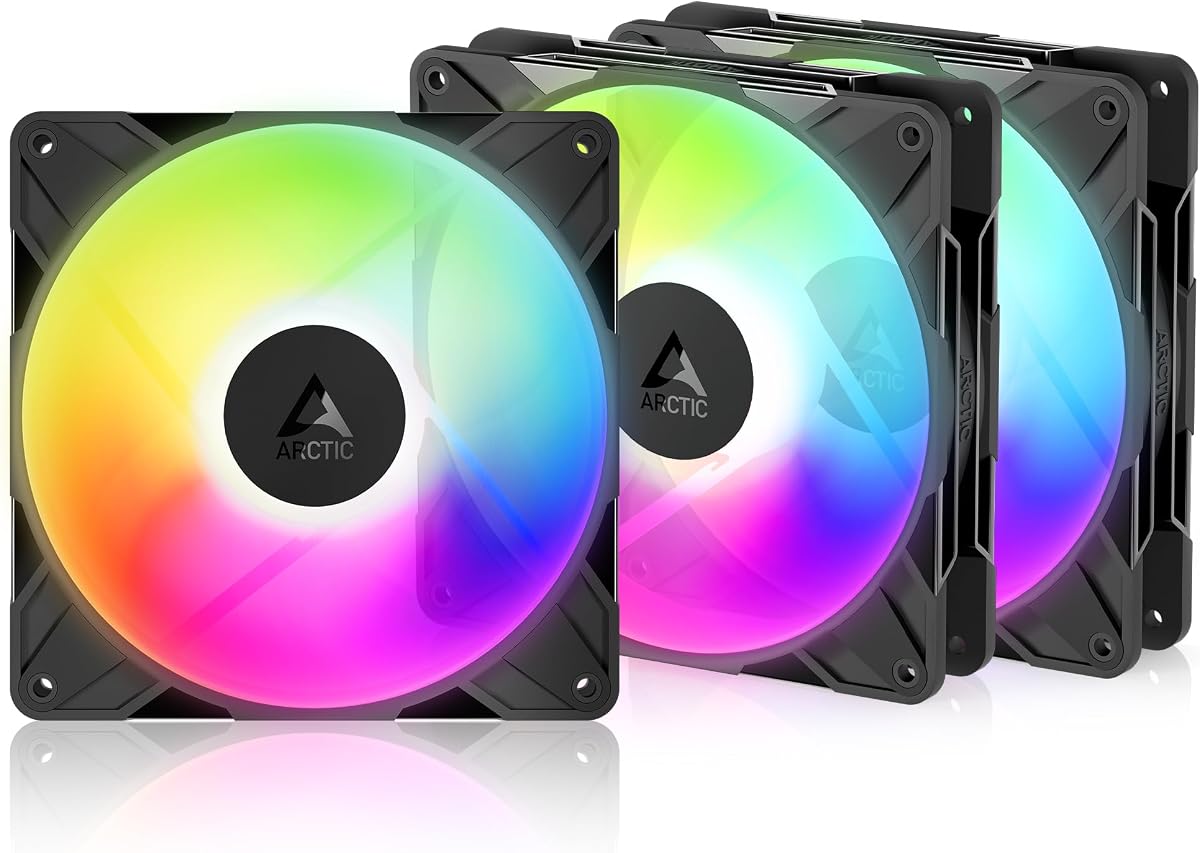
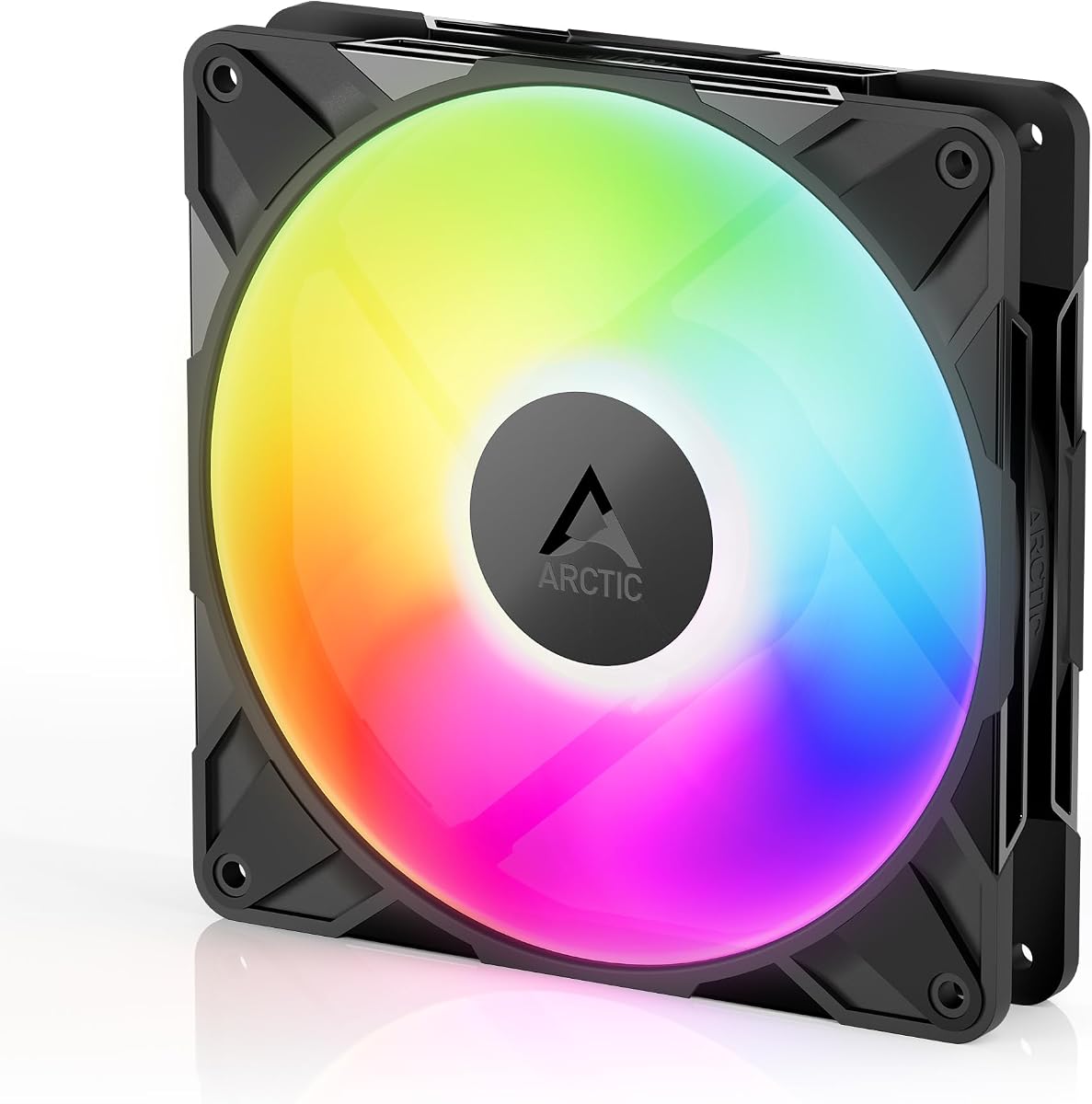
The ARCTIC P14 Pro A-RGB is optimized for high static pressure, making it ideal for radiators and restrictive cases. With a 4.6 rating, it balances powerful performance with quiet operation thanks to its fluid dynamic bearing design.
We may earn a commission when you buy through this link, at no additional cost to you.
Redesigned rotor blades ensure optimal balance between performance and noise reduction. The fan can reach up to 3000 RPM, allowing users to maximize airflow when necessary while also stopping completely at low loads for silence.
Precision manufacturing reduces gaps and vibrations, contributing to a smooth and reliable experience. This build quality ensures that the fan remains effective and quiet over many years of continuous use in demanding environments.
This model is best suited for users who prioritize airflow and static pressure over complex lighting features. It is a reliable choice for high-performance systems that need consistent cooling without excessive noise.
The new rotor blades maximize efficiency at low speeds, ensuring quiet operation while still moving enough air for cooling needs.
Self-lubricating bearings minimize noise and wear, ensuring a long service life and consistent performance without maintenance.
We may earn a commission when you buy through this link, at no additional cost to you.
The Thermalright TL-C14C-S X3 emphasizes silent operation with features like soft silicone mounting feet and a noise-reducing blade design. With a 4.6 rating, it is an excellent choice for those seeking quiet cooling solutions.
We may earn a commission when you buy through this link, at no additional cost to you.
The seven-blade design optimizes airflow while minimizing turbulence that often causes noise. Coupled with the S-FDB bearing, this fan delivers consistent performance without generating excessive vibrations or whirring sounds.
Cable length and PWM control provide flexibility for routing and speed management. The PBT+PC material adds durability, ensuring the fan remains structurally sound even under prolonged periods of operation at high speeds.
We suggest this fan for quiet workstations or media centers where noise is a critical factor. Its combination of low acoustic output and effective cooling makes it a practical choice for general-purpose computing needs.
Soft silicone feet and optimized blades work together to dampen noise, ensuring the fan remains unobtrusive in quiet environments.
High-quality PBT+PC materials ensure structural integrity and resistance to heat, prolonging the lifespan of the fan components.
We may earn a commission when you buy through this link, at no additional cost to you.
This single ARCTIC P14 Pro Reverse A-RGB fan is perfect for users needing just one intake fan for a glass-front case. With an impressive 4.9 rating, it offers the highest user satisfaction among all reverse airflow models currently available.
We may earn a commission when you buy through this link, at no additional cost to you.
The reverse design eliminates visible motor and wiring on the front, creating a clean and professional look. Despite this aesthetic focus, it maintains high static pressure and airflow to ensure components stay cool during demanding tasks.
Manufacturing precision and hydrodynamic bearings ensure smooth and quiet operation. The wide speed range and PWM stop feature allow for complete silence during low-load scenarios, enhancing the overall user experience.
This fan is highly recommended for upgrades or specific case needs where a single premium unit is required. It balances high performance with an aesthetic that complements modern transparent case designs effectively.
A near-perfect rating indicates consistent quality and reliability, making it a trusted choice for critical airflow positions.
By hiding the motor and cables, the fan allows for a seamless view through the case front panel or glass side.
We may earn a commission when you buy through this link, at no additional cost to you.
The Thermalright TL-C14C-S single fan offers exceptional value for users needing one high-quality cooling solution. With a 4.7 rating, it combines silent performance and effective cooling in a package that fits various budgets.
We may earn a commission when you buy through this link, at no additional cost to you.
Its design prioritizes low noise and high airflow, suitable for CPU coolers and radiators alike. The soft silicone feet help isolate vibrations, ensuring the fan runs quietly even when mounted on a case or cooler.
The lighting system supports up to 17 modes and syncs with motherboard headers for color control. This ensures that the fan contributes to the overall look of the build without requiring complex extra controllers.
We recommend this fan for cost-effective upgrades or smaller cases requiring minimal cooling capacity. It delivers reliable performance and aesthetics that meet the needs of average users effectively.
Suitable for both case and CPU cooling, this fan provides flexible utility for different system configurations and heat dissipation needs.
PBT+PC insulation material ensures the fan resists heat and wear, maintaining performance integrity over many years of operation.
We may earn a commission when you buy through this link, at no additional cost to you.
Selecting the right 140mm fans involves weighing technical performance against aesthetic preferences. This guide outlines the critical factors to consider before making your purchase.
Airflow (CFM) measures how much air a fan moves, while static pressure measures its ability to push air through obstructions like radiators. High static pressure is essential for radiators, whereas high airflow is better for case ventilation.
Look for fans with high CFM for general case use and high static pressure for radiator mounting to ensure efficient cooling.
Bearing technology impacts the noise and longevity of the fan. Options like S-FDB, hydraulic, and magnetic dome bearings reduce friction and noise while extending the fan's operational life significantly.
Choose bearings known for quiet operation and durability to ensure your fans last through years of daily usage without failure.
PWM allows the motherboard to adjust fan speed based on temperature, which helps reduce noise during idle periods. Ensure your fan supports PWM 4-pin headers for full speed control and silence.
Verify PWM compatibility to gain dynamic control over fan speeds, balancing cooling efficiency with quiet operation.
ARGB fans require 5V 3-pin headers to display lighting effects. Check if your motherboard supports your preferred sync software such as Aura Sync or Mystic Light to control colors effectively.
Confirm motherboard support for your specific ARGB protocol to ensure seamless lighting integration and control.
Daisy-chaining allows multiple fans to connect via a single cable, reducing clutter. This is common in premium models like CORSAIR or Thermaltake, using standard connectors for simpler routing.
Opt for daisy-chain capable fans if you plan to install multiple units to simplify cable management inside your case.
Noise is measured in dBA; lower numbers indicate quieter operation. Fans with silicone mounting feet or balanced blades typically perform better in quiet environments.
Prioritize fans rated below 30 dBA if you are sensitive to noise or plan to use the PC in a quiet room.
Reverse fans hide the motor hub on the non-visible side, improving aesthetics on glass-front cases. This ensures the front of the fan looks clean without wires or motor parts showing.
Consider reverse airflow fans if you are building a system with a glass front panel and prioritize visual appeal.
Buying fans in packs often saves money compared to single units. Evaluate if you need a three-pack for a full case or just a single fan for a specific upgrade.
Assess your build needs to decide between budget-friendly packs or single premium units for specific high-performance locations.
Ensure your motherboard has compatible headers before installing fans. Connect the 4-pin PWM cable to the CPU_FAN or SYS_FAN header and the 5V 3-pin ARGB cable to the corresponding ARGB header to enable speed and lighting control.
Regularly clean dust from fan blades and frames every few months using compressed air. Dust accumulation can increase noise and reduce airflow efficiency, so maintaining a clean interior helps sustain optimal performance.
Securely mount fans with screws and rubber pads to minimize vibration. Loose mounts can cause rattling and reduce the lifespan of the fan, so always use the provided mounting hardware for a stable installation.
ARGB stands for Addressable RGB, allowing individual LEDs on the fan to be controlled separately for complex lighting effects. Standard RGB fans typically change the entire fan color as one unit, offering fewer visual customization options.
Yes, 5V ARGB fans require a dedicated 3-pin 5V ARGB header on your motherboard. Using a 12V RGB header can damage the LEDs, so always verify your motherboard's specifications before connecting.
Check your case specifications to see if it supports 140mm mounting points. Most modern mid-tower cases include 140mm spots, but smaller cases may only support 120mm fans, so measure before purchasing.
This usually happens if the 5V ARGB header is not connected properly or if the motherboard software is not configured. Ensure the cable is firmly seated and check BIOS or software settings for lighting control.
You can mix fans if they use the same 5V 3-pin standard, but synchronization depends on motherboard software. Using different brands might require individual controllers for perfect lighting alignment.
Generally, yes. 140mm fans move the same amount of air at lower RPMs than 120mm fans, resulting in lower noise levels. They are preferred for users seeking quiet cooling solutions.
Daisy-chaining allows multiple fans to connect to one cable that links to the motherboard. This reduces cable clutter and simplifies management when installing multiple fans in a case or on a radiator.
Quality ARGB fans often last over 50,000 hours depending on the bearing type. Regular maintenance and avoiding high dust environments will help extend the operational lifespan of your cooling fans.
Choosing the right fan depends on your specific cooling needs and aesthetic preferences. The Cooler Master MF140 Halo leads as our top pick for balancing premium performance with advanced lighting control for high-end builds.
For budget-conscious users, the Thermalright TL-C14C-S X3 pack offers excellent value with reliable cooling and decent lighting. It ensures that affordability does not mean sacrificing essential performance features.
We encourage you to verify current availability and pricing on product pages before purchasing. Technology updates and stock levels change frequently, so staying informed ensures you get the best deal on your next upgrade.