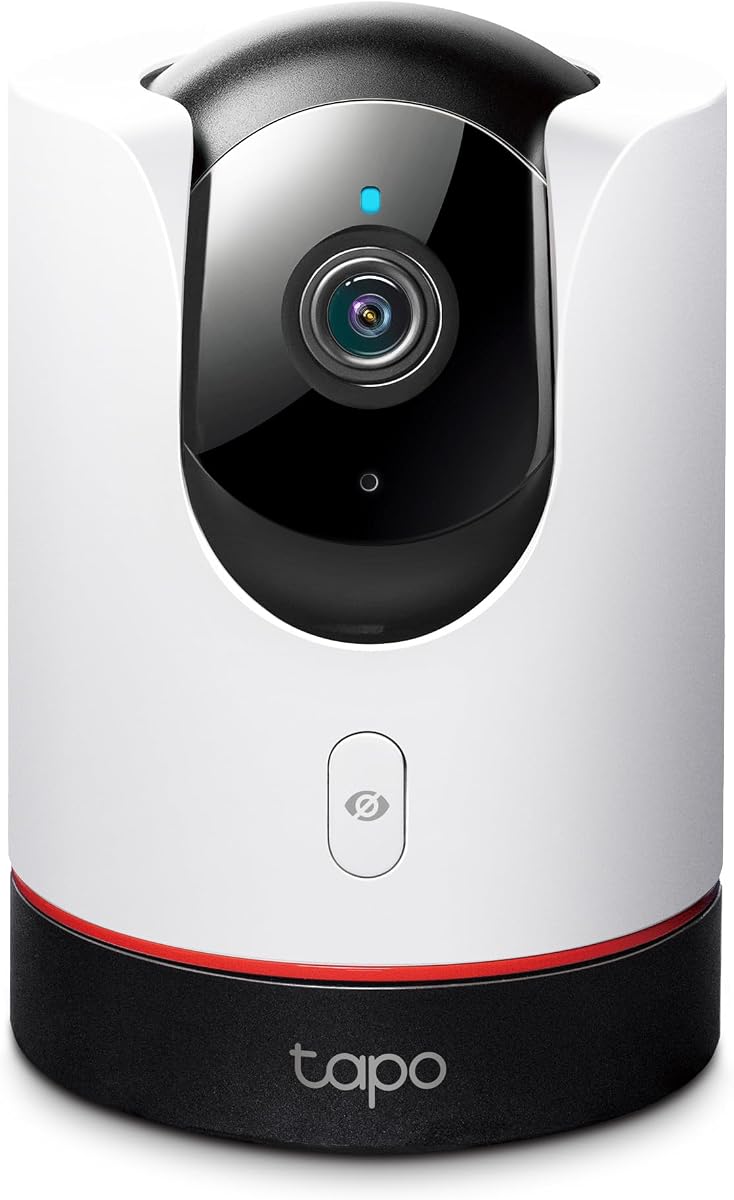
TP-Link Tapo C225
4.5Editor score
360 Degree Pan Tilt
2K QHD Live View
Physical Privacy Mode
This expert guide compares the top 10 Apple Homekit Security Cameras for October 2026, evaluating video quality, privacy features, and smart home integration.
Securing your home with reliable technology is essential for modern living. Apple Homekit Security Cameras offer seamless integration with your ecosystem, ensuring privacy and convenience. Choosing the right model depends on your specific needs, whether indoors or outdoors.
We evaluated these cameras based on video clarity, smart detection capabilities, and compatibility with Apple devices. Each product was reviewed for its ability to protect your property while maintaining high standards of data security and user experience.
This list highlights the top performers across various categories to help you make an informed decision. Each pick includes detailed specifications and real-world performance insights. Please note that pricing and availability may change over time.
4.5Editor score
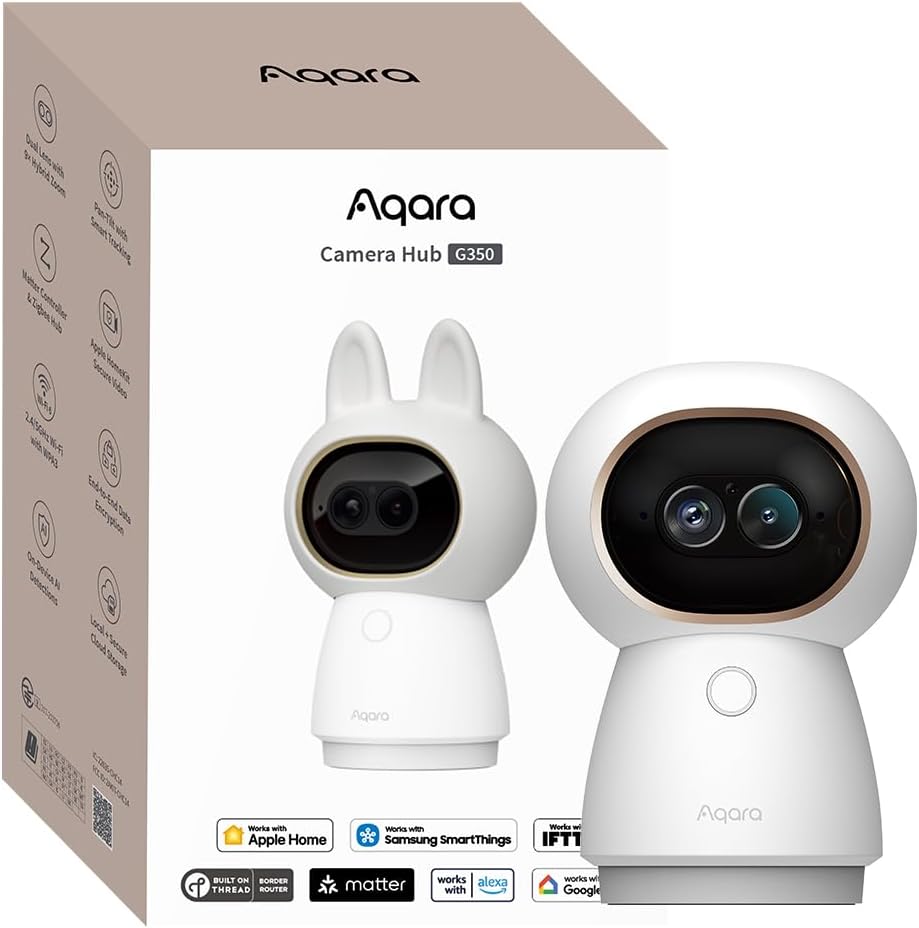
4.3Editor score
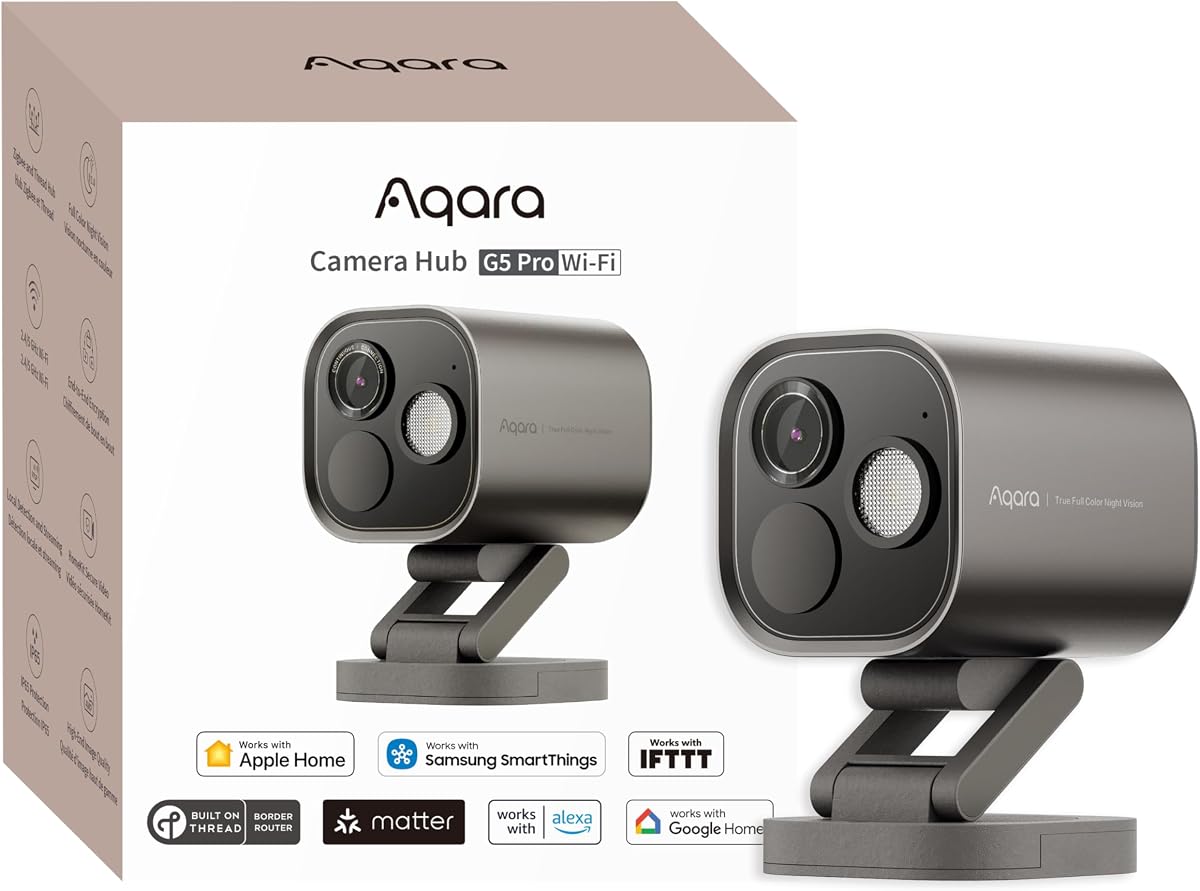
4.3Editor score
Here is a detailed side-by-side comparison of the leading Apple Homekit Security Cameras available today. This table highlights key specifications to help you identify the best fit for your home security needs.



The Aqara G350 stands out as a versatile indoor security solution with a unique dual-lens design. It offers 4K resolution and 2.5K HD telephoto capabilities, ensuring every detail is captured clearly. This camera integrates seamlessly with Apple HomeKit Secure Video for private monitoring.
We may earn a commission when you buy through this link, at no additional cost to you.
Its AI tracking features are impressive, automatically following people or pets while maintaining close-up shots. The ability to zoom in digitally without losing clarity makes it ideal for monitoring specific areas. Gesture recognition adds a creative layer to home automation interactions.
While the price is higher than average indoor cameras, the included hub functionality justifies the cost for many users. You connect up to 80 Zigbee devices directly, reducing the need for separate hubs. However, advanced settings require the Aqara Home app.
This camera is best for tech-savvy users wanting a central hub with top-tier video quality. It provides robust privacy through local processing and physical lens retraction. For a comprehensive smart home security setup, it delivers excellent performance and features.
The combination of a wide-angle 4K lens and a telephoto lens allows for both broad views and detailed close-ups without moving the camera body.
A physical privacy mode retracts the lens completely, giving you absolute visual assurance that no recording is happening when you are home.
We may earn a commission when you buy through this link, at no additional cost to you.
The TP-Link Tapo C225 offers exceptional value for those seeking a HomeKit-compatible camera without breaking the bank. It provides a 360-degree horizontal view and 2K QHD clarity, making it easy to monitor entire rooms. Design recognition by experts adds to its appeal.
We may earn a commission when you buy through this link, at no additional cost to you.
Its physical privacy mode blocks the lens with a click, offering peace of mind when you need it. The starlight sensor enhances low-light performance, ensuring usable video even in dim conditions. Sound detection alerts you to baby crying or unusual noises.
Although HomeKit limits the resolution to 1080p, the native app supports higher 2K quality for better detail. This flexibility allows you to choose the best view based on your specific monitoring needs. The camera is reliable for continuous indoor surveillance.
For budget-conscious shoppers, this camera is the top choice for HomeKit integration. It balances cost, features, and build quality effectively. If you need wide coverage and privacy features at a low price, this model is a strong contender.
You get premium features like AI detection and physical privacy shielding at a fraction of the cost of competing HomeKit brands.
The sleek and compact design won a Red Dot Award in 2022, ensuring it looks modern and professional in any room.
We may earn a commission when you buy through this link, at no additional cost to you.
The Aqara G5 Pro WiFi delivers premium performance with True Color Night Vision that identifies intruders even in low light. Its 4MP resolution ensures sharp details, and the built-in spotlight acts as a deterrent. This camera is perfect for outdoor security monitoring.
We may earn a commission when you buy through this link, at no additional cost to you.
Local AI detection allows it to recognize faces and abnormal sounds without uploading video to the cloud. This feature enhances privacy and reduces latency in alerts. It also serves as a dual-protocol hub for Zigbee and Thread devices.
The camera includes 8GB of encrypted built-in storage, ensuring your footage stays safe and private. Dual-band Wi-Fi helps maintain a stable connection, which is crucial for high-resolution streaming. Installation requires a constant power source via USB-C.
For users seeking top-tier outdoor security with advanced privacy features, this camera is an excellent choice. It offers a complete solution for security and smart home automation. The combination of video quality and hub utility makes it a premium product.
Unlike standard infrared cameras, the spotlight allows you to see details in full color during night hours, improving identification.
It serves as both a high-performance security camera and a central hub, reducing clutter and complexity in your smart home setup.
We may earn a commission when you buy through this link, at no additional cost to you.
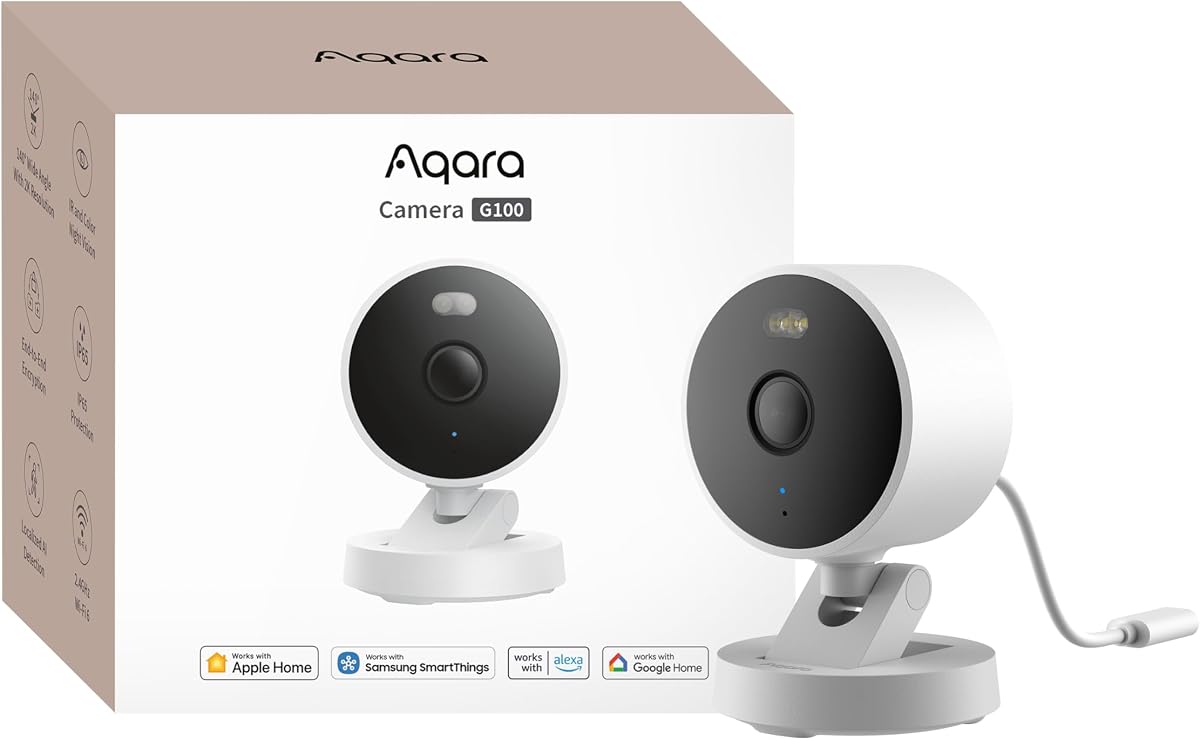
The Aqara G100 is a versatile security camera designed to handle both indoor and outdoor environments with ease. It supports 2K resolution and offers two night vision modes, including color recording with a spotlight. This makes it adaptable to various lighting conditions.
We may earn a commission when you buy through this link, at no additional cost to you.
Its IP65 rating ensures it can withstand rain and dust, making it suitable for patios or entryways. Local detection capabilities and cloud options provide flexibility in how you manage alerts. The camera also supports Lens Obstruction Detection for reliability.
While you must manually enable night vision modes, the quality of the footage is excellent. It integrates with HomeKit Secure Video but has limits on resolution within the Apple ecosystem. However, it offers broad compatibility with Google and Alexa devices.
This camera is a solid choice for those needing a single solution for inside and outside monitoring. Its durability and feature set make it reliable for long-term use. If you want flexibility and solid video quality, this model is worth considering.
The durable housing protects the camera from harsh elements, ensuring reliable performance year-round without needing a sheltered spot.
The spotlight mode provides color footage at night, which is significantly better than standard black and white infrared for identification.
We may earn a commission when you buy through this link, at no additional cost to you.
The Eve Cam is designed exclusively for Apple HomeKit Secure Video, focusing heavily on data security and privacy. It processes video analysis locally, meaning your personal data never leaves your home. This approach ensures that you maintain full control over your recordings.
We may earn a commission when you buy through this link, at no additional cost to you.
Notifications are instant and reliable, keeping you updated on activity via iPhone or Apple Watch. You can distinguish between people and pets to reduce false alerts. The design is minimal and fits well in modern home decor.
While it lacks multi-platform support, the integration with Apple devices is flawless. It requires a Home hub and iCloud+ plan, which adds to the ongoing requirements. However, for strict privacy needs, this model offers top-tier protection.
For users deeply invested in the Apple ecosystem who prioritize privacy above all, this camera is ideal. It removes the risk of cloud leaks and provides a secure monitoring experience. If privacy is your main concern, the Eve Cam is a strong option.
All video analysis happens on the device itself, ensuring your privacy remains intact without relying on external servers for detection.
As an Apple exclusive, it connects instantly with the Home app, offering a smooth user experience without complex setup steps.
We may earn a commission when you buy through this link, at no additional cost to you.
The Aqara E1 offers a wide 360-degree viewing angle, allowing you to monitor entire rooms with one device. It supports 2K resolution and provides person tracking to keep subjects in frame. This camera is an affordable option for HomeKit Secure Video users.
We may earn a commission when you buy through this link, at no additional cost to you.
Privacy protection is a key feature, allowing you to pivot the lens to disable recording. Local AI detection for sounds like crying or barking helps automate your home alerts. It also supports end-to-end encrypted cloud storage with a subscription.
While it requires a USB power supply, the flexibility of the mount makes it easy to position anywhere. It connects via Wi-Fi 6 for better performance in crowded networks. This model is well-suited for nurseries or living spaces.
For those wanting full room coverage at a reasonable price, the E1 is a great choice. It balances essential features with cost-effectiveness. If you need a reliable indoor camera that covers every angle, this model delivers solid value.
The motorized 360-degree movement ensures no blind spots, giving you a complete view of your indoor space without multiple devices.
The camera listens for specific sounds like crying or alarms, notifying you instantly without needing visual confirmation of events.
We may earn a commission when you buy through this link, at no additional cost to you.
The Logitech Circle View provides a reliable wired option for outdoor HomeKit security with a wide 180-degree field of view. It uses TrueView technology to capture sharp details in high contrast lighting. The weatherproof design ensures it withstands outdoor conditions effectively.
We may earn a commission when you buy through this link, at no additional cost to you.
A physical privacy tilt lets you disable the lens instantly when you are home. It connects directly to HomeKit for end-to-end encryption and local analysis. The premium metal base adds durability and a sleek look to your entryway.
Installation requires a power source, which limits placement options compared to battery models. It does not support continuous recording, focusing instead on motion detection events. This approach conserves storage and ensures only relevant events are saved.
If you need a durable outdoor camera that integrates well with Apple devices, this is a good pick. It offers solid image quality and privacy features. For homeowners prioritizing a wide view and build quality, this camera is a trustworthy choice.
The 180-degree optics capture more area than standard 100-degree cameras, reducing blind spots around your home entrance.
Constructed with a metal base and matte finish, this camera is built to last and look good on any exterior wall.
We may earn a commission when you buy through this link, at no additional cost to you.
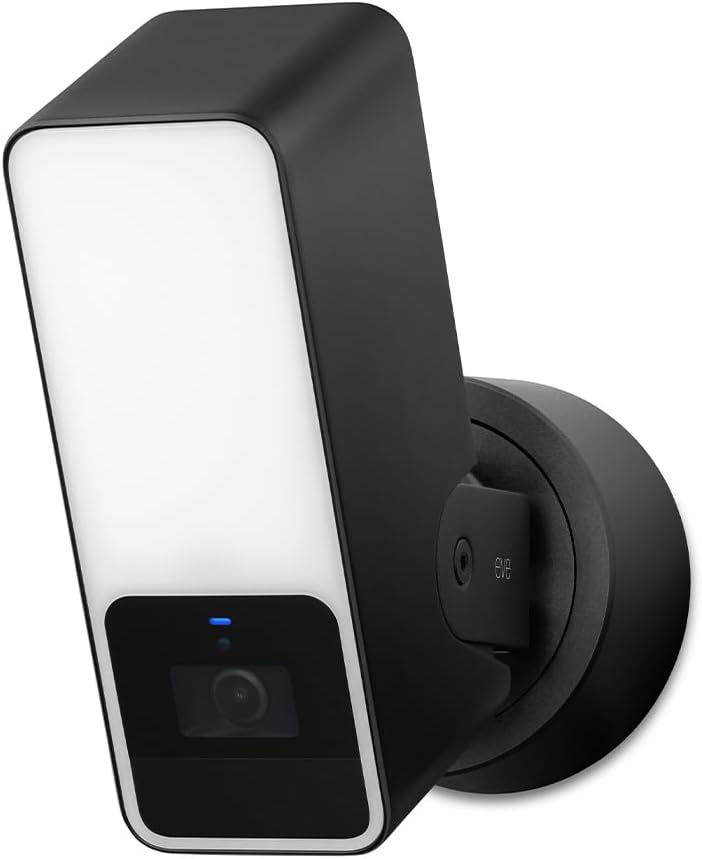
The Eve Outdoor Cam combines a floodlight with security monitoring, creating a deterrent and camera in one unit. It records motion events in 1080p and distinguishes between people, pets, and vehicles. The privacy design ensures no data leaves your home unless you permit it.
We may earn a commission when you buy through this link, at no additional cost to you.
It requires a neutral wire for installation, which may limit placement if your current wiring lacks this feature. Local intelligence means decisions happen on the device without cloud dependency. You get 10 days of recording history on your Home hub.
Two-way communication allows you to speak through the camera to deter visitors or welcome guests. The lack of a subscription means you own your data completely, which appeals to privacy advocates. However, setup can be complex due to wiring needs.
For those who want a floodlight camera without cloud reliance, this model is a top choice. It offers a high level of privacy and security. If you have the right wiring, it provides a reliable and private outdoor monitoring solution.
The integrated light boosts visibility and deters intruders, offering dual functionality as a light source and security camera.
All data stays local, ensuring that your footage is never exposed to external servers or third-party tracking services.
We may earn a commission when you buy through this link, at no additional cost to you.
The eufy E30 delivers 4K recording for exceptional detail, ideal for monitoring pets or babies closely. It operates without monthly fees for local storage, offering savings over time. The AI tracking follows movement smoothly, keeping your subject in focus.
We may earn a commission when you buy through this link, at no additional cost to you.
A built-in spotlight enables color night vision, which is better than infrared for recognizing faces. It works with HomeKit, Alexa, and Google Assistant for broad automation support. You can store footage locally on an SD card for privacy.
Although HomeKit limits resolution to 1080p, the native app retains 4K quality for detailed review. The two-way audio allows for real-time interaction with pets or family members. This balance of features and cost makes it a popular choice.
For pet owners or parents wanting high quality without subscriptions, this camera is excellent. It provides reliable tracking and clear video. If you value flexibility and cost-effectiveness, the eufy E30 is a strong contender.
You can use all core features with local storage alone, avoiding recurring costs often associated with cloud security services.
The app features allow you to quickly focus on any area of the room with a single tap, ensuring you do not miss any action.
We may earn a commission when you buy through this link, at no additional cost to you.
The Aqara G5 Pro PoE simplifies installation by using a single Ethernet cable for both power and data. It provides 4MP resolution and True Color Night Vision, ensuring clear footage day and night. This camera is excellent for reliable outdoor monitoring.
We may earn a commission when you buy through this link, at no additional cost to you.
Local AI detection recognizes faces and vehicles, allowing automations even during internet outages. It connects as a hub for Thread and Zigbee devices, centralizing your smart home setup. The built-in storage keeps data secure and encrypted.
A PoE switch is required for this setup, which may add to the initial cost. However, the stability and reliability of a wired connection are unmatched. The spotlight also acts as a deterrent to intruders at night.
For users wanting a professional-grade wired camera with smart hub features, this is a top pick. It offers robust performance and privacy. If you prefer a stable network connection, this camera delivers high reliability.
You only need one cable to power and connect the camera, reducing clutter and ensuring a stable and reliable power source.
It supports both Thread and Zigbee protocols, allowing you to control many smart devices through the Home app seamlessly.
We may earn a commission when you buy through this link, at no additional cost to you.
Selecting the right camera involves understanding key features that impact performance and usability. This section covers essential factors to consider before making a purchase.
Higher resolution cameras like 2K or 4K provide sharper details, which is crucial for identifying faces or license plates. However, Apple Homekit Secure Video often limits recording to 1080p, so check native app capabilities for higher clarity.
Look for cameras that offer 2K or 4K resolution in their own apps to ensure you can view high quality footage even if HomeKit limits the stream.
Outdoor cameras need weatherproof ratings like IP65 to withstand rain and dust. Indoor cameras usually have sleeker designs without heavy weatherproofing. Ensure you choose a model rated for the environment where you plan to place it.
Always verify the IP rating of the camera to ensure it can survive the elements if placed outside or in damp areas.
Apple Homekit Secure Video uses end-to-end encryption to protect your footage from unauthorized access. Local processing features further enhance privacy by keeping analysis on the device rather than the cloud.
Prioritize cameras that support local processing and encryption to maintain maximum control over your personal security data.
Cameras may require wired power, battery packs, or PoE. Wired models offer reliability but need access to an outlet. Battery models offer flexibility but need charging. PoE models need a switch but provide power and data in one cable.
Choose a power option that fits your installation needs. Wired is best for reliability, while battery is best for temporary setups.
Advanced cameras detect people, pets, vehicles, and specific sounds. AI tracking follows subjects across the room. These features reduce false alerts and improve the relevance of notifications you receive on your phone.
Look for cameras with person and pet detection to avoid constant notifications from moving shadows or passing cars.
You can store footage on a microSD card, local hub, or cloud subscription. Homekit Secure Video uses cloud storage in iCloud. Some models support NAS for local backups. Consider your preference for monthly fees versus local hardware costs.
Ensure the camera supports your preferred storage method, whether that is local SD cards or cloud services like iCloud.
Night vision allows monitoring in dark conditions. Standard IR produces black and white images, while True Color Vision uses spotlights for color footage. Color night vision is better for identification at night.
Consider cameras with color night vision if you need to identify people clearly in low light without relying on standard infrared.
Ensure the camera works with Apple HomeKit Secure Video. Many also support Alexa, Google Assistant, or Matter for broader control. This allows you to view feeds on different devices and automate lighting when motion is detected.
Check for support of other platforms if you want to control the camera with multiple smart home ecosystems.
To start using your camera, download the companion app from the App Store and follow the on-screen instructions to add the device. Once set up, enable HomeKit Secure Video in the Home app to begin recording and reviewing clips securely.
Keep your camera lens clean with a soft, dry cloth to ensure clear video quality. If placed outdoors, inspect it regularly for dirt or spider webs that might obstruct the view. Update the firmware periodically to access the latest security features.
Adjust detection zones in the app to focus on critical areas and avoid alerts from street traffic. Use privacy modes when you are home to disable recording temporarily. Regularly check storage settings to ensure footage is saved correctly.
Not all cameras require a subscription. Homekit Secure Video uses your existing iCloud+ plan, which may be free or paid depending on storage needs. Many cameras also offer free local storage via microSD cards without extra fees.
Many cameras support third-party apps like Alexa or Google Home alongside HomeKit. This allows you to view live feeds on smart displays and mobile devices outside the Apple ecosystem.
Yes, Homekit Secure Video uses end-to-end encryption. Your footage is encrypted before leaving your home and can only be viewed by you on your trusted Apple devices.
Apple Homekit Secure Video records clips at 1080p. However, the camera's native app may support higher resolutions like 2K or 4K for viewing within that specific app.
Some advanced models, like specific Aqara cameras, act as hubs for Thread and Zigbee devices. This allows you to control other smart home accessories directly through the camera app.
If internet is lost, some cameras can still record locally to an SD card. However, you may not receive remote notifications until the connection is restored.
Choosing the right Apple Homekit Security Camera depends on your specific needs for resolution, privacy, and installation. Our top picks offer a range of options from budget indoor models to premium outdoor hubs.
Prioritize features like local AI detection and physical privacy modes if data security is your main concern. For general home monitoring, ensure the camera supports the weather conditions of your chosen location.
We recommend checking current prices and availability before purchasing as these factors can change quickly. With the right camera, you can secure your home seamlessly within the Apple ecosystem.