
Redragon BM4195 AI Wireless Optical Computer Office Mouse
3.9Editor score
Voice typing support
Type-C charging
Triple connectivity modes
Discover the top AI Smart Wireless Mouse models for 2026. Compare features, accuracy, and performance to find the perfect voice-enabled mouse for your workflow.
AI Smart Wireless Mouse technology is transforming how we interact with computers by enabling voice typing and real-time translation. These devices offer hands-free control, boosting productivity for professionals and students alike.
We compared ten leading models based on voice accuracy, connectivity options, battery life, and ergonomic design. Our analysis highlights key features like AI transcription, multi-device support, and software integration to help you choose wisely.
Each pick showcases specific strengths such as translation capabilities, silent clicks, or premium build quality. Note that prices and availability change frequently, so verify current details before purchasing your ideal AI mouse.
3.9Editor score

4.1Editor score

5.0Editor score
Explore the side-by-side comparison of the top ten AI Smart Wireless Mouse models available today. This table highlights essential specifications to help you identify the right fit for your needs.


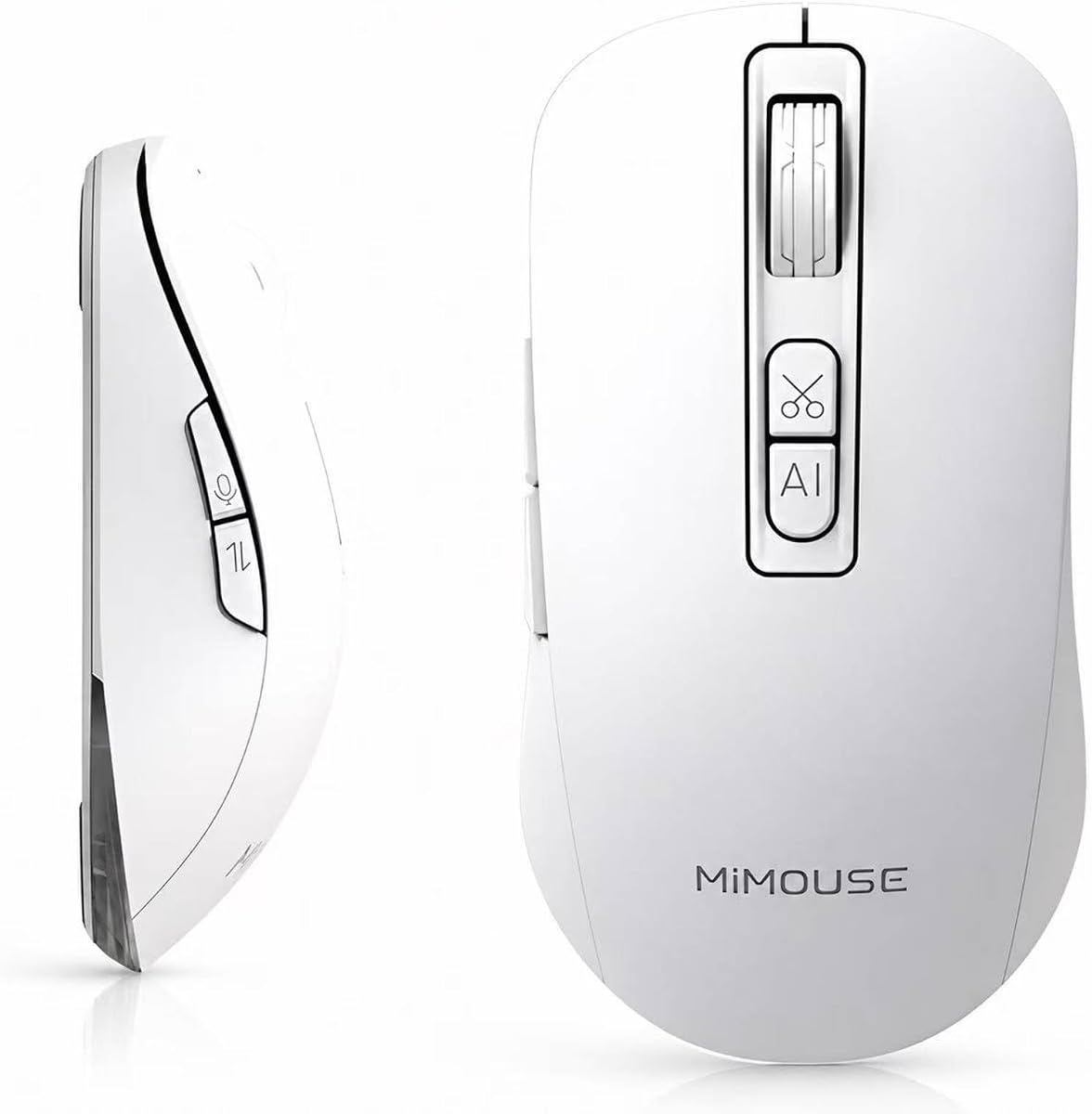


This AI mouse offers powerful voice typing and transcription with 98% accuracy. It supports multiple languages and includes a ChatGPT assistant for enhanced productivity in work environments.
We may earn a commission when you buy through this link, at no additional cost to you.
Key strengths include its 600mAh battery and real-time translation features. The local AI processing ensures your data remains private and secure without cloud storage concerns.
While it requires software setup, the features justify the effort. The ergonomic design and silent clicks make it comfortable for extended daily use in office settings.
Ideal for professionals needing fast transcription and translation. Buy this if you prioritize privacy and comprehensive AI tools over simple cursor control.
The mouse delivers up to 400 words per minute with minimal errors, making dictation fast and reliable for busy users.
All processing happens locally on your device ensuring sensitive data is never uploaded to external servers unnecessarily.
We may earn a commission when you buy through this link, at no additional cost to you.
The Redragon BM4195 brings AI voice typing to a budget-friendly price point. It allows users to dictate text without needing a keyboard for basic tasks.
We may earn a commission when you buy through this link, at no additional cost to you.
It offers reliable connectivity with 2.4G and Bluetooth modes. The 500mAh battery ensures long usage between charges via Type-C fast charging.
However, the AI features are simpler compared to premium models. You need to install specific software to unlock voice command capabilities.
Best for students or entry-level users wanting basic voice input. It provides value for money while delivering essential wireless functionality.
This mouse provides essential AI capabilities at a fraction of the cost of high-end models for tight budgets.
Switch seamlessly between three devices using Bluetooth or wireless USB modes for versatile multi-system workflows.
We may earn a commission when you buy through this link, at no additional cost to you.
This premium mouse combines multiple tools into one device with a detachable design. It excels in presentation scenarios with air mouse control and laser pointer features.
We may earn a commission when you buy through this link, at no additional cost to you.
It supports AI transcription for meetings and allows voice recording with easy saving. The battery lasts up to 20 days on a single charge.
The magnetic design allows it to function as a full mouse or compact presenter. This versatility comes at a higher cost compared to standard mice.
Perfect for executives or frequent presenters needing advanced features. Invest in this if you value portability and professional presentation tools.
The host magnetically snaps onto the base for full control or detaches for portable presentation use.
Voice recording and transcription help capture meeting notes accurately without manual typing interruptions.
We may earn a commission when you buy through this link, at no additional cost to you.
This mouse features 98% voice accuracy and supports over 200 languages for translation. It includes a battery display screen for convenient power monitoring during work.
We may earn a commission when you buy through this link, at no additional cost to you.
It uses local AI processing to protect user privacy from cloud storage issues. The 500mAh battery offers reliable performance for daily tasks.
The N/A rating reflects limited feedback, but specs suggest strong capabilities. Setup involves downloading an app to unlock all AI features.
Good for multilingual users needing translation tools. Choose this if privacy and language support are key requirements for your work.
Translate voice and text instantly across 200 languages for seamless global communication needs.
An LED display shows remaining power so you never face sudden shutdowns during critical tasks.
We may earn a commission when you buy through this link, at no additional cost to you.
The LTC OM021 focuses on comfort with its ergonomic shape and quiet clicks. It supports typing up to 300 words per minute with voice commands.
We may earn a commission when you buy through this link, at no additional cost to you.
It offers translation features and multi-device connectivity via Bluetooth 5.0. The rechargeable battery and Type-C charging make it convenient for office use.
With a 3.8 rating, it performs well but lacks premium features. It suits users who prioritize comfort and basic voice input.
Recommended for office workers needing silent operation. It balances affordability with practical voice typing and translation tools.
The ergonomic shape reduces hand strain during long work sessions for improved user comfort.
Quiet clicks help maintain a peaceful environment in shared office spaces and libraries.
We may earn a commission when you buy through this link, at no additional cost to you.
This model represents a trusted brand with excellent battery life and software support. It uses Logi Options+ for customization across Windows and macOS systems.
We may earn a commission when you buy through this link, at no additional cost to you.
While not marketed explicitly with AI voice typing in basic specs, it supports AI workflows via software. Its battery lasts up to 24 months with included AA batteries.
It features Bluetooth Low Energy and Logi Bolt for reliable connection. The design is standard for a productivity mouse without unique AI hardware.
Ideal for users valuing reliability and brand reputation. Choose this if you need long battery life and solid software integration.
Long battery life ensures minimal interruptions for users who prefer fewer battery changes.
Customize buttons and settings using the Logi Options+ platform for tailored workflow efficiency.
We may earn a commission when you buy through this link, at no additional cost to you.
This white version adds RGB aesthetics to a functional voice typing mouse. It supports ChatGPT assistant and translation with local processing for privacy.
We may earn a commission when you buy through this link, at no additional cost to you.
It offers a 600-hour standby time with efficient battery management. Silent clicks make it suitable for quiet environments like libraries.
The lack of ratings suggests limited market presence. However, specs align closely with successful models in the category.
Suitable for users wanting style with function. Pick this if you prefer a clean look and standard AI features.
RGB lighting adds a customizable aesthetic touch for users who appreciate modern design elements.
Local processing ensures user data remains on the device without cloud transmission.
We may earn a commission when you buy through this link, at no additional cost to you.
This model emphasizes audio recording and transcription features with a powerful M-AI platform. It supports voice typing with high accuracy for meetings.
We may earn a commission when you buy through this link, at no additional cost to you.
Battery life reaches up to 30 days, reducing recharge frequency. The ergonomic design supports extended use for professionals and travelers.
The M-AI platform offers diverse AI tools beyond typing. This includes writing, reading, and drafting assistance for content creators.
Perfect for content creators and lawyers needing documentation. Select this if recording and transcription are your primary workflow needs.
Access integrated tools for writing, drafting, and summarizing directly through the connected application.
Extended battery life ensures readiness for long periods of work without frequent charging.
We may earn a commission when you buy through this link, at no additional cost to you.
This mouse targets mobile professionals with iPad compatibility and triple-mode connectivity. It supports real-time transcription and summarization for efficient remote work.
We may earn a commission when you buy through this link, at no additional cost to you.
Features include one-click PPT generation and translation across languages. The ergonomic shape ensures comfort during daily use on multiple systems.
While specs align with standard AI mice, iPad focus adds value. It suits users needing seamless switching between desktop and tablet.
Ideal for remote workers and tablet users. Consider this if mobile productivity and presentation features are important.
Works seamlessly with iPad and mobile systems for versatile cross-device productivity.
Generate PPTs via voice commands to streamline presentation preparation tasks.
We may earn a commission when you buy through this link, at no additional cost to you.
This mouse offers fundamental AI features like translation and summarization. It supports voice-to-text typing for basic office needs.
We may earn a commission when you buy through this link, at no additional cost to you.
It is silent and rechargeable, making it suitable for shared environments. The 200+ language support helps multilingual communication.
With a low rating, user feedback indicates potential limitations. It may suit those seeking a basic solution without complex setup.
Best for minimalists needing simple tools. Choose this if you require basic voice translation at a lower cost.
Provides core translation and voice typing features for straightforward daily tasks.
Silent clicks minimize noise for peaceful workspaces and study sessions.
We may earn a commission when you buy through this link, at no additional cost to you.
Selecting the right AI mouse requires evaluating voice accuracy, battery life, and software features.
Look for models claiming 98% accuracy and 400 words per minute. High accuracy reduces correction time and improves efficiency in documentation.
Prioritize devices with proven speech recognition capabilities for reliable input.
Ensure the mouse supports Bluetooth and 2.4G wireless for multi-device use. Seamless switching helps you work across desktops and laptops easily.
Check for compatibility with your specific operating systems.
Aim for at least 500mAh capacity or days of wireless usage. Long battery life minimizes interruptions during critical work tasks.
Type-C fast charging is also a useful convenience feature to check.
Evaluate translation capabilities and chat assistant tools included. Comprehensive AI tools reduce the need for external software.
Local processing options are better for privacy-conscious professionals.
Choose designs with silent clicks and comfortable grip shapes. This prevents fatigue during long sessions of typing or presenting.
Ergonomic shapes are vital for health and daily comfort.
Select models that process data locally rather than on servers. This protects sensitive voice records and private documents from exposure.
Always check privacy policies before trusting a model.
Review software requirements for AI activation. Simple pairing and app installation save time compared to complex workflows.
Some models require specific apps to unlock full functionality.
Set a budget range based on your needs. Basic voice mice cost less than those with presentation and recording tools.
Balance cost against features needed for your job.
Start by downloading the required software to unlock voice features. Pair the mouse using Bluetooth or USB receiver for initial setup.
Hold the voice key to speak commands. Position the mouse near your mouth for optimal recognition in noisy areas.
Keep the sensor and body clean using a soft cloth. Avoid exposing it to liquids or extreme heat to prolong its lifespan.
Yes, most AI mice require a companion app to enable voice typing and translation functions. Ensure you download the correct version for your OS.
Many models support Bluetooth for iPad compatibility. Check specific specs to confirm tablet and iOS support before purchasing.
Top models claim up to 98% accuracy. This allows efficient dictation, though background noise may slightly affect results.
Local processing ensures data stays on your device rather than servers. This significantly reduces privacy risks for sensitive information.
Most rechargeable batteries last days or weeks depending on usage. Look for at least 500mAh for reliable daily performance.
Yes, most function as standard wireless mice when AI is disabled. You can toggle features via the app as needed.
We reviewed ten models highlighting strengths in voice accuracy, battery, and translation. The Redragon and Cheerdots2 offer distinct value for budget and premium users.
Prioritize privacy features like local processing if handling sensitive data. Ergonomics and connectivity options also impact daily workflow significantly.
Check current prices and availability as offers change frequently. Verify the specific features match your professional or academic needs before buying.