
HP Smart Tank 5003
4.1Editor score
Three years ink included
Mess-free refill
Cartridge-free design
Explore our comprehensive guide comparing the top AI printers of 2026, featuring HP and Liene models with advanced AI formatting, cutting, and smart features
AI printers are transforming how we handle documents and creative projects by integrating intelligent software directly into hardware. These devices automate layout adjustments, optimize print quality, and simplify complex tasks like cutting or multi-material printing, making them ideal for modern workflows.
We evaluated ten top-rated models based on performance, AI capabilities, reliability, and user feedback. Our analysis covers everything from home office inkjets to advanced 3D printers and sticker makers, ensuring you find the perfect fit for your specific printing needs and budget constraints.
Each selection highlights unique strengths, whether it is cost efficiency, speed, or specialized AI tools. Please note that prices and availability fluctuate frequently, so check current listings before purchasing to ensure you secure the best deal available at this time.
4.1Editor score

3.9Editor score

4.7Editor score
This side-by-side comparison highlights the key specifications and AI features of all ten models to help you quickly identify the best option for your specific printing requirements and workflow demands.



The HP OfficeJet Pro 8125 stands out as a leading choice for home offices needing smart document handling. With a solid rating, it delivers professional-quality prints while using AI to optimize web pages and emails for precision without wasted space.
We may earn a commission when you buy through this link, at no additional cost to you.
Its dual-band Wi-Fi ensures a stable connection that automatically resolves issues, while the large touchscreen simplifies navigation. The AI feature removes unwanted content from digital sources, ensuring your printed materials look clean and professional every time.
While the printer enforces strict cartridge policies with original HP chips, this ensures consistent quality and security. Firmware updates maintain these measures over time, though some users may find them restrictive compared to third-party alternatives.
For small business owners or professionals valuing efficiency and security, this model offers a reliable blend of speed and smart features. It is an excellent investment for those who prioritize document quality and seamless workflow integration.
HP AI automatically removes unnecessary elements from emails and web pages, ensuring your prints focus on important content without awkward breaks or wasted paper.
HP Wolf Essential Security protects your network from cyber threats, adding a critical layer of safety for sensitive business documents and personal data.
We may earn a commission when you buy through this link, at no additional cost to you.
The HP Smart Tank 5003 offers exceptional value for high-volume printing needs without the burden of frequent cartridge changes. It comes with up to three years of ink included, allowing users to print thousands of pages right out of the box.
We may earn a commission when you buy through this link, at no additional cost to you.
Its mess-free refill system makes replenishing ink simple and clean, eliminating the usual hassle associated with inkjet printers. The design supports borderless prints and wireless connectivity, making it a versatile choice for various home tasks.
While it may not match laser printers in raw speed, its cost efficiency and reliability make it ideal for families or students printing homework and photos regularly. The cartridge-free design significantly reduces long-term ownership costs.
If you are looking for an affordable solution that minimizes running costs while delivering quality prints, this printer is a strong contender. It balances performance and economy effectively for everyday household requirements.
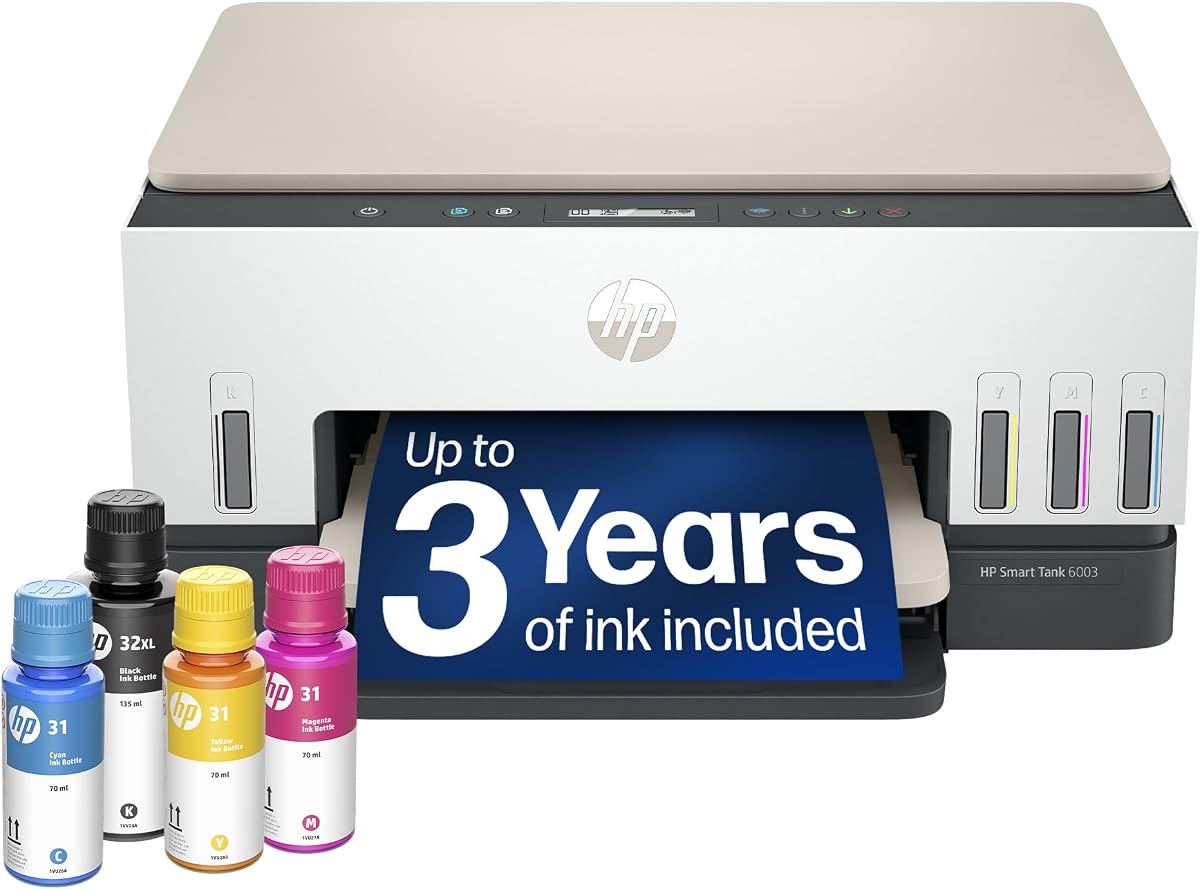
With ink included for up to three years, you avoid frequent purchases, making it a budget-friendly choice for households with high printing demands.
The plug-and-drain refill system ensures no spills or mess, making ink replenishment easy even for those without technical experience.
We may earn a commission when you buy through this link, at no additional cost to you.
The HP Envy 6155 is designed for home users who need vibrant, true-to-screen color for photos and documents. Its intuitive touchscreen and reliable wireless connectivity make it easy to navigate for daily printing tasks.
We may earn a commission when you buy through this link, at no additional cost to you.
True-to-Screen technology ensures that what you see on your display matches the print output closely, thanks to advanced color processing. The AI optimization feature further refines layouts to prevent wasted pages during email or web printing.
With a smaller input tray compared to office models, it is best suited for moderate volume tasks. However, its sleek design and efficient ink delivery through Instant Ink make it a convenient choice for smaller spaces.
This model is ideal for students or creative hobbyists who prioritize image quality and user experience over high-speed throughput. It delivers consistent results while maintaining a user-friendly interface.
True-to-Screen technology guarantees that your printed photos and documents match the colors you see on your monitor for consistent visual quality.
The Portobello finish and compact build fit seamlessly into home desks or study areas without compromising on functionality or print quality.
We may earn a commission when you buy through this link, at no additional cost to you.
The Bambu Lab P2S Combo represents the pinnacle of 3D printing technology with AI-driven features that simplify complex processes. Its incredible speed and precision make it suitable for professional-grade projects and creative hobbyists alike.
We may earn a commission when you buy through this link, at no additional cost to you.
AI failure detection and quick-swap nozzles ensure that prints complete successfully with minimal user intervention. The AMS 2 Pro allows seamless multi-color printing, opening up creative possibilities that were previously difficult to achieve.
While the price point is higher than standard inkjets, the value provided by speed, reliability, and advanced features is unmatched in its class. It requires a specific workflow but rewards users with exceptional quality and efficiency.
For designers, engineers, or makers who need rapid prototyping or high-quality models, this printer is the top recommendation. It combines cutting-edge software with robust hardware for reliable 3D creation.
AI failure detection monitors prints in real-time to identify issues early, ensuring high success rates and reducing wasted materials and time.
The AMS 2 Pro supports multi-color and multi-material printing, allowing intricate designs with various textures and hues in a single print job.
We may earn a commission when you buy through this link, at no additional cost to you.
The HP OfficeJet Pro 9135 is built for busy offices requiring high-speed duplex scanning and robust document handling. With faster print speeds and a larger touchscreen, it streamlines workflows for professional environments.
We may earn a commission when you buy through this link, at no additional cost to you.
Its auto document feeder supports single-pass 2-sided scanning, significantly reducing the time needed to digitize multi-page documents. HP AI helps optimize formatting for clean, professional layouts on every page.
While the footprint is larger to accommodate dual trays and advanced features, it offers the capacity and speed needed for sustained daily use. The integrated fax and security features add layers of practical utility.
This printer is ideal for small to medium businesses that handle significant document volumes and require reliable performance. It balances productivity with smart technology to keep office operations running smoothly.
Single-pass duplex scanning allows both sides of a document to be captured instantly, saving time and improving office productivity significantly.
HP Wolf Pro Security safeguards sensitive data against cyber threats, ensuring that confidential business documents remain protected at all times.
We may earn a commission when you buy through this link, at no additional cost to you.
The HP Smart Tank 7603 is designed for high-volume printing needs, offering up to three years of ink included in the box. It combines the convenience of an ink tank with essential office functions like fax and copying.
We may earn a commission when you buy through this link, at no additional cost to you.
Its mess-free refill system ensures that replenishing ink is easy and clean, while the magic touch control panel provides a smooth user experience. With borderless printing and wireless connectivity, it handles a wide range of tasks.
While it may not match laser speeds, its cost efficiency is exceptional for households or offices printing large volumes regularly. The tank system minimizes interruptions and reduces the frequency of supply purchases.
This model is perfect for users who prioritize long-term savings over raw speed. It delivers reliable performance and essential features without the recurring cost of traditional cartridges.
With up to 8000 color pages included, this printer offers one of the lowest costs per page available for inkjet technology.
The intuitive touch interface simplifies navigation, allowing users to set up complex tasks quickly without consulting manuals or guides.
We may earn a commission when you buy through this link, at no additional cost to you.
The HP OfficeJet Pro 8139 stands out for its generous one-year Instant Ink trial, providing extended convenience for home offices. It combines speed and smart features to handle professional documents with precision.
We may earn a commission when you buy through this link, at no additional cost to you.
With AI formatting optimization, it ensures that web pages and emails print cleanly without wasted space. The dual-band Wi-Fi maintains a reliable connection, while Wolf Essential Security keeps your data protected from threats.
Although it requires original HP cartridges, this ensures consistent output quality and security compliance. The extended trial period makes it an attractive option for users transitioning to smart ink management services.
This printer is ideal for home offices that value reliability and ease of use. It delivers balanced performance with thoughtful features that streamline daily document handling efficiently.
The one-year Instant Ink trial allows you to benefit from automatic delivery and savings without immediate subscription costs.
HP Wolf Essential Security bolsters your network against cyber threats, ensuring sensitive business documents remain secure during printing.
We may earn a commission when you buy through this link, at no additional cost to you.
The HP Smart Tank 7603 offers a reliable alternative for users needing high-volume printing without frequent cartridge replacements. Its design focuses on ease of use and long-term cost savings for home office environments.
We may earn a commission when you buy through this link, at no additional cost to you.
With a mess-free refill system and magic touch panel, setup and daily operations are straightforward. The capability to print borderless pages and fax documents adds versatility to its feature set.
While it may lack the speed of professional lasers, the value provided by included ink and cartridge-free operation is significant. It handles everyday tasks with consistent quality and minimal interruption.
For families or small businesses prioritizing affordability and simplicity, this printer delivers consistent results. It is a practical choice for reducing printing costs while maintaining quality.
Up to 8000 color pages included means you can print extensively before needing to buy supplies, saving both time and money.
Borderless printing ensures photos and documents look professional without white margins, enhancing the overall presentation quality.
We may earn a commission when you buy through this link, at no additional cost to you.
The HP Smart Tank 6003 provides an affordable entry into ink tank systems, offering up to three years of ink for home use. It simplifies printing by eliminating cartridge hassles while maintaining good quality.
We may earn a commission when you buy through this link, at no additional cost to you.
Its mess-free refill system ensures clean ink replenishment, and borderless printing supports creative tasks like photo albums and posters. Wireless connectivity allows easy printing from smartphones and other devices.
While it lacks fax functionality found in higher-end models, it remains a solid choice for general home needs. The included ink makes it particularly attractive for households with steady printing demands.
This printer is ideal for families looking to reduce printing costs without sacrificing quality. It balances simplicity with essential features for everyday document and photo printing.
The high-capacity tank ensures months of printing without needing to buy ink, making it a convenient solution for active households.
The plug-and-drain design prevents spills and messes, making it easy to maintain ink levels without worrying about stains.
We may earn a commission when you buy through this link, at no additional cost to you.
The Liene PixCut S1 revolutionizes sticker creation by combining high-resolution printing with precise die-cutting in one device. Its AI extraction feature simplifies the process of turning any photo into a custom sticker.
We may earn a commission when you buy through this link, at no additional cost to you.
Using thermal dye-sublimation technology, it produces vibrant, waterproof prints that resist scratches and fading. The app offers thousands of templates and fonts, enabling creativity without design experience.
While it is designed specifically for stickers and labels rather than documents, the quality and convenience are unmatched for crafters. The durability of the stickers ensures long-lasting results for various uses.
This printer is perfect for DIY enthusiasts, parents, or small businesses needing custom labels. It transforms ordinary photos into professional-quality stickers with minimal effort and maximum impact.
AI automatically recognizes and extracts subjects from photos, saving hours of manual cutting and ensuring precise edges for stickers.
The four-layer thermal dye-sublimation process laminates prints during production, resulting in waterproof and scratch-resistant stickers that last.
We may earn a commission when you buy through this link, at no additional cost to you.
Choosing the right AI printer involves evaluating several factors that impact performance, cost, and usability for your specific needs.
Modern printers incorporate AI to optimize layouts, detect errors, or enhance images. Look for features like automatic formatting or failure detection that save time and reduce waste.
Prioritize models with AI tools that match your workflow, such as document optimization for offices or extraction for creative projects.
Speed varies significantly between models, from 7 ppm to 25 ppm or higher for 3D printers. Consider how many pages you print daily to choose an appropriate pace.
Faster speeds are essential for busy offices, while moderate speeds may suffice for home users with lower volume needs.
Ink tank systems offer lower costs per page compared to traditional cartridges. Evaluate upfront costs versus long-term savings to find the most economical option.
Choose ink tank models if you print frequently to avoid high ongoing expenses associated with standard cartridges.
Wireless and dual-band Wi-Fi ensure reliable connections from multiple devices. Look for printers that support mobile apps for convenient printing from anywhere.
Stable connectivity is crucial for seamless integration with your existing network and devices.
Input tray capacity and features like duplex scanning affect efficiency. Higher capacity reduces reloading frequency, while duplex support saves paper and time.
Select models with sufficient paper handling features to match your typical document volumes.
Security features protect sensitive data during printing. Look for protections like Wolf Security that guard against cyber threats.
For business use, robust security is non-negotiable to protect confidential information.
Resolution and color accuracy matter for photos and documents. Technologies like True-to-Screen ensure what you see matches what you get.
Prioritize high DPI and color technologies if visual fidelity is critical for your projects.
Physical size and footprint determine where a printer can fit. Compact models suit small desks, while larger units offer more functionality.
Measure your space before buying to ensure the printer fits comfortably without obstructing other work areas.
Start by connecting the printer to your network and installing the manufacturer's app for optimal control. Follow setup instructions carefully to ensure AI features are enabled and calibrated correctly.
Regular maintenance includes running cleaning cycles and checking ink levels to prevent clogs and ensure consistent output. Keep firmware updated to access new AI features and security patches.
Store paper in a dry place and load it according to guidelines to avoid jams. Proper care extends the printer's lifespan and maintains print quality over time.
In printers, AI refers to intelligent software that optimizes layouts, detects errors, or enhances image quality automatically. It helps users save time and reduce paper waste by adjusting content before printing.
Yes, ink tank printers offer significantly lower costs per page compared to cartridges, especially for high-volume users. While upfront costs may be higher, long-term savings make them worth it for families and offices.
Most models support wireless printing via dedicated apps or standard mobile protocols. This allows easy printing from smartphones and tablets without needing a physical connection.
Use ink tank models, opt for duplex printing to save paper, and enroll in instant ink services if available. These strategies significantly lower ongoing expenses over time.
For high-quality photos, look for models with high DPI and color technologies like thermal dye-sublimation. The Liene PixCut S1 and HP Envy series are great choices for vibrant results.
Many offer optional subscriptions like Instant Ink for automatic ink delivery, but they are not mandatory to operate the hardware. You can use standard cartridges or refillable tanks as preferred.
Modern printers include security features like Wolf Protection to safeguard data. Keep firmware updated to maintain protection against cyber threats and unauthorized access.
We highlighted ten models ranging from HP's versatile inkjets to the innovative Liene sticker maker. Each offers unique AI capabilities tailored to different needs from document efficiency to creative crafting.
Prioritize your workflow requirements and budget when selecting a model. Consider factors like ink cost and connectivity to ensure the printer supports your long-term goals effectively.
Remember that prices fluctuate frequently, so check current listings before purchasing. This ensures you secure the best deal available for your chosen model today.