
15.6 inch Smart Digital Calendar White
4.7Editor score
Tool-free quick setup
All core features free
Photo frame with AI enhancement
Modern families need more than a simple wall planner. An AI digital smart calendar combines scheduling with smart home features to keep everyone aligned. These devices transform chaotic kitchens into organized command centers with touchscreens and voice tools.
We compared ten leading models based on screen quality, sync capabilities, and smart assistants. Our analysis covers real-time syncing with Google and iCloud, chore tracking, and photo display modes. Each product offers unique tools for different household sizes and needs.
Each pick below highlights specific strengths like AI voice commands or free core features. Prices and availability change frequently so check current listings for the latest deals. This guide helps you find the perfect digital hub for your home without guessing which model fits best.
4.7Editor score

4.5Editor score

4.6Editor score
As an Amazon Associate we earn from qualifying purchases.
The following table provides a side-by-side comparison of all ten models featured in this guide. It highlights key specifications such as screen size, unique features, and core capabilities to help you make an informed decision quickly.
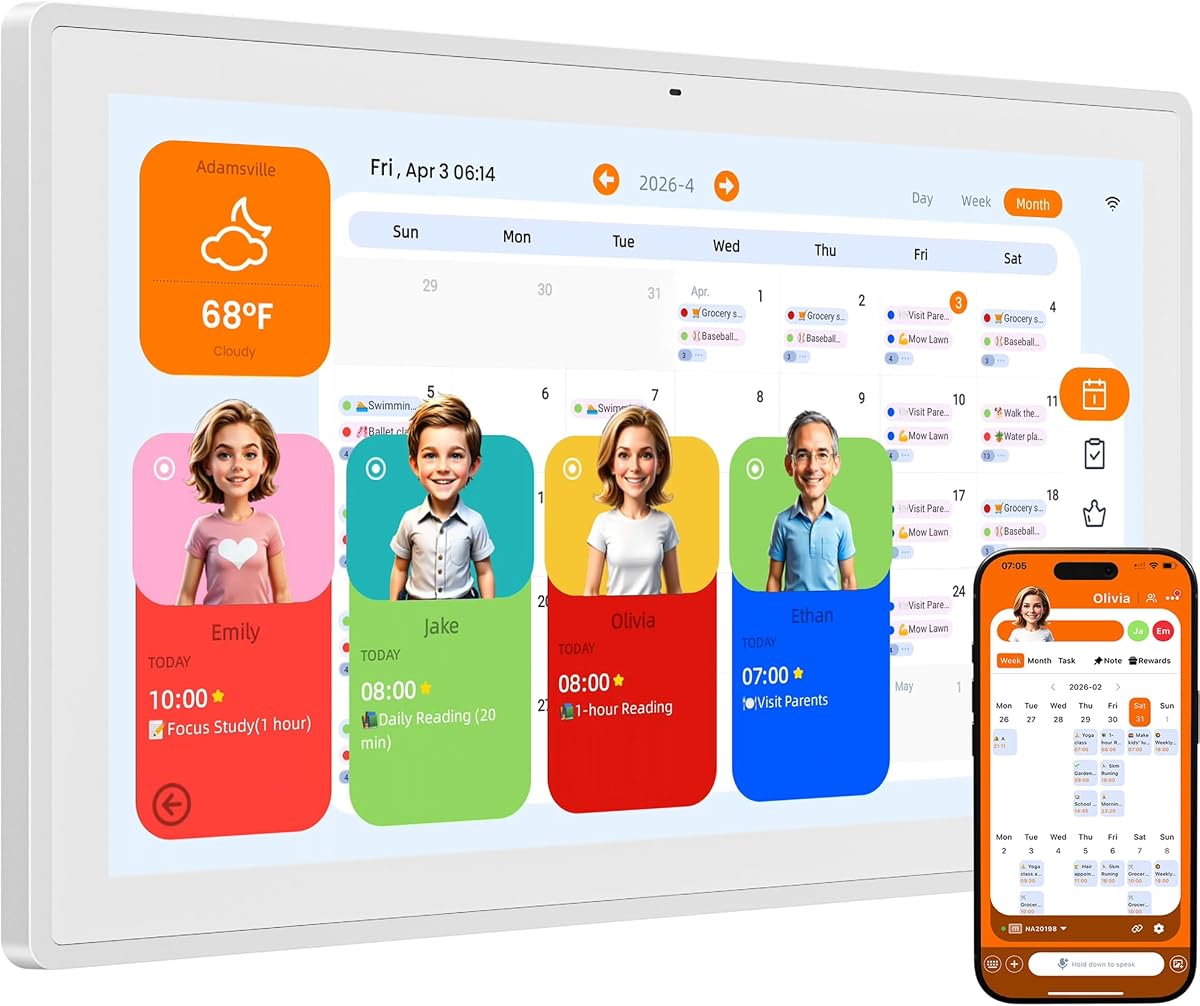


The NORI Family Hub stands out as the top choice for families wanting an intelligent command center. It combines a vibrant 15.6-inch touchscreen with powerful organizational tools that manage schedules and routines effectively. With a strong rating, it proves reliable for daily household coordination.
We may earn a commission when you buy through this link, at no additional cost to you.
Its standout feature is the NORI Family AI, which transforms scattered information into organized plans instantly. You can add details via voice, photo, or email, and the system updates everywhere automatically. The color-coded calendar ensures everyone sees who needs to be where without confusion. Meal planning is also built-in, offering calorie details and shared shopping lists.
While the AI upgrade is optional, the core features remain fully functional without subscriptions. This ensures long-term value and peace of mind. However, some users might prefer more advanced AI features right out of the box. Despite this, the system remains robust and user-friendly for most needs.
If you need a central hub that grows with your family, this model is the best investment. It simplifies complex schedules and helps children follow routines independently. The seamless sync across devices makes it a true smart home addition.
The NORI Family AI allows you to add details by voice, photo, or file, then view the shared plan on the hub, app, or web browser instantly.
Create clear morning, after-school, and bedtime routines that kids can see and check off on their own to foster independence.
We may earn a commission when you buy through this link, at no additional cost to you.
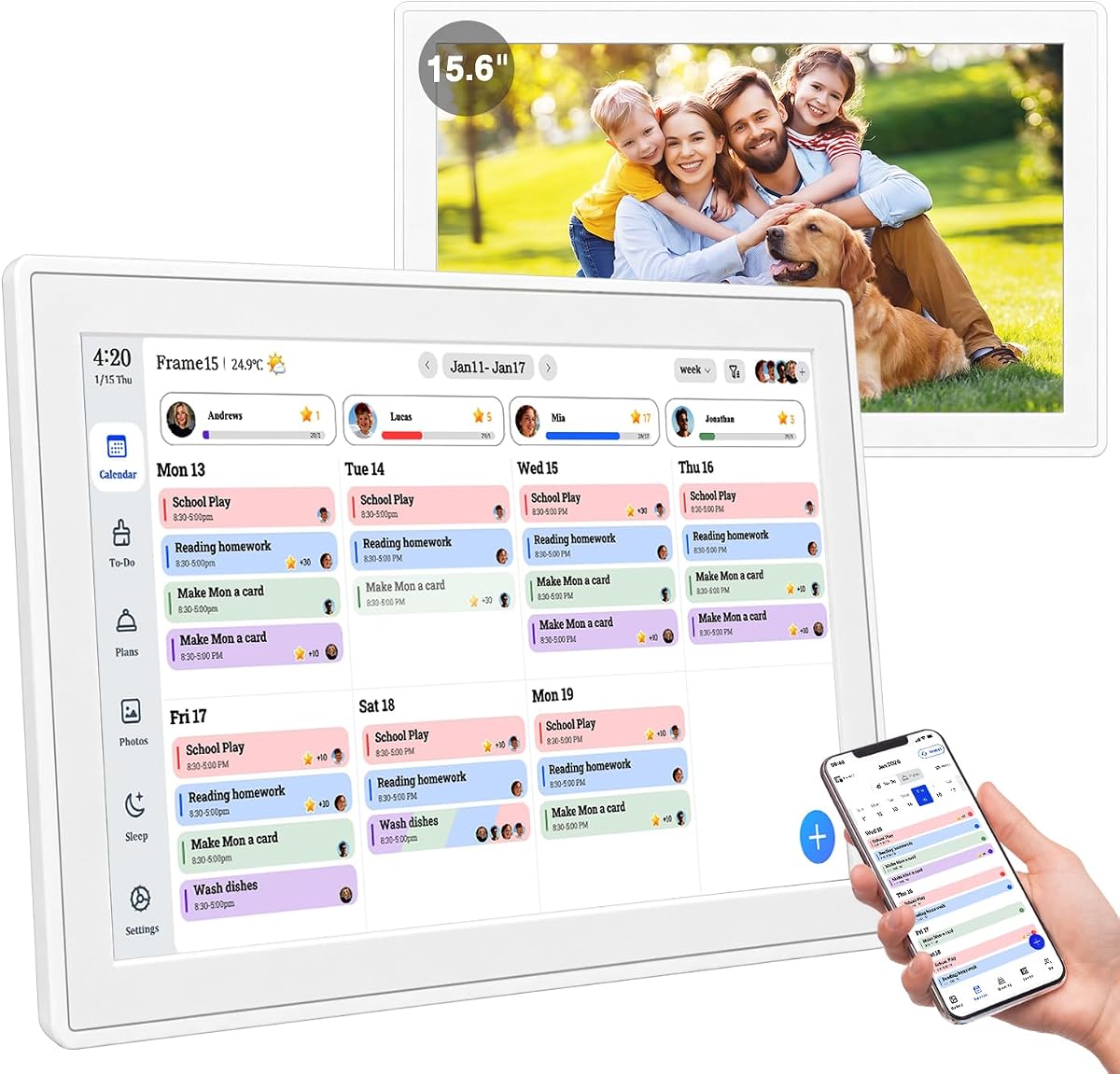
This white digital calendar offers an incredible value for families needing a straightforward planning tool. It features a crisp 15.6-inch Full HD screen that displays schedules clearly. Its high rating reflects user satisfaction with its simple and efficient design.
We may earn a commission when you buy through this link, at no additional cost to you.
The setup process is incredibly fast, taking less than thirty seconds without tools. You can mount it on a wall or desk easily using the thumb nut design. All essential features like calendar sync and chore tracking are free with no hidden costs. This makes it an accessible option for any budget.
While it lacks advanced AI assistants, the tap-to-create function speeds up event entry significantly. Built-in templates for school and work routines simplify daily planning. Some users might miss voice commands, but the touchscreen interface compensates well for most tasks.
Choose this model if you want a reliable, no-nonsense planner that just works. It is perfect for those who prefer simplicity over complex smart features. The value for money is hard to beat in this category.
Unbox and start in under 30 seconds with no drilling needed thanks to the tool-free thumb nut design.
Enjoy a one-time purchase with no monthly fees or hidden costs for syncing and managing tasks.
We may earn a commission when you buy through this link, at no additional cost to you.
The Cozyla Calendar Plus 2 is a powerhouse for families who need space and customization. Its massive 24-inch display makes reading schedules from across the room effortless. It integrates the Google Play Store, allowing you to install favorite apps directly on the device.
We may earn a commission when you buy through this link, at no additional cost to you.
This model shines with its customizable dashboard where you can drag-and-drop widgets like weather, media players, and calendars. The AI Assistant converts paper events into digital entries via photos or voice commands. You can even stream video tutorials for cooking, making meal planning interactive and engaging.
The price is higher than other options, but the features justify the cost for tech-savvy households. The only trade-off is the physical weight, which might require sturdy wall mounting. However, the screen quality and functionality are unmatched in this review.
If you want a premium command center that acts like a smart tablet, this is the one to choose. It brings modern technology and practical planning tools together seamlessly. The large size ensures everyone in the family can see the details clearly.
Access the Google Play Store to download apps and customize your display with drag-and-drop widgets.
Upload recipes or stream video tutorials directly on the touch screen for step-by-step cooking guidance.
We may earn a commission when you buy through this link, at no additional cost to you.
This digital calendar focuses on family coordination with a strong emphasis on chores and rewards. The 15.6-inch screen provides clear visibility for all household members. It is designed to be a comprehensive command center that keeps everyone organized and engaged.
We may earn a commission when you buy through this link, at no additional cost to you.
The interactive chore chart allows parents to assign tasks while children earn points. This gamified approach encourages responsibility and makes daily routines fun. Additionally, the built-in photo frame cycles through enhanced memories using AI restoration for a warm look.
While it offers a good range of features, the AI capabilities are less advanced than top premium models. The 2-year warranty provides good peace of mind for long-term use. It is a reliable choice for families prioritizing structure over smart tech.
Ideal for busy households looking to streamline daily routines without complex setup. The flexible mounting options mean it fits in any space comfortably. This model balances utility and engagement effectively for multi-generational homes.
Parents can assign tasks and children can check them off to earn reward points in a fun, gamified experience.
Transform into a beautiful digital photo frame with AI restoration that cycles through enhanced family memories.
We may earn a commission when you buy through this link, at no additional cost to you.
This model brings voice control to the table without charging monthly fees. The integrated Kairos App listens to commands and records tasks instantly. It is designed to simplify planning so you can speak your schedule instead of typing.
We may earn a commission when you buy through this link, at no additional cost to you.
The voice assistant delivers spoken reminders as events near, keeping you informed gently. You can also customize AI avatars to match your home style, adding a personal touch. The adaptive brightness ensures the screen is comfortable to view at night.
While the voice features are impressive, they require some initial setup. The meal planning is simpler compared to dedicated hubs. However, the freedom from subscriptions makes it a strong contender for tech-oriented families.
If voice interaction is a priority, this calendar offers a great experience for the price. It reduces the mental load of typing out every detail. Choose this for a smart and easy-to-use family hub.
Simply say grocery shopping at tomorrow 10 AM and the task is recorded instantly by the integrated Kairos App.
Enjoy the freedom of a smart calendar with no monthly costs while syncing in real-time with major platforms.
We may earn a commission when you buy through this link, at no additional cost to you.
This digital calendar offers three distinct modes to suit various needs including art gallery and cloud album. The 15.6-inch Full HD screen provides clear visuals for schedules and photos. It is designed to manage family coordination without hidden monthly charges.
We may earn a commission when you buy through this link, at no additional cost to you.
In Calendar Mode, it acts as a master daily planning tool. Switch to Art Gallery Mode to display classic artwork dynamically without downloads. The Cloud Photo Album Mode lets you instantly transmit favorite photos from anywhere to the screen.
Some users might find the interface slightly complex compared to simpler models. However, the flexibility of having multiple display modes is a strong selling point. The lack of fees adds significant value over time.
Choose this if you want a versatile screen that acts as both a planner and a media display. It supports voice planning and syncs via Wi-Fi and USB. It is a solid option for tech-friendly households.
Switch between Calendar Mode, Art Gallery Mode, and Cloud Photo Album Mode for versatile home display options.
Instantly transmit your favorite photos from anywhere directly to the display screen to turn it into a smart digital picture frame.
We may earn a commission when you buy through this link, at no additional cost to you.
Westsee focuses on habit building and family interaction through comments on tasks. The 15.6-inch touchscreen displays schedules clearly with color-coded tasks for easy visibility. It is a simple yet effective tool for daily organization.
We may earn a commission when you buy through this link, at no additional cost to you.
The task comment feature allows family members to leave notes on chores or meals, enhancing interaction. Automated sleep mode ensures the device fits naturally into your routine without distraction. The large built-in memory stores thousands of photos and videos for your frame.
While advanced AI tools might require a subscription, the core functions remain free. The Zical App offers instant updates across devices for seamless coordination. It is a balanced choice for those who value communication over advanced tech.
If you want to strengthen family communication through daily tasks, this model is ideal. It simplifies meal planning and builds lasting habits with rewards. The reliability of the sync makes it a trustworthy household addition.
Enhance interaction by commenting on tasks and meals directly through the device interface.
Empower your children through a fun task planner and rewards system to build lasting habits.
We may earn a commission when you buy through this link, at no additional cost to you.
Skylight brings a unique charm to family planning with its Disney Mode featuring iconic characters. This design element appeals to children and makes engaging with the calendar fun. The 15-inch touchscreen provides a clean and user-friendly interface for all ages.
We may earn a commission when you buy through this link, at no additional cost to you.
The Premium Plus Plan unlocks Magic Import which streamlines adding events from photos. Avatars and screensavers add personality to your shared space. While the basic model is good, the subscription adds significant value for families wanting extra engagement.
The smaller screen size might be a limitation for larger households needing detailed views. However, the sleek design fits naturally into modern layouts without dominating the wall. It is a thoughtful choice for homes with young children.
Choose this if you want to gamify planning with characters and animations. The interface is designed to be intuitive for kids and adults alike. It balances functionality with fun effectively.
Features 16 iconic characters with animations and avatars to encourage your family to work together.
Unlocks Magic Import, photo screensavers, and stars and rewards for a more engaging experience.
We may earn a commission when you buy through this link, at no additional cost to you.
This version of the Cozyla Calendar Plus 2 focuses heavily on app integration. The Google Play Store access allows for a wide range of widgets and tools on the 15.6-inch screen. It is designed for users who want a customizable digital experience.
We may earn a commission when you buy through this link, at no additional cost to you.
The pantry inventory tracking helps manage kitchen items efficiently alongside meal planning. You can upload recipes or watch video tutorials directly on the device. The AI Assistant handles manual typing by converting images into text instantly.
The learning curve for setting up all features might be steep for some users. However, once configured, the system is powerful and versatile. The screen resolution is good for reading text and viewing media.
Ideal for tech enthusiasts who want to build a custom command center. The ability to drag and drop widgets means you control the layout. This model offers great flexibility for household management.
Effortlessly drag-and-drop widgets including calendars, chore charts, and media players to create your own electronic calendar.
Easily upload recipes or stream video tutorials directly on the touch screen for step-by-step cooking guidance.
We may earn a commission when you buy through this link, at no additional cost to you.
This compact calendar offers unique communication features like voice and video calling. The 12.3-inch screen fits easily into smaller spaces like bedrooms or offices. It is designed to keep families connected through calls and shared task lists.
We may earn a commission when you buy through this link, at no additional cost to you.
You can view local weather forecasts directly on the display for daily planning. The auto-sync ensures everyone sees the latest schedules in real time. Shared lists for chores and groceries help keep everyone on the same page.
The screen size is smaller than most other models which might make reading details harder. However, the calling feature adds value for families wanting direct interaction. It serves as a dual-purpose communication and planning tool.
Choose this if you need a smaller device with calling capabilities. It simplifies connection and planning in one place. The basic but functional features make it a practical option for busy homes.
Stay connected beyond scheduling with built-in voice and video calling features.
Never miss an important event with customizable reminders and view local weather forecasts directly on the display.
We may earn a commission when you buy through this link, at no additional cost to you.
Selecting the right digital calendar depends on your family's specific needs and tech habits. This section outlines the most critical factors to consider before making a purchase to ensure the best fit.
Screen size determines how easily family members can read details from across the room. Models range from 12 inches to 24 inches, with larger screens offering better visibility for shared use. Look for Full HD or higher resolution to ensure text is sharp and images are vibrant. Matte finishes help reduce glare in bright kitchens.
Prioritize a size that fits your available wall space while remaining readable from a distance.
AI capabilities vary significantly between models. Some offer basic voice commands for event creation while others use AI to scan photos and convert them into calendar entries instantly. Advanced systems can manage complex schedules and send reminders based on location. Evaluate which AI tools will save you the most time daily.
Choose a model with AI features that match your desired level of automation and convenience.
Real-time syncing ensures all family members see updated schedules on their phones or the central device. Check if the calendar supports Google Calendar iCloud Outlook and other apps you use daily. Reliable cloud sync prevents double booking and missed appointments. Ensure the sync is seamless and fast for a smooth experience.
Confirm that your existing calendar services are fully supported before buying.
Many digital calendars include tools to assign chores and track progress. Some offer reward systems with points or gamified elements to encourage children to complete tasks. Look for color-coding options to visualize responsibilities clearly. A good task manager helps build independence and reduces parental nagging.
Select a calendar with a task system that motivates your family to stay organized.
Most calendars work well without subscriptions but some premium features may require monthly fees. Advanced AI assistants or extra storage sometimes fall under paid plans. It is wise to verify which core features are free to avoid unexpected costs later. A one-time purchase model offers better long-term value.
Always check the full pricing model to ensure you get all essential features for free.
Integrated meal planning helps reduce daily decision fatigue by suggesting recipes and creating shopping lists. Some models allow video streaming for cooking tutorials directly on the screen. Others support recipe uploads from email or apps. This feature is valuable for busy families aiming to eat healthier and save time.
Look for meal planning tools that align with your cooking habits and dietary needs.
Installation methods vary between wall mounting and tabletop options. Some devices come with stands while others require drilling for a permanent look. Consider whether you want a flexible portable unit or a fixed hub. Ensure the mounting hardware included is sturdy for the chosen location.
Decide early if you want to mount it on a wall or place it on a countertop.
Most digital calendars double as photo frames to display cherished memories when not showing schedules. Internal storage capacity determines how many photos and videos you can hold. Cloud connectivity allows you to update the display remotely from your phone. A large storage or cloud option ensures a continuous fresh gallery.
Ensure the device supports easy photo uploads from your preferred mobile device or storage.
To get started, plug in the device and connect to your Wi-Fi network. Follow the on-screen prompts to download the companion app on your smartphone. Log in using your preferred calendar account such as Google or iCloud to enable syncing. This ensures your existing events appear instantly on the display.
Customize the dashboard by adding widgets for weather, reminders, and task lists. Assign family members their own profiles to keep schedules organized. Use the touch interface to add events directly or tap the microphone for voice commands. This makes updating schedules quick and intuitive throughout the day.
Clean the screen regularly with a soft microfiber cloth to prevent smudges and dust. Avoid using harsh chemicals that might damage the coating or display. Set the sleep mode to reduce brightness at night to save power and save strain. Regular updates keep the software running smoothly with new features.
Most models require internet to sync calendar data with cloud services but some offer offline modes for viewing stored content. You can display photos from internal memory without Wi-Fi. However, new events cannot be synced across devices without an active connection.
Yes most models support syncing multiple calendars from different accounts on one display. You can color-code each member to distinguish their events easily. This creates a single centralized view for the whole household without switching apps.
You can transfer photos via USB, SD card, or cloud apps. Many devices allow you to share directly from your phone using a companion app. Once uploaded, photos cycle automatically in photo frame mode to show cherished memories.
The core features of most calendars are free with no monthly fees. Some advanced tools like AI assistants may require optional subscriptions but basic planning is included. Always check the product details for specific premium features that might be locked.
Many models support multiple languages for both voice and text input. Check the app settings to change language preferences for the interface. Some voice assistants may be limited to English but text entry usually allows typing in various languages.
Most devices come with a standard warranty covering manufacturing defects. You will need to contact the manufacturer directly for repairs. Some sellers offer extended protection plans for accidental damage but this varies by product.
Some models integrate with home ecosystems like Alexa or Google Assistant for voice control. Others use built-in proprietary AI assistants specifically for calendar tasks. Review the compatibility details to ensure it works with your existing smart home setup.
Most calendars include a shared shopping list feature accessible from the main menu. You can add items by voice or tap and they sync to everyone's phones. Some even generate lists automatically based on your meal plans.
We have reviewed the top ten models available in November 2026 to help you find the perfect organizer. The NORI Family Hub stands out for its balance of power and usability while the white budget option offers incredible value. The Cozyla Plus 2 remains the best choice for those wanting a large customizable screen.
Prioritize features that solve your biggest daily challenges like syncing or meal planning. A large screen is vital for family visibility but compact models fit smaller spaces well. Remember to check if any AI tools require subscriptions before making your final decision.
Prices and availability change frequently so review current listings before purchasing. This guide provides a foundation but always verify the latest specs on the product page. With the right choice, you can transform your home into an organized and connected space effortlessly.