
ARCTIC P8 (5 Pack)
4.6Editor score
Static Pressure Optimised
Fluid Dynamic Bearing
Value Pack Deal
This guide compares the top 10 best 80mm case fans for performance, noise, and reliability to help you choose the right cooling solution.
Finding the right airflow solution for compact builds requires careful consideration of size and performance. Small form factor cases often rely on 80mm fans to maintain safe temperatures without excessive noise. Selecting a quality fan ensures your hardware stays cool and runs efficiently.
We evaluated ten highly rated models based on their technical specifications and user feedback. Each product offers unique features ranging from PWM control to specialized bearing types. Our analysis highlights the strengths and weaknesses to guide your purchasing decision.
Each pick below showcases a specific strength like quiet operation or high static pressure. Prices and availability may vary over time so check current listings before buying. We hope this detailed comparison helps you find the perfect cooling component.
4.6Editor score

4.9Editor score

4.8Editor score
The following table provides a side-by-side view of all ten selected models. You can quickly compare key specifications like speed and noise levels to find the best fit for your setup.


The Noctua NF-A8 PWM stands out as the top choice for anyone needing reliable cooling. It combines high performance with whisper quiet operation which is rare for compact fans. Its award winning design ensures efficient airflow without disturbing noise levels.
We may earn a commission when you buy through this link, at no additional cost to you.
Its Flow Acceleration Channels and acoustic frame design deliver superior cooling results. The PWM header allows for automatic speed control keeping noise low during idle. Included accessories like adapters and cables make installation straightforward for users.
While it costs more than standard options the quality justifies the investment. The trade-off is mainly price and limited aesthetic choices compared to RGB models. These drawbacks are minor considering its reliability and performance.
Buyers needing top tier cooling for HTPCs or compact builds should choose this model. It is ideal where silence and efficiency are the highest priorities.
The frame design reduces air turbulence making it significantly quieter than standard fans.
Includes anti-vibration mounts and cables to ensure a complete installation experience.
We may earn a commission when you buy through this link, at no additional cost to you.
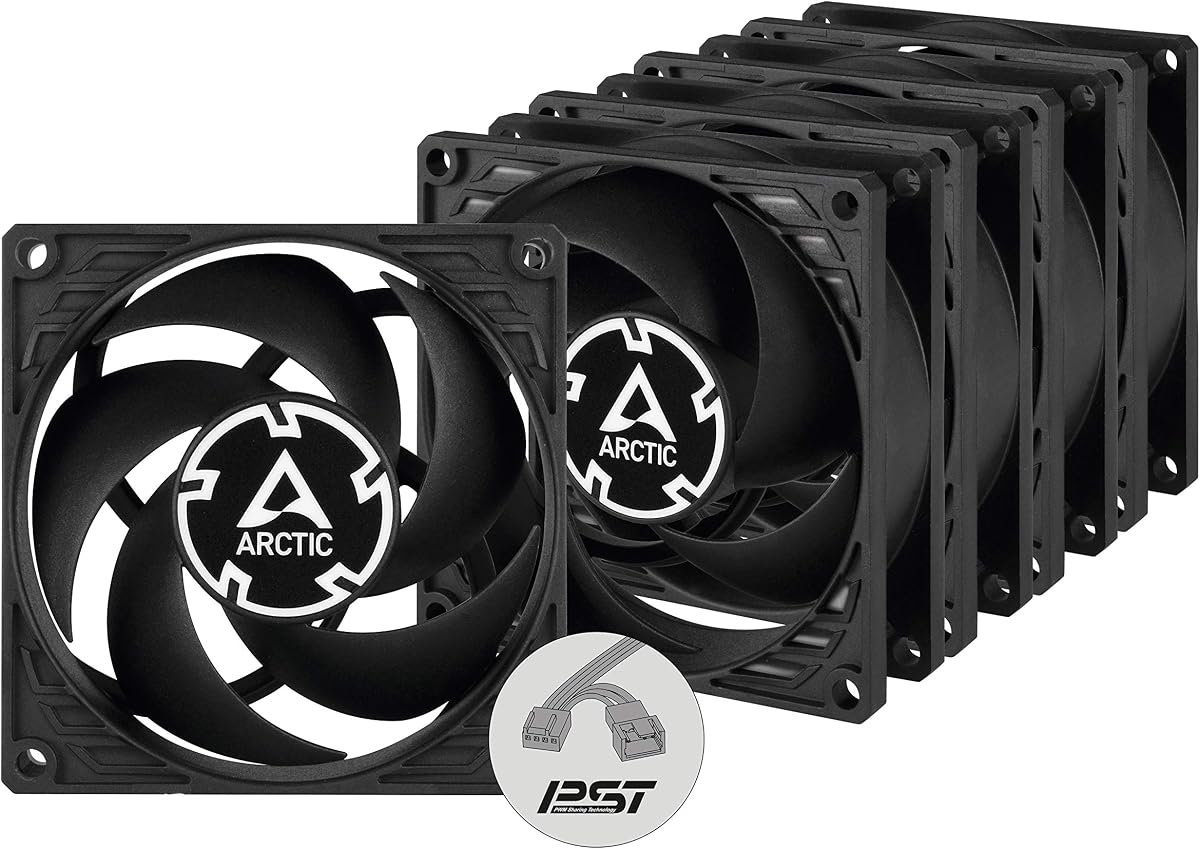
The ARCTIC P8 offers exceptional value especially in this five pack bundle. It delivers high static pressure making it suitable for radiators and heatsinks. Its performance is impressive given the affordable price tag.
We may earn a commission when you buy through this link, at no additional cost to you.
The fluid dynamic bearing ensures longevity and reduced friction for better efficiency. Designed with optimized blades it maintains excellent airflow even with high resistance. The black finish matches most standard case interiors perfectly.
However the 3-pin connector limits speed control compared to PWM fans. Running at full speed can be noisy but throttling helps balance this. The lack of PWM is the main compromise for the price.
This pack is perfect for builders needing multiple fans on a budget. It balances cost and performance well for general case ventilation tasks.
Optimized blades push air through dense components like heatsinks more efficiently.
Fluid Dynamic Bearing provides quiet operation and extended service life.
We may earn a commission when you buy through this link, at no additional cost to you.
This variant brings the renowned Noctua performance in a sleek all-black design. It is perfect for builds requiring a uniform dark look without sacrificing cooling power. The acoustic optimization ensures it remains whisper quiet under load.
We may earn a commission when you buy through this link, at no additional cost to you.
Features like Flow Acceleration Channels match the original NF-A8 models. The chromax.black.swap edition includes swappable anti-vibration pads in multiple colors. This allows customization to match your build theme easily.
The main trade-off is the higher cost compared to standard models. It may not appeal to RGB enthusiasts since it lacks lighting effects. However for those prioritizing aesthetics and silence it is worth it.
Choose this if you want top tier cooling in a dark uniform look. It fits high-end HTPC and server builds where aesthetics matter.
Swappable pads in six colors help match your case or internal components.
Advanced motor technology reduces noise and vibration at all speeds.
We may earn a commission when you buy through this link, at no additional cost to you.
The NF-R8 redux-1800 offers a more affordable take on Noctua quality. It delivers balanced cooling with excellent silence suitable for many setups. The 1800 RPM range provides power without excessive noise.
We may earn a commission when you buy through this link, at no additional cost to you.
Its streamlined design removes some accessories but keeps core performance intact. It supports PWM for automatic speed adjustment based on system needs. Users get trusted cooling at a better price point.
The limited accessory bundle might require extra purchases for complex setups. Standard color limits it for dark themed builds. These are minor issues for a budget focused purchase.
Buyers wanting reliable Noctua cooling on a budget should consider this. It is great for general ventilation or replacement tasks.
Optimized low-noise design provides excellent airflow for ventilation.
Motherboard headers manage speed for silent idle and powerful cooling.
We may earn a commission when you buy through this link, at no additional cost to you.
The Kingwin fan is a practical solution for simple cooling needs. Its quiet operation makes it ideal for office desktops or servers. The design focuses on maximum airflow to prevent heat buildup.
We may earn a commission when you buy through this link, at no additional cost to you.
Universal fit ensures compatibility with standard mounts and coolers. The long life bearing adds durability for consistent performance over time. Its affordability makes it accessible for many builders.
While reliable it lacks advanced features like PWM or specific optimizations. Brand recognition is lower compared to top tier manufacturers. These are acceptable trade-offs for the low cost.
Choose this for basic cooling where budget is a priority. It works well in mining rigs or standard office environments.
Blades designed for high airflow reduce system heat effectively.
Handles high-performance environments with minimal overheating risks.
We may earn a commission when you buy through this link, at no additional cost to you.
This model emphasizes silent operation with its virtually silent motor design. At low speeds it generates almost no noise for quiet environments. The German engineered bearing reduces friction for smooth operation.
We may earn a commission when you buy through this link, at no additional cost to you.
Its high air resistance capabilities make it effective on radiators and heatsinks. The 1600 RPM speed is sufficient for stable cooling without loudness. Users prioritizing silence will find this highly effective.
The lack of PWM means manual speed control is limited. Lower RPM limits peak cooling potential for high heat scenarios. These trade-offs are acceptable for ultra-quiet builds.
Select this if silence is the main requirement for your case. It fits home theaters or quiet office PCs perfectly.
Enhanced bearing reduces friction to minimize unwanted noise at low speeds.
High static pressure helps overcome air resistance in tight spaces.
We may earn a commission when you buy through this link, at no additional cost to you.
The P8 Max delivers the highest static pressure for efficient cooling. With speeds up to 5000 RPM it handles dense components well. Its PWM control allows variable speed settings for different needs.
We may earn a commission when you buy through this link, at no additional cost to you.
The Fluid Dynamic Bearing ensures long service life and quiet operation. It is designed to maximize airflow even with high resistance. High performance users will appreciate its power.
Max speed can be quite loud for home environments. The noise level limits use to server racks or industrial setups. This is a significant trade-off for home users.
Choose this for high-density server racks or industrial cases. It is not recommended for quiet home PCs.
Variable speed from 500 to 5000 RPM offers flexible performance control.
Effective cooling with increased air resistance for dense components.
We may earn a commission when you buy through this link, at no additional cost to you.
This bundle offers multiple silent fans for comprehensive case cooling. It maintains the quiet benefits of the P8 Silent model. The price point makes it a great choice for large cases needing multiple fans.
We may earn a commission when you buy through this link, at no additional cost to you.
Optimized for static pressure it performs well on radiators. The 1600 RPM speed ensures cooling without disrupting quiet environments. The five pack allows strategic placement of multiple cooling points.
Without PWM support speed control is limited. It may not suit high-performance high-heat builds needing maximum speed. These are reasonable limits for this price range.
Ideal for silent multi-zone cooling in budget builds. It covers larger cases without loud noise issues.
Complete cooling solution for multiple intake or exhaust points.
Silent motor ensures low noise across all installed units.
We may earn a commission when you buy through this link, at no additional cost to you.
The Thermalright TL-8015 offers a thin profile for tight spaces. At 15mm thick it fits where standard 25mm fans cannot. It maintains high airflow to ensure efficient heat dissipation.
We may earn a commission when you buy through this link, at no additional cost to you.
Its S-FDB V2 bearing reduces shaking and extends life. Low noise ensures it works without distracting sounds. Compatible with downward CPU coolers for better heat management.
The thin frame may feel less sturdy than 25mm fans. Availability can be limited compared to mainstream brands. These are acceptable given its specialized size.
Choose this for tight case spaces or CPU coolers. It provides effective cooling where dimensions matter.
15mm thickness allows installation in compact or crowded cases.
S-FDB V2 bearings minimize noise while providing maximum performance.
We may earn a commission when you buy through this link, at no additional cost to you.
This final pick is a five pack silent solution for multiple fans. It brings the benefits of the P8 Silent model to large cases. Users get reliable cooling across several intake or exhaust zones.
We may earn a commission when you buy through this link, at no additional cost to you.
The 1600 RPM speed ensures balanced airflow without loudness. Static pressure optimization handles resistance from radiators well. This makes it versatile for different case layouts.
Lack of PWM means limited speed control options. It may not be enough for extreme heat management. These are standard limitations for silent budget bundles.
Perfect for large cases needing silent airflow throughout. It is a practical choice for multi-zone cooling.
Designed for low noise output at operating speeds.
Ideal for comprehensive cooling coverage in larger PC cases.
We may earn a commission when you buy through this link, at no additional cost to you.
Selecting the right 80mm case fan involves balancing performance noise and size. This section breaks down the key factors to consider.
Standard 80mm fans usually measure 80x80x25mm though some like the TL-8015 are thinner. Always check your case specifications to ensure physical fit before buying. Using the wrong size can lead to installation issues.
Verify dimensions match your case mounts to avoid fit issues.
Most fans use 4-pin PWM for automatic speed control while others use 3-pin for fixed speed. PWM allows quieter operation during idle and ensures better efficiency. Check your motherboard headers for compatibility.
Choose 4-pin PWM for automatic control and better efficiency.
Noise is measured in decibels or sones and varies by model. Silent models like the P8 Silent are under 0.1 sones making them ideal for quiet PCs. High speed models may be louder but offer better cooling.
Check dB or sone ratings to ensure the noise fits your environment.
Static pressure determines how well a fan pushes air through dense components like radiators. Fans labeled pressure optimized work best in confined spaces or with heatsinks. General airflow fans are better for open cases.
Opt for high static pressure if using radiators or heatsinks.
Fluid Dynamic Bearings offer long life and reduced friction compared to sleeve bearings. They tend to be quieter and last longer in varied conditions. Check specifications to ensure reliability over time.
Look for Fluid Dynamic Bearings for durability and quieter operation.
Airflow measured in CFM indicates how much air the fan moves. Higher CFM helps dissipate heat quickly in high-performance builds. Balance this with noise levels since high airflow often creates more sound.
Ensure sufficient CFM for your heat dissipation needs.
Some fans include anti-vibration mounts or extra cables while others do not. Accessories can simplify installation and reduce noise from vibration. Verify what is included to avoid buying extras later.
Check accessory bundles to simplify installation and reduce vibration.
Prices vary significantly between budget and premium models. Multi-packs offer better value for multiple zones than single fans. Balance performance needs with budget to find the best fit.
Compare bundles and single fan options for the best value.
Install fans with consistent airflow direction for intake or exhaust to avoid conflicts. Most have arrows on the frame indicating direction. Align all intake and exhaust fans correctly.
Keep vents free of dust using compressed air or soft brushes. Dust buildup restricts airflow and increases noise. Regular cleaning maintains performance.
Check mounting screws periodically to ensure tightness and reduce rattling. Vibration can loosen screws over time. Recheck them every few months.
4-pin fans offer PWM control for automatic speed adjustment based on temperature. 3-pin fans run at a fixed speed and lack this dynamic feature. Choose 4-pin for better efficiency and noise control.
Check your case manual for supported sizes. Most use standard 80x80x25mm measurements. Always verify thickness to ensure clearance with other components.
Most modern fans use sealed bearings requiring no user lubrication. Sealed designs last longer without maintenance. Manual lubrication is not recommended unless specified.
Fans optimized for static pressure are ideal for radiators. They push air through dense fins more efficiently. Look for models labeled pressure optimized for best results.
Loudness varies by model. Silent options operate under 0.1 sones while high-speed models may exceed 20 dB. Check noise ratings to match your comfort level.
Some PWM fans support 0% PWM stops allowing semi-passive operation. Others may run at a minimal speed even at zero. Check specs to confirm if zero stop is supported.
Use at least one intake and one exhaust for balanced airflow. More fans may be needed for larger cases. Ensure airflow is aligned in one consistent direction.
Noise often comes from dust buildup loose mounts or worn bearings. Clean the fan and check screws for tightness. If noise persists the bearing may need replacement.
We reviewed ten distinct models ranging from budget-friendly bundles to high-end silent designs. Each offers unique strengths depending on your specific cooling requirements.
Prioritize noise and airflow based on your build needs. Ensure compatibility with your case and headers before purchasing to avoid issues.
Always check current listings for pricing and stock updates as availability may change.