
Samsung 49" Odyssey OLED G9 (G91SD) Dual QHD QD-OLED Curved Gaming Monitor
4.3Editor score
QD-OLED panel technology
0.03ms response time
144Hz refresh rate
Finding the right large display can transform your workspace or gaming setup. A 49 Inch Monitor offers immersive visuals and ample screen real estate for multitasking. These ultra-wide screens replace dual monitor setups with a single seamless experience.
We evaluated ten top models based on resolution, refresh rate, and panel technology. Our comparison covers OLED, QD-OLED, and VA panels to highlight strengths. We focused on real-world performance for gaming, work, and creative projects.
Each pick below shows key specs and unique benefits to guide your choice. Prices and availability change frequently, so check current listings before buying. This guide helps you find the perfect 49 Inch Monitor for your needs.
4.3Editor score
4.5Editor score

4.2Editor score
As an Amazon Associate we earn from qualifying purchases.
This side-by-side comparison highlights key specifications for all ten models. We include resolution, refresh rate, panel type, and connectivity options. Use this table to quickly identify the best fit for your specific workflow.




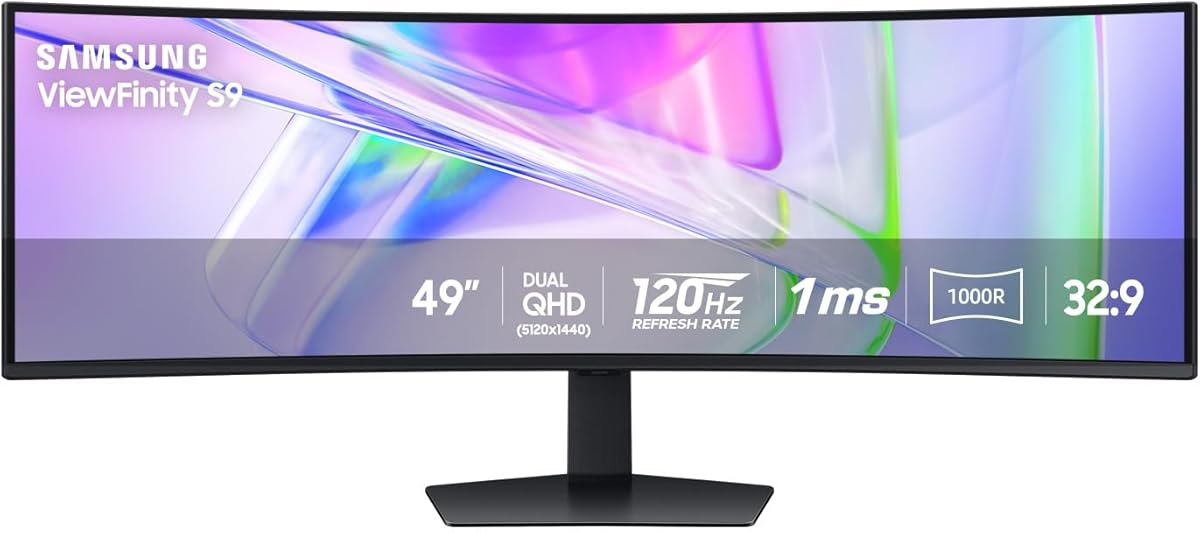
This Samsung model stands out as an ideal choice for professionals needing extensive screen space. It features a 49-inch 1000R curved display that wraps around your vision. The Dual QHD resolution provides sharp text and clear spreadsheets for productive workflows.
We may earn a commission when you buy through this link, at no additional cost to you.
The monitor acts as a docking station with USB-C supporting up to 90W charging. This simplifies your desk by connecting your laptop and peripherals through one cable. The 120Hz refresh rate ensures smooth scrolling during data analysis tasks.
While primarily designed for work, the VESA DisplayHDR 400 enhances media consumption. The built-in speakers eliminate the need for external audio solutions on a clean desk. However, it may not match dedicated gaming monitors in raw performance metrics.
Buy this if you prioritize workflow efficiency and want a single screen replacing dual monitors. It excels at multitasking and creative work where color and clarity matter. The adjustable stand ensures comfort during long workdays.
The 32:9 aspect ratio matches your natural field of view. This allows you to see more content without excessive head movement.
Using the monitor as a hub reduces clutter. You can connect devices directly to the screen for a cleaner setup.
We may earn a commission when you buy through this link, at no additional cost to you.
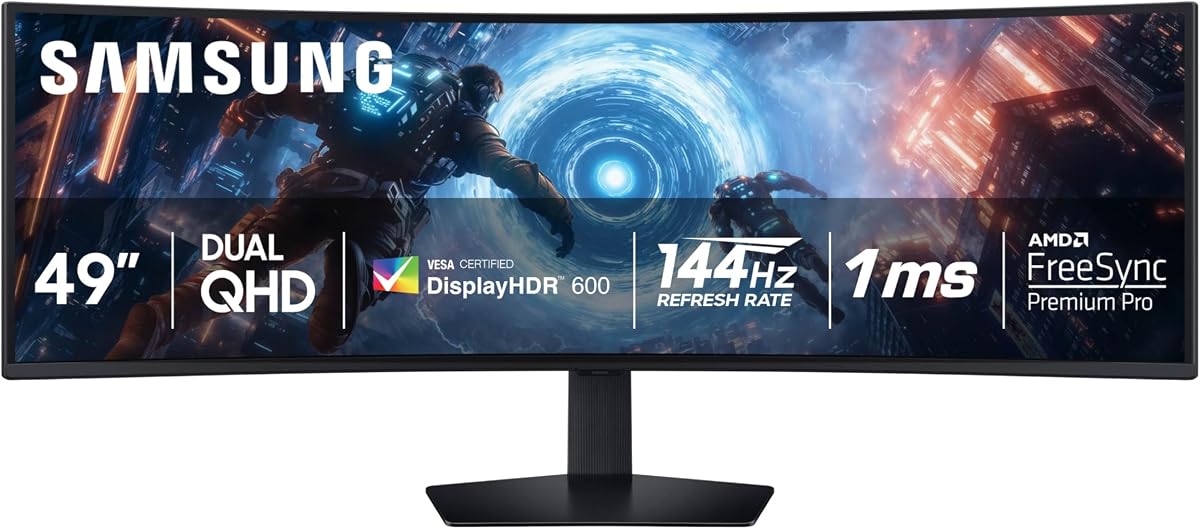
The Samsung OLED G9 delivers stunning visuals with its QD-OLED technology. It produces vibrant images and infinite contrast that traditional panels cannot match. This creates a truly immersive experience for both gaming and cinematic content.
We may earn a commission when you buy through this link, at no additional cost to you.
Performance is top-tier with a 0.03ms response time and 144Hz refresh rate. These specs ensure fluid motion and minimal ghosting in competitive games. G-Sync and FreeSync compatibility further reduce screen tearing for smooth action.
Samsung includes thermal modulation and logo detection to mitigate OLED risks. These features help prevent burn-in from static elements like taskbars. The thermal system controls brightness to manage heat effectively during long sessions.
Ideal for enthusiasts seeking the highest visual fidelity available today. It justifies the price with superior colors and speed. Ensure your setup supports the necessary refresh rates to get the most from this display.
The technology expands the color spectrum significantly. Colors appear more natural and vivid compared to standard LED panels.
Static image detection reduces brightness automatically. This proactive approach extends the lifespan of the OLED panel.
We may earn a commission when you buy through this link, at no additional cost to you.
The INNOCN 49C1R offers a compelling mix of performance and affordability. It features a 5120 x 1440 resolution that ensures sharp visuals across the wide screen. This makes it a strong contender for budget-conscious gamers and creators.
We may earn a commission when you buy through this link, at no additional cost to you.
With a 120Hz refresh rate and VA panel, it handles fast-paced content well. The USB-C port supports 65W power delivery, simplifying laptop connections. Adaptive-Sync technology ensures smooth gameplay without tearing or stuttering.
HDR400 and 99% sRGB coverage provide decent color accuracy for the price. While not as deep as premium OLEDs, the contrast remains solid for movies. The PIP and PBP features allow splitting the screen for multitasking efficiently.
Buy this if you want large-screen immersion without breaking the bank. It delivers on key features like refresh rate and connectivity. It is an excellent entry point into the ultra-wide category for general users.
The 120Hz rate keeps motion fluid. Combined with Adaptive-Sync, it provides a competitive edge in fast games.
Picture-in-Picture modes let you view multiple sources. This is great for streaming while playing or working.
We may earn a commission when you buy through this link, at no additional cost to you.
CRUA delivers a solid option for gamers seeking high refresh rates. The 165Hz refresh rate allows for very smooth motion in competitive titles. The DQHD resolution ensures details remain clear even at fast speeds.
We may earn a commission when you buy through this link, at no additional cost to you.
Color performance is impressive with 120% sRGB coverage. This makes the monitor suitable for video editing and design work as well. The 1500R curvature provides an immersive wrap-around effect for gaming.
Connectivity is robust with HDMI 2.1 and DP 1.4 ports available. The stand allows tilt and lift adjustments for ergonomic comfort. While it lacks speakers, the overall value remains high for performance seekers.
Choose this if you need speed and color accuracy at a reasonable price. It balances gaming needs with creative tasks effectively. It is a versatile choice for multi-purpose setups.
The wide sRGB gamut ensures vivid images. This helps designers see true colors while gaming.
Adjustable stand supports healthy viewing angles. This reduces neck strain during extended sessions.
We may earn a commission when you buy through this link, at no additional cost to you.
The Samsung Odyssey G9 pushes boundaries with a 240Hz refresh rate. It is designed for competitive gamers who demand the highest speed. The 1ms response time ensures minimal delay between input and action.
We may earn a commission when you buy through this link, at no additional cost to you.
The 1000R curve wraps aggressively around your field of view. This creates a unique sense of presence. the game world. HDR 1000 support provides bright highlights and deep shadows for contrast.
CoreSync technology projects screen colors onto your desk walls. This enhances immersion by bringing the game environment into the room. Auto Source Switch makes switching inputs seamless during matches.
Invest in this if performance is your top priority. It offers premium features for serious enthusiasts. Ensure your PC hardware can support 240Hz to fully utilize its capabilities.
This feature projects colors into the room. It adds a vibrant atmosphere to your gaming setup.
240Hz is among the fastest available. It eliminates motion blur for precise aiming.
We may earn a commission when you buy through this link, at no additional cost to you.
This INNOCN model is a great starting point for ultra-wide users. It uses a WDFHD resolution which is easier for GPUs to drive at high speeds. The 144Hz refresh rate ensures fluid gameplay across the wide aspect ratio.
We may earn a commission when you buy through this link, at no additional cost to you.
The 1800R curvature balances immersion without extreme wrap-around. It works well for general tasks and casual gaming. USB-C power delivery supports modern laptops and devices easily.
Color accuracy meets 99% sRGB standards for the price. This makes it decent for light content creation work. The stand offers height and tilt adjustments for better ergonomics.
Buy this if you want to try ultra-wide without high costs. It provides essential features like USB-C and high refresh rates. It is an excellent value for entry-level setups.
Features like USB-C are often missing at this price. It offers premium connectivity options affordably.
144Hz is standard for smooth gaming. It eliminates tearing and makes motion look fluid.
We may earn a commission when you buy through this link, at no additional cost to you.
Amzfast presents a feature-rich monitor for diverse needs. It features a Dual QHD resolution with 120Hz refresh rate. The wide color coverage ensures vibrant visuals for creative and gaming tasks.
We may earn a commission when you buy through this link, at no additional cost to you.
Connectivity is generous with multiple HDMI and DP ports. PIP and PBP modes allow efficient screen splitting. The height adjustable stand supports better posture during long work hours.
Eye care features reduce blue light to minimize fatigue. Anti-glare technology helps in bright environments. It balances functionality with comfort for daily users.
Choose this for a versatile setup requiring solid specs. It delivers high resolution and connectivity options. It is a reliable choice for general productivity and entertainment.
The 120% sRGB coverage ensures richness. Colors pop naturally without oversaturation.
Height and rotation adjustments provide flexibility. You can position the screen for optimal viewing.
We may earn a commission when you buy through this link, at no additional cost to you.
This 2025 model refines the Odyssey G9 experience. It offers 144Hz refresh rate for smooth competitive action. The DisplayHDR 600 certification provides bright and contrasted visuals.
We may earn a commission when you buy through this link, at no additional cost to you.
Split screen and subscreen modes support multitasking. You can view chats alongside games without losing focus. Auto Source Switch instantly connects to active devices for convenience.
The 1000R curvature remains immersive for deep gaming. Ergonomic adjustments ensure comfort over long sessions. It balances performance and features well for enthusiasts.
Buy this for a premium mid-range experience. It delivers speed and immersion effectively. Consider your desk space before purchase.
Allows small windows for chats or guides. Keeps eyes on the main gameplay area.
Detects connected devices instantly. No need to manually switch input sources.
We may earn a commission when you buy through this link, at no additional cost to you.
MSI brings QD-OLED tech with a 240Hz refresh rate. This combination delivers unmatched fluidity and speed. It is perfect for fast-paced competitive gaming and high-end media.
We may earn a commission when you buy through this link, at no additional cost to you.
The panel offers infinite contrast and vibrant colors. VESA DisplayHDR True Black 400 ensures deep shadows. MSI OLED Care 2.0 protects the screen from image sticking.
KVM allows control of multiple devices via one keyboard. This is efficient for users managing PCs and consoles. Console Mode provides optimized HDMI 2.1 support for next-gen systems.
Select this for ultimate performance and visuals. It combines the speed of LCD with OLED quality. Ensure you have cooling and protection features active.
Reduces risk of image retention. Protects the panel during static screen use.
Simplifies multi-device setups. Use one set of controls for all screens.
We may earn a commission when you buy through this link, at no additional cost to you.
ASUS offers a unique bundle including a Adobe Creative Cloud subscription. This adds value for designers and creatives. The monitor focuses on color accuracy with 90% DCI-P3 coverage.
We may earn a commission when you buy through this link, at no additional cost to you.
144Hz refresh rate ensures smooth gameplay with HDR support. The FreeSync 2 technology reduces tearing in modern games. Eye Care technology protects your vision during extended work.
The stand supports tilt and swivel for comfortable use. VESA mount compatibility allows flexible setups. It remains a viable choice for budget-conscious creatives.
Buy this if you need color precision for work. The software bundle makes it a strong value. Consider upgrading resolution if you prefer sharper details.
Includes Adobe subscription for productivity. This saves money for designers and editors.
High DCI-P3 coverage ensures accuracy. Essential for professional graphic work.
We may earn a commission when you buy through this link, at no additional cost to you.
Choosing the right 49 Inch Monitor involves weighing several technical factors. This section breaks down what to prioritize for your specific needs.
Panel technology dictates image quality and response speed. OLED panels offer perfect blacks and infinite contrast but come at a premium price. VA panels are more common and provide good contrast for general use. TN panels are rare in this size but offer fast response times.
Choose OLED for media and speed, or VA for balanced cost and performance.
Resolution determines image sharpness and clarity on large screens. Dual QHD (5120 x 1440) is ideal for detailed work and gaming. Lower resolutions may show pixelation on 49-inch displays. Ensure your GPU can render the target resolution at desired frame rates.
Higher resolution ensures sharp text and detailed visuals for work.
Refresh rate impacts how smooth motion appears during gaming. Rates from 120Hz to 240Hz reduce blur and input lag significantly. Standard 60Hz monitors feel slow for fast-paced games. Higher rates require powerful graphics cards to drive effectively.
Select at least 120Hz for a smooth gaming experience.
Curvature affects immersion and viewing comfort on wide screens. 1000R offers deep immersion while 1800R is more subtle. Match curvature to your viewing distance and gaming preference. Strong curves can distort flat content like spreadsheets slightly.
Pick curvature based on how immersive you want the experience to feel.
Ports allow connection to laptops, consoles, and peripherals. USB-C with power delivery simplifies laptop setups by reducing cables. HDMI 2.1 supports next-gen consoles at higher resolutions. Check for DisplayPort if using high refresh rates on PCs.
Ensure your monitor has the ports needed for your devices.
HDR improves brightness and contrast for dynamic visuals. Look for VESA DisplayHDR ratings like 400 or 600. Real HDR requires peak brightness to handle shadows and highlights. Without it, HDR content may look washed out.
Look for DisplayHDR 600 for meaningful high dynamic range.
Ergonomic stands reduce strain during long viewing sessions. Height, tilt, and swivel adjustments help match your posture. VESA compatibility allows mounting on flexible arms for flexibility. Fixed stands may limit positioning options.
Prioritize stands with multiple adjustments for daily comfort.
Features like Picture-in-Picture (PIP) help manage multiple windows. Split screen modes let you view two sources side by side. These tools reduce the need for multiple monitors. Check if your software supports the monitor's layout modes.
Use PIP features to keep multiple apps visible easily.
Position the monitor at eye level to prevent neck strain. The curved design is optimized for sitting directly in front of it. Ensure your chair allows you to reach the keyboard comfortably without leaning.
Adjust brightness to match room lighting to reduce eye fatigue. Use dark mode for late-night gaming to minimize light emission. Calibrate colors using software tools if you work with images or video.
Clean the screen with a microfiber cloth to avoid scratches. Avoid liquid cleaners directly on the panel to prevent damage. Unplug the monitor before cleaning to ensure safety from electrical issues.
Yes, they offer a seamless display without bezel interruptions. The single cable setup simplifies desk clutter. However, dual monitors provide flexibility to move screens apart. Consider your workflow needs when choosing.
Yes, driving high resolutions like Dual QHD requires strong hardware. A high refresh rate needs a capable GPU to reach target frames. Lower settings help if performance dips occur during gaming.
Most options offer accurate color coverage for professional tasks. Look for 99% sRGB or DCI-P3 coverage in specs. Ensure brightness is sufficient for your lighting conditions to see details clearly.
OLED provides unmatched contrast and colors but costs more. It risks burn-in if static elements stay on screen too long. If you watch a lot of media, the investment is justified.
Most models include VESA mount compatibility for wall attachment. Check the specific millimeter size before buying a mount. Ensure your wall structure can support the weight of the unit.
LCD and VA panels usually last 50,000 hours or more. OLED panels have improved but are slightly more sensitive to aging. Proper usage habits help extend the life of any display technology.
We have reviewed ten excellent options ranging from budget-friendly to premium OLED models. Each offers unique strengths for productivity, gaming, or creative work. The right choice depends on your specific usage and budget constraints.
Prioritize refresh rate and resolution based on your primary tasks. High-speed gaming demands 144Hz or 240Hz. Work tasks benefit from color accuracy and ergonomic adjustability.
Always check current prices before making your final decision. Deals change often and can save significant amounts of money. Use our comparisons to find the best value for your needs today.