
Asustor Drivestor 4 Gen 2
4.0Editor score
Realtek Quad-Core CPU
2.5GbE Port
Btrfs Snapshot Support
This guide compares the top 4 Bay NAS devices for home and business storage, featuring detailed reviews of performance, security, and media capabilities.
Finding the right network attached storage device is crucial for protecting your digital assets. A 4 Bay NAS offers the perfect balance of capacity and flexibility for homes and small businesses. It allows you to centralize data, automate backups, and stream media seamlessly across devices.
We evaluated ten leading models based on performance, features, and user experience. Our analysis covers processors, memory, network ports, and software ecosystems. This ensures you get a clear picture of which device fits your specific needs and budget.
Each pick highlights key strengths and potential trade-offs for informed decision-making. Remember that availability and pricing fluctuate frequently. Check the current links for the latest deals and stock status before making your final purchase decision today.
4.0Editor score

4.6Editor score

4.4Editor score
The following table provides a side-by-side comparison of the ten best 4 Bay NAS systems available. Review the specifications to identify the model that aligns with your performance requirements and storage goals.


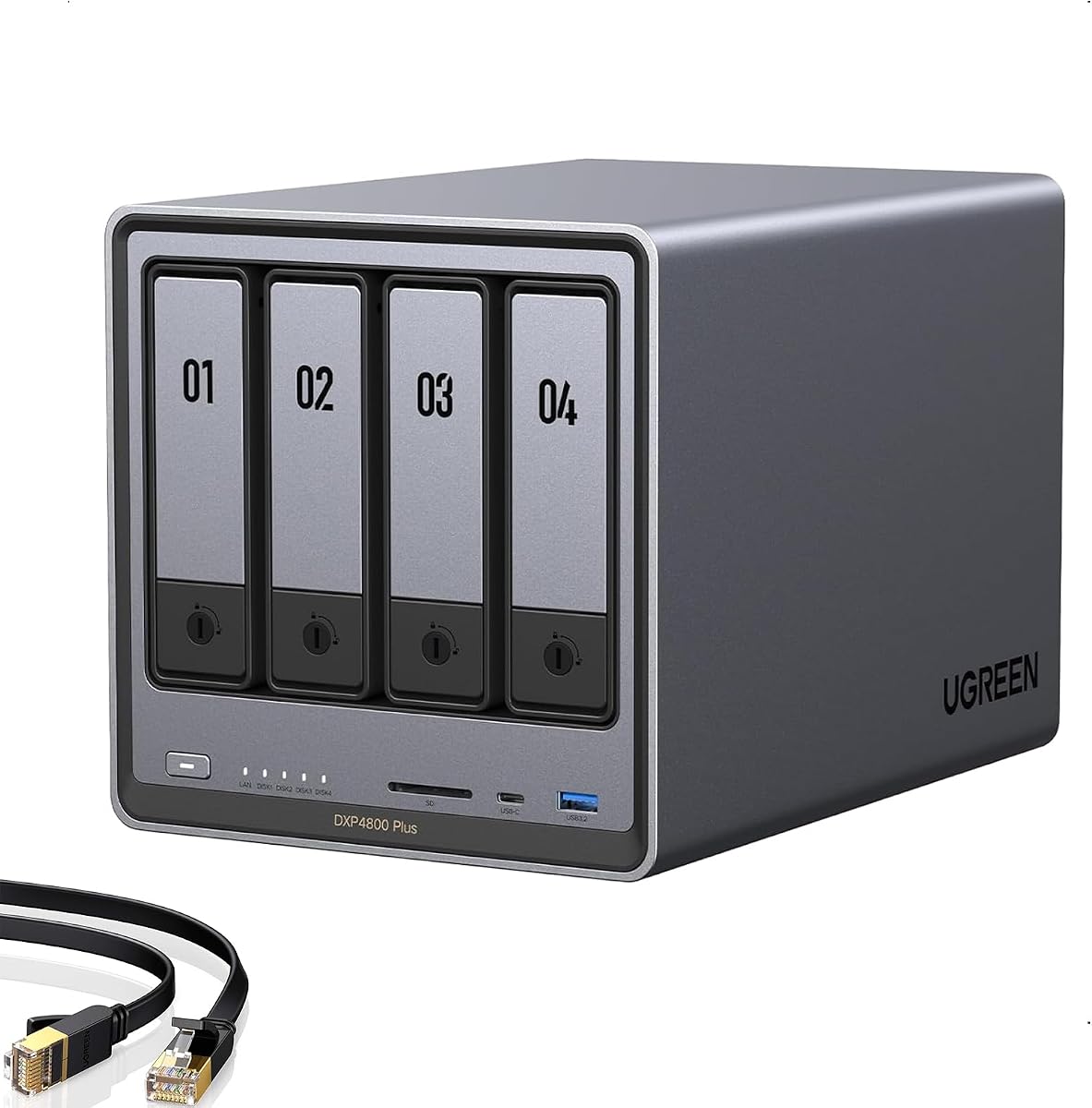


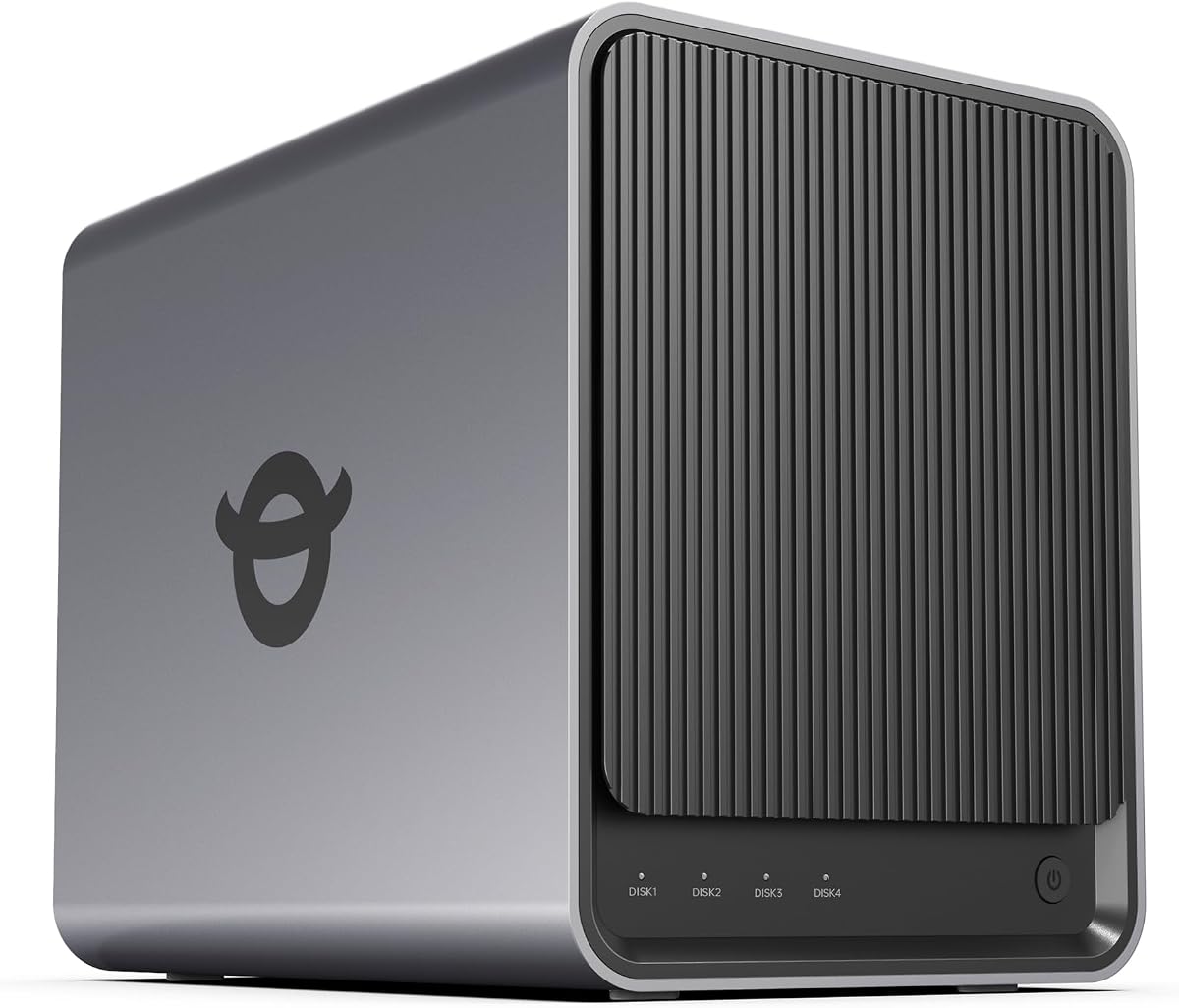

The UGREEN NAS DXP4800 GT stands out as a top choice for creators and power users. With a solid 4.6 rating, it delivers exceptional speed and multitasking capabilities. Its hardware is designed to handle demanding workflows without breaking a sweat.
We may earn a commission when you buy through this link, at no additional cost to you.
Powered by an AMD Ryzen Embedded R2514 processor, this unit excels at media processing and Docker apps. The dual 10GbE ports ensure rapid data transfers, making 4K editing feasible directly from the drive. UGOS Pro simplifies management with a clean interface and helpful tips.
While the performance is stellar, setting up Plex requires manual configuration via Docker. Additionally, the pre-installed RAM is non-ECC, meaning error correction needs an upgrade. These are minor trade-offs for the raw power and flexibility offered.
Buy this if you need a private cloud that grows with your needs. It supports 144TB storage and handles virtual machines smoothly. For offices and tech enthusiasts, it offers the best balance of speed and reliability.
The 4-core 8-thread processor handles backups and media processing simultaneously without lag.
Store files locally with TLS/SSL encryption and avoid third-party cloud subscriptions.
We may earn a commission when you buy through this link, at no additional cost to you.
The Synology DS425+ is engineered for teams needing reliable file sharing and media streaming. It boasts speeds up to 278 MB/s and supports over ten concurrent users. This makes it ideal for small offices managing client files and documents securely.
We may earn a commission when you buy through this link, at no additional cost to you.
Centralized repository features include granular access controls and audit logs. Multi-layered data protection combines RAID redundancy with automated backups and snapshots. The professional surveillance system supports up to 30 IP cameras, turning the NAS into a security hub.
While effective, the price is higher than some competitors. You must purchase drives separately, adding to the initial cost. However, the 3-year warranty and enterprise support options justify the investment for critical production environments.
Choose this for business-critical tasks where data integrity is paramount. It replaces expensive SharePoint with local sharing. The robust ecosystem ensures your files are safe and accessible.
Combine RAID redundancy with automated backups to prevent data loss from any cause.
Access company documents and client files securely from any location.
We may earn a commission when you buy through this link, at no additional cost to you.
The UGREEN NAS DXP4800 Pro is built for demanding workflows and IT professionals. Its 13th Gen Intel Core i3 processor delivers smooth performance for virtual machines and Docker containers. It serves as a versatile private workstation for video editors and developers.
We may earn a commission when you buy through this link, at no additional cost to you.
With up to 96GB RAM and 144TB storage, it handles colossal datasets effortlessly. The Data Vault feature adds an extra layer of security by hiding sensitive files. Certified for privacy by TÜV SÜD, it ensures your data remains protected and private.
The high price and complex setup might deter average users. It is overkill for simple home backups. However, for power users requiring advanced virtualization and high throughput, this unit is unmatched in the market.
Invest in this if you need a true IT hub. The dual network ports and AI photo management offer professional tools. It is a top-tier choice for those who demand the best.
Features a 6-core Intel CPU with 4.5GHz Turbo for seamless multitasking.
UGOS Pro integrates media center, cloud sync, and downloads in one experience.
We may earn a commission when you buy through this link, at no additional cost to you.
The UGREEN DXP4800 Plus is ideal for families and small teams needing centralized storage. With speeds up to 10GbE, backups are fast. The AI-powered photo album organizes memories by faces and scenes, making retrieval easy.
We may earn a commission when you buy through this link, at no additional cost to you.
It offers 144TB capacity and secure private cloud features. Advanced encryption protects your files while flexible permissions manage collaboration. The app is simple to use on Windows, macOS, or mobile devices.
Wi-Fi is not supported, which limits placement options. Drives are not included, adding to the setup process. Despite these points, it is a cost-effective alternative to recurring cloud fees.
Choose this to store 50 million photos or movies in one place. It provides total data ownership and automatic backups. A reliable choice for family digital life.
Centralized storage with automatic backups prevents losing data due to drive failure.
Automatically organizes photos by recognizing faces and objects to save time.
We may earn a commission when you buy through this link, at no additional cost to you.
The TERRAMASTER F4-425 is a compact powerhouse for home media streaming. It handles 4K transcoding effortlessly with its Intel x86 processor. The unit operates at just 21dB, making it suitable for quiet environments like bedrooms.
We may earn a commission when you buy through this link, at no additional cost to you.
Its tool-free Push-Lock design allows installing drives in 10 seconds. The Photos app features AI smart albums to organize millions of photos. TNAS Mobile gives full control without needing a PC.
The 4GB RAM limits heavy virtualization tasks. Software is functional but less extensive than Synology. For pure media streaming and file storage, it is efficient and affordable.
Buy this for a home multimedia hub that supports Plex and Emby. It ensures seamless multi-device streaming. A quiet and effective solution for family use.
Operates at just 21dB suitable for quiet environments like bedrooms.
Supports hardware-level 4K H.265 decoding compatible with Plex and Emby.
We may earn a commission when you buy through this link, at no additional cost to you.
The UGREEN NAS DH4300 Plus is perfect for beginners and remote workers. It supports Docker and handles multiple apps smoothly. The 2.5GbE port transfers 1GB files in 3 seconds. Smart photo backup keeps family memories organized.
We may earn a commission when you buy through this link, at no additional cost to you.
It is cost-effective compared to cloud storage subscriptions. Over ten years, you save significant money. The magnetic dust cover design adds a premium touch to the enclosure. No Wi-Fi is supported, requiring a wired connection.
Virtual machines are not supported, limiting advanced use cases. It is focused on file storage and media. For home users transitioning from external drives, it is intuitive and reliable.
Select this for a secure private cloud that you control completely. It encrypts data and offers flexible permissions. A solid entry point into NAS technology.
Unlike cloud storage with recurring fees, NAS requires only a one-time purchase.
No third-party clouds store data locally for full privacy control.
We may earn a commission when you buy through this link, at no additional cost to you.
The Synology 4-Bay DS925+ offers a robust platform for mixed workloads. It supports up to 565 MB/s sequential throughput, ensuring stable transfers. Dual 2.5GbE ports provide network redundancy and speed. Built-in solutions cover file management and surveillance.
We may earn a commission when you buy through this link, at no additional cost to you.
The ecosystem supports virtualization and data protection tools. Backed by a 3-year limited hardware warranty, it is reliable. Compatibility is strict, so check the official list before buying drives.
While expensive, the stability and support are worth it for businesses. It might be overkill for simple media streaming. For professional environments, it is a trusted choice.
Opt for this to leverage built-in file and photo management. It ensures your data is safe and accessible. A standard choice for Synology fans.
Supports stable data transfers with high sequential read/write speeds.
Provides fast network transfer speeds and increased redundancy.
We may earn a commission when you buy through this link, at no additional cost to you.
The Yxk Zero1 Pro is a budget-friendly home NAS with surprising capabilities. Powered by Intel N100, it handles everyday tasks well. The aluminum housing aids heat dissipation. It supports 144TB raw storage and has a 4K HDMI output.
We may earn a commission when you buy through this link, at no additional cost to you.
You can install third-party OS like TrueNAS or Unraid for flexibility. Shared media libraries work well via link aggregation. The AI photo tools organize and clean up duplicate images easily.
Software features are basic compared to established brands. You might need to configure third-party apps manually. For the price, it offers excellent hardware value.
Buy this to build a home media library on a budget. It supports Plex via Docker. A smart choice for DIY enthusiasts.
Powerful processor handles everyday storage while giving room to explore.
Dissipates heat with dedicated fans for processor and installed drives.
We may earn a commission when you buy through this link, at no additional cost to you.
The Asustor Drivestor 4 Gen 2 is an excellent budget home cloud. It features a Realtek Quad-Core processor for smooth multitasking. 2.5GbE networking offers faster transfers than traditional Gigabit. It supports 4K streaming for smart TVs.
We may earn a commission when you buy through this link, at no additional cost to you.
Enterprise-grade protection includes Btrfs snapshots and WORM technology. This keeps files immutable and safe from ransomware. You can create a private cloud for remote access without third-party services.
The low RAM limits heavy app usage. You must buy drives separately. Despite this, it is efficient for backups and media. It is a reliable choice for small offices.
Choose this for a low-cost private cloud. It protects your digital life effectively. Ideal for home users and small teams.
Efficient CPU provides smooth multitasking with lower power consumption.
Protect against ransomware with Btrfs snapshots and WORM technology.
We may earn a commission when you buy through this link, at no additional cost to you.
The Synology DS423 is focused on backup and data security. It offers comprehensive protection against malware with immutable snapshots. Ransomware-resistant strategies ensure your data stays safe. It supports up to 30 IP cameras for surveillance.
We may earn a commission when you buy through this link, at no additional cost to you.
You can share files securely with partners or colleagues. The 2-year warranty and expert support provide peace of mind. Camera licenses must be purchased separately. This adds to the initial cost of setting up security.
For pure file backup, it is efficient. Media performance is adequate but not top-tier. It fits well in family and small business contexts where data safety is priority.
Select this to replace expensive SharePoint with local file sharing. It protects against data loss effectively. A reliable option for critical data.
Safely access and share files and media from anywhere securely.
Protect against malware with immutable snapshots and versioned files.
We may earn a commission when you buy through this link, at no additional cost to you.
Selecting the right NAS requires balancing performance, storage capacity, and software features. This guide explains the critical factors to consider.
The processor determines how fast the NAS can handle data transfer and media transcoding. Look for Intel x86 or AMD Ryzen chips for better speed. Powerful CPUs allow for running multiple apps simultaneously without lag.
Prioritize models with at least a quad-core processor if you need 4K streaming or virtualization.
Random Access Memory affects how many apps run at once and how fast files are cached. Most basic models come with 4GB or 8GB RAM. Expanding RAM improves multitasking and speeds up heavy workloads.
Always check if the unit allows RAM upgrades to future-proof your investment.
Network ports define how fast data moves between your NAS and other devices. Standard Gigabit ports limit speed to 125MB/s. Look for 2.5GbE or 10GbE ports for much faster transfers.
Dual ports often provide redundancy or link aggregation for better reliability and speed.
The number of drive bays determines total storage potential. A 4-Bay NAS allows flexible RAID configurations for data protection. Ensure the unit supports large drives up to 32TB per bay.
Look for models with M.2 NVMe slots to add high-speed caching for SSDs.
The operating system determines ease of use and feature set. Some brands offer robust apps for backups and photo management. Others provide open platforms for Docker and custom apps.
Choose a system with an intuitive interface and regular software updates for security.
Security features like encryption and ransomware protection are vital. Look for immutable snapshots and user permission controls. These tools prevent accidental deletion and unauthorized access.
Ensure the device supports RAID configurations to protect against hard drive failures.
If you plan to watch movies on TV, check transcoding support. Hardware transcoding allows smooth playback without taxing the CPU. Look for 4K support and HDMI output options.
Compatible apps like Plex or Jellyfin are essential for a good media experience.
Cost varies widely based on specs and brand reputation. Entry-level units are cheaper but lack advanced features. A good warranty like three years indicates confidence in hardware reliability.
Factor in the cost of drives separately to calculate the true total investment.
Start by installing hard drives into the bays securely. Follow the manufacturer's guide for proper alignment to avoid physical damage. Once connected to your network, use the web interface to set up RAID.
Regularly check health monitoring tools to detect failing drives early. Update firmware frequently to patch security vulnerabilities. This keeps your data safe and the system running smoothly.
Use multiple backups for critical data across different locations. Do not rely solely on the NAS for archives. Proper cable management and ventilation extend the life of your hardware.
A 4 Bay NAS is used for centralizing data storage, backing up files, and streaming media. It allows multiple users to access files simultaneously from different devices. It is essential for home users and small businesses needing reliable storage.
Most 4 Bay NAS units sold online are diskless, meaning drives are not included. You must purchase compatible hard drives separately. This allows you to choose the capacity and type that fits your specific needs.
Yes, a NAS replaces cloud storage by keeping files locally on your hardware. You pay once for the device rather than monthly subscription fees. It offers full control over data privacy and access rights.
RAID is recommended to protect data if a drive fails. It allows you to survive a drive failure without data loss. However, it reduces total capacity because space is used for redundancy.
Speed depends on your network and hardware. With 2.5GbE or 10GbE ports, transfers can reach over 1GB/s. Without these ports, speeds are limited by standard Gigabit Ethernet to 125MB/s.
Yes, models with 4K transcoding can stream 4K movies smoothly. They convert files on the fly for compatible devices like TVs. This ensures high quality playback without buffering issues.
The UGREEN NAS DXP4800 GT leads our list with powerful performance and robust networking. It is the top choice for creators and tech enthusiasts. Its ecosystem supports heavy workflows and media processing.
For budget-conscious buyers, the Asustor Drivestor 4 Gen 2 offers essential protection and speed. It ensures your files are safe without breaking the bank. Synology models remain reliable for business-grade security.
Remember that hardware is just the start; choose drives wisely. Check current prices and availability before buying. Investing in the right NAS secures your digital future effectively.