
Logitech Brio 101 Full HD 1080p Webcam for Streaming and Meetings
4.4Editor score
Auto-Light Balance boosts brightness
Integrated privacy slide cover
Plug-and-play with major apps
Finding the right video camera is essential for clear communication. Modern 1080p webcams deliver sharp images that make remote work and streaming feel professional. You need reliable optics and good audio to stand out in any virtual meeting room.
We evaluated ten leading models based on image clarity, lighting correction, and ease of use. Each product offers unique strengths whether you need privacy covers or wide field of view. Our analysis helps you match the right device to your specific needs.
Every pick highlights key specs and real-world performance details for your reference. Prices and availability can shift frequently so always verify current listings before buying. Use this guide to find the perfect webcam for your home office or studio.
4.4Editor score
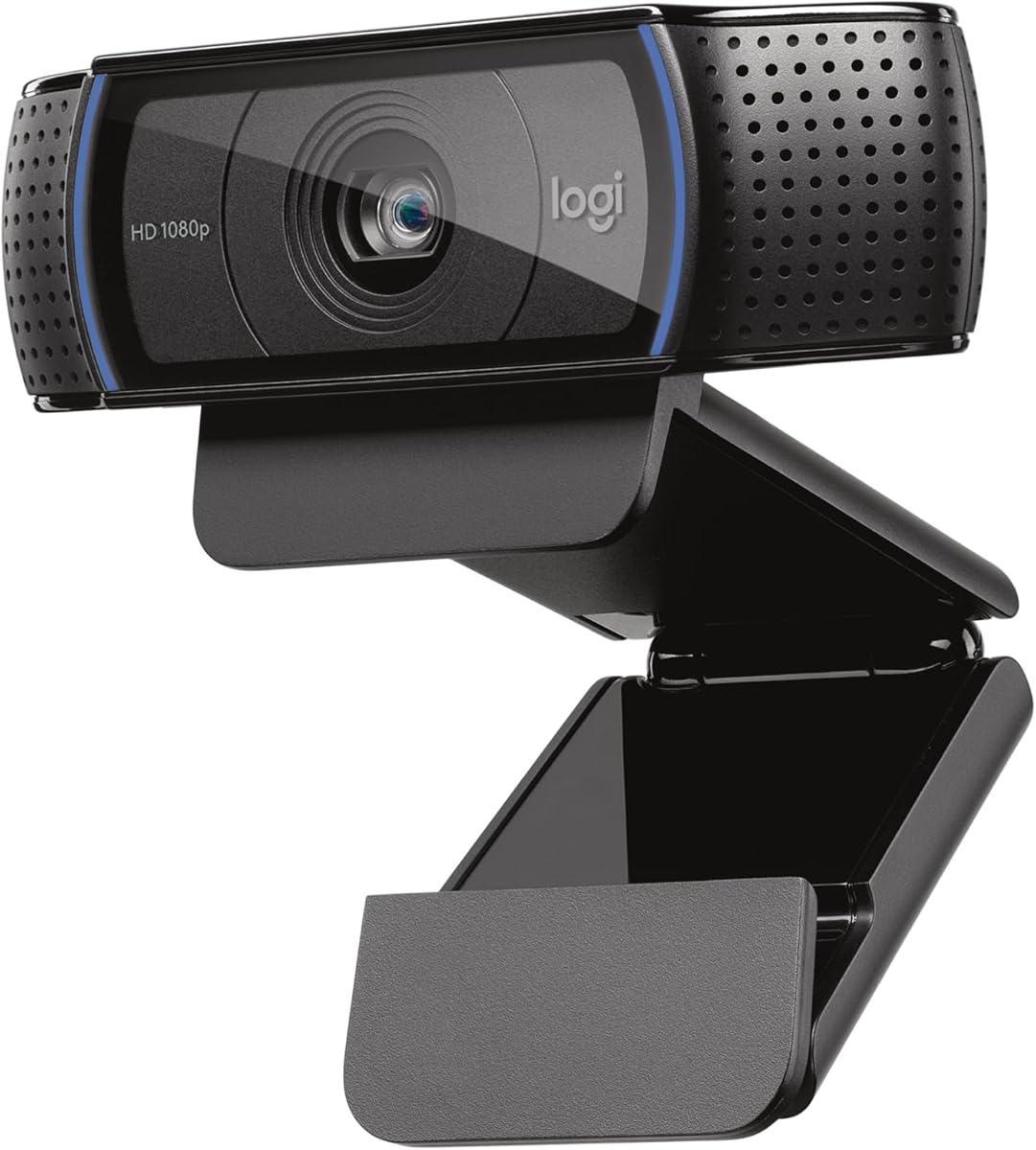
4.6Editor score

4.4Editor score
As an Amazon Associate we earn from qualifying purchases.
This side-by-side comparison highlights the distinct strengths of each top webcam model. We focus on critical features like sensor type, field of view, and privacy options to help you decide quickly.


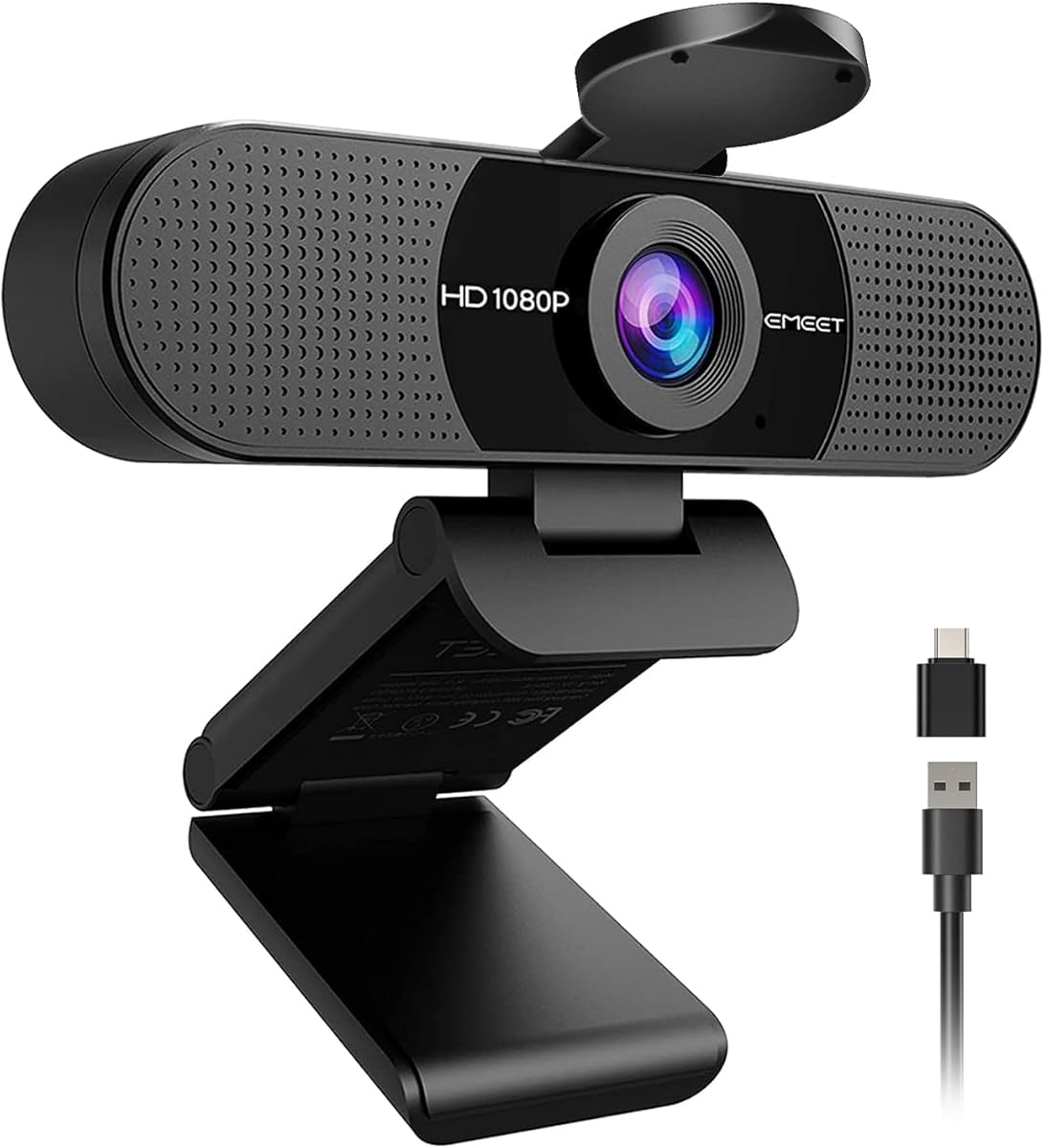
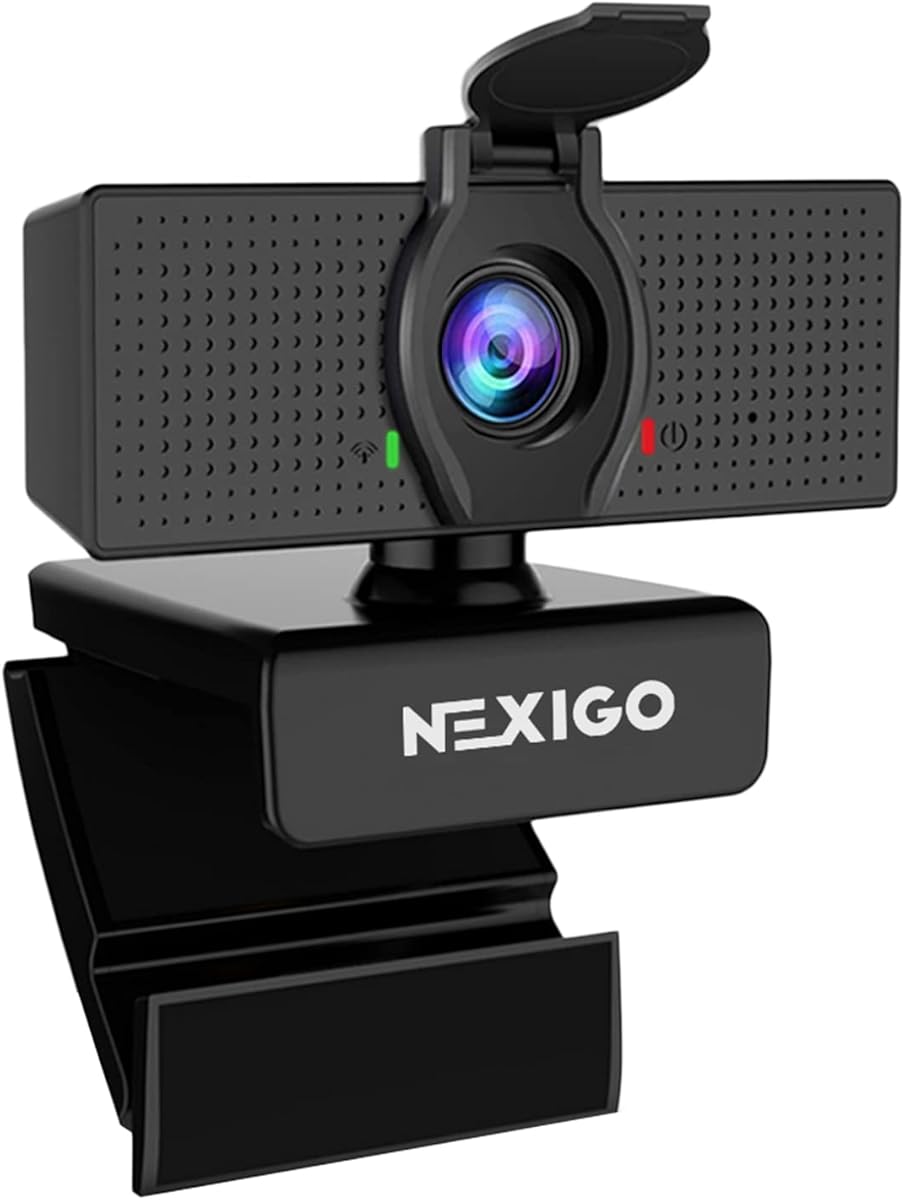
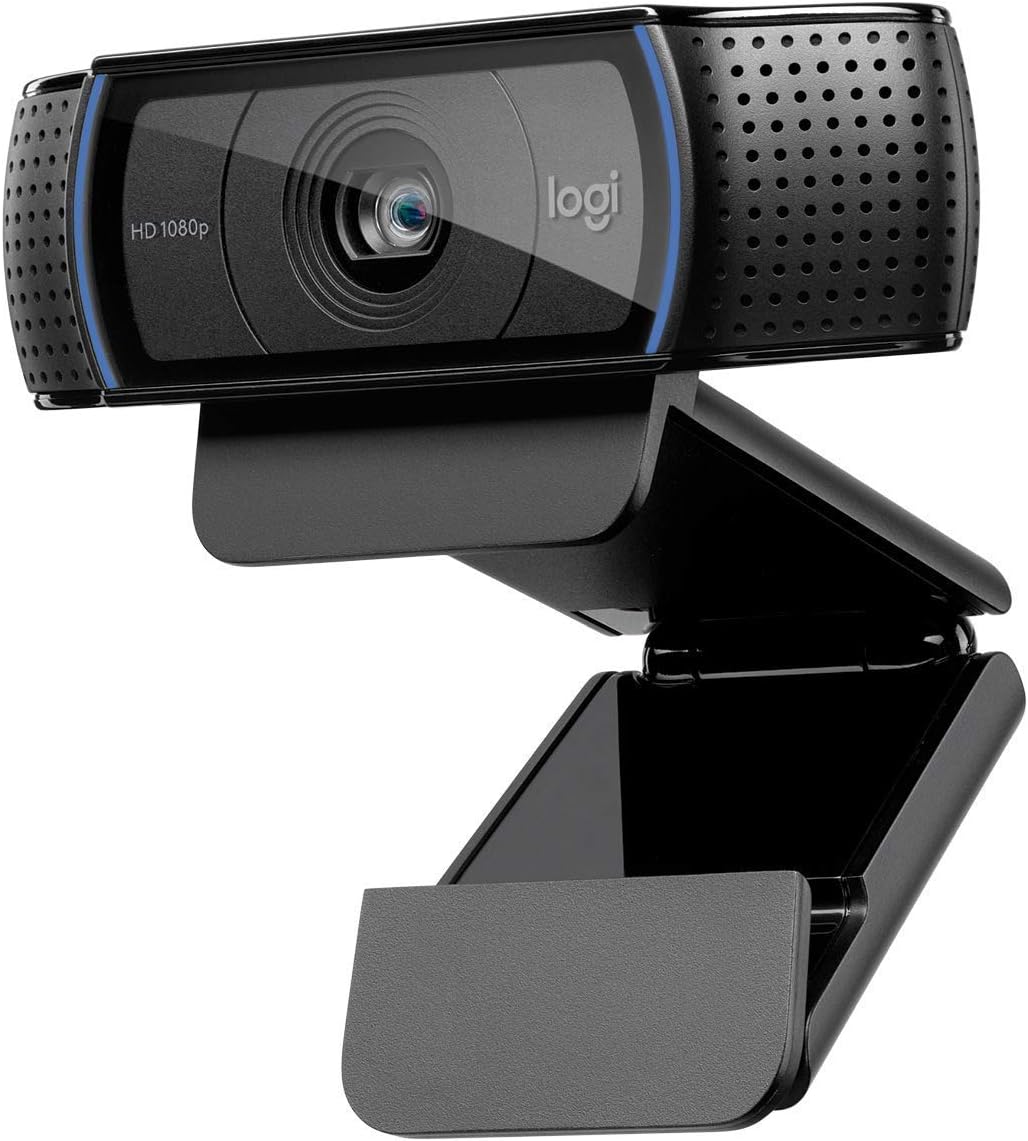


This webcam delivers reliable 1080p video that looks sharp for meetings and streams. It holds a strong rating because users find the image quality consistent even in varied lighting. The dual mics help your voice sound clear without needing extra equipment.
We may earn a commission when you buy through this link, at no additional cost to you.
Its autofocus technology keeps you in focus as you move around. The light adjustment system reduces shadows so you look professional. You get a glass lens that produces vibrant colors and high definition details on screen.
It lacks a built-in privacy shutter which some users might prefer. The cable length is standard but might need extension for larger desks. These are minor trade-offs given the overall performance and broad app support.
Ideal for remote workers who need consistent video without complex setups. Choose this if you want proven reliability and great audio out of the box. It fits most desktops and monitors perfectly for daily use.
Dual microphones capture natural sound while the lens ensures sharp 1080p resolution. This combo reduces the need for external mics in most scenarios.
Advanced capture tools let you edit videos easily. The included XSplit VCam license helps you manage backgrounds without a green screen.
We may earn a commission when you buy through this link, at no additional cost to you.
This camera stands out with premium 4K streaming capabilities and a robust Sony sensor. It excels for content creators who demand high fidelity visuals. The auto light adjustment keeps details sharp even in dim rooms.
We may earn a commission when you buy through this link, at no additional cost to you.
The phase detection autofocus locks on quickly and stays stable. You can switch between 4K and 1080p modes depending on your needs. The privacy cover adds a layer of security for home use.
Cost may be higher than standard webcams but quality justifies it. Software installation is simple but required for advanced settings. Some might find the base 1080p mode limits wide angles slightly.
Perfect for streamers and pros needing broadcast-quality feeds. If you want control over color and focus invest in this model. Its build ensures longevity for years of daily streaming.
The Sony 1/2.55 inch sensor provides dynamic range that exceeds typical webcams. Colors remain true to life without oversaturation during long sessions.
Adjust field of view to suit your setup. Noise-canceling features keep audio crisp by filtering background distractions effectively.
We may earn a commission when you buy through this link, at no additional cost to you.
This model offers essential 1080p features at an accessible price point. It is designed for quick setup and reliable daily video calls. The integrated privacy slide gives you control over when you are visible.
We may earn a commission when you buy through this link, at no additional cost to you.
RightLight technology boosts brightness to reduce shadows in your face. You get clear audio through the built-in microphone for calls. The recycled plastic construction aligns with sustainability goals without sacrificing durability.
It lacks advanced autofocus which may limit dynamic movement during streams. The cable is short so monitor clips may be necessary for proper positioning. These issues are manageable for basic home office use.
Buy this if you need a solid entry-level webcam for meetings. It is perfect for students or casual users who value privacy. Easy integration with Zoom and Teams makes it a safe pick.
Auto-light balance adjusts exposure automatically. This ensures you look clear in rooms with poor natural lighting.
Slide cover provides instant privacy. It stays closed securely so you never worry about accidental recording.
We may earn a commission when you buy through this link, at no additional cost to you.
The S variant adds a critical privacy shutter to the classic C920 design. This makes it a safe choice for anyone concerned about webcam security. Video quality remains sharp and colorful for professional presentations.
We may earn a commission when you buy through this link, at no additional cost to you.
Stereo microphones capture your voice clearly without background noise. The autofocus adapts quickly to your movement during meetings. It supports wide platforms like Skype and Teams with no driver installation.
It does not include advanced software features like background removal. The focus is fixed which may require careful positioning. These are minor drawbacks compared to the strong hardware performance.
Select this if you value security and proven video performance. It suits office environments where privacy is paramount. A reliable daily driver that lasts long with minimal issues.
A snug privacy shutter blocks the lens when inactive. This physical cover provides peace of mind for all users.
Glass lens optics deliver sharp visuals. 1080p resolution ensures you look crisp on large displays.
We may earn a commission when you buy through this link, at no additional cost to you.
This model is optimized for professional environments with official certifications. It fits into corporate workflows seamlessly. The field of view allows sharing screens or whiteboards easily during calls.
We may earn a commission when you buy through this link, at no additional cost to you.
Omnidirectional mics pick up voices from across the room. Light correction ensures you look bright in all meetings. You can mount it on a tripod for flexible setup angles.
Privacy screen requires attachment which might be less convenient. The design leans toward office rather than streaming needs. It is a functional tool for structured communication.
Ideal for businesses needing reliable and secure video tools. Employees get a camera that works well with enterprise software. Trustworthy and straightforward for team collaboration.
Certified for Zoom and Teams ensures seamless integration. Admin tools help manage deployments across multiple devices easily.
Wide angle captures more of your space. Shared presentations look better without awkward cropping.
We may earn a commission when you buy through this link, at no additional cost to you.
This webcam features a wide lens that captures more people without moving. It is perfect for small team calls. The auto cover opens when you start a call for convenience.
We may earn a commission when you buy through this link, at no additional cost to you.
Light adjustment helps balance shadows in your room. Dual mics provide clear audio for communication. Support for USB C makes it compatible with modern laptops.
Fixed focus works best at standard desk distances. It does not support Windows Hello login which some users may miss. These are acceptable trade-offs for the price.
Choose this for shared spaces or flexible home setups. It balances features and cost well for daily tasks. A solid choice for general video communication needs.
The 90 degree field allows two people comfortably. Ideal for couple meetings or shared desk setups.
Supports both USB A and C adapters. This ensures it works with older and newer computers.
We may earn a commission when you buy through this link, at no additional cost to you.
An affordable entry into 1080p streaming and calls. It delivers stable video for daily use. The privacy cover offers security and peace of mind for users.
We may earn a commission when you buy through this link, at no additional cost to you.
Noise-canceling microphone reduces ambient sounds effectively. Fixed focus is optimized for typical desk setups. It works with many systems without extra drivers needed.
Software is limited compared to high-end models. It may not suit complex streaming needs out of the box. Great for general needs without extra costs.
Great for those needing a simple and secure webcam. Its low cost and privacy features make it attractive. A practical tool for students and remote work.
Delivers sharp 1080p at a low price. Budget conscious buyers get essential features without overpaying.
Built-in noise cancellation filters background noise. Voice comes through clearly for effective communication.
We may earn a commission when you buy through this link, at no additional cost to you.
This classic model has set the standard for years. It continues to deliver clear images for work and play. H.264 encoding ensures smooth video streams without lag.
We may earn a commission when you buy through this link, at no additional cost to you.
Auto light correction improves visibility in varied conditions. The clip fits most monitors and laptops securely. It is simple to use with no complex setup steps.
Newer smart features are absent compared to modern models. The design is dated but functional. It is a workhorse for consistent video output.
Select this for dependability and broad compatibility. You will not face driver issues on most systems. A safe choice for users valuing stability.
Works with nearly all video apps. Plug and play simplicity ensures quick setup for meetings.
H.264 encoding reduces bandwidth needs. This helps maintain smooth streaming even on slow connections.
We may earn a commission when you buy through this link, at no additional cost to you.
Designed for Chromebook and Google Meet users. It brings business features at a mid-range price. Auto-light balance helps you look clear in suboptimal light.
We may earn a commission when you buy through this link, at no additional cost to you.
Sync support allows remote management for IT teams. The privacy shutter gives confidence for remote workers. It is lightweight and easy to position on monitors.
It may lack advanced audio for large conference rooms. Some features are tailored specifically to Google Workspace. It serves niche needs very effectively.
Ideal for schools or offices using Google tools. The certification ensures seamless integration without errors. A smart pick for Chromebook environments.
Optimized for Chromebook and Meet. You get automatic settings for best performance on Google platforms.
Includes built-in shutter for lens cover. Employees feel safer working from home or public spaces.
We may earn a commission when you buy through this link, at no additional cost to you.
This renewed option offers great value without new costs. It brings proven Logitech quality at a discount. Video is smooth for meetings and recordings.
We may earn a commission when you buy through this link, at no additional cost to you.
It works with popular conferencing apps easily. The built-in mic makes it all-in-one. It fits neatly on any desk without clutter.
Field of view is narrower compared to modern cams. It lacks auto features found in newer models. These are acceptable for simple home setups.
Choose this for budget and performance balance. It suits those who trust brand quality but want savings. A practical choice for basic video needs.
Renewed items offer lower prices. Quality is tested for reliable performance and savings.
USB connection works instantly. Plug in and start calling with no software required.
We may earn a commission when you buy through this link, at no additional cost to you.
Selecting the right webcam involves balancing image quality with privacy and connectivity. Consider your environment and how you plan to use the camera.
1080p is the standard for clear video calls. Ensure the camera supports 30fps for smooth motion. Higher resolution can help streaming.
Focus on 1080p as the minimum standard.
Wider angles capture more space around you. 90 degrees suits multiple people or larger desks. Narrower lenses fit solo work.
Match FOV to your room size.
Shutters or covers block the lens when idle. Physical blocks are more reliable than software controls. Essential for home and office.
Always check for a privacy shutter.
Auto exposure fixes shadows and glare. Some cameras use advanced sensors for balance. Look for light correction tech.
Prioritize cameras with auto light balance.
Dual mics reduce noise and improve voice clarity. Built-in speakers are rarely needed. Check for noise cancelling features.
Good audio is as important as video.
USB A and C support offers flexibility. Plug and play saves time. Avoid models needing complex drivers.
Check cable length and port types.
Clips fit monitors or tripods. Adjustable mounts help find your angle. Ensure stability for long use.
Verify it fits your desk setup.
Apps enable background editing. Check OS compatibility before buying. Some need specific drivers.
Test on your operating system.
Position the webcam at eye level to improve framing and reduce glare. This makes you look more natural during calls.
Keep the lens clean with a microfiber cloth to avoid blurry spots. Dust can affect video quality over time.
Check software updates regularly to maintain performance. Most apps detect the camera automatically when connected.
The EMEET S600 offers strong streaming capabilities with advanced autofocus and 4K options. If budget is limited, Logitech C920x is a reliable choice for most creators.
Yes, it prevents unauthorized access to your camera feed. Physical covers are safer than relying on software switches for daily privacy.
It keeps you sharp even if you move slightly. Manual focus models may lose clarity during active sessions.
Most listed webcams work with macOS without extra drivers. Check compatibility lists before purchasing to confirm system support.
Low light performance varies by sensor quality. Look for models with light correction to avoid grainy images at night.
Yes, most models are optimized for Zoom and Teams. They offer plug-and-play support for seamless integration.
90 degrees is ideal for most home offices. Wider views help if you want to share items on the table.
Many cameras work out of the box. Download official apps from manufacturer sites for additional settings.
We highlighted top picks for budget, premium, and overall performance to guide your decision. Each model has unique strengths for specific use cases.
Prioritize privacy features and auto light balance for the best experience. Audio clarity and connectivity options also matter for daily comfort.
Always check current prices before purchasing to get the best deal. Product availability can vary so act quickly when you find a good fit.