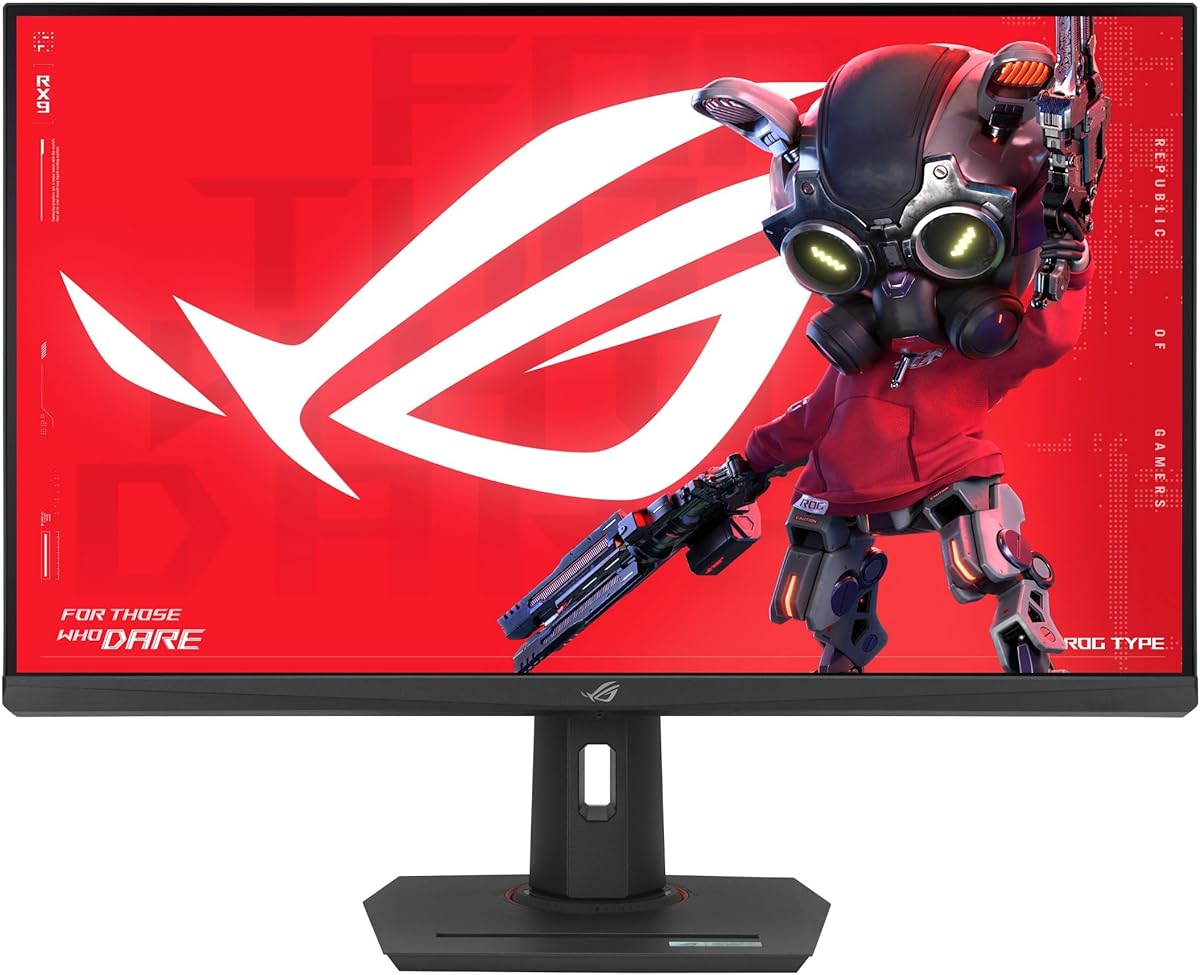
ASUS ROG XG32UCG
4.6Editor score
Dual Mode Display
AI Enhanced Gaming
USB-C Connectivity
AI ready monitors are transforming how we work and play by integrating intelligent features directly into the display. These screens offer dynamic adjustments, smart connectivity, and enhanced visuals tailored to your environment without needing external software.
We evaluated ten top models based on resolution, refresh rates, smart capabilities, and ergonomic design. Our analysis focuses on how each monitor handles AI driven features like upscaling, noise reduction, and automated brightness control for optimal user experience.
Each pick highlights unique strengths whether for gaming, productivity, or streaming. Prices and availability change frequently so verify current offers before purchasing. This guide ensures you find a display that matches your specific workflow and budget needs today.
4.6Editor score

4.2Editor score

4.4Editor score
As an Amazon Associate we earn from qualifying purchases.
This side by side comparison highlights key specifications and smart features across all ten models to help you make an informed decision based on your specific needs.


The Samsung 32" Smart Monitor M7 stands out as the top choice for integrating artificial intelligence into daily tasks. With a 4.2 star rating from users, it combines a sharp 4K display with Vision AI that optimizes visuals based on content type. This makes it ideal for both work documents and immersive gaming without manual tweaking.
We may earn a commission when you buy through this link, at no additional cost to you.
Its standout feature is the Active Voice Amplifier which uses AI to filter background noise and highlight dialogue. The monitor also supports Samsung Gaming Hub allowing access to cloud games without a console. Smart home controls are accessible via a 3D map view making device management seamless from your desk.
While the screen offers excellent clarity and AI upscaling, HDR performance is limited compared to dedicated professional panels. Input lag in the gaming hub may also be noticeable during competitive play. These trade-offs are acceptable considering the cost savings of not needing a PC for entertainment.
Buyers seeking a standalone smart display should prioritize this model for its balance of resolution and intelligence. It works exceptionally well for home offices needing flexible connectivity and smart TV functions. The ergonomic stand ensures comfort during long sessions while the Knox security keeps data safe.
The Vision AI automatically adjusts color and contrast based on whether you are watching movies or editing documents for optimal clarity.
Active Voice Amplifier analyzes ambient sound to boost dialogue volume ensuring you hear every word even in busy environments.
We may earn a commission when you buy through this link, at no additional cost to you.
The ASUS ROG XG32UCG earns the Best Premium badge for its exceptional gaming capabilities powered by AI enhancements. With a high 4.6 rating, it offers a versatile dual mode allowing 4K at 160Hz or FHD at 320Hz. This flexibility ensures top tier performance for both high fidelity visuals and fast paced action.
We may earn a commission when you buy through this link, at no additional cost to you.
AI Enhanced Gaming features provide powered assistance during play optimizing visual cues and reducing distractions. The Fast IPS technology ensures near instant response times making it perfect for competitive titles. Color accuracy is outstanding with 95% DCI-P3 coverage ensuring rich visuals across all genres.
The main drawback is the premium price tag which might be steep for casual users. Power usage can also spike during intensive gaming sessions due to the high refresh rates. However serious gamers will find these costs justified by the sheer performance and future proof design.
Enthusiasts needing the best visual fidelity and speed should choose this model without hesitation. The included Adobe Creative Cloud subscription adds value for creators too. Its durable construction and advanced warranty support make it a reliable long term investment.
Switch between 4K resolution and ultra high refresh rates instantly to match your specific game requirements without compromising quality.
ELMB SYNC technology eliminates ghosting and tearing ensuring smooth fluid motion even during the most intense gameplay moments.
We may earn a commission when you buy through this link, at no additional cost to you.
The SANSUI 34-Inch Curved monitor delivers impressive AI features at a budget friendly price point. Rated 4.4 stars, it features a 34-inch ultrawide screen with a 200Hz refresh rate ideal for smooth gameplay. The built-in AI Crosshair and Sniper Scope tools offer competitive advantages without extra software.
We may earn a commission when you buy through this link, at no additional cost to you.
Its AI PQ mode adjusts picture quality dynamically based on the content being viewed. This ensures vibrant colors and deep contrasts even in varied lighting conditions. The Fast VA panel provides excellent response times making it a strong contender for gamers on a tight budget.
Lack of speakers means you must rely on external audio solutions which adds to the total cost. The stand also lacks pivot functionality limiting vertical adjustments. These omissions are minor compared to the overall performance and value it offers in this price range.
Users looking for an affordable ultrawide with smart gaming tools will find this model perfect. It bridges the gap between basic displays and premium smart monitors effectively. The curvature enhances immersion making it a great choice for both work and play.
AI Crosshair overlay assists in aiming tasks by enhancing visibility and precision during intense competitive gaming sessions.
AI PQ mode optimizes color and brightness in real time ensuring consistent visual quality across different applications.
We may earn a commission when you buy through this link, at no additional cost to you.
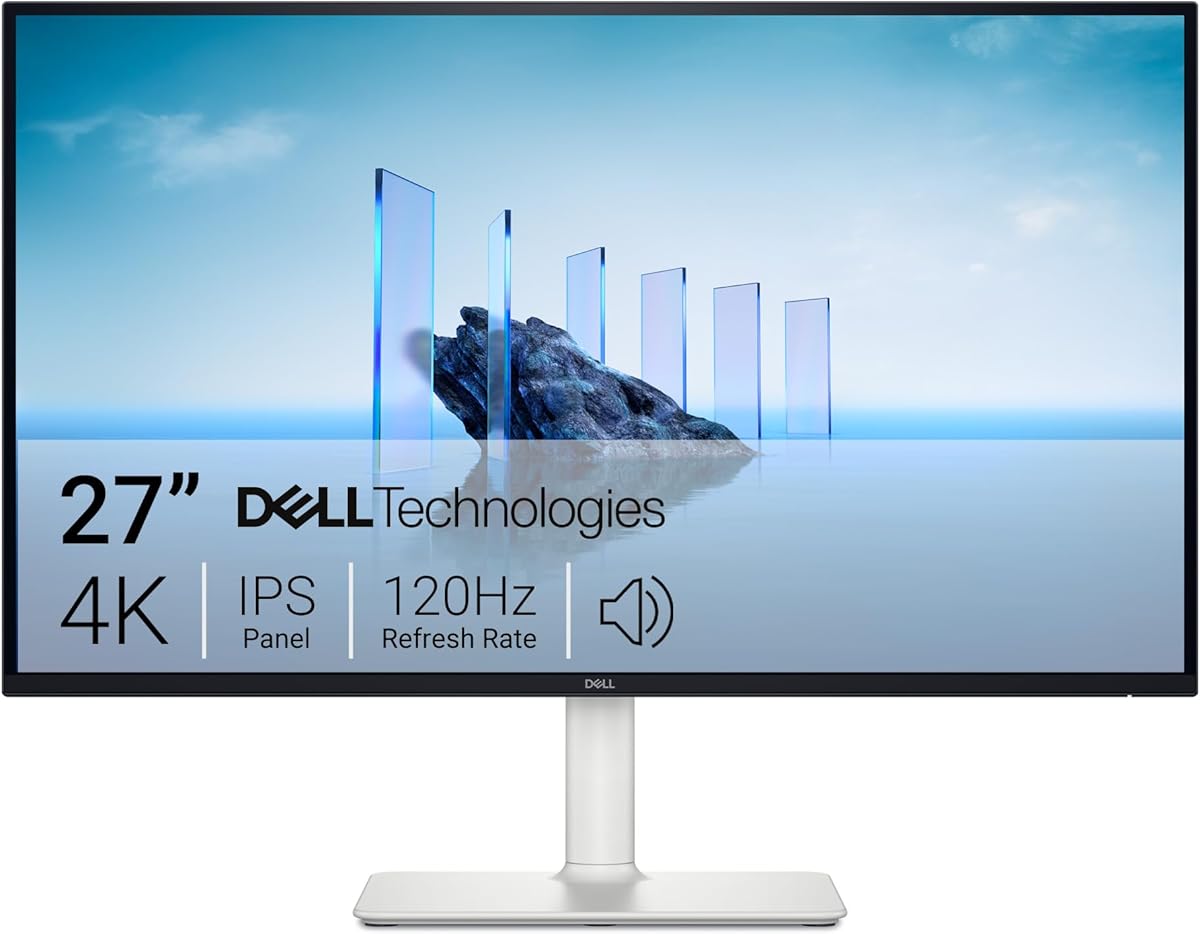
The Dell 27 Monitor S2725QS is designed for users who need a reliable display for both productivity and entertainment. With a 4.4 star rating, it offers 4K resolution and a 120Hz refresh rate for smooth visuals. Improved ComfortView Plus reduces blue light ensuring comfort during long work hours.
We may earn a commission when you buy through this link, at no additional cost to you.
Its re-engineered sound quality provides detailed audio which reduces the need for external speakers. The ultra-thin bezels create a sleek look that fits modern office setups. FreeSync Premium ensures tear-free gaming making it versatile for various use cases.
While it lacks advanced AI features found in smart monitors, its focus on eye comfort and visual fidelity is strong. The response time is acceptable for casual gaming but not for competitive shooters. This makes it a solid choice for general users prioritizing health and aesthetics.
Professionals needing a clean 4K display should consider this model for its balance of features. It supports multiple connectivity options and offers reliable performance. The design minimizes distractions and keeps the focus on the content at hand.
ComfortView Plus reduces blue light significantly without compromising color accuracy for safer viewing during extended sessions.
Ultra-thin bezels provide a modern minimalist look that enhances multi-monitor setups with reduced visual clutter.
We may earn a commission when you buy through this link, at no additional cost to you.
The LG 27UP850K-W is tailored for creatives and professionals needing high color accuracy. Rated 4.5 stars, it covers 95% DCI-P3 ensuring vibrant and precise colors. DisplayHDR 400 support offers better contrast than standard monitors improving visual depth.
We may earn a commission when you buy through this link, at no additional cost to you.
USB Type-C delivers up to 90W power allowing you to charge a laptop while displaying video via a single cable. Black Stabilizer enhances dark scenes which is useful for night gaming or video editing. The ergonomic stand allows flexible adjustments for comfortable viewing.
While the HDR support is standard level it still improves upon basic displays significantly. The Switch app offers multitasking but requires learning to use efficiently. These minor hurdles do not outweigh the benefits for design professionals.
Designers and video editors should prioritize this monitor for its color fidelity and connectivity. The high power delivery reduces desk clutter effectively. It serves as a reliable hub for content creation tasks requiring precision.
95% DCI-P3 coverage ensures accurate color representation critical for professional photo and video editing workflows.
USB-C with 90W power delivery streamlines your setup by combining data and charging into one cable connection.
We may earn a commission when you buy through this link, at no additional cost to you.
The Samsung 40" ViewFinity S8 offers a massive workspace with 5K2K resolution. Rated 4.3 stars, it features Thunderbolt 5 for managing data intensive tasks quickly. The built-in KVM switch allows control of two sources with one keyboard and mouse.
We may earn a commission when you buy through this link, at no additional cost to you.
HDR10+ optimizes brightness and contrast for detailed viewing. The curved design provides an immersive panoramic view ideal for multitasking. Ethernet connectivity is built-in removing the need for extra adapters in complex setups.
The primary downside is the high cost and large physical size. It may not fit smaller desks easily. However for power users needing maximum screen real estate the investment is worthwhile for productivity.
Professionals managing multiple devices should choose this for its seamless switching capabilities. The high resolution ensures text clarity even with many windows open. It is a powerful tool for heavy multitasking environments.
Built-in KVM switch simplifies workflow by letting you control multiple computers from a single mouse and keyboard setup.
5K2K WUHD resolution provides an abundance of screen space for extensive multitasking and detailed design work.
We may earn a commission when you buy through this link, at no additional cost to you.
The LG 27U730SA-W blends productivity with smart streaming features. Rated 4.1 stars, it runs webOS providing access to Netflix and cloud apps directly. Brightness Control detects light sources to adjust visuals automatically throughout the day.
We may earn a commission when you buy through this link, at no additional cost to you.
Dynamic Tone Mapping adjusts contrast for optimal detail using AI tools. USB-C PD delivers 65W for powering laptops efficiently. The ergonomic stand supports various adjustments to suit different user heights.
While streaming capabilities are great the OS can be slightly slower than traditional desktops. Sound quality is decent but not immersive enough for media rooms. These are minor issues for an office-centric smart monitor.
Remote workers needing streaming access should consider this for its seamless integration. It allows video conferencing without a PC. The smart features add value for those wanting a clean desk with minimal hardware.
Automatic brightness detection ensures your screen remains comfortable to view regardless of changing office lighting conditions.
Built-in webOS provides direct access to streaming apps like Netflix reducing the need to connect a laptop constantly.
We may earn a commission when you buy through this link, at no additional cost to you.
The SAMSUNG 32-Inch M8 integrates full TV capabilities into a monitor. Rated 4.3 stars, it features AI Upscaling to enhance lower resolution content to near 4K. The SlimFit camera enables video calls without a webcam.
We may earn a commission when you buy through this link, at no additional cost to you.
HDR10+ ensures rich contrast for detailed visuals. It supports accessibility tools for low vision users and a solar powered remote. Gaming Hub allows play without a console making it versatile for entertainment.
Streaming can have slight input lag compared to dedicated gaming consoles. The OS might require initial setup time to personalize. These trade-offs are acceptable given the all-in-one convenience and ecosystem integration.
Families needing a TV replacement should choose this for its smart features. It combines utility and entertainment seamlessly. The accessibility options make it inclusive for various user needs.
AI Upscaling boosts lower resolution content clarity ensuring sharp images on the 4K screen.
SolarCell Remote charges via light and wireless usage eliminating the need for disposable batteries.
We may earn a commission when you buy through this link, at no additional cost to you.
The ASUS ROG XG27ACS focuses on raw gaming performance. Rated 4.4 stars, it offers a 180Hz refresh rate and 1ms response time via Fast IPS. USB Type-C supports video transmission making it flexible for laptop gamers.
We may earn a commission when you buy through this link, at no additional cost to you.
FreeSync Premium ensures tear-free visuals during intense action. DisplayWidget Center allows easy settings adjustments via mouse. It also includes a 3-month Adobe Creative Cloud subscription adding value for content creators.
It lacks smart AI features for content filtering or upscaling but excels in speed and clarity. This makes it best for gamers focused on frame rates over smart connectivity. The price remains accessible for mid-range builds.
Competitive gamers should choose this for its speed and reliability. The high refresh rate provides a clear advantage in shooters. It is a robust option for those prioritizing frame rates.
Fast IPS technology delivers 1ms response times ensuring clear sharp visuals during rapid movement.
USB-C hub reduces cable clutter by allowing peripheral connection directly to the monitor.
We may earn a commission when you buy through this link, at no additional cost to you.
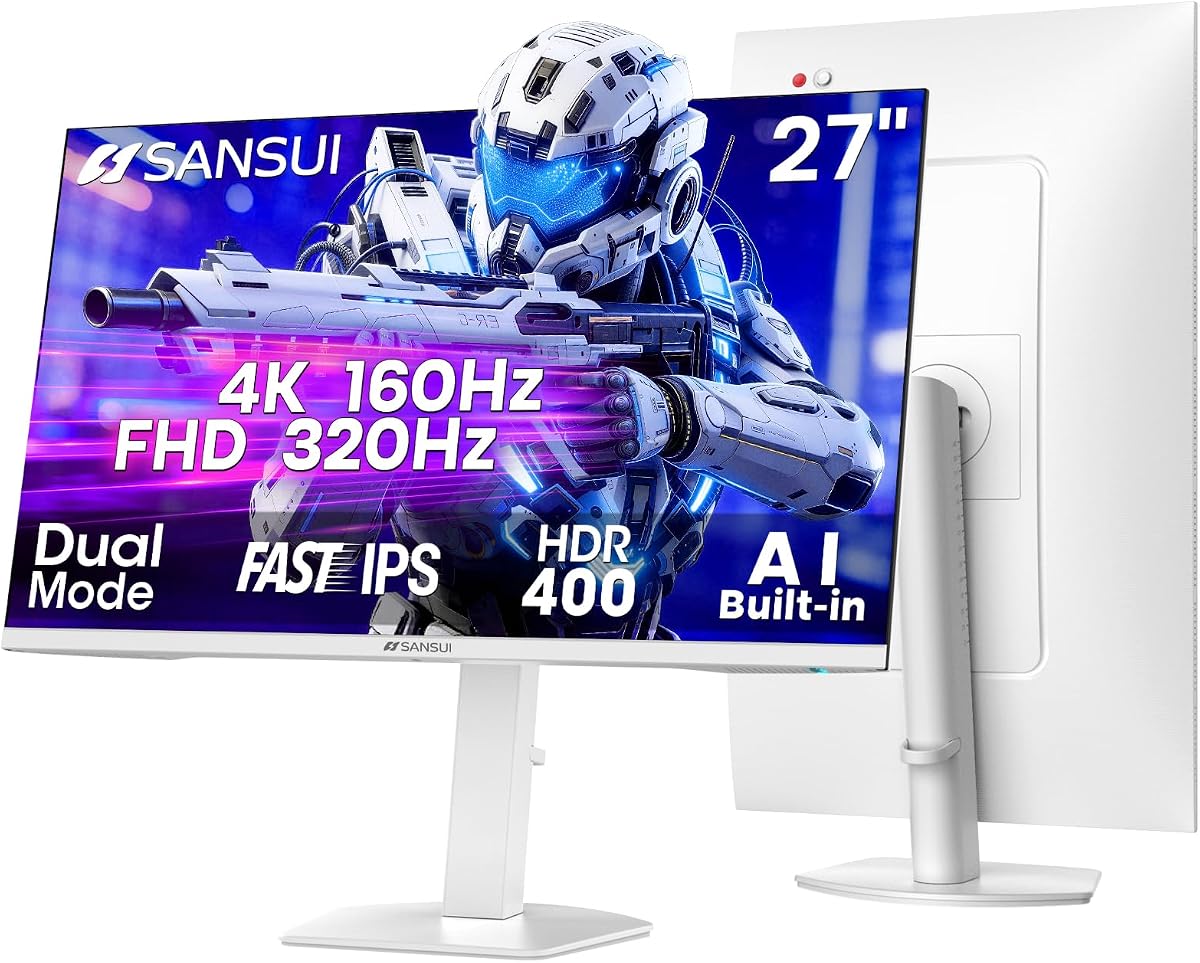
The SANSUI 27" 4K Gaming Monitor offers dual mode flexibility for varied needs. Rated 4.4 stars, it allows switching between 4K at 160Hz and FHD at 320Hz. AI Crosshair aids aiming while AI PQ optimizes color dynamically.
We may earn a commission when you buy through this link, at no additional cost to you.
Built-in speakers reduce accessory needs and eye care features prevent fatigue. The stand supports rotation and height adjustments for better ergonomics. It supports multiple HDMI and DP inputs for versatile connectivity.
AI tools are functional but not as advanced as premium models. Build quality is sturdy enough for daily use but not premium. This model delivers excellent value for those wanting high specs at a lower price.
Budget gamers seeking high refresh rates should choose this for its versatility. The dual mode allows switching between clarity and speed easily. It is a practical choice for multi-purpose setups.
Dual mode allows seamless switching between 4K and FHD to match performance and visual needs instantly.
AI Crosshair overlays assist with precision aiming during competitive gaming sessions effectively.
We may earn a commission when you buy through this link, at no additional cost to you.
Selecting an AI ready monitor requires understanding how smart features integrate with your workflow and visual needs.
Resolution impacts clarity for work and entertainment. AI ready monitors often pair 4K resolution with AI upscaling to enhance lower resolution content for sharp visuals.
Choose a size that fits your desk space while allowing comfortable viewing distance.
Higher refresh rates provide smoother motion for gaming and scrolling. AI features often optimize motion blur in these panels ensuring clarity.
Look for rates above 144Hz if you game frequently.
USB-C with power delivery reduces cable clutter. Many AI monitors offer smart inputs for streaming without a PC.
Ensure the monitor has enough ports for your devices.
Smart operating systems allow direct streaming apps and remote control. AI upscaling adjusts visuals automatically for better quality.
Verify the system matches your smart ecosystem needs.
AI tools like voice amplifiers enhance audio experience without extra gear. Privacy features ensure data remains secure during smart functions.
Check for features that match your daily usage habits.
Adjustable stands improve comfort during long sessions. Thin bezels provide aesthetic appeal for multi-monitor setups.
Prioritize comfort to reduce strain over time.
Warranty terms cover defects and service. Reputable brands offer longer coverage periods for peace of mind.
Verify customer service quality before purchasing.
Prices vary based on features and build quality. AI capabilities can save costs on external hardware.
Assess the total cost including necessary accessories.
Set up your monitor by connecting via USB-C or HDMI to ensure AI features recognize your PC correctly. Adjust the brightness settings using built-in sensors to match ambient light for optimal viewing comfort.
Update firmware regularly through the monitor app to keep AI tools functioning efficiently. Use the provided remote or keyboard shortcuts to access smart menus quickly without interrupting workflow.
Clean the screen with a microfiber cloth to avoid scratches that could interfere with camera sensors. Avoid harsh chemicals and place the unit on a stable surface to prevent tipping during adjustments.
An AI ready monitor integrates artificial intelligence features like dynamic upscaling, automatic brightness adjustments, and voice amplifiers directly into the display. These monitors enhance visuals and usability without requiring external software.
Some smart features like streaming apps need internet access to function properly. However core AI adjustments for brightness and color often work offline based on local sensors.
Most models support USB-C connectivity which works seamlessly with Mac devices. Ensure you check resolution compatibility for high DPI displays like Apple's Retina screens.
AI upscaling analyzes lower resolution content pixel by pixel to enhance sharpness and clarity. This process uses machine learning models to predict and fill in missing details.
Yes many models offer high color accuracy and resolution required for design work. Look for HDR and wide color gamut coverage to ensure precision.
Warranty terms vary by manufacturer but typically cover defects for three years. Premium models often include advanced replacement services for faster support.
We explored ten top AI ready monitors ranging from budget friendly options to premium gaming displays. The Samsung 32" Smart Monitor M7 and ASUS ROG XG32UCG lead for smart features and performance.
Prioritize your specific needs such as resolution, refresh rate, and smart ecosystem integration. Balancing cost with advanced tools ensures you get the best value for your setup.
Prices and availability change frequently so verify current offers before purchasing. These monitors are designed to adapt and grow with your tech needs.