
PROZOR 192KHz Digital to Analog Audio Converter
4.4Editor score
Supports up to 192kHz sample rate
Converts optical and coaxial inputs
Aluminum alloy housing for durability
This guide compares the top 10 audio converters for Mac, evaluating digital to analog converters, USB DACs, and interfaces for high-resolution audio performance
Finding the right audio converter for your Mac can transform your listening experience significantly. Whether you need to digitize old tapes or upgrade your headphone output, the market offers many solutions.
We evaluated ten top-rated products based on compatibility, sound quality, and ease of use. Our comparison includes USB DACs, optical converters, and audio interfaces tailored for macOS environments.
Each pick highlights key features and potential limitations to help you decide. Prices fluctuate often so verify current listings before purchasing to ensure you get the best value available today.
4.4Editor score

4.3Editor score

4.5Editor score
The following table provides a side-by-side overview of the ten selected audio converters. It highlights their primary input and output options, supported sample rates, and key features for Mac users to consider.
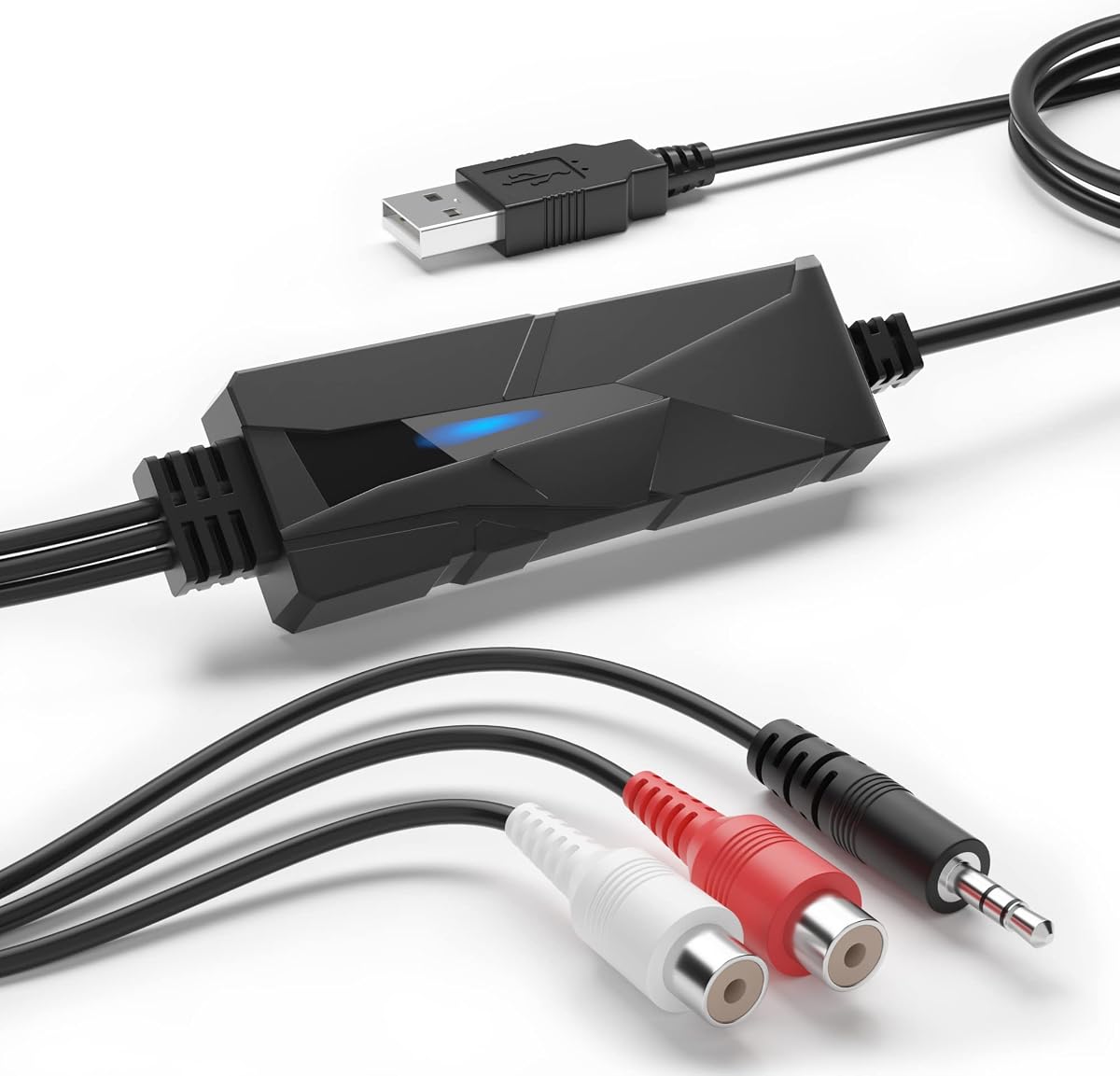


The DriverGenius AudioXfer USB Audio Capture Card is designed for users who need to convert analog audio sources into digital formats. It receives a 4.2-star rating from verified purchasers and is highly rated for its simplicity in transferring music from cassette tapes or LPs to your Mac.
We may earn a commission when you buy through this link, at no additional cost to you.
This device stands out for its ability to connect older audio equipment like boomboxes or turntables to your computer. Using a standard USB connection, it captures audio signals and allows you to record them as MP3 or WAV files. The included software facilitates easy editing and saving of your recorded files.
One limitation to note is that this device does not function as a standard USB DAC for playback. It is strictly an input device for capture purposes. If you need to improve your Mac's output quality, this unit will not serve that specific need.
It is an excellent choice for hobbyists looking to preserve old recordings or digitize their music collection. If your goal is strictly to capture analog audio on your Mac, this affordable solution delivers reliable results without complex setup requirements.
Connect any device with a 3.5mm or RCA output to save your music digitally.
Works with Audacity on macOS to help you edit and export your recordings easily.
We may earn a commission when you buy through this link, at no additional cost to you.
The Fosi Audio K5 Pro serves as a powerful combination of a DAC and a headphone amplifier in one compact unit. Rated at 4.3 stars, it offers a robust feature set that appeals to both gamers and audiophiles using Mac computers for their audio needs.
We may earn a commission when you buy through this link, at no additional cost to you.
Key strengths include its ability to accept USB and optical digital inputs, converting them to analog signals for headphones or speakers. The Texas Instruments NE5532 op-amp chip ensures a clean sound with a low noise floor. It can drive headphones ranging from 16 to 300 Ohms effectively.
While it excels at playback, users should note that the included microphone port is better suited for voice chat than professional recording. Additionally, the power comes directly from the USB port, which is convenient but may limit output for very demanding headphones.
If you want to upgrade your Mac's audio output without spending a fortune, the K5 Pro is an outstanding choice. It brings high-fidelity listening to your desk with flexible connectivity options that fit well into a modern Mac setup.
Experience immersive music with low distortion and a wide dynamic range for your favorite tracks.
Connect your Mac via USB-C or optical cable to enjoy digital audio through analog outputs.
We may earn a commission when you buy through this link, at no additional cost to you.
The PROZOR 192KHz Digital to Analog Audio Converter is an entry-level device that delivers surprisingly high performance for its price. With a 4.4-star rating, it is a reliable option for users who need to connect digital sources like an Apple TV to analog amplifiers or headphones.
We may earn a commission when you buy through this link, at no additional cost to you.
Its standout feature is the support for high-resolution audio up to 192kHz and 24-bit depth. This ensures that you can hear high-quality details in your music or movies. The aluminum alloy housing provides better heat dissipation and durability compared to plastic alternatives found in this price range.
A consideration for Mac users is that this unit requires an external power source via USB. It also lacks a built-in volume knob, meaning you must control volume on your source device or receiver. These minor inconveniences do not detract from its core function of clean signal conversion.
For budget-conscious shoppers looking to extract digital audio from optical outputs, this converter is a top pick. It offers excellent compatibility and performance for home cinema or audio setups that rely on standard optical connections.
Enjoy detailed sound with support for audio signals up to 192kHz sampling rate.
The aluminum housing ensures the device stays cool and lasts longer than plastic models.
We may earn a commission when you buy through this link, at no additional cost to you.
The Douk Audio USB to Optical Adapter is designed for users who want to bypass the limitations of built-in USB ports on their Mac. It converts USB digital signals into stable optical and coaxial outputs, which can then be fed into external DACs for superior sound quality.
We may earn a commission when you buy through this link, at no additional cost to you.
Equipped with the XMOS XU316 chip, this device ensures precise timing and low jitter, which are critical for high-fidelity audio. It supports high sampling rates including PCM up to 32-bit/768kHz and DSD512. This makes it a favorite among audiophiles who use external DAC systems.
One challenge is that while it handles digital conversion well, you still need a separate DAC to drive headphones or speakers. It does not output analog sound directly. Additionally, Mac users may need to verify driver compatibility if using specific DSD formats.
This adapter is perfect for enthusiasts looking to build a high-end desktop system. It unlocks the full potential of external DACs by providing a clean and stable digital signal from your Mac computer.
The XU316 chip minimizes jitter to ensure your audio data arrives at the DAC perfectly.
Native support for DSD512 allows you to play high-res SACD rips without conversion.
We may earn a commission when you buy through this link, at no additional cost to you.
The SMSL SU-1 is a compact desktop DAC that brings high-resolution audio capabilities to your Mac setup. With a 4.2-star rating, it is praised for using the AKM AK4493S chip which delivers extremely low distortion levels. It supports advanced formats like MQA and DSD512 for high-fidelity playback.
We may earn a commission when you buy through this link, at no additional cost to you.
Its design focuses on pure digital-to-analog conversion with a USB input. This means you can plug it directly into your Mac to bypass built-in sound cards. The device supports a wide range of sample rates, allowing you to enjoy studio-quality audio files without compression artifacts.
While it is excellent for quality, the lack of a built-in amplifier means you must connect it to powered speakers or a headphone amp. Also, while it works on macOS, some specific driver features might require checking compatibility lists before purchase.
For those seeking an affordable entry into high-end audio with their Mac, the SU-1 offers immense value. It handles complex digital formats with ease and provides a significant step up in sound quality from standard outputs.
Restore original high-resolution signals from MQA-enabled sources for an authentic listening experience.
The AK4493S chip ensures signal purity with distortion levels below 0.00013 percent.
We may earn a commission when you buy through this link, at no additional cost to you.
The SMSL PO100 PRO is a portable USB interface designed to act as a transport for digital audio signals. It carries a 4.6-star rating and is highly regarded for its ability to output clean digital signals via optical or coaxial connections to external DACs.
We may earn a commission when you buy through this link, at no additional cost to you.
This device features the XMOS XU316 chip which ensures asynchronous transmission and low jitter. It supports high sample rates up to 32-bit/768kHz and offers MQA decoding capabilities. This makes it ideal for users who have a DAC at home but want a portable source for travel or office use.
It is important to note that this unit outputs digital signals only. It does not have analog outputs to drive headphones directly. Mac users should ensure their playback software supports the required formats to take advantage of the high-resolution capabilities.
If you are building a flexible audio system where you separate your DAC from your source, the PO100 PRO is an excellent transport. Its small size allows you to carry high-resolution audio quality in your pocket.
Take your high-fidelity audio anywhere with a device that fits easily in your bag.
The XMOS chip ensures that timing is preserved to prevent jitter during playback.
We may earn a commission when you buy through this link, at no additional cost to you.
The Sound Blaster Play! 3 is a straightforward USB audio adapter that works immediately upon connecting to your Mac. With a 4.5-star rating, it is appreciated for its simplicity and reliability in providing a higher quality audio output than basic laptop jacks.
We may earn a commission when you buy through this link, at no additional cost to you.
It supports 24-bit/96kHz audio which is sufficient for most high-quality music streaming and movie watching. The device is plug-and-play meaning you do not need to install additional drivers to get started. It includes software that allows for some control over sound enhancements and profiles.
While it is reliable for general use, it lacks advanced features like optical inputs or headphone amplification for high-impedance headphones. It is best suited for standard headphones or speakers where convenience is the top priority over audiophile performance.
For anyone needing a quick fix for a broken headphone jack or better audio on a Mac, this is a solid choice. It is affordable and easy to use without any technical hassle.
Just plug it into your Mac and start listening with no installation or configuration needed.
Download the control panel to adjust sound enhancements and save profiles for different apps.
We may earn a commission when you buy through this link, at no additional cost to you.
The iFi Audio Go Link Max is a premium portable DAC and amplifier designed for audiophiles on the go. It holds a 4.5-star rating and is known for its dual ESS Sabre DAC chips which deliver a clean balanced output via a 4.4mm connector.
We may earn a commission when you buy through this link, at no additional cost to you.
This device supports high-resolution audio including PCM up to 384kHz and DSD256. It features dynamic range enhancement technology to ensure the sound is as clear and detailed as possible. The build quality includes silver-plated copper conductors and gold-plated connectors for durability and signal purity.
The main trade-off is the price, which is higher than typical dongles. However, the performance benefits for critical listening are significant. It is specifically designed to work well with high-quality portable headphones that support balanced connections.
If you use a Mac for music production or high-fidelity listening and need a portable solution, the Go Link Max is a top-tier option. It delivers desktop-quality sound in a pocket-sized device.
The 4.4mm balanced output provides better noise rejection and power for high-end headphones.
Proprietary technology enhances the clarity of the audio signal for a more immersive experience.
We may earn a commission when you buy through this link, at no additional cost to you.
The Fosi Audio Q6 is a compact desktop DAC that combines high-performance components in a small aluminum chassis. With a 4.6-star rating, it is highly recommended for users who want to improve audio quality for stereo systems or powered speakers.
We may earn a commission when you buy through this link, at no additional cost to you.
It features the AK4493S DAC chip which ensures low distortion and high clarity. It accepts USB-C and optical inputs and outputs analog signals via RCA or Sub-Out. This versatility allows you to connect your Mac directly to a variety of audio equipment.
While it does not have a headphone jack, it is designed to drive amplifiers and active speakers. The compact design fits neatly on a desk, making it ideal for clean setups. It supports DSD512 for native playback of high-res files.
This DAC is a great choice for upgrading your Mac's audio for home theater or music listening. It offers a balance of performance and size that is hard to find at this price point.
Connect your Mac via USB or optical cable to enjoy digital conversion through analog outputs.
With an SNR over 121dB, the background noise is virtually inaudible during quiet passages.
We may earn a commission when you buy through this link, at no additional cost to you.
The Shure MVX2U Gen 2 is an audio interface designed primarily for recording. It connects XLR microphones directly to your Mac via USB-C and is rated 4.5 stars for its professional-grade features in a portable form factor.
We may earn a commission when you buy through this link, at no additional cost to you.
It includes onboard Shure Digital Audio Processing which provides real-time denoising and auto leveling. This ensures consistent output levels for podcasting or streaming. It also supplies phantom power for condenser microphones which is essential for studio recording.
While it excels at input, it is not a DAC for playback. You will still need to use your Mac's internal speakers or another converter for listening to music. It is a specialized tool for content creators rather than general audio playback.
If you want to start a podcast or record high-quality audio from your Mac, this interface is a robust solution. It simplifies the recording process with smart features that handle technical adjustments for you.
Connect any standard XLR microphone to your Mac for immediate high-quality recording capability.
Built-in DSP adjusts gain and reduces noise automatically for clean recordings.
We may earn a commission when you buy through this link, at no additional cost to you.
Selecting the right audio converter depends on your specific needs and the type of equipment you plan to connect to your Mac.
Check whether you need to convert analog signals like those from a cassette player or digital signals like optical outputs from a TV. Converters with optical inputs are ideal for connecting home theater systems while analog inputs suit legacy devices.
Ensure the outputs match your speakers or headphones. Look for RCA connections for amplifiers or 3.5mm for direct headphone use to avoid needing extra adapters.
Higher sample rates like 192kHz and 24-bit depth allow for better audio fidelity. If you listen to high-resolution music files prioritize converters that support these specifications.
Standard 48kHz is sufficient for casual listening and most video content so focus on rates that match your source material.
Not all audio hardware is fully compatible with macOS. Verify that the product explicitly supports your version of macOS to avoid driver issues or non-functional devices.
Plug-and-play devices that do not require installation are generally safer choices for Mac users.
Some converters are bus-powered and draw energy directly from the USB port which is convenient for laptops. Others require an external power adapter which can limit portability.
Consider your typical usage scenario. If you use your Mac in a fixed location an external power option might be acceptable but bus power is better for travel.
Aluminum alloy housings offer better durability and heat dissipation compared to plastic. This is important if you plan to use the device continuously for long periods.
Look for gold-plated connectors as they resist corrosion and ensure a stable connection over time.
The digital-to-analog converter chip inside the device heavily influences sound quality. Brands like AKM and ESS Sabre are known for high-performance chips that offer low distortion.
Read product specifications to identify the chip model if audio clarity is your top priority.
If you travel with your Mac choose a compact and lightweight dongle. Desktop units are larger and designed to stay on a desk.
Portable devices often come with cables included which simplifies travel setup.
Prices vary widely from budget-friendly capture cards to premium DACs. Determine your budget and compare features to find the best balance for your situation.
Often a mid-range device offers the best value by providing essential high-res features without unnecessary cost.
When first connecting your converter plug it into a reliable USB port on your Mac. If it requires external power ensure the adapter is connected before plugging into the computer to avoid power issues.
Check your Mac's audio settings to select the external device as the default output. For software applications like VLC or iTunes you may need to manually select the audio device in the preferences menu.
To maintain the longevity of your device keep it in a cool and dry environment. Regularly inspect cables for wear and avoid bending them sharply at the connector points to prevent internal wire damage.
Most modern converters are designed to be compatible with macOS Ventura and Sonoma. However you should always check the manufacturer's specifications to ensure support for your specific operating system version.
If you need to record audio you will require an audio interface with input capabilities rather than a DAC. Converters that support analog inputs like the DriverGenius AudioXfer are suitable for recording.
Both optical and coaxial inputs transmit digital audio signals. Optical uses light and is immune to electrical interference while coaxial uses copper wires. Both offer similar audio quality for most applications.
Many converters are plug-and-play and do not require drivers. Some high-resolution DACs might require specific drivers for full functionality on macOS so check the product details before buying.
Yes these converters work with MacBook Pro models. You may need an adapter if your MacBook uses USB-C ports exclusively and the converter uses USB-A.
High-impedance headphones above 50 Ohms typically benefit from a dedicated amplifier. If your headphones sound quiet with your Mac a DAC with an amp like the Fosi K5 Pro is recommended.
We reviewed ten top options ranging from simple adapters to high-fidelity DACs. The Fosi Audio K5 Pro stands out for its all-in-one design while the PROZOR 192KHz offers excellent value for optical needs.
Prioritize compatibility and input types based on your equipment. If you need high-resolution playback look for support of 24-bit and high sample rates to fully enjoy your audio library.
Remember that prices change frequently so check current listings before purchasing. Verify all details on the product page to ensure the converter meets your requirements today.