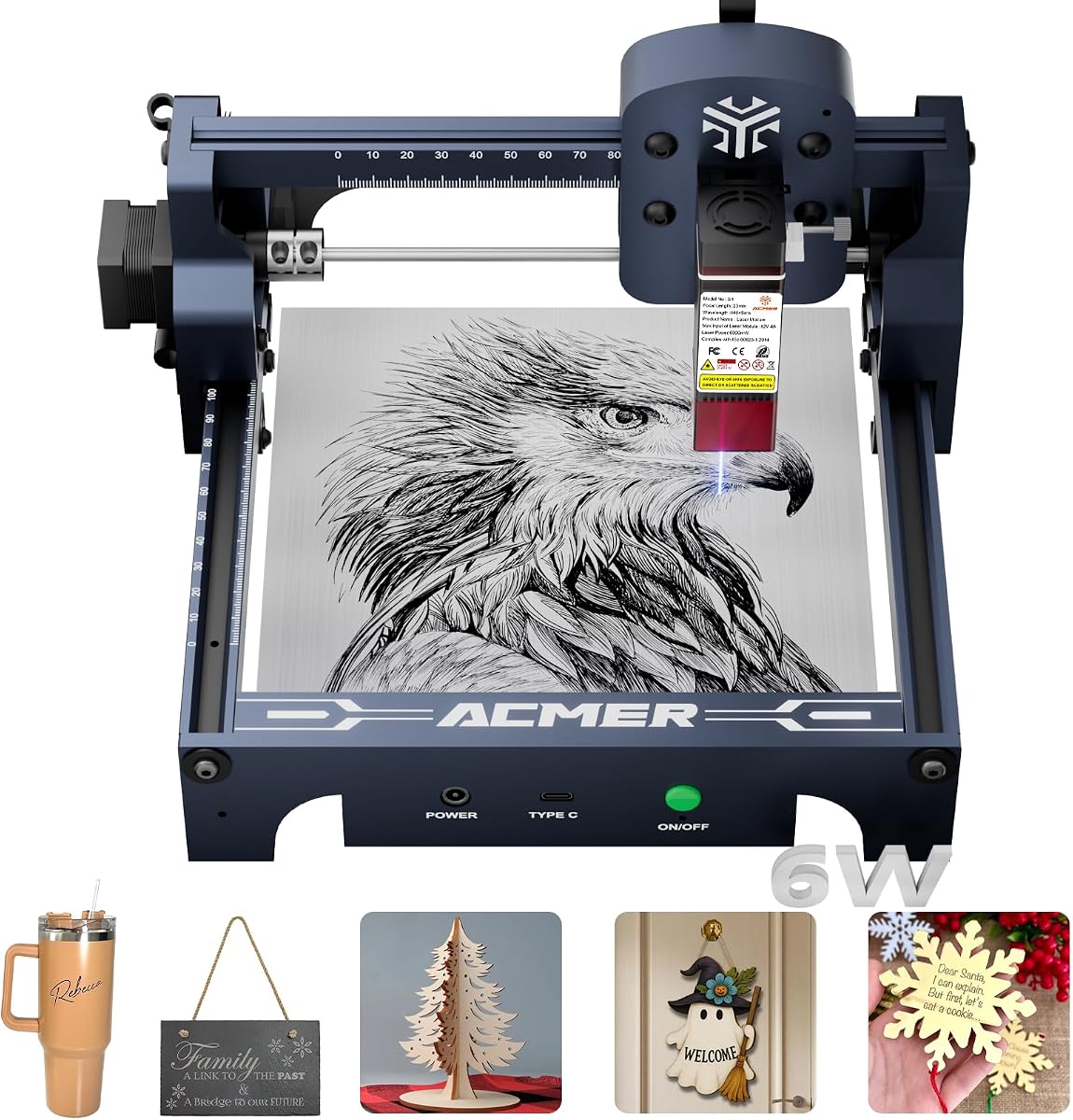
ACMER S1 Laser Engraver
4.3Editor score
6000mW Laser Power
99% Preassembled Design
Lightweight Portable Frame
This guide compares the top Acmer laser engraver models for precision cutting and engraving on various materials like wood, acrylic, and leather in 2026.
Choosing the right laser engraver can transform your creative projects into professional-quality results. Whether you are a hobbyist or a small business owner, finding a machine that balances power, precision, and ease of use is essential for success in your workshop.
We have analyzed the latest Acmer laser engraver models to bring you a comprehensive comparison of their features, performance, and suitability for different applications. Our review focuses on technical specifications, software compatibility, and user safety to help you make an informed decision.
Each product listed below showcases unique strengths ranging from beginner-friendly setups to advanced industrial capabilities. Please note that prices and availability can change rapidly, so checking current listings is recommended before finalizing your purchase decision.
4.3Editor score

5.0Editor score

5.0Editor score
The following table provides a side-by-side comparison of all ten Acmer laser engraver models to highlight their key specifications and capabilities at a glance.



The ACMER S2 Laser Engraver stands out as a top contender for users seeking a balance of power and precision. With a true 12W laser module and a 0.01mm positioning accuracy, it delivers consistent results for detailed engraving tasks.
We may earn a commission when you buy through this link, at no additional cost to you.
Its 300x300mm workspace offers ample room for various projects while supporting over 100 materials. The integration of ACMER Studio software alongside LightBurn support ensures flexibility for both beginners and advanced users.
Safety features such as the anti-UV protective shield and motion protection add peace of mind during operation. While cutting thicker materials may require multiple passes, the machine handles typical hobbyist needs with ease.
This model is ideal for makers who need reliability and versatility without compromising on build quality. It is a solid investment for anyone looking to elevate their engraving projects to a professional level.
Compatible with ACMER Studio, LightBurn, and LaserGRBL for seamless workflow integration.
0.08×0.08mm laser spot ensures intricate details are reproduced accurately on any surface.
We may earn a commission when you buy through this link, at no additional cost to you.
This version of the ACMER S2 offers exceptional value for those entering the world of laser engraving. It features a powerful 12W laser module that can cut through various materials efficiently while maintaining high precision.
We may earn a commission when you buy through this link, at no additional cost to you.
The advanced 32-bit chip enables engraving speeds up to 10000mm/min, significantly reducing production time for batch projects. Beginners will appreciate the intuitive software that simplifies design creation and machine control.
While it shares many features with higher-end models, it focuses on delivering core functionality without unnecessary extras. This makes it an excellent choice for hobbyists who want performance without a high price tag.
Overall, this model proves that affordability does not mean sacrificing quality. It is perfect for small businesses or individuals who need a reliable tool for frequent engraving tasks.
Engraving speed reaches up to 10000mm/min for faster project completion.
Turn text prompts or photos into engraving designs with built-in AI tools.
We may earn a commission when you buy through this link, at no additional cost to you.
The ACMER S1 is designed for users who need a compact and portable laser engraver for home or travel use. Despite its small size, it delivers impressive performance with a 6000mW laser and 10000mm/min speed.
We may earn a commission when you buy through this link, at no additional cost to you.
It arrives 99% preassembled, requiring only a one-minute installation for the laser head. This makes it incredibly convenient for beginners who do not want to deal with complex assembly procedures.
The lightweight aluminum alloy frame ensures durability while remaining easy to store or transport. Although the workspace is smaller, it is sufficient for personalized gifts and small DIY crafts.
This model is ideal for those with limited space or who prioritize mobility. It combines ease of use with professional-grade precision to make engraving accessible to everyone.
Lightweight 2kg design allows easy carrying and storage in small spaces.
99% preassembled design means you can start creating immediately.
We may earn a commission when you buy through this link, at no additional cost to you.
Safety is a top priority with the ACMER S2 7000mW model, which includes features like motion detection and an anti-UV shield. These elements make it particularly suitable for home workshops and classroom environments.
We may earn a commission when you buy through this link, at no additional cost to you.
The engraver maintains high precision with a 0.01mm accuracy and supports various materials from wood to coated metal. Users can confidently create detailed designs knowing the machine prioritizes protection.
Its spacious 300x300mm workspace allows for larger projects while keeping the setup simple and efficient. The software integration ensures easy operation without compromising on functionality or control.
For families or educators looking to introduce engraving safely, this model offers peace of mind. It combines robust performance with essential safety tools for a secure crafting experience.
Motion detection pauses operation when abnormal movement is detected for user safety.
Handles over 100 materials including wood, acrylic, leather, and coated metals.
We may earn a commission when you buy through this link, at no additional cost to you.
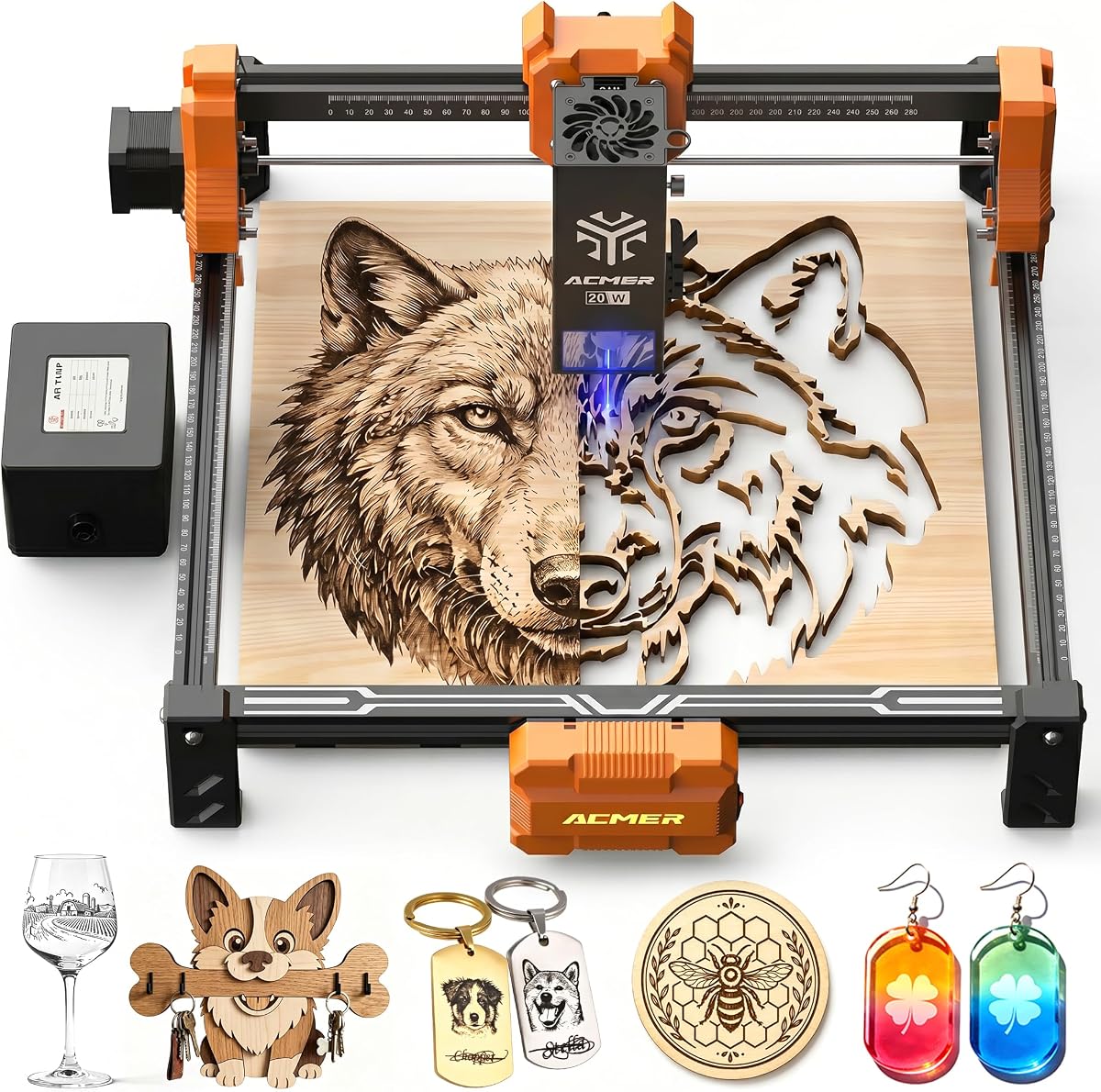
The ACMER P1 S Pro 20W delivers powerful performance with a true 20000mW laser module capable of deep cutting and detailed engraving. Its built-in air assist pump helps reduce burn marks for a cleaner finish.
We may earn a commission when you buy through this link, at no additional cost to you.
With an acceleration up to 500mm/s2, this machine ensures smooth operation during high-speed projects. The lens lifespan of 8000 hours means less maintenance and more time creating for users.
This model bridges the gap between hobbyist tools and professional machines with its reliable speed and stability. It is particularly well-suited for small businesses that need consistent quality output.
Investors in this unit will appreciate its robust capabilities and advanced features. It represents a significant step up in capability for serious crafters or professional designers.
Built-in 25L/min air assist pump minimizes burn marks and smoke residue.
Blue light synthesis technology extends laser head lifespan to 8000 hours.
We may earn a commission when you buy through this link, at no additional cost to you.
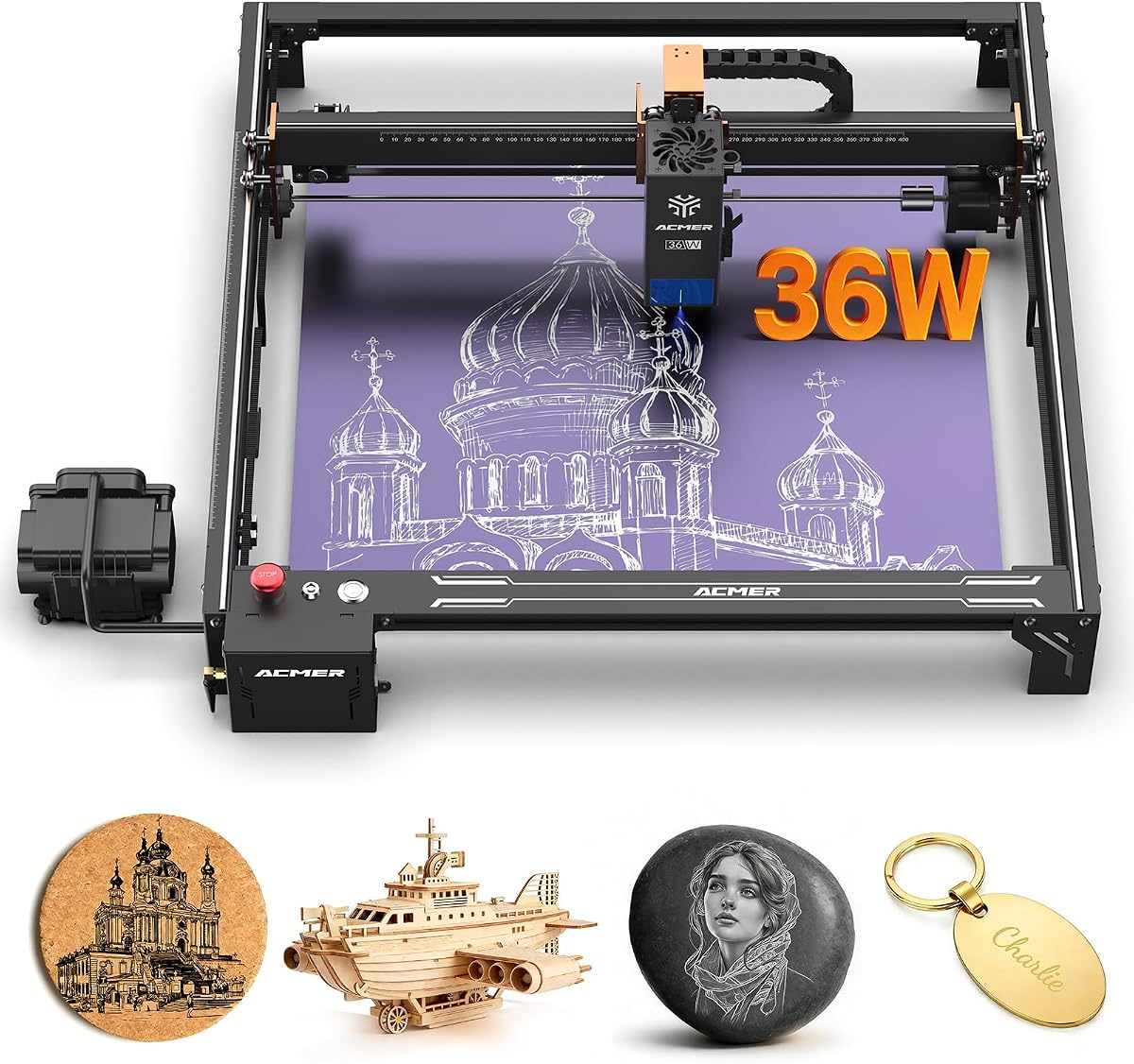
This model is engineered for high-volume production and heavy-duty engraving tasks. The 36000mW laser output combined with dual linear rails ensures stability and precision even at high speeds.
We may earn a commission when you buy through this link, at no additional cost to you.
Engraving speeds reach up to 24000mm/min, making it ideal for batch production in small business settings. The built-in 30L/min air pump continuously clears debris to protect the lens and improve edge quality.
Advanced safety features like tilt protection and emergency stop buttons enhance usability in professional environments. The 400x400mm workspace supports large projects that other machines cannot handle efficiently.
Users seeking industrial-grade capabilities will find this unit exceptionally capable. It is a top choice for those prioritizing speed, precision, and durability in their workflow.
Dual linear rail system minimizes vibration for consistent results at high speeds.
24000mm/min engraving speed allows for rapid production of multiple units.
We may earn a commission when you buy through this link, at no additional cost to you.
The ACMER S2 20W combines high power with practical features like air assist for improved cutting quality. It is capable of deep engraving and cutting on various materials with consistent performance.
We may earn a commission when you buy through this link, at no additional cost to you.
Limit switches ensure accurate working area definition to prevent damage during operation. The machine supports common file formats and works seamlessly with popular software platforms like LightBurn.
This model offers significant power for its class without excessive complexity. It is an excellent option for users who want professional results without investing in more expensive industrial systems.
For hobbyists looking to scale up their capabilities, this machine provides a reliable upgrade. It balances cost and performance effectively for dedicated makers.
25L/min air assist pump reduces burn marks and improves edge quality significantly.
Built-in limit switches ensure precise positioning of the laser head.
We may earn a commission when you buy through this link, at no additional cost to you.
This premium model offers dual laser output options that allow users to switch between power levels for different tasks. Its closed box design significantly reduces smoke and sound while enhancing safety.
We may earn a commission when you buy through this link, at no additional cost to you.
The visual camera module simplifies material positioning to make it easier to engrave complex images. Combined with fire detection and tilt protection, it provides a secure environment for professional use.
Built with industrial-grade aluminum and linear guides, this machine is designed for longevity and stability. It is perfect for those who require top-tier performance and safety features.
While expensive, the versatility and safety make it a worthy investment for serious businesses. It sets a high standard for what a laser engraver can achieve in terms of capability.
Switchable 24W and 48W outputs provide flexibility for various material requirements.
Closed-box design reduces 90% of smoke and sound during operation.
We may earn a commission when you buy through this link, at no additional cost to you.
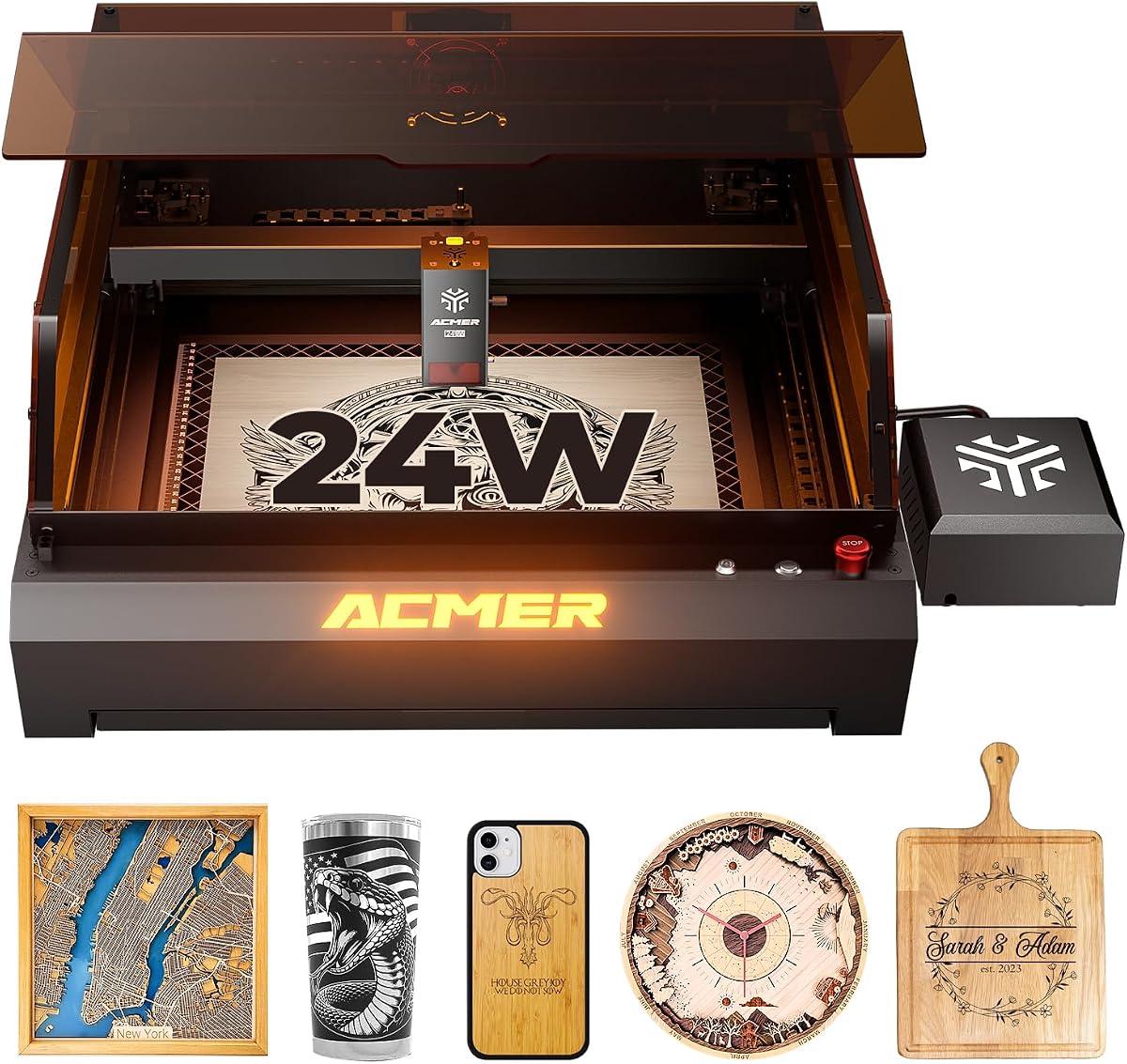
The ACMER P3 24W is designed with safety and precision in mind for desktop environments. Its closed box design reduces smoke pollution to make it suitable for indoor use without extra ventilation.
We may earn a commission when you buy through this link, at no additional cost to you.
Featuring an aviation grade aluminum frame, this unit offers superior stability and durability for long-term use. The built-in camera allows for easy positioning of materials to simplify the setup process.
Advanced protections like over-temperature and fire detection ensure safe operation. Users can focus on creativity without worrying about potential risks associated with open laser systems.
This model is ideal for professional studios that need safe and reliable performance. It combines industrial quality with user-friendly features to support high-quality output.
Closed box design reduces 90% of smoke pollution and blocks noise effectively.
Aviation grade aluminum frame increases stability by 20% for consistent results.
We may earn a commission when you buy through this link, at no additional cost to you.
This model offers a large working area for its power class to allow for sizable designs. With WiFi control and mobile app support, it provides flexible connectivity options for easy operation.
We may earn a commission when you buy through this link, at no additional cost to you.
It is tested under IEC 60825-1 Class 1 standards to ensure safe operation with included protective glasses. The modular frame design simplifies assembly and maintenance to save time for users.
Although it has lower power than higher models, it remains versatile for a wide range of materials. It is an excellent choice for hobbyists who value connectivity and safety over raw speed.
Users looking for a compact yet capable machine will find this option well-rounded. It balances ease of use with sufficient performance for most DIY projects.
WiFi, USB, and TF card support allow flexible data transfer methods.
IEC 60825-1 Class 1 laser certification ensures safe operation with eye protection.
We may earn a commission when you buy through this link, at no additional cost to you.
Choosing the right model requires understanding your specific needs and the types of projects you plan to undertake.
Laser power determines the depth and speed of cutting and engraving. Higher wattage models are better for thick materials and faster production.
Select a model with sufficient power for your most common materials to ensure consistent results.
The working area defines the maximum size of projects you can process without repositioning material. Larger spaces are beneficial for signs and large graphics.
Ensure the workspace meets the dimensions of your typical projects to avoid extra setup steps.
Software determines how you design and control the machine. Support for third-party tools like LightBurn expands creative possibilities.
Choose a system that works with software you already know or prefer to streamline your workflow.
Safety is critical when working with high-powered lasers. Look for protective shields, motion detection, and Class 1 certifications.
Prioritize models with robust safety systems to protect users in home or office environments.
Air assist pumps blow air on the cutting area to reduce smoke and burn marks. Built-in units offer convenience over external attachments.
Select a model with integrated air assist to improve cut quality and keep lenses cleaner.
WiFi, USB, and TF card support enable different ways to transfer designs. Wireless options allow for more flexibility during operation.
Choose connectivity methods that fit your setup to ensure easy file management.
Weight and assembly affect how easy it is to move and store the machine. Compact models are better for small workshops.
Consider how often you need to move the unit when deciding between heavy-duty and portable frames.
Prices vary significantly based on power and features. Identify your essential requirements before comparing different price points.
Balance cost against performance to find a model that delivers value for your specific use case.
Always wear the provided laser safety glasses to protect your eyes during operation and ensure proper ventilation to prevent fume buildup.
Clean the lenses regularly using a soft cloth and recommended cleaning solutions to maintain engraving precision and extend the lifespan of the laser head.
Avoid engraving materials that release toxic fumes such as PVC and vinyl to protect your health and the integrity of the machine.
Standard diode lasers can engrave coated or anodized metals but cannot cut through solid metal sheets. For cutting raw metal, fiber lasers are typically required.
Most Acmer models support Acmer Studio, LightBurn, and LaserGRBL. These programs allow for design editing and machine control with various file formats.
An air assist pump helps reduce burn marks and smoke residue on your projects. Built-in pumps are convenient and improve cut quality on materials like wood.
The lifespan of the laser module depends on usage intensity. Higher-end models often feature longer lifespans due to advanced lens technology and cooling.
Many models include safety features like protective shields and Class 1 certifications. Always follow safety guidelines and use protective equipment during operation.
Yes, by adding an optional rotary module, you can engrave cylindrical items like bottles and tumblers. Check compatibility with specific models before purchasing.
The ACMER lineup offers a diverse range of options suitable for hobbyists, creators, and professionals alike. Whether you prioritize budget, power, or safety, there is a model designed to meet your needs.
Focus on the laser power and workspace size that align with your typical projects to ensure satisfaction. Investing in a machine with robust software support will enhance your creative capabilities.
Remember that prices and stock fluctuate frequently so check the latest listings before purchasing. Choosing the right tool will empower you to bring your designs to life with precision and ease.