
FLASHFORGE Adventurer 5M
3.9Editor score
Fast 600mm/s speed
Auto leveling system
Detachable nozzle design
This guide compares the top 3D Printer for Educational Use to help schools and parents choose the best model for STEM learning and creative projects.
Choosing the right 3D Printer for Educational Use can transform how students engage with STEM subjects. These devices bring abstract concepts to life through tangible creation.
We evaluated ten leading models based on ease of use, safety features, printing speed, and educational support. Our goal is to highlight tools that empower learners effectively.
Each pick below demonstrates unique strengths for classrooms or home study. Prices and availability change frequently, so verify current details before purchasing your next educational tool.
3.9Editor score

4.4Editor score

4.6Editor score
The following table offers a side by side comparison of all ten models to help you quickly identify key specifications and performance metrics for your educational needs.




The Entina Tina2C stands out as an ideal educational tool for young learners and beginners. With a strong rating of 4.4 stars, it promises reliability and ease of use for home or classroom settings.
We may earn a commission when you buy through this link, at no additional cost to you.
Its standout feature is the integration of over 3000 models and 20 creative DIY modules designed specifically for STEM education. The Poloprint Cloud app facilitates easy slicing and AI powered design suggestions, making complex projects accessible to students without prior experience.
While the build volume is compact at under four inches cube, this size is perfect for small classroom projects and reduces material waste. The lack of advanced filament support limits professional engineering simulations but remains suitable for introductory polymer printing tasks.
Educators and parents seeking a plug and play solution will find this model highly rewarding. It eliminates calibration headaches and focuses purely on creativity and learning outcomes, making it a top recommendation for educational environments.
The Poloprint Cloud app connects directly to the printer for seamless project management and AI assisted design generation.
Smooth rounded edges and low noise operation ensure a safe and comfortable environment for children and students.
We may earn a commission when you buy through this link, at no additional cost to you.
The FLASHFORGE Adventurer 5M offers exceptional value for educational institutions needing speed and durability. Its 600mm/s printing speed allows students to complete projects quickly, keeping engagement high during short class periods.
We may earn a commission when you buy through this link, at no additional cost to you.
Features like fully automatic bed leveling and a 3 second detachable nozzle make maintenance simple for novice users. The CoreXY all metal structure ensures stability, which is crucial when teaching precision and engineering principles to students.
However, the 3.9 rating suggests some users encounter connectivity or calibration quirks. While these issues do not detract from the hardware quality, they may require teacher supervision during initial setups to ensure smooth operation.
For schools looking to maximize output without breaking the budget, this model is a strong contender. It balances performance with affordability, making it accessible for wider adoption in resource constrained educational settings.
The CoreXY structure supports high acceleration and speed, reducing wait times for student projects significantly.
The quick detachable nozzle allows for rapid swaps without tools, simplifying routine maintenance tasks.
We may earn a commission when you buy through this link, at no additional cost to you.
The Ugee Funbox represents the pinnacle of child safe 3D printing technology. With UL GREENGUARD Gold certification and a fully enclosed design, it addresses safety concerns that often hinder classroom adoption of traditional printers.
We may earn a commission when you buy through this link, at no additional cost to you.
Its zero calibration feature ensures that children can start printing within minutes without adult intervention. The extensive library of over 12000 toys and vehicles provides endless creative inspiration, fostering continuous engagement and learning.
While it limits multi color printing to assembly tasks, the focus on simplicity and safety outweighs this drawback for young learners. The AI powered tools further enhance creativity by allowing voice or photo to 3D model conversion.
Ideal for home or small class environments where safety and ease of use are paramount. It transforms screen time into tangible creation, making it a premium investment for families focused on STEM development.
UL GREENGUARD certification and enclosed body ensure clean air and safe operation in shared spaces.
AI engines convert text and photos into printable models instantly, removing technical barriers to entry.
We may earn a commission when you buy through this link, at no additional cost to you.
The Bambu Lab A1 delivers professional grade precision at a consumer level. Its acceleration capabilities and auto calibration make it ideal for teaching accurate engineering design without constant teacher intervention.
We may earn a commission when you buy through this link, at no additional cost to you.
Multi color printing options unlock complex projects where students can visualize different materials or colors in a single print. The streamlined interface ensures that setup does not become a barrier to learning.
Though it requires an additional AMS unit for full multi color functionality, the base performance remains excellent. The noise cancellation features allow it to fit comfortably in quiet study or library environments.
This model suits educational programs requiring high fidelity outputs for demonstrations. It offers a balanced combination of speed, quality, and user experience that appeals to both students and teachers.
Advanced algorithms ensure consistent flow and precision, vital for accurate mechanical part creation.
Active noise canceling allows the printer to run silently, preventing classroom distractions.
We may earn a commission when you buy through this link, at no additional cost to you.
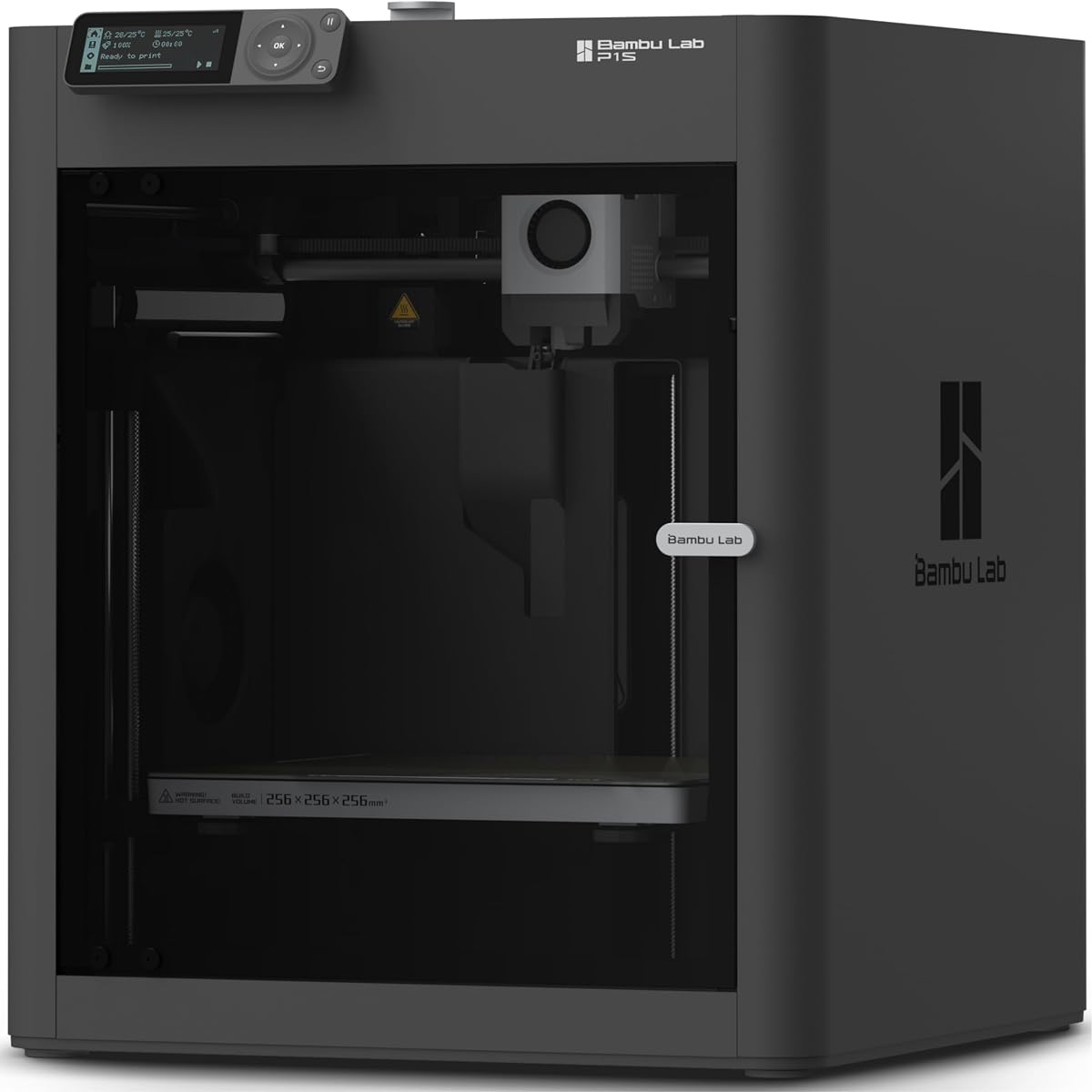
The P1S is designed for more advanced educational applications where engineering plastics are necessary. Its enclosed design allows for printing materials like ABS and ASA, which offer higher heat resistance for functional prototypes.
We may earn a commission when you buy through this link, at no additional cost to you.
High speed capabilities mean that even complex multi material prints can be completed in reasonable class times. This makes it suitable for vocational training or high school engineering courses focused on industrial standards.
While the price point is higher, the durability and performance justify the investment for serious STEM programs. Users should note that some materials may require additional ventilation setups for safety compliance.
It is an excellent choice for institutions aiming to replicate professional manufacturing processes. The robust build and automation ensure that students can focus on design rather than machine management.
Support for engineering filaments allows students to create functional and heat resistant parts.
Fully automatic bed leveling reduces setup time, maximizing productive printing time.
We may earn a commission when you buy through this link, at no additional cost to you.
The AD5M focuses on durability and rapid prototyping speed. Its all metal CoreXY structure ensures stability even during high speed operations, which is crucial for maintaining print quality in busy classroom environments.
We may earn a commission when you buy through this link, at no additional cost to you.
Features like power loss recovery are vital for educational settings where outages might interrupt long student projects. The tool-free nozzle swap allows for quick changes without specialized tools, enhancing classroom efficiency.
While the unit is heavy and may require permanent placement, its reliability makes up for this trade-off. The ability to print with various nozzle sizes offers flexibility for different design challenges.
This printer is best suited for workshops where robustness is a priority. It provides a reliable platform for students to experiment with high volume or high speed printing tasks.
All metal structure ensures longevity and precision even under rigorous daily use conditions.
Automatic resume after power loss protects student projects from data loss or partial failure.
We may earn a commission when you buy through this link, at no additional cost to you.
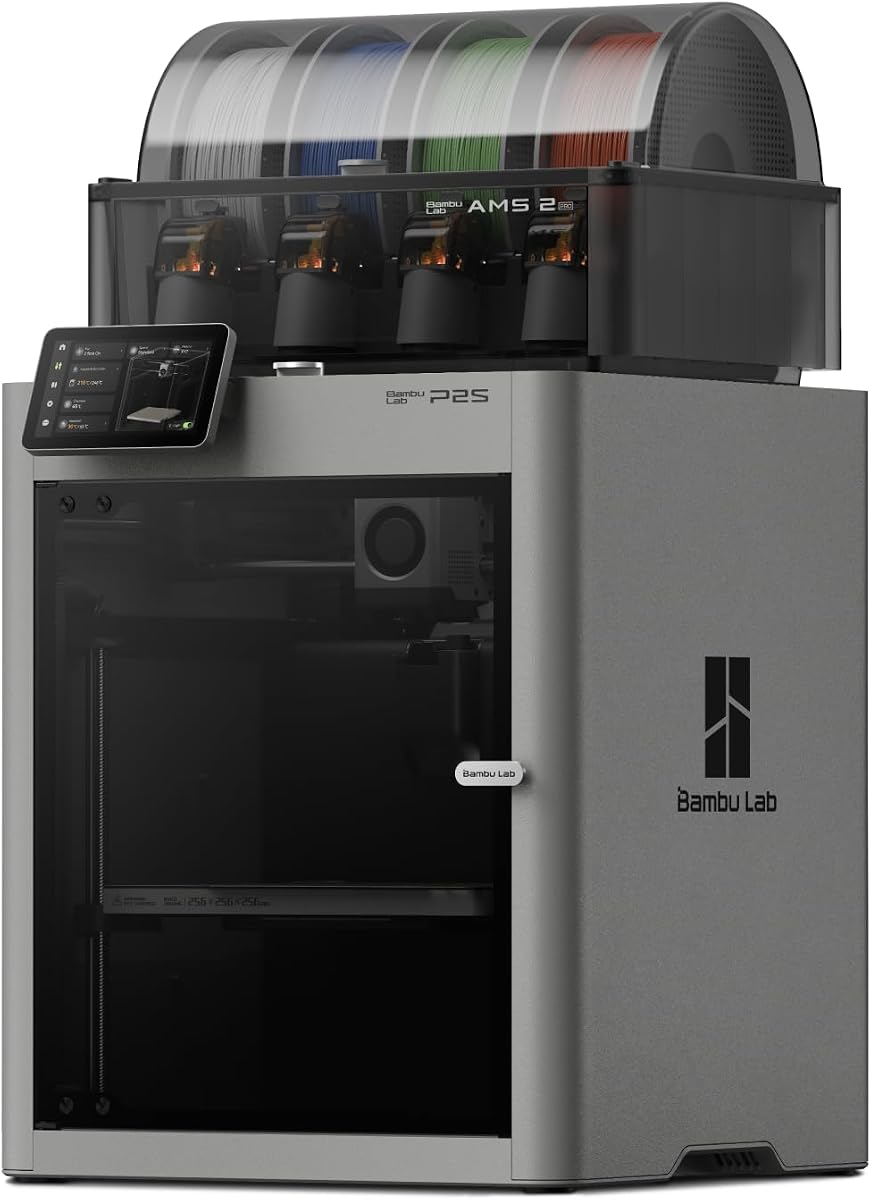
The P2S Combo offers a comprehensive solution for advanced color printing needs. Its integrated AMS system allows for up to 16 colors, enabling students to create detailed and realistic prototypes without manual intervention.
We may earn a commission when you buy through this link, at no additional cost to you.
With a 600mm/s print speed, this model minimizes wait times, allowing for more iterative design cycles during class. The adaptive airflow system ensures consistent quality regardless of the material being used.
While the price and size are significant considerations, the capability to produce complex multi material parts sets it apart. It is an investment for programs aiming to mimic professional industry standards.
Ideal for high school or university engineering labs where multi color visualization is key. It pushes the boundaries of what is possible in an educational context with high reliability.
AMS Pro allows seamless integration of multiple colors without manual switching or purging.
Adaptive airflow maintains quality across different material types, from PLA to engineering plastics.
We may earn a commission when you buy through this link, at no additional cost to you.
This variant of the Adventurer 5M refines the core experience for educational users. The 10 minute setup time ensures that teachers can quickly deploy the printer for spontaneous learning activities.
We may earn a commission when you buy through this link, at no additional cost to you.
Vibration compensation eliminates ghosting, ensuring clean edges on prints which is critical for visual presentations. The dual sided PEI plate supports a variety of materials and simplifies removal for students.
While it is an open frame printer which may be less safe for very young children, its performance metrics are strong for general use. The filament run-out sensor prevents waste, an important factor in budget constrained environments.
A solid upgrade for users needing higher reliability. It balances ease of use with performance, making it a reliable workhorse for regular classroom use.
Vibration compensation technology ensures smooth surfaces and sharp details on finished prints.
The flexible steel plate allows for easy removal and supports different materials for versatile learning.
We may earn a commission when you buy through this link, at no additional cost to you.
The Snapmaker U1 introduces a unique 4 toolhead system that changes heads in seconds. This capability is perfect for teaching about modular design and multi-material engineering without long pauses.
We may earn a commission when you buy through this link, at no additional cost to you.
Its ability to switch between rigid and flexible materials expands the range of projects students can undertake. The smart calibration ensures accuracy across all toolheads, reducing the need for manual adjustments.
The system is more complex than standard printers and may require dedicated training time. However, for advanced programs, it offers a level of flexibility that is unmatched in the educational market.
It is best for vocational training or university labs focused on advanced manufacturing. It prepares students for real world multi material production environments effectively.
Toolheads swap in 5 seconds, allowing students to explore multi-material designs efficiently.
Support for TPU and rigid materials enables students to create functional and interactive prototypes.
We may earn a commission when you buy through this link, at no additional cost to you.
The A1 Mini Combo brings multi color capability to a smaller footprint. This makes it ideal for individual student desks or smaller classroom setups where space is at a premium.
We may earn a commission when you buy through this link, at no additional cost to you.
Despite its size, it retains the high precision and speed features of its larger counterparts. The AMS lite system ensures that students can experiment with multi color designs without complex external add-ons.
The compact build volume limits large object printing but focuses on intricate and detailed projects. It is a great choice for specialized art or design courses requiring high detail.
This model balances size and capability effectively for educational settings. It provides a reliable and quiet multi color solution for focused learning environments.
Small footprint allows placement on individual desks without cluttering the workspace.
Built-in multi color support simplifies the workflow for students learning color separation.
We may earn a commission when you buy through this link, at no additional cost to you.
Selecting the right educational 3D printer involves weighing safety, speed, and software compatibility against your curriculum needs.
Safety is the primary concern for any educational device. Fully enclosed printers with certified safety standards like UL GREENGUARD prevent accidental contact with hot parts and filter airborne particles.
Choose enclosed models for younger students to minimize risk and ensure a clean air environment in the classroom.
Educators need printers that are ready to use quickly. Models with automatic bed leveling and minimal assembly requirements save valuable class time.
Look for auto calibration features to reduce technical barriers and allow students to focus on design.
Print speed impacts lesson planning. Faster printers allow for multiple iterations during a single class period, enhancing learning outcomes.
Consider the build volume to ensure it fits the project sizes required by your curriculum.
Seamless integration with educational software is essential. WiFi or cloud connectivity allows teachers to manage devices remotely.
Ensure the printer supports popular slicers like Cura or includes intuitive cloud tools for beginners.
Different materials offer different learning opportunities. PLA is safe and easy, while engineering plastics like ABS allow for stronger prototypes.
Select a printer that matches the range of materials needed for your specific STEM goals.
Noisy machines can disrupt learning environments. Opt for models with quiet operation ratings to maintain a peaceful classroom atmosphere.
Lower noise levels also make the printer more versatile for use in libraries or shared spaces.
Some printers come with pre-loaded STEM modules or libraries. These resources reduce the workload on teachers by providing ready-made projects.
Prioritize models that offer guided lessons to supplement your existing curriculum effectively.
Consider the long term cost of ownership including replacement parts and filament. Reliable hardware reduces downtime and maintenance costs.
Choose a printer with a reputation for durability to ensure it lasts through multiple academic years.
Start by ensuring the printer is on a stable surface away from direct sunlight or heat sources. Power it on and follow the initial setup wizard provided by the manufacturer to connect to your network.
Once connected, load a compatible filament by following the on screen prompts. For models with auto leveling, let the machine complete its calibration cycle before attempting any print job.
Maintain the printer by regularly cleaning the build plate and checking nozzle health. Keep the firmware updated to access the latest safety patches and performance improvements.
Yes, provided you choose models with safety enclosures and certified air filters like UL GREENGUARD. These features prevent burns and reduce emissions making them safe for supervised educational use.
PLA is the most common choice because it is biodegradable and easy to print. For more advanced engineering projects, PETG or ABS can be used with proper ventilation.
No, most modern educational printers are designed for beginners. They feature auto leveling and intuitive interfaces that require minimal technical knowledge to start printing.
Most modern models can be set up in under 20 minutes. Many are shipped fully assembled and only require basic configuration via a mobile app or touchscreen.
Yes, compact and quiet models are specifically designed for home use. They allow students to continue projects outside the classroom safely and conveniently.
Regular maintenance includes cleaning the bed and checking the nozzle for clogs. It is also important to keep the firmware updated to ensure optimal performance and safety.
Most printers are compatible with standard educational slicers like Cura or Simplify3D. Some also offer proprietary cloud tools designed specifically for classroom management and project sharing.
Basic models do not require subscriptions. However some premium educational features or cloud storage services might require monthly fees depending on the manufacturer.
Choosing the right 3D printer for educational use depends on balancing safety speed and ease of use for your specific environment. The top picks offer a range of options from beginner friendly to advanced industrial grade.
Prioritize safety and automation features to ensure that students spend more time creating and less time troubleshooting. Models with auto calibration and enclosed designs will reduce barriers to entry significantly.
Remember to verify current pricing and availability as these details can change. Selecting the right tool now will set the foundation for a productive and creative learning experience.