
Acer Aspire 14 AI Copilot+ PC
4.3Editor score
Up to 47 Tops NPU
22 Hours Battery Life
14 Inch WUXGA Display
The landscape of personal computing has shifted dramatically with the integration of dedicated neural processing units. These chips enable devices to handle complex artificial intelligence tasks locally without relying on cloud connectivity or remote servers.
We evaluated ten leading models that feature specialized NPUs to understand how they perform in real-world scenarios. Our analysis covers processor efficiency, display quality, and the practical benefits of on-device AI acceleration for various users.
Each selection highlights unique strengths ranging from budget-friendly options to high-performance workstations. Please note that pricing and availability fluctuate frequently so verify current details before making your final purchasing decision today.
4.3Editor score

5.0Editor score

5.0Editor score
As an Amazon Associate we earn from qualifying purchases.
This comprehensive comparison table breaks down the key specifications of each model to help you identify the right fit for your specific workflow and budget requirements.


The Acer Aspire 14 AI Copilot+ PC stands out as an excellent entry point for users seeking artificial intelligence capabilities without breaking the bank. With a rating of 4.3 stars, it has gained popularity for its balanced approach to performance and portability. The standout quality here is the inclusion of the Intel Core Ultra 7 processor which brings dedicated NPU power to handle modern AI workloads efficiently.
We may earn a commission when you buy through this link, at no additional cost to you.
This device shines in productivity scenarios where battery longevity is crucial. The claimed up to 22 hours of battery life means you can work through long flights or meetings without hunting for an outlet. The 14-inch WUXGA display offers a crisp viewing experience suitable for spreadsheets and media consumption alike. Its sleek aluminum design ensures durability while keeping the overall weight low for daily commuting.
Trade-offs exist primarily in connectivity and advanced display features. The lack of a touchscreen might deter users who prefer direct interaction with content. Additionally, the port selection is modest compared to some rivals. However these limitations are acceptable given the price point and the primary focus on core AI productivity tasks and all-day endurance.
This laptop is ideal for students and professionals who need reliable performance for general computing and light AI tasks. If your workflow involves heavy document editing and video calls without needing massive power this model delivers strong value. We recommend it for anyone prioritizing battery life and a lightweight form factor in the AI laptop category.
The integrated NPU handles background AI tasks like noise cancellation and visual enhancements without draining the battery or slowing down the CPU.
Its slim profile and 180-degree hinge make it easy to use in various positions whether you are at a desk or on a coffee table.
We may earn a commission when you buy through this link, at no additional cost to you.
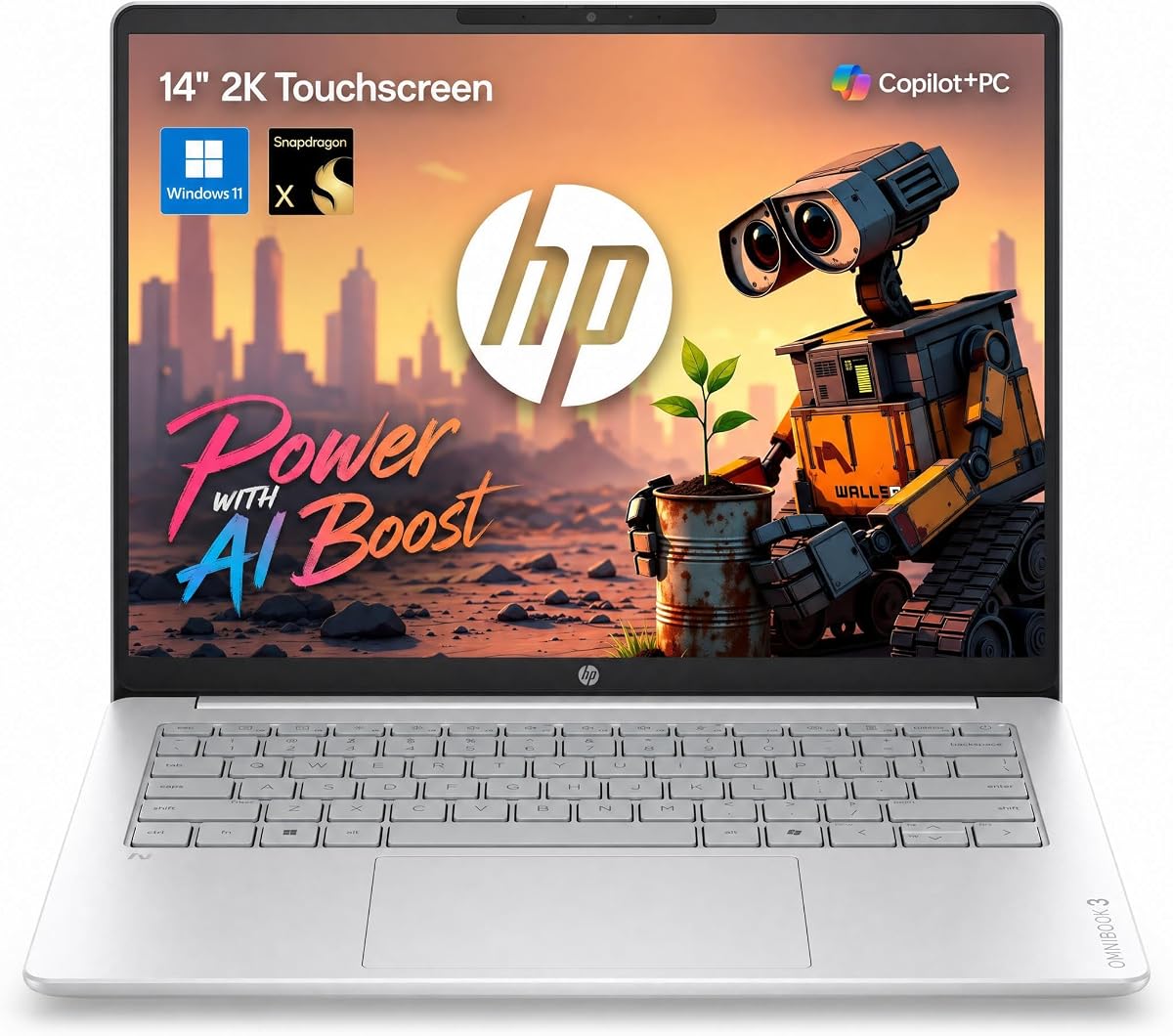
The HP OmniBook 3 brings the Snapdragon X platform to the forefront offering a compelling alternative to traditional x86 laptops. With a solid 4.6 rating, it appeals to users looking for efficiency and modern AI features. The dedicated 45 TOPS NPU ensures that complex tasks like real-time summaries and content creation happen locally without lag.
We may earn a commission when you buy through this link, at no additional cost to you.
Battery life is a major highlight on this device with up to 30 hours of video playback. This is a significant advantage for travelers who cannot always rely on power sources. The 2K IPS touchscreen adds a layer of interactivity and clarity that enhances the user experience. Fast charging capabilities further reduce downtime when you do need to plug in.
However buyers should be aware of potential software compatibility nuances with ARM-based architectures. While Windows on ARM has improved significantly some legacy applications may not run as smoothly as on Intel chips. Port selection is also somewhat limited requiring dongles for certain peripherals. These factors are worth considering if you rely on specific legacy software tools.
This laptop is best suited for users who prioritize battery life and portability above all else. It is an excellent choice for writers, students, and business travelers who need a responsive device for web browsing, media consumption, and light productivity tasks. The combination of a vibrant touch display and long endurance makes it a strong contender in the AI laptop space.
The Snapdragon X processor architecture allows for efficient power usage which directly translates to longer active sessions on a single charge.
The 2K touchscreen provides intuitive navigation and is particularly useful for creative tasks where direct manipulation of elements is preferred.
We may earn a commission when you buy through this link, at no additional cost to you.
The ASUS Vivobook S16 earns our Editor's Choice award for its perfect blend of premium features and high performance. It has achieved a perfect 5.0 rating reflecting its success in meeting user expectations across multiple categories. The AMD Ryzen AI 9 465 processor delivers robust local AI computing power that supports demanding workflows effortlessly.
We may earn a commission when you buy through this link, at no additional cost to you.
The OLED display is a standout feature providing deep contrast and vivid colors that make media consumption a treat. With 32 GB of RAM multitasking becomes seamless allowing you to run multiple applications without slowdowns. The chassis design is minimalist and portable making it easy to carry for daily use. Fast charging ensures you can top up quickly when time is short.
Potential drawbacks include the higher price point compared to budget options and the inherent risks associated with OLED panels over long periods. Users should be mindful of static content to prevent burn-in. Despite these considerations the visual quality and performance metrics justify the investment for most professionals. The build quality is also top notch ensuring durability.
This machine is ideal for creatives and power users who need significant memory and display fidelity. If your work involves photo editing, coding, or heavy multitasking this laptop provides the resources necessary to excel. The AI capabilities enhance productivity by offloading specific tasks to the NPU making it a future-proof choice for the evolving digital landscape.
The OLED technology offers true blacks and vibrant colors which are critical for accurate color grading and immersive media viewing.
With 32 GB of RAM you can keep numerous browser tabs and applications open simultaneously without experiencing performance bottlenecks.
We may earn a commission when you buy through this link, at no additional cost to you.
The Acer Aspire 16 AI Copilot+ PC offers a larger screen experience without sacrificing portability too much. It features a 16-inch display with a 120Hz refresh rate which ensures that animations and scrolling feel incredibly smooth. This is a rare feature at this price point and adds to the premium feel of the device. The Snapdragon X processor provides reliable AI performance for daily tasks.
We may earn a commission when you buy through this link, at no additional cost to you.
Connectivity is a strong suit with Wi-Fi 7 support ensuring future-proof internet speeds and stability. The 100% sRGB coverage means colors are accurate which is beneficial for design work. The integrated GPU delivers decent graphics performance for light gaming or rendering. The design remains sleek with a lie-flat hinge for versatile usage on desks or tables.
However storage is capped at 512GB which might fill up quickly for users dealing with large media files. Battery life estimates are good but not as extensive as some competitors. These limitations are minor considering the refresh rate advantage. Users should consider external storage if they anticipate growing file needs over time. The overall package is well balanced for its category.
This laptop is great for users who prioritize smooth motion and connectivity speed. It suits those who consume a lot of video content or perform tasks where fluidity matters. The AI features work well to streamline workflows. If you need a responsive screen and reliable internet speed this model is a top contender in the mid-range segment.
The 120Hz refresh rate makes scrolling through documents and websites feel fluid which reduces eye strain during long sessions.
Wi-Fi 7 ensures you stay connected with high bandwidth speeds ideal for cloud syncing and large file transfers without lag.
We may earn a commission when you buy through this link, at no additional cost to you.
The NIMO 16" AI Laptop is a powerhouse designed specifically for developers and creators who need massive memory capacity. With 128GB of LPDDR5X unified memory it can handle large local language models and complex simulations without stuttering. This level of RAM is rare in portable devices and positions it as a workstation in a laptop form factor. The 50 Tops NPU accelerates these heavy workloads effectively.
We may earn a commission when you buy through this link, at no additional cost to you.
Physical expansion is supported via OCuLink which allows for desktop GPU attachments if needed. The 99Wh battery is the maximum allowed on flights ensuring you can work without interruption during travel. Dual SSD slots provide ample storage for datasets and project files. The 165Hz display offers high refresh rates for fluid motion in editing timelines.
The main drawbacks are weight and price which reflect its high-end nature. It is not a device you will carry lightly in a small bag. However for professional use the performance trade-offs are acceptable. The hardware privacy switch adds a layer of security often missing in consumer models. This makes it suitable for sensitive development tasks.
This laptop is perfect for software engineers and data scientists working locally. If you need to run Docker containers or train models on device this machine provides the necessary resources. The high-end specs ensure longevity in a fast-moving tech landscape. It is an investment in productivity for those who demand peak performance daily.
The 128GB unified memory eliminates bottlenecks allowing AI models to load entirely into RAM for instant processing speeds.
A hardware switch for the webcam and mic ensures privacy when you are not in a call which is vital for confidential work.
We may earn a commission when you buy through this link, at no additional cost to you.
The ASUS Zenbook A16 is the pinnacle of AI laptop engineering with its Snapdragon X2 Elite Extreme processor. It boasts an incredible 80 Tops NPU which is currently among the highest available for local AI tasks. Combined with 48GB of fast RAM it delivers fluid performance for even the most demanding creative workflows. The 3K OLED touchscreen adds a level of luxury and clarity to the user experience.
We may earn a commission when you buy through this link, at no additional cost to you.
Design and build quality are exceptional with a weight that is remarkably low for its screen size. The 70Wh battery supports efficient use on the go with fast charging capabilities to keep you moving. Windows 11 Pro brings enterprise-grade features that appeal to business professionals. The color is distinctive and adds a unique touch to the professional look of the device.
While the cost is high it reflects the premium materials and top-tier specifications included. Availability might be limited depending on the region so checking stock is advisable. The performance justifies the investment for those who rely on their laptops as their primary work engine. It sets a new benchmark for what an AI laptop can achieve in terms of efficiency.
This machine is best for executives and creatives who want the best of the best. It offers a seamless experience for tasks ranging from content creation to business analysis. The NPU power ensures future readiness for more advanced AI features. If budget is not a constraint and you want the most powerful portable AI experience this is the clear choice.
The Snapdragon X2 Elite Extreme processor manages thermal efficiency exceptionally well allowing sustained high performance without throttling.
The 3K OLED resolution ensures that text and graphics are razor-sharp making it easy on the eyes for long working hours.
We may earn a commission when you buy through this link, at no additional cost to you.
The NIMO 17.3" Copilot+ AI Laptop offers a larger workspace that is rare in modern thin and light devices. The 17.3-inch display provides ample room for multitasking and detailed work. It features a 144Hz refresh rate which ensures smooth visuals for both work and entertainment. The AMD Ryzen AI 9 HX 370 processor provides powerful on-device AI capabilities to handle complex tasks efficiently.
We may earn a commission when you buy through this link, at no additional cost to you.
Port selection is robust including USB4.0 which allows for high-speed data transfers and external display support. The 100W USB-C power delivery ensures you can charge with standard gaN adapters. The chassis is built with durable materials that support heat dissipation during intense sessions. A fingerprint sensor adds an extra layer of security for quick logins.
The size of the device makes it less portable than 14-inch models so it is best suited for stationary use or travel with a sturdy bag. The weight is manageable but not negligible. For users who need screen real estate and processing power this model delivers. The warranty support also adds peace of mind for buyers.
This laptop is ideal for users who work with spreadsheets or code where screen space is critical. It is also good for gaming due to the refresh rate and integrated graphics. If you want a balance of AI features and large display this is a strong option. It bridges the gap between a desktop replacement and a portable AI machine.
The wide layout reduces scrolling and allows for side by side windows which boosts productivity for detailed administrative tasks.
The 144Hz refresh and solid GPU performance make this device capable of handling casual gaming without needing a dedicated card.
We may earn a commission when you buy through this link, at no additional cost to you.
The HP Omnibook 16" is designed for those who need significant storage and memory out of the box. With 2TB of SSD storage and 32GB of DDR5 RAM it handles large datasets and extensive media libraries easily. The 50 Tops NPU ensures that AI features run smoothly to assist with productivity tasks. This configuration makes it a great choice for data professionals.
We may earn a commission when you buy through this link, at no additional cost to you.
The 2K IPS touchscreen provides a sharp interface that enhances the usability of Windows 11 Pro. Connectivity options include HDMI 2.1 which allows for 4K external displays. The build quality feels premium and durable. The keyboard is comfortable for long typing sessions and includes a backlight for low light environments. It is a solid all-rounder for business use.
Battery life is decent but not class leading meaning you might need a charger for full day trips. The weight is slightly higher due to the larger chassis. However the storage capacity often outweighs this concern for many users. You do not need to worry about managing external drives for your project files. It simplifies your workflow significantly.
This laptop is perfect for business users and data analysts who need space for files. If you work with large databases or multiple projects simultaneously this model supports that workflow well. The inclusion of Pro features aids in security and management. It is a reliable workhorse for professionals who value capacity and stability over ultra portability.
With 2TB of space you can store years of files and media without needing to rely on cloud storage or external drives constantly.
Windows 11 Pro brings advanced management tools and security features that are essential for enterprise environments and business users.
We may earn a commission when you buy through this link, at no additional cost to you.
The Dell 16 Plus is a business-focused machine that prioritizes security and connectivity. The Intel Core Ultra 9 288V vPro processor provides strong performance for enterprise tasks and security features. It supports Wi-Fi 7 ensuring you stay connected at the highest speeds. The 32GB of LPDDR5X RAM ensures smooth multitasking for complex business applications. It is a reliable choice for corporate use.
We may earn a commission when you buy through this link, at no additional cost to you.
Build quality is robust with a modular design that enhances durability. The keyboard includes a dedicated Copilot key for quick access to AI features. Connectivity includes Thunderbolt 4 which is vital for docking stations and high speed data transfer. The display options are high quality with comfort viewing features to reduce eye strain during workdays. It is designed for professionals.
While it lacks some creative features like OLED panels it excels in stability and reliability. The price is higher than consumer models but justified by the business features. The battery life is sufficient for standard office hours. It may not be the lightest option but it offers the build quality required for daily office travel. IT departments prefer it for manageability.
This laptop is best for business professionals and IT managed environments. It offers the security and performance needed for corporate workflows. If you need a secure machine with strong connectivity options this is a top choice. It handles standard office work and AI assisted tasks with ease ensuring productivity remains high across various tasks.
The vPro platform adds hardware-based security features that protect against threats and allow IT to manage devices remotely.
Thunderbolt 4 allows for versatile connections to docks and monitors making it easy to turn any location into a workstation.
We may earn a commission when you buy through this link, at no additional cost to you.
The HP 16 inch Touchscreen AI Laptop offers a balanced experience for general users seeking efficiency and modern connectivity. The Intel Ultra 7 255U includes a dedicated AI Boost NPU to help with everyday tasks like noise reduction and video calls. It features 32GB of DDR5 RAM to ensure smooth performance across applications. The 1TB SSD provides ample space for work files and media.
We may earn a commission when you buy through this link, at no additional cost to you.
The display is a vibrant 2K touchscreen which allows for intuitive navigation and precise interactions. The anti-glare finish is helpful for bright environments and improves visibility. Fast charging ensures you can get hours of use from a short charging session. The keyboard is designed for comfort with a numeric keypad useful for data entry tasks. It supports a range of workflows.
Battery life depends on usage but the efficiency of the Intel U-series processor helps extend runtime. Build materials are standard plastic and metal which keeps costs down while maintaining durability. Wi-Fi 7 is included for fast internet access. It is a solid choice for those who want touch features without the highest price tag. It is easy to recommend.
This laptop is great for students and home office users who need a reliable device. If you need a touchscreen for creative work or navigation this is a good option. The AI features help streamline daily tasks like document searches. It is a versatile machine that can adapt to different needs with ease and comfort.
The Intel Boost NPU optimizes power usage during AI tasks ensuring the laptop runs cool and efficient during daily work.
The combination of a touchscreen and numeric keypad makes it easy to switch between design work and data entry tasks.
We may earn a commission when you buy through this link, at no additional cost to you.
Selecting the right AI laptop requires understanding how the NPU impacts performance and battery life for your specific needs.
The Neural Processing Unit is measured in TOPS or Tera Operations Per Second which indicates how fast it can handle AI tasks. Higher numbers mean faster on-device processing for features like background noise removal and image generation without relying on the internet. When comparing models look for at least 40 TOPS to ensure the device handles modern Windows AI features smoothly.
Focus on the NPU rating to determine if the laptop can handle future updates and heavy workloads efficiently.
You have a choice between Intel Core Ultra AMD Ryzen AI and Snapdragon X processors each with unique benefits. Intel offers strong compatibility with legacy software while Snapdragon excels in battery efficiency and mobile performance. AMD Ryzen often provides a balance with strong graphics integration. Your choice should depend on whether you prioritize battery life or software compatibility.
Match the processor architecture to your primary use case to ensure optimal performance and power usage.
AI tasks consume significant memory so having at least 16GB is essential for basic usage but 32GB is recommended for heavy work. The type of memory like LPDDR5X helps in speeding up data access for the CPU and NPU. High speed memory ensures that you can run multiple AI tools simultaneously without slowdowns.
Prioritize higher RAM capacity to handle complex multitasking and large local AI models effectively.
Efficient NPUs can extend battery life by handling background tasks without draining the CPU. Look for claims of 10 hours or more but keep in mind that real-world usage often varies. Fast charging capabilities are also a valuable addition for users on the move. Always check reviews for independent battery tests to verify manufacturer claims.
Choose a model with proven endurance to ensure you stay productive throughout the day without interruptions.
AI laptops are often used for content creation so a high quality display is vital. Look for at least Full HD resolution with better color accuracy like sRGB coverage. OLED panels provide deeper blacks which are great for media but require care to avoid burn-in. Touchscreens are useful for navigating AI features quickly.
Select a screen that matches your visual needs for clarity and color accuracy.
Modern AI laptops rely on fast connectivity so Wi-Fi 7 support is a plus for stable and high speed internet. Ensure you have enough USB ports including USB-C for docking and peripherals. Thunderbolt or USB4 support is useful for external GPUs or displays. Limited ports may force you to use adapters which can be cumbersome.
Verify the port layout supports your existing peripherals and docking needs for a smooth setup.
A durable chassis ensures the device withstands daily travel and handling. Lightweight materials like aluminum improve portability without sacrificing strength. A 180-degree hinge is useful for sharing screens or laying the device flat. Consider the dimensions to ensure it fits easily into your carrying bag.
Balance durability with weight to ensure the laptop is practical for your daily routine.
Ensure the laptop comes with Windows 11 Home or Pro depending on your needs for advanced features. AI specific software like Copilot+ features should be pre-installed or easily available. Compatibility with your preferred applications is key to avoiding installation issues. Check for driver support from the manufacturer.
Confirm the OS version supports the latest AI features for a complete experience.
To get the most out of your AI laptop ensure that your operating system and drivers are always up to date. Manufacturers often release updates that improve NPU efficiency and enable new features. Restart your device periodically to clear cached processes and maintain speed. Keeping your software updated ensures you benefit from security patches and performance improvements.
When using AI features like voice isolation or image generation ensure your environment allows for optimal performance. Avoid running too many heavy applications simultaneously if you notice thermal throttling. Use cooling pads if you plan to work for extended periods in warm environments. This helps maintain consistent performance and prevents unexpected shutdowns.
Protect your battery by avoiding extreme temperatures and not leaving it plugged in at 100% for days at a time. Use built-in battery health management tools if available to extend its lifespan. Clean the screen and keyboard regularly with appropriate tools to avoid damage. Proper care ensures your device lasts longer and performs reliably over time.
An NPU or Neural Processing Unit is a specialized chip designed to handle AI tasks efficiently. It matters because it offloads AI workloads from the CPU and GPU allowing for faster processing and better battery life. This enables features like real-time translation and background noise removal without slowing down your device.
Not strictly but an AI laptop offers better efficiency and future-proofing for features like improved search and security. If you just browse the web you might not need the extra cost. However if you want the best battery life and responsiveness for modern software an AI laptop is a good investment.
The NPU handles AI tasks using less power than the CPU or GPU which results in longer battery life. By offloading background processes like audio processing to the NPU the main components can idle more often. This leads to extended usage times between charges for users on the go.
Availability depends on your region and software updates as some features like Recall roll out gradually. Ensure your device meets the minimum hardware requirements for Copilot+ PCs to access all features. Check with the manufacturer for specific compatibility details before expecting every AI tool to work immediately.
Yes many AI laptops have integrated graphics capable of handling casual games and lighter titles well. However they are not designed for high-end AAA gaming unless they have dedicated GPUs. Focus on performance and AI tasks which are the primary strengths of these devices over dedicated gaming rigs.
Windows 11 Pro offers enterprise features like BitLocker and remote desktop which are useful for business users. For AI features both versions support Copilot+ but Pro adds more security controls. Choose Pro if you manage devices or need advanced security for sensitive data tasks.
The selection of AI laptops with NPU processors has expanded significantly offering options for every type of user. Whether you need the massive memory of the NIMO models or the portability of the Acer Aspire there is a device to fit your workflow. Our top picks highlight the balance between performance and practical features.
When choosing prioritize the NPU power and battery life to ensure you get the benefits of local AI processing. Consider the screen size and RAM based on your daily tasks to avoid limitations later. Invest in a model that supports your future needs rather than just current demands.
Remember that prices and availability change frequently so check current details before buying. Use the comparison table to quickly identify the specifications that matter most to you. We hope this guide helps you find the perfect AI laptop to enhance your productivity and creativity.