
AOC 27 Gaming Monitor FHD 260Hz
4.6Editor score
260Hz overclocked
0.5ms MPRT response
IPS panel accuracy
Frameless design
This guide compares the top 240Hz monitors for competitive Valorant, analyzing refresh rates, response times, and panel types to help you find the perfect
Competitive gamers need displays that keep up with fast-paced action. A 240Hz monitor delivers smooth motion and sharp visuals, giving you a crucial edge in shooters like Valorant where every millisecond counts during intense firefights and tactical maneuvers.
We evaluated ten leading models based on performance, build quality, and value. Our comparison focuses on refresh rates, response times, color accuracy, and ergonomic features to ensure each pick meets the rigorous demands of high-level competitive gaming scenarios.
Each review highlights key strengths and trade-offs to guide your decision. Prices and availability can change frequently, so check current listings before purchasing. Use these insights to select a monitor that aligns with your specific gaming setup and budget constraints.
4.6Editor score

4.7Editor score

4.6Editor score
The following table provides a side-by-side overview of all ten selected monitors. Compare key specifications like refresh rate, response time, panel type, and connectivity options to quickly identify which model fits your specific gaming requirements and desk setup needs.





The Dell SE2426HG earns our Editor's Choice for its balanced performance and comfort features. With a 240Hz refresh rate and fast IPS panel, it delivers crisp visuals and fluid motion essential for tracking fast enemies in Valorant matches.
We may earn a commission when you buy through this link, at no additional cost to you.
Its 0.5ms response time ensures minimal motion blur during quick flicks. The 99% sRGB coverage provides accurate colors without sacrificing speed. TUV certification reduces blue light strain, making it suitable for long ranked sessions without fatigue.
While the stand offers limited tilt, it is stable and functional. The lack of USB ports is a minor inconvenience but common at this price point. Most competitive players prioritize performance over connectivity extras for their main display.
Buy this if you need a reliable, eye-friendly monitor for daily competitive play. It excels in smooth motion and color accuracy. The overall package offers excellent value for gamers seeking a consistent and comfortable experience.
FreeSync Premium and HDMI VRR eliminate screen tearing for uninterrupted gameplay across various hardware setups.
Fast IPS technology combines rapid pixel transitions with wide viewing angles for consistent image quality.
We may earn a commission when you buy through this link, at no additional cost to you.
The AOC Q27G41ZE stands out with its QHD resolution and overclocked 260Hz capability. It offers superior detail for spotting distant enemies. The 0.3ms MPRT response time ensures ultra-sharp visuals during high-speed movements in tactical gameplay scenarios.
We may earn a commission when you buy through this link, at no additional cost to you.
Adaptive-Sync support keeps your screen synchronized with your GPU to reduce tearing. The IPS panel provides excellent viewing angles and color precision. A frameless design creates an immersive visual experience when focused on the game map.
Running QHD at high refresh rates demands a powerful graphics card. If your rig is mid-range, consider a 1080p model for higher frame rates. The stand allows tilt only, which may limit customization for different desk heights.
Choose this monitor if you have the hardware to drive QHD at 240Hz. It offers a competitive edge through clarity and speed. It is a strong option for enthusiasts who value resolution alongside refresh performance.
The 2560×1440 resolution offers extra pixel real estate for detailed textures and crisp UI elements.
Game Mode presets and shadow control help optimize visibility and performance during intense battles.
We may earn a commission when you buy through this link, at no additional cost to you.
The SANSUI 24.5 Inch model offers an impressive 300Hz refresh rate option for ultra-smooth motion. It targets competitive players who want every possible frame advantage. The Fast IPS panel ensures good color accuracy alongside the high speed.
We may earn a commission when you buy through this link, at no additional cost to you.
Features like Crosshair and RTS assistants provide visual aids that can help with aiming practice. Noise Reduction technology improves clarity in dark scenes. The variety of ports supports flexible connectivity for multiple devices or consoles.
Support and warranty service may be less established than major brands. Lack of built-in speakers is typical for gaming monitors focused on external audio. Ensure your PC can consistently push 300Hz to utilize this feature fully.
Opt for this monitor if raw refresh rate is your top priority. It offers strong performance metrics at a competitive price. The tools included enhance the experience for players seeking every possible edge in their gameplay setup.
Dynamic Luminous Control and noise reduction enhance image clarity across various lighting conditions.
Two DP 1.4 ports allow versatile connection options for different refresh rate configurations.
We may earn a commission when you buy through this link, at no additional cost to you.
The Amzfast 24 Curved model features an ultra-slim base that maximizes desk space for peripherals. Its 240Hz refresh rate delivers smooth motion suitable for competitive shooting. The curved panel creates an immersive field of view.
We may earn a commission when you buy through this link, at no additional cost to you.
A joystick OSD allows quick adjustments without leaving the game. Game modes and black level optimization help lock onto targets faster. Wide color gamut coverage ensures visuals remain vibrant and accurate during extended use.
As a newer brand, long-term reliability data is limited. The lack of user reviews makes it a riskier choice. Consider this only if budget and space savings outweigh the benefit of established brand reputation.
Select this if desk space is tight and you need a compact display. The features support smooth gameplay at a low price. Verify warranty terms carefully before committing to this untested option.
The ultra-slim base allows under-keyboard storage to free up valuable workspace.
Triple eye protection includes low blue light, flicker-free, and anti-glare coatings.
We may earn a commission when you buy through this link, at no additional cost to you.
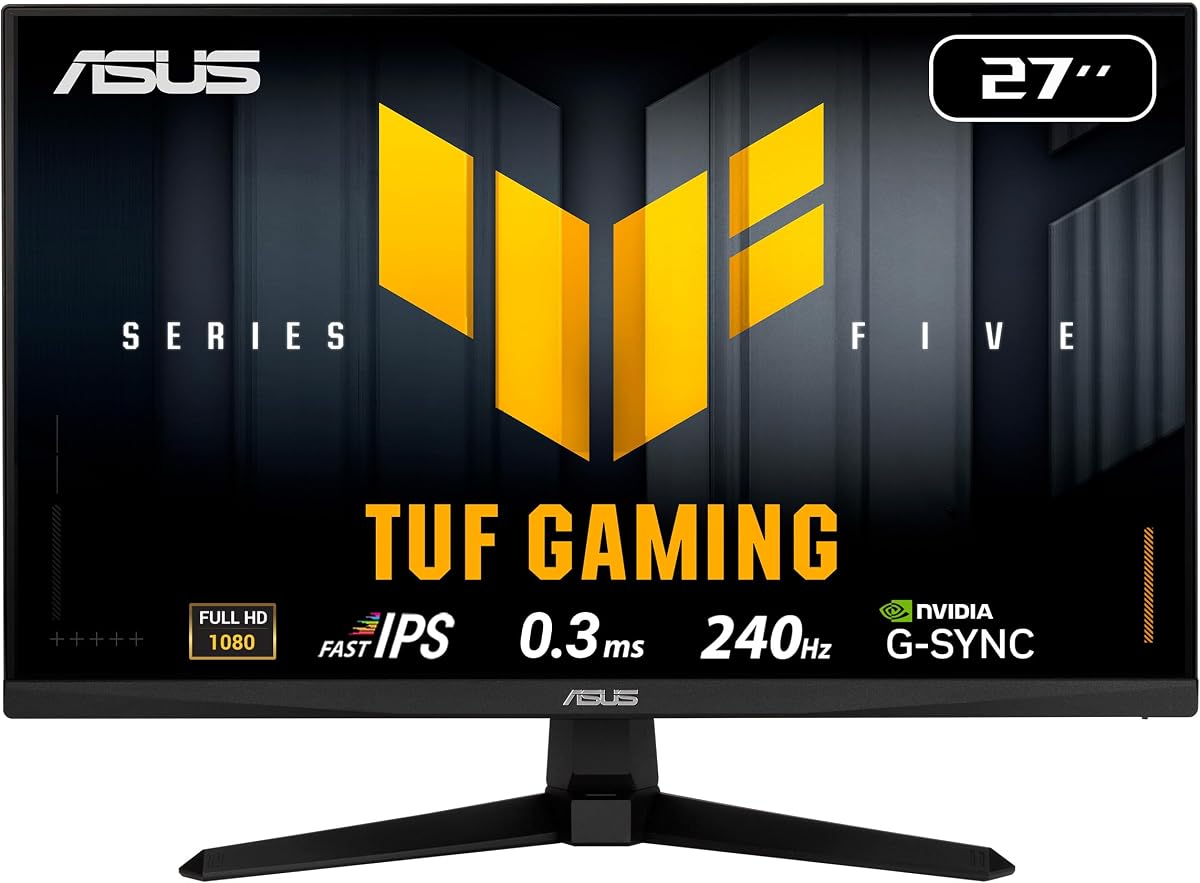
The ASUS TUF VG279QM5A is a premium choice with ELMB SYNC for motion clarity. Its 0.3ms response time and height adjustable stand offer top-tier ergonomics. The G-Sync compatible feature ensures smooth performance with NVIDIA GPUs.
We may earn a commission when you buy through this link, at no additional cost to you.
DisplayWidget Center simplifies OSD adjustments via mouse for convenience. AI-powered features aim to enhance immersion during gameplay. The included Adobe Creative Cloud adds value for content creators beyond gaming.
The price is higher than average. The stand takes more desk space. Ensure you need these premium features before investing. The long warranty and brand reliability often justify the extra cost for serious users.
Buy this if you want the best ergonomic and motion reduction features. It is ideal for high-end setups demanding quality and precision. The bundle value and warranty support make it a strong long-term investment.
ELMB SYNC enables motion blur reduction while maintaining variable refresh rates simultaneously.
Free 3-month Adobe Creative Cloud subscription adds creative value for non-gaming tasks.
We may earn a commission when you buy through this link, at no additional cost to you.
The MSI MAG 274CF X24 uses a VA panel for deeper blacks and contrast. The 240Hz refresh rate provides fluid gameplay in competitive matches. AI Vision technology enhances details in dark areas for better visibility.
We may earn a commission when you buy through this link, at no additional cost to you.
With 0.5ms GtG response, it balances speed and color depth well. FreeSync Premium support helps reduce tearing. The VESA mount compatibility allows for flexible monitor arm setups on any desk.
VA panels may show slightly slower response on transitions. Limited viewing angles might require precise positioning. Ensure you prioritize contrast for darker maps. It is great for mixed usage where black levels matter.
Choose this if high contrast and deep blacks are vital for your games. The performance and color balance are strong. It is a reliable pick for gamers who enjoy varied titles beyond just shooters.
AI Vision enhances brightness and saturates colors for improved visual clarity overall.
Software solution reduces blue-violet light emission to lessen eye strain.
We may earn a commission when you buy through this link, at no additional cost to you.
The AOC 27G51Z offers exceptional value with 260Hz overclocking. The IPS panel ensures color fidelity and wide viewing angles. It includes Adaptive-Sync for tearing-free visuals. This model balances speed and price effectively.
We may earn a commission when you buy through this link, at no additional cost to you.
Eco Mode reduces power usage for efficient operation. Tilt and VESA options allow for setup customization. The frameless design fits seamlessly into multi-monitor configurations for expanded workspaces.
Ergonomics are minimal with tilt only. No USB hub limits peripheral connectivity. For budget gamers prioritizing refresh speed, this is a top contender. It delivers core features without unnecessary extras.
Select this if you need a fast and affordable monitor. It is an excellent choice for players upgrading from 60Hz panels. The combination of speed and price makes it a best value pick for most.
Eco Mode keeps power usage efficient at 22W typical for energy savings.
G-Menu software simplifies OSD adjustments and performance tuning easily.
We may earn a commission when you buy through this link, at no additional cost to you.
The SANSUI 24 Curved model uses 1500R curvature for immersion. A 240Hz refresh rate ensures smooth gameplay. It supports FreeSync and offers shadow booster features. The panel performance focuses on color vibrancy.
We may earn a commission when you buy through this link, at no additional cost to you.
124% sRGB covers most creative needs. Anti-flicker and anti-glare protect eyes during play. Ports include HDMI and DisplayPort for flexible setups. It targets value-conscious gamers seeking curved visuals.
Adjustability is limited to tilt. Materials are basic compared to premium brands. If you want a budget curved screen for immersion, this works well. Ensure your setup can match the curvature benefits.
Buy this if a curved screen is essential for your style. It offers a unique visual experience at a low cost. The specs suit competitive gaming where speed matters more than build.
124% sRGB and 93% DCI-P3 ensure vivid and accurate color reproduction.
Anti-flicker and anti-glare coatings reduce eye strain during long hours.
We may earn a commission when you buy through this link, at no additional cost to you.
The ASUS TUF VG249QML5A is a compact 24-inch 240Hz model. It features a height adjustable stand for perfect ergonomics. Fast IPS technology ensures sharp visuals with minimal blur. ELMB SYNC reduces motion artifacts.
We may earn a commission when you buy through this link, at no additional cost to you.
The stand allows height adjustment, rare at this price. DisplayWidget Center enables easy OSD control. Adobe Creative Cloud access adds value for creators. The compact size suits smaller desks well.
Input count is low. It lacks extra USB ports. Check if you need more than basic connectivity. It is ideal for gamers needing high refresh rates in a compact footprint.
Select this if desk space is limited but you need speed. The height adjustability improves long sessions. It is a strong pick for those prioritizing ergonomics alongside refresh performance.
Height adjustable stand allows you to customize viewing position for maximum comfort.
99% sRGB coverage ensures vibrant and accurate color reproduction for gaming.
We may earn a commission when you buy through this link, at no additional cost to you.
The ASUS TUF VG259QM5A offers a balanced 25-inch size. Fast IPS provides 0.3ms GTG response for sharp visuals. G-Sync compatibility ensures smooth gaming. It is a strong choice for mixed-use setups.
We may earn a commission when you buy through this link, at no additional cost to you.
Color accuracy covers 99% sRGB for creative work. ELMB SYNC helps with motion clarity. The 3-year warranty ensures reliability. DisplayWidget Center simplifies settings adjustments via mouse.
The price is higher than budget models. Stand controls are basic. Ensure you value the size and warranty. It is excellent for users who need a versatile monitor for gaming and work.
Choose this if you want a balance of speed and size. The build quality and warranty are solid. It is a top-tier option for those seeking reliability and consistent visual performance.
Fast IPS technology enables sharp gaming visuals with high frame rates.
Accurate and vivid color reproduction enhances visual experience during gaming.
We may earn a commission when you buy through this link, at no additional cost to you.
Selecting a monitor for Valorant requires attention to specific performance factors. Consider these elements to ensure you find a display that enhances your competitive edge and comfort.
A 240Hz refresh rate displays 240 frames per second, reducing motion blur and providing smoother tracking. This is vital for fast-paced shooters where split-second reactions determine outcomes.
Look for a native 240Hz panel to ensure consistent performance across your games.
Response time measures how fast pixels change color. A 1ms or lower response time minimizes ghosting and motion artifacts. Faster transitions help you see enemies clearly when moving quickly.
Prioritize monitors with low GtG or MPRT times for the clearest action.
IPS panels offer excellent color accuracy and viewing angles. VA panels provide deeper blacks and contrast. TN panels are fastest but suffer in color. Choose based on your visual priorities.
For competitive play, Fast IPS is often the best balance of speed and quality.
1080p is standard for high frame rates on modest PCs. 1440p offers more detail but demands more GPU power. Match resolution to your hardware to maintain consistent high FPS.
Ensure your PC can drive your chosen resolution at 240Hz for smooth gameplay.
FreeSync and G-Sync reduce screen tearing and stuttering. This aligns the monitor's refresh rate with the GPU output. It improves visual consistency and reduces visual fatigue during sessions.
Check compatibility with your GPU to enable these features correctly.
Adjustable stands allow height, tilt, and swivel changes. Proper positioning prevents neck strain. Look for VESA mounts for flexible setups. Comfort is critical for long practice or ranked sessions.
Prioritize models with height adjustment if you game for extended periods.
Ensure ports match your GPU, DisplayPort usually supports higher rates than HDMI. USB hubs can organize peripherals. Check for audio jacks if you use external speakers or headphones.
Verify your GPU has the right output to drive 240Hz.
Flicker-free and low blue light features reduce strain. TUV certifications validate these claims. Over time, these protect your vision during long sessions.
Always enable eye care features to maintain comfort.
Configure your graphics settings to ensure the game matches your monitor's refresh rate. Set Windows display settings to the maximum Hz available for smooth motion.
Clean the screen with a microfiber cloth and avoid harsh chemicals. Protect against dust and spills to extend the life of your display.
Update drivers regularly to maintain compatibility with adaptive sync features. Calibrate colors using OSD tools for accurate visuals and consistent aim training.
Yes, 240Hz reduces motion blur and provides smoother visuals for tracking enemies. This can help you react faster in competitive matches.
You need a GPU that can output 240 FPS. If your PC struggles, a lower refresh rate may be better.
1080p is standard for high FPS. 1440p offers more detail but needs a stronger GPU.
Competitive players benefit most. Casual gamers may prefer standard rates.
Check Windows display settings and your GPU control panel. Ensure the game matches the monitor settings.
IPS offers better color and viewing angles. VA provides deeper blacks but can be slower.
24-25 inches is common. Too large may force more eye movement.
DisplayPort is reliable. HDMI may vary by version. Check your monitor manual.
Our top picks include the Dell 24 240Hz for overall balance, the AOC 27G51Z for value, and the ASUS TUF VG259QM5A for premium features.
Prioritize response time, panel type, and ergonomics to meet your competitive needs. Match your hardware capabilities with the monitor's refresh rate for optimal performance.
Prices change frequently. Always check current listings and warranty terms before finalizing your purchase.