
Thermaltake Pure 20 Series
4.5Editor score
High airflow at low cost
Anti-vibration mounting system
Easy installation features
Choosing the right cooling solution is essential for maintaining optimal system performance and longevity. 200mm case fans offer a superior balance of airflow and silence compared to smaller alternatives, making them ideal for spacious mid-tower and full-tower chassis where thermal management is critical.
We have carefully evaluated ten leading models based on airflow capacity, noise levels, bearing technology, and overall build quality. Each product was assessed against real-world usage scenarios to ensure they deliver reliable cooling without introducing unwanted acoustic disturbances into your workspace or gaming environment.
Each selection in this guide highlights specific strengths such as PWM control, RGB synchronization, or hydraulic bearings. Please note that product availability and pricing fluctuate frequently, so we recommend verifying current stock and costs before finalizing your purchase decision.
4.5Editor score
4.8Editor score

4.6Editor score
As an Amazon Associate we earn from qualifying purchases.
The following table provides a direct comparison of the ten selected fans focusing on their primary specifications and key distinguishing features to help you narrow down your options quickly.


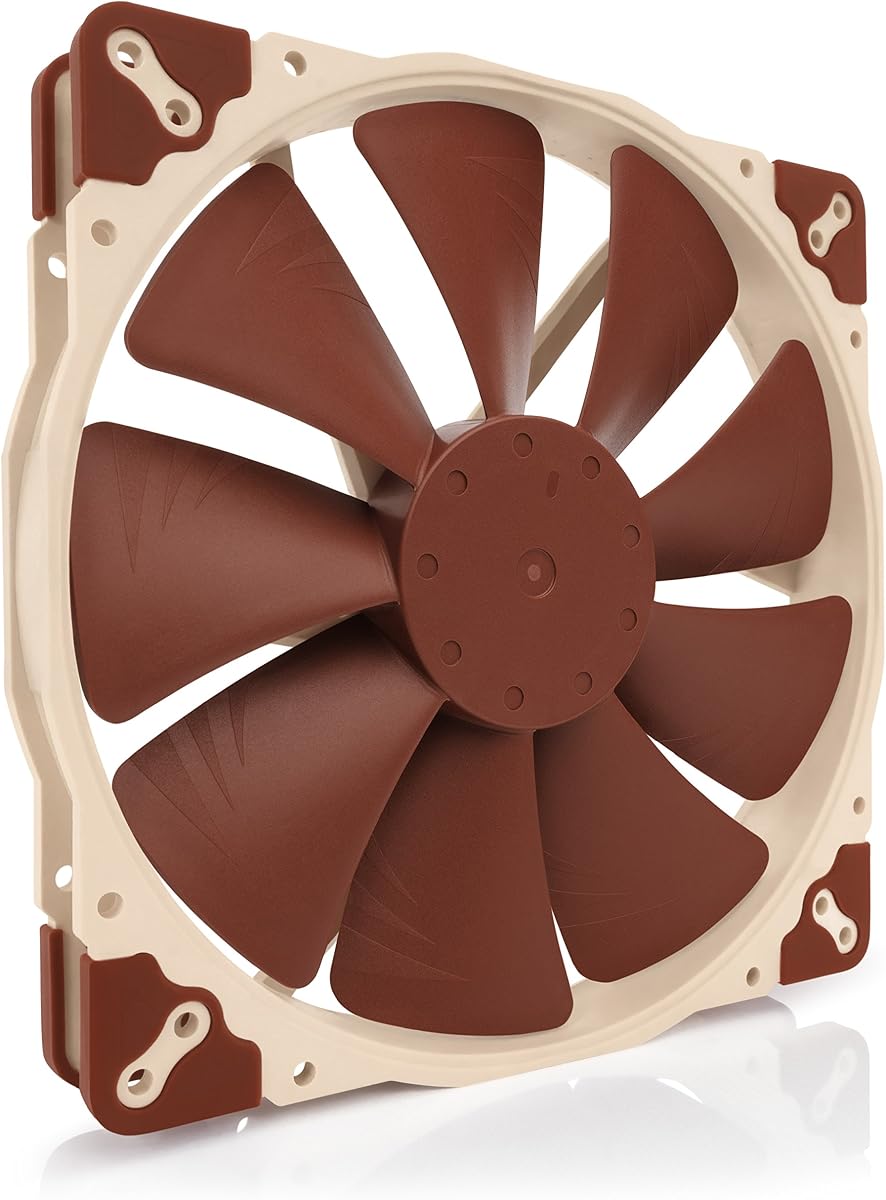
The Noctua NF-A20 PWM stands out as a premium cooling solution designed for users who prioritize silence and reliability. With a remarkable 4.8 rating, this fan delivers high performance while maintaining extremely low noise levels through advanced acoustic optimization.
We may earn a commission when you buy through this link, at no additional cost to you.
Its award-winning A-series design features Flow Acceleration Channels that enhance airflow without increasing turbulence. The fan operates at a maximum of 800 RPM ensuring minimal noise while still providing effective cooling for large chassis requiring significant air volume.
While the price is higher than budget alternatives, the build quality justifies the investment. The inclusion of anti-vibration mounts and multiple mounting hole configurations ensures compatibility with a wide range of PC cases making installation straightforward for any builder.
This fan is ideal for enthusiasts building quiet workstations or silent gaming rigs. Its longevity and performance make it a top recommendation for those who value consistent cooling over years of daily usage without degradation in acoustic performance.
The frame incorporates specific ridges and angles that reduce air turbulence ensuring smooth airflow with minimal acoustic disturbance.
Designed with a long-life bearing system this fan offers over 150,000 hours of operational lifespan for dependable cooling.
We may earn a commission when you buy through this link, at no additional cost to you.
The Thermaltake Pure 20 Series offers an excellent entry point for users seeking large fans without compromising on performance. Its thick 30mm frame allows for high air pressure ensuring efficient cooling even through restricted airflow paths in dense chassis.
We may earn a commission when you buy through this link, at no additional cost to you.
Despite its budget-friendly positioning, this fan includes anti-vibration mounting systems to minimize resonance and noise. The shaved frame design further aids in installation flexibility particularly for Thermaltake chassis but also compatible with standard mounting points.
Longevity may be a consideration as sleeve bearings generally have shorter lifespans than fluid dynamic bearings. However, for cost-conscious builders, the balance of silence, style, and efficiency makes this a compelling choice for secondary system builds.
This fan is best suited for casual users or budget builds where affordability is key. It provides reliable cooling performance with minimal noise making it a smart option for those needing replacement fans or extra intake/exhaust points.
The thick 30mm profile allows for larger blades that move more air per rotation improving cooling efficiency per watt.
Rubber pads dampen vibrations between the fan and case reducing rattling noise and improving overall acoustic performance.
We may earn a commission when you buy through this link, at no additional cost to you.
The Noctua NF-A20 PWM chromax.Black.swap combines the renowned quiet performance of the A-series with a sleek black aesthetic. It maintains the same superior airflow and low noise characteristics while offering visual customization for black-themed PC builds.
We may earn a commission when you buy through this link, at no additional cost to you.
Key features include Flow Acceleration Channels and Advanced Acoustic Optimisation frames that ensure high performance without excess noise. The chromax.black.swap edition includes swappable anti-vibration pads in multiple colors allowing users to match their system's visual theme exactly.
While it lacks RGB lighting, the ability to swap pad colors adds a unique touch to customization without sacrificing the fan's primary cooling duties. The robust construction and long MTTF rating ensure it will perform reliably for years of daily usage.
This fan is perfect for users who want premium cooling with a modern look. It suits those who prefer matte black components and value acoustic performance over flashy lighting effects in their high-end workstation or gaming setup.
Users can swap out the anti-vibration pads to match their case color or personal preference without disassembling the fan.
The frame geometry is specifically designed to reduce air resonance keeping noise levels extremely low even at peak speeds.
We may earn a commission when you buy through this link, at no additional cost to you.
The Thermaltake CT200 PWM Fan delivers robust cooling capabilities with an impressive 131.6 CFM of airflow. Designed to match the existing CT fan lineup it provides a cohesive look while offering solid performance for large chassis requiring significant air exchange.
We may earn a commission when you buy through this link, at no additional cost to you.
Its hydraulic bearing ensures silent operation while maintaining durability over time. The PWM control allows automatic speed adjustment between 500 and 900 RPM balancing noise and cooling based on system demands without manual intervention.
Daisy chain connectors simplify cable management by allowing multiple fans to connect to a single motherboard header. This feature reduces clutter inside the case making installation cleaner and more efficient for builds with multiple 200mm fan slots.
This fan is ideal for users seeking high airflow at a reasonable price. It works well as a primary intake or exhaust in large cases where volume matters more than absolute silence providing reliable thermal management for gaming PCs.
Integrated connectors allow you to link multiple fans reducing the number of cables needed inside your PC case.
Optimized blade design pushes large volumes of air ensuring effective heat dissipation even under heavy computational loads.
We may earn a commission when you buy through this link, at no additional cost to you.
The Cooler Master SickleFlow 200 aRGB brings vibrant lighting to large case fans without sacrificing cooling performance. Its frosted blade design disperses light beautifully creating a uniform glow that enhances the visual appeal of modern PC builds.
We may earn a commission when you buy through this link, at no additional cost to you.
Engineered for cases supporting 200mm fans this model uses Air Balance Blades to ensure efficient cooling and stable operation. The hybrid frame design minimizes noise through anti-resonance mounting ensuring that RGB aesthetics do not compromise acoustic quality.
The bearing features a two-tier sealing mechanism that prevents dust and oil leakage extending the lifespan of the fan. This attention to detail ensures that the fan remains reliable even in environments with higher dust accumulation or humidity.
This fan is best for users who prioritize aesthetics alongside performance. It suits gaming setups where RGB lighting is a key feature allowing for synchronized lighting effects that match other system components for a cohesive look.
Frosted blades diffuse light evenly reducing harsh spots and creating a smooth luminous effect across the fan face.
Sealing technology protects the internal bearing from dust ingress ensuring consistent performance over time.
We may earn a commission when you buy through this link, at no additional cost to you.
The Noctua NF-A20 FLX offers a simple and reliable solution for users who prefer fixed speed settings over PWM control. With a 3-pin Molex interface it connects easily to power supplies or motherboard headers providing consistent cooling without complex configuration.
We may earn a commission when you buy through this link, at no additional cost to you.
It comes with a Low-Noise Adaptor allowing you to switch between 800 RPM for maximum airflow and 550 RPM for near-silent operation. This flexibility ensures you can tailor the fan performance to your specific system requirements and acoustic preferences.
As with all Noctua fans, the build quality is exceptional with a focus on long-term reliability and quiet operation. The inclusion of extension cables and anti-vibration mounts ensures installation is convenient and secure in any chassis.
This fan is ideal for users who want simplicity and proven performance. It is perfect for legacy systems or builds where PWM headers are limited but high-quality cooling is still a priority for maintaining optimal component temperatures.
The FLX designation indicates fixed speeds allowing manual switching via adaptors rather than software controlled PWM.
Included extension cables help reach difficult mounting locations ensuring fans can be installed where air needs to flow.
We may earn a commission when you buy through this link, at no additional cost to you.
The Noctua NF-A20 5V PWM is a unique option designed for devices that utilize 5V power supplies instead of standard 12V. It includes a USB power adaptor cable allowing operation from USB host ports power banks or USB power supplies.
We may earn a commission when you buy through this link, at no additional cost to you.
Despite the lower voltage requirement it maintains the same Flow Acceleration Channels and acoustic optimization as standard models. This ensures superior cooling performance at low noise levels making it versatile for various environments beyond just traditional PC cases.
Polarity protection ensures safe operation even if connected to unconventional power sources. The OmniJoin adaptor set simplifies connection to proprietary headers further expanding its usability in specialized setups or custom projects.
This fan is best for users with non-standard power requirements or those seeking a compact yet powerful solution. It is excellent for server rack builds NAS devices or portable setups needing quiet efficient cooling via USB power.
Designed to run on 5V USB power making it suitable for devices without standard 12V fan headers.
OmniJoin adaptor set allows easy connection to custom or manufacturer-specific fan headers found in niche hardware.
We may earn a commission when you buy through this link, at no additional cost to you.
The Cooler Master MF200R RGB combines premium quality with an affordable price point offering solid performance for those seeking RGB lighting. Its hybrid design applies the right amount of static air pressure without sacrificing airflow for balanced cooling.
We may earn a commission when you buy through this link, at no additional cost to you.
Certified compatible with major motherboard RGB ecosystems such as Asus Aura and MSI Mystic Light it integrates seamlessly into existing lighting setups. The smart fan sensor protects the motor from jams ensuring longevity and safe operation over time.
Noise levels are kept low at 28 dB(A) thanks to sound absorbing rubber pads and noise reduction technology. This makes it suitable for bedroom PCs where quiet operation is necessary even when lighting effects are active.
This fan is best for budget-conscious builders who want RGB customization without breaking the bank. It delivers sufficient airflow for standard gaming builds and provides a visually appealing upgrade over stock fans in compatible cases.
Built-in protection stops the motor if the fan blades are obstructed preventing damage to the fan or hardware.
Combines helicopter blade concepts with jet engine optimization for efficient airflow at lower rotational speeds.
We may earn a commission when you buy through this link, at no additional cost to you.
The CHICIRIS 200mm Case Fan focuses on silent operation and vibrant lighting for those seeking a reliable and bright cooling solution. Its hydraulic bearing design reduces lubricant leakage ensuring stable performance over an extended lifespan compared to standard sleeve bearings.
We may earn a commission when you buy through this link, at no additional cost to you.
With 34 LED lamp beads this fan creates a uniform soft glow that enhances the visual appeal of any setup. The frosted blade design further diffuses light reducing harsh spots for a smooth and pleasant aesthetic effect across the case.
Motherboard sync control allows users to customize lighting effects directly from their software supporting major brands and standard 5V 3-pin ARGB protocols. This ensures flexibility for builders who want to integrate lighting into their existing ecosystem.
This fan is ideal for users looking for a quiet well-lit option at a competitive price. It delivers decent airflow while keeping noise levels extremely low making it suitable for media centers or office PCs where silence is valued.
Advanced oil storage reduces friction and leakage ensuring the fan runs quietly for years of consistent performance.
34 LEDs provide bright and even illumination making this fan stand out in any RGB-enabled PC build.
We may earn a commission when you buy through this link, at no additional cost to you.
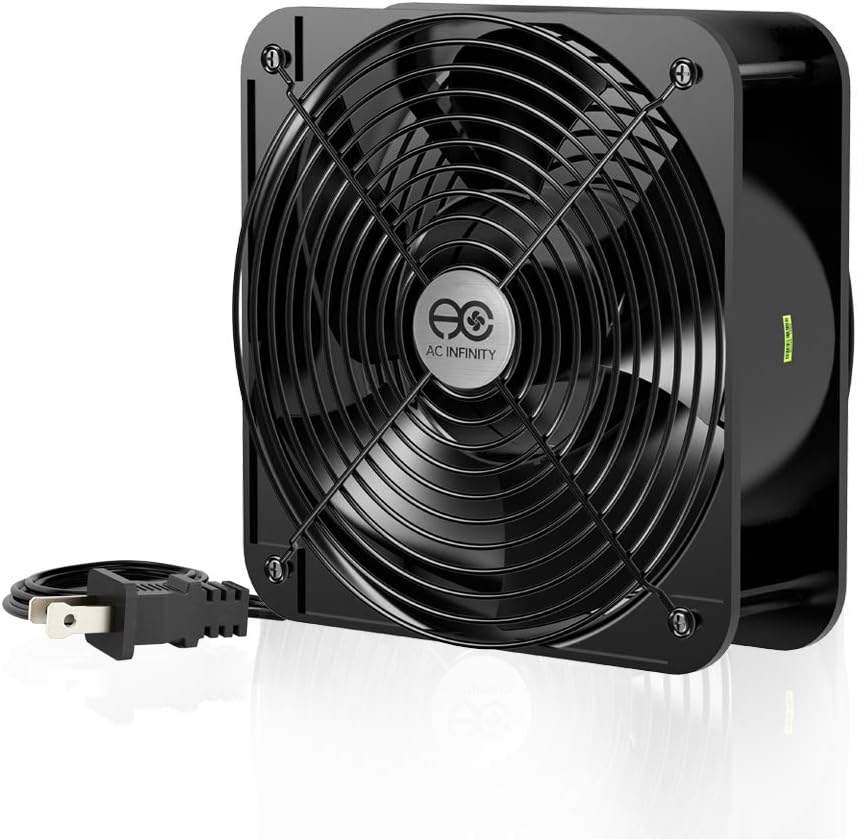
The AC Infinity AXIAL 2060 is a heavy-duty muffin fan designed for projects requiring maximum ventilation rather than silent PC cooling. It operates on 120V AC power making it independent of motherboard headers and ideal for server racks or industrial enclosures.
We may earn a commission when you buy through this link, at no additional cost to you.
With an impressive 425 CFM of airflow this fan moves massive amounts of air ensuring rapid heat dissipation for high-density electronic equipment. Dual-ball bearings provide a lifespan of 67,000 hours allowing for long-term continuous operation without maintenance.
While it is too loud for standard quiet builds its rugged construction and high performance make it perfect for noise-tolerant environments. Included guards and mounting screws ensure safety and stability during installation in custom or industrial setups.
This fan is best for users needing powerful ventilation for specialized applications. It excels in server rooms workshops or any scenario where airflow is prioritized over acoustic comfort and reliability over years of daily usage.
Designed for heavy-duty projects such as server racks or cabinets requiring maximum airflow capacity and durability.
Runs on standard 120V AC outlets removing dependency on PC power supplies or motherboard headers.
We may earn a commission when you buy through this link, at no additional cost to you.
Selecting the right 200mm case fan requires balancing performance noise and budget to fit your specific needs.
Airflow measured in CFM indicates how much air the fan moves per minute while static pressure measures its ability to push air through restricted paths. High CFM is ideal for open chassis while high static pressure is better for radiators or dense filters.
Prioritize high CFM for general case ventilation and high static pressure if you plan to use the fan for radiators or dust filters.
Noise is measured in decibels dB(A) and determines how quiet the fan is during operation. Lower ratings are essential for silent builds while higher ratings may be acceptable for noisy environments like gaming lounges.
Check the maximum dB rating and consider fans with noise reduction technology if you prioritize a quiet workspace.
Bearings affect the lifespan and reliability of the fan. Hydraulic and dual-ball bearings typically offer longer life and better silence than basic sleeve bearings found in budget models.
Choose hydraulic or ball bearings for long-term reliability especially in environments with high dust or continuous operation.
PWM fans use a 4-pin connector for automatic speed control based on temperature while 3-pin fans rely on fixed speeds or voltage control. PWM offers better thermal management without manual intervention.
Prefer PWM fans if your motherboard supports it for automatic noise and temperature balancing without extra software.
RGB fans add visual flair but often require controllers or motherboard sync. Consider if lighting matters to your setup since non-RGB fans are generally more affordable and simpler to install.
If you want lighting choose fans compatible with your motherboard's 5V ARGB protocol for seamless integration.
200mm fans come with different mounting hole configurations. Some support standard 200mm screws while others offer multiple hole sets like 154×154 or 170x170mm for broader chassis compatibility.
Verify the mounting hole dimensions match your case to ensure a secure fit without needing adapters.
Frame materials and blade design impact vibration and durability. Reinforced frames and anti-vibration mounts reduce noise while PBT plastic frames resist warping over time.
Look for sturdy frame materials and included rubber pads for vibration damping during high-speed operation.
Most PC fans run on 12V DC from the motherboard or power supply but industrial options use 120V AC. Ensure your build can support the required power source for the specific model you choose.
Confirm your PC's power delivery matches the fan's requirements to avoid compatibility issues during installation.
Install fans with a balanced intake and exhaust configuration to promote efficient airflow and prevent heat buildup inside the case.
Regularly clean dust from fan blades using compressed air or a soft brush to maintain optimal performance and prevent bearing wear.
Monitor fan speeds through BIOS or software tools to ensure they adjust correctly to system loads and do not run at maximum constantly.
Yes generally larger fans move the same amount of air at lower RPM which reduces noise. A 200mm fan typically operates more quietly than a smaller fan pushing equivalent airflow volume.
PWM fans use a fourth wire for pulse-width modulation allowing automatic speed control based on temperature. 3-pin fans rely on fixed speeds or voltage changes which may be less efficient for dynamic cooling.
If your motherboard supports 5V ARGB headers you can connect directly without a controller. Otherwise you will need a compatible hub to sync lighting with other components.
Most 200mm fans will not fit 140mm mounts. You typically need a dedicated 200mm mounting point unless using an adapter which may not be standard.
Yes you can use a splitter cable or daisy chain connectors if supported. Ensure the total power draw does not exceed the header's rated current limit.
High-quality fans with hydraulic or ball bearings can last 50,000 to 150,000 hours. This equates to years of continuous usage under normal operating conditions.
The top picks highlight distinct strengths from the superior silence of Noctua to the budget-friendly efficiency of Thermaltake and the vibrant aesthetics of Cooler Master. Each model offers specific advantages depending on your priority for noise or performance.
Prioritize airflow and noise metrics when selecting a fan to ensure it meets your thermal management needs without disrupting your environment. Consider your motherboard's support for PWM and ARGB before making a decision.
Please verify current availability and pricing on Amazon before purchasing as these details change frequently. We hope this guide helps you build a cooler and more efficient PC setup.