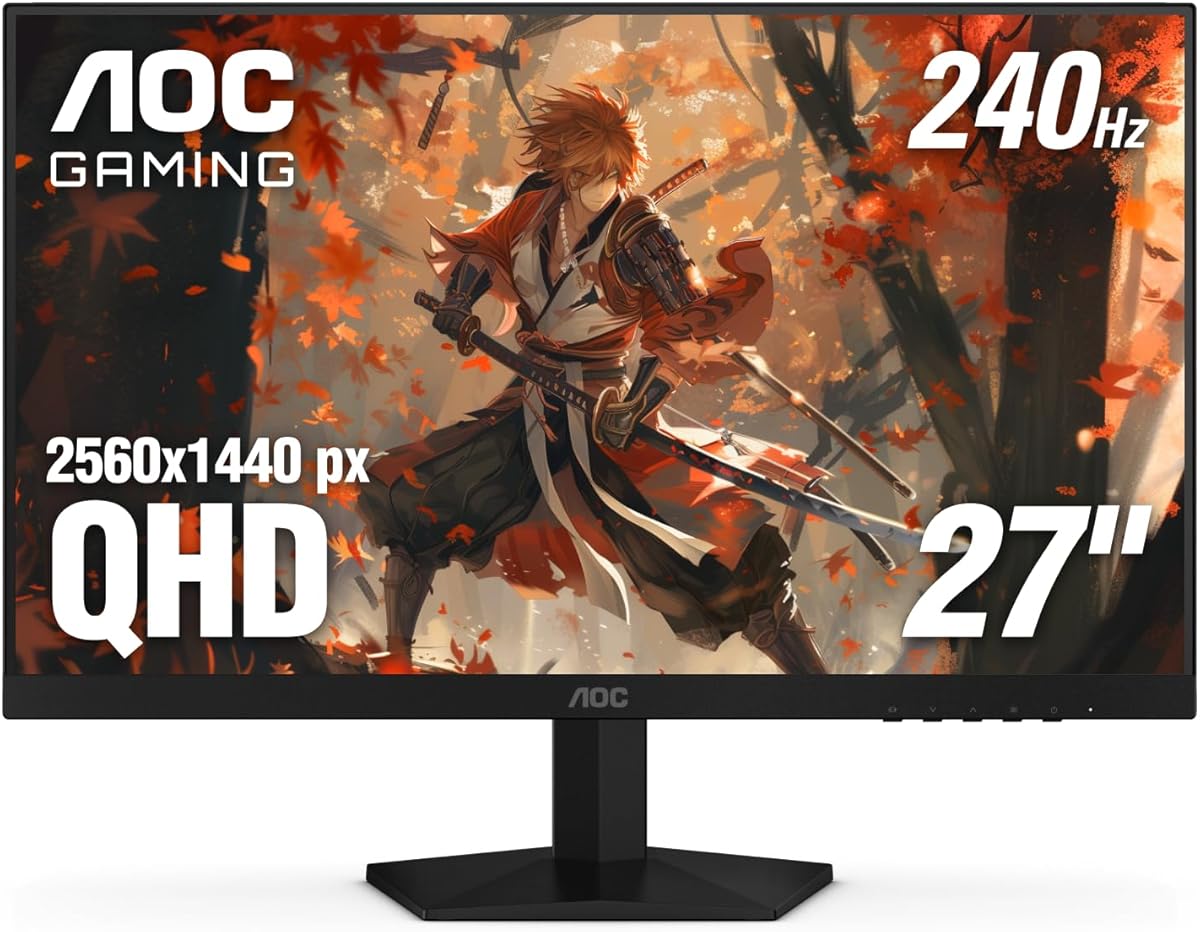
AOC 27 Gaming Gaming Monitor QHD 260Hz Overclocked IPS NVIDIA G-SYNC Q27G41ZE
4.6Editor score
240Hz refresh rate via DisplayPort
0.3ms MPRT response time
Adaptive-Sync support for AMD and NVIDIA
Finding the right display for competitive gaming requires balancing resolution, speed, and visual fidelity. The 1440p gaming monitors at 240Hz category offers an ideal sweet spot for enthusiasts who demand crisp details without sacrificing frame rates in fast-paced titles.
We have analyzed ten leading models from trusted brands like Acer, ASUS, MSI, and LG. Each product was evaluated based on panel technology, refresh rate capabilities, response times, and overall build quality to ensure you get the best performance for your investment.
Every pick in this list highlights unique strengths whether you need speed for esports or color accuracy for content creation. Please note that product availability and pricing change frequently, so always verify current details before making your final purchase decision today.
4.6Editor score

4.4Editor score

4.5Editor score
As an Amazon Associate we earn from qualifying purchases.
The following table provides a side-by-side comparison of all ten models featured in this guide. It highlights key specifications such as panel type, connectivity options, and unique features to help you quickly identify which monitor best fits your specific gaming requirements.


The AOC Q27G41ZE stands out as a powerful contender in the high refresh rate category. With a strong 4.6 star rating from users, it delivers exceptional value for competitive gamers who need speed without breaking the bank. Its 2560×1440 resolution paired with 240Hz ensures crisp visuals and smooth motion.
We may earn a commission when you buy through this link, at no additional cost to you.
This monitor excels in raw performance metrics. The 0.3ms MPRT response time minimizes motion blur significantly, allowing you to track fast-moving targets with precision. Adaptive-Sync support ensures fluid gameplay across different graphics card brands, eliminating screen tearing and stuttering during intense sessions.
While the stand offers tilt adjustment, it lacks height or pivot options which might limit ergonomic customization for some users. Additionally, the absence of a USB hub means you will need separate cables for peripherals. However, these trade-offs are acceptable given the price point and performance gains.
If you prioritize raw speed and color accuracy at a budget-friendly price, this model is an excellent choice. It suits FPS players who need every millisecond advantage. We recommend it for anyone seeking a reliable 240Hz experience without the premium cost of OLED technology.
The 240Hz refresh rate ensures smooth motion during high frame rate gaming, reducing blur and improving target tracking in competitive shooters.
Adaptive-Sync support means you can use this monitor with both AMD and NVIDIA GPUs without experiencing screen tearing or input lag issues.
We may earn a commission when you buy through this link, at no additional cost to you.
The Acer Nitro XV272U is a versatile option for gamers who want a complete package. It features a robust ergonomic stand that allows height, swivel, and pivot adjustments, making it easy to fit into any desk setup. The 240Hz refresh rate via DisplayPort delivers the smooth motion required for competitive play.
We may earn a commission when you buy through this link, at no additional cost to you.
Users appreciate the comprehensive stand options which are rare at this price point. The 1ms response time ensures sharp visuals, and the inclusion of built-in speakers adds convenience for media consumption. The IPS panel provides wide viewing angles and vibrant colors suitable for mixed usage.
However, the HDMI port caps at 144Hz, meaning you must use DisplayPort for full performance. This can be restrictive if your graphics card only has HDMI slots available. Additionally, user ratings are slightly lower than other models in this lineup, suggesting minor inconsistencies.
This monitor is ideal for users who value ergonomics and versatility over absolute top-tier performance. It works well for both gaming and productivity tasks. If you need a fully adjustable stand and decent audio without external speakers, this is a strong candidate.
The stand supports height, tilt, swivel, and pivot adjustments, ensuring comfortable viewing angles for long gaming or work sessions.
Integrated 2 Watt speakers allow for basic audio output without needing external speakers, reducing cable clutter on your desk.
We may earn a commission when you buy through this link, at no additional cost to you.
The LG UltraGear 27GR83Q-B is a premium IPS monitor that delivers exceptional versatility. It supports 240Hz on both DisplayPort and HDMI 2.1, making it compatible with next-gen consoles and PC setups alike. With an official G-SYNC Compatible certification, you get smooth gameplay without tearing across hardware platforms.
We may earn a commission when you buy through this link, at no additional cost to you.
Its color performance is standout with 95 percent DCI-P3 coverage and DisplayHDR 400 support. This makes it suitable for creative work and gaming alike. The gaming GUI includes features like Black Stabilizer and Crosshair overlays, giving you tactical advantages during gameplay. DTS Headphone:X adds immersive spatial audio.
The main downside is the price point compared to entry-level models. You are paying for the HDMI 2.1 bandwidth and color accuracy. Additionally, the lack of USB ports means you must route all peripherals through your PC. These minor drawbacks are offset by the overall feature set and reliability.
If you want a do-it-all monitor that excels in color and speed, this is the top pick. It balances performance and visual fidelity better than most. For users who value HDMI 2.1 connectivity and certified G-SYNC support, this model offers unmatched value.
Both HDMI 2.1 and DisplayPort 1.4 support 240Hz, allowing you to use high refresh rates with consoles and PCs without extra adapters.
Features like Black Stabilizer and Crosshair overlays help enhance visibility and precision during fast-paced competitive gaming sessions.
We may earn a commission when you buy through this link, at no additional cost to you.
The Acer Predator X27U represents the pinnacle of gaming display technology. Its Quantum Dot OLED panel provides infinite contrast and deep blacks that IPS panels cannot match. Combined with a 0.03ms response time, motion blur is virtually non-existent. This is the ultimate choice for immersive single-player games.
We may earn a commission when you buy through this link, at no additional cost to you.
Color accuracy is another strong suit with 99 percent DCI-P3 coverage and Delta E<2 precision. The ZeroFrame design removes bezels for a seamless visual experience. AMD FreeSync Premium ensures smooth visuals without tearing. The 26.5-inch size is ideal for esports tournaments due to its optimal field of view.
The main consideration is the premium price tag compared to standard IPS monitors. OLED panels also carry a slight risk of burn-in if static images are displayed for long periods. However, measures like image retention refresh help mitigate this risk for general users.
If you want the best possible visual fidelity and speed, this model is the clear winner. It brings a cinematic quality to gaming that changes the experience. It is worth the investment for users who prioritize picture quality above all else.
Quantum Dot OLED technology delivers infinite contrast ratios, allowing for perfect blacks and incredibly vibrant colors in dark scenes.
The 0.03ms G to G response time eliminates motion blur entirely, providing crystal-clear images even during the fastest action sequences.
We may earn a commission when you buy through this link, at no additional cost to you.
The KTC H27E6S stands out with its clean white finish that matches modern setups beautifully. It features a Fast IPS panel that supports a native 240Hz refresh rate which can be overclocked to 275Hz. This makes it a very fast option for competitive gaming at an affordable price point.
We may earn a commission when you buy through this link, at no additional cost to you.
Color reproduction is strong with 123 percent sRGB coverage and HDR400 support. The monitor includes dual built-in speakers and a 3.5mm headphone jack for convenient audio. It supports VESA mounting which adds flexibility for arm setups. The stand offers height, tilt, swivel, and pivot adjustments.
Since it is a newer product, there are no customer reviews to verify long-term reliability. The brand is less established than competitors like LG or Acer. However, the feature set is impressive for the cost. You get solid performance and unique style without a premium price.
This monitor is a great choice for users who want a white gaming setup on a budget. It offers high refresh rates and decent color accuracy. If you are willing to try a newer brand for style and value, this is a compelling option to consider.
The white finish adds a clean modern touch to your workspace, distinguishing it from standard black gaming monitors.
The native 240Hz rate can be overclocked to 275Hz for even smoother motion in supported games and applications.
We may earn a commission when you buy through this link, at no additional cost to you.
The ASUS ROG XG27ACMG brings professional features to the gaming space. Its standout feature is the USB Type-C port with DP Alt mode, which simplifies connectivity for laptops. The 270Hz overclocked refresh rate ensures ultra-fast motion handling. This is a great fit for hybrid users who game and create.
We may earn a commission when you buy through this link, at no additional cost to you.
Color accuracy is robust with 95 percent DCI-P3 coverage and advanced gray-scale tracking. DisplayWidget Center allows for easy settings adjustments via mouse. It includes a three-month Adobe Creative Cloud subscription which adds value for creators. The ROG Gaming A.I technology enhances the overall gaming experience.
The main drawback is the price, which is higher than many rivals. You also need the right cable to utilize USB-C effectively. Despite the cost, the single-cable solution and creator tools make it a compelling option. It bridges the gap between gaming monitors and productivity screens.
If you use a laptop for work and gaming, this is an excellent all-in-one solution. The USB-C connectivity alone can save desk space and cables. It suits users who need high refresh rates and professional color performance without switching monitors.
USB Type-C with DP Alt mode lets you connect and power a device with just one cable, reducing desk clutter significantly.
A complimentary three-month Adobe Creative Cloud subscription adds value for users who also handle photo or video editing tasks.
We may earn a commission when you buy through this link, at no additional cost to you.
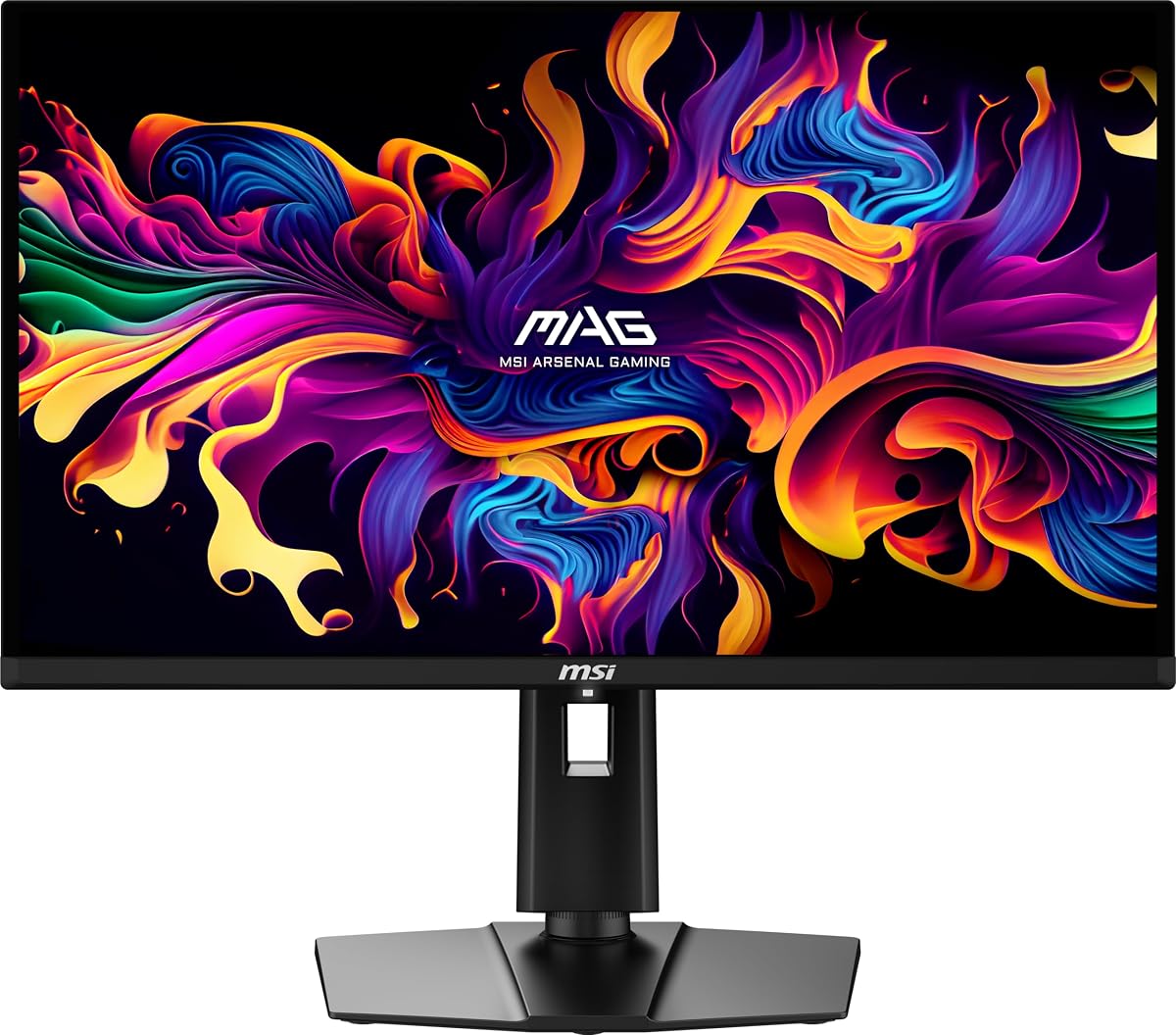
The MSI MAG 274QP QD-OLED X24 delivers elite performance for serious gamers. Its Quantum Dot OLED panel offers infinite contrast and deep blacks. The 0.03ms response time ensures no ghosting. This model features a Graphene heatsink for silent, fanless operation which keeps noise levels low.
We may earn a commission when you buy through this link, at no additional cost to you.
MSI GI software provides OLED Care 2.0 to help prevent burn-in. AI Crosshair overlays give you an edge in aiming. HDMI 2.1 ensures you can use this with next-gen consoles easily. The stand offers full height and tilt adjustments for ergonomics.
The price is higher than IPS alternatives, and OLED technology requires some care. Burn-in can occur with static images over long periods. However, the image quality and speed make it worth the investment. It is a top-tier choice for visual fidelity.
This monitor is perfect for users who want the best in color and motion. The silent cooling is a bonus for quiet environments. If you play mostly dark games and value contrast, this panel technology offers an experience you cannot get elsewhere.
The Graphene heatsink enables silent fanless operation, ensuring heat is dissipated efficiently without any fan noise.
OLED Care 2.0 software actively monitors panel usage to help prevent image retention and extend the lifespan of the display.
We may earn a commission when you buy through this link, at no additional cost to you.
The Alienware AW2723DF combines style and performance. Its iconic Lunar Light design with AlienFX lighting adds a unique look to any setup. The IPS Nano Color panel delivers 95 percent DCI-P3 coverage. VESA DisplayHDR 600 certification ensures bright, vibrant images for a truly immersive experience.
We may earn a commission when you buy through this link, at no additional cost to you.
Performance is top-notch with up to 280Hz overclocking and 1ms GtG response time. NVIDIA G-SYNC Compatible certification ensures smooth, tear-free gameplay. The stand offers full adjustability including swivel, pivot, tilt, and height. Cable management is improved to keep your desk clean.
The price is higher due to the branding and design. The stand takes up more desk space than slim alternatives. However, the build quality and visual appeal are undeniable. It fits users who want a premium look with solid specs.
This monitor is ideal for those who prioritize aesthetics without compromising performance. The 280Hz potential gives you extra headroom for competitive play. If you want a monitor that stands out as much as it performs, this is the perfect choice.
The Legend 2.0 design with AlienFX lighting signature creates a striking visual presence that complements high-end gaming stations.
VESA DisplayHDR 600 certification ensures bright, vibrant images with excellent contrast, enhancing the visual impact of your games.
We may earn a commission when you buy through this link, at no additional cost to you.
The Acer Nitro KG271U is a great option for hybrid use. It features a zero-frame design that maximizes screen space visually. The IPS panel supports 99 percent sRGB color accuracy, making it ideal for designers and photographers. At the same time, it offers up to 240Hz for gaming.
We may earn a commission when you buy through this link, at no additional cost to you.
Response time is 0.5ms GTG which is fast enough for most titles. AMD FreeSync Premium reduces tearing and stuttering effectively. The monitor supports 240Hz for ultra-smooth motion. This balance makes it versatile for work and play without needing two screens.
The stand lacks height adjustment, which might limit ergonomics for some setups. The response time is slightly slower than premium models. However, the color accuracy and zero bezel look are hard to beat at this price. It is a solid mid-range pick.
If you need one monitor for both gaming and color-critical work, this is a great choice. It handles design tasks well while keeping up with gaming demands. For users who prioritize color accuracy and bezel-less style, this model delivers value.
The zero-frame design removes thick borders to free up precious screen space and provide a seamless viewing experience.
Support for 99 percent sRGB ensures accurate colors, making it ideal for graphic designers and photographers who need precision.
We may earn a commission when you buy through this link, at no additional cost to you.
The MSI MAG 271QPX QD-OLED E2 brings OLED technology to the QHD class. It features a QD-OLED panel with True Black HDR 400 support. This ensures deep contrast and vibrant colors. The 0.03ms response time is unmatched for speed. It includes a custom heatsink for silent operation.
We may earn a commission when you buy through this link, at no additional cost to you.
OLED Care 2.0 helps mitigate burn-in risks. This monitor supports 240Hz for smooth motion in fast games. The stand offers tilt and height adjustments. It is a premium device that brings cinematic visuals to gaming. The fanless design ensures no distraction from sound.
The price is high for an OLED panel, but the value is there. Careful settings management is required for longevity. However, the visual quality and speed are worth the investment. It is ideal for users seeking the best in motion and contrast.
This monitor is a top pick for immersive gaming. The QD-OLED panel offers a unique viewing experience. If you want deep blacks and fast speeds without fan noise, this is an excellent choice for high-end setups.
True Black HDR 400 support ensures deep blacks and dynamic contrast, enhancing dark scenes for a cinematic gaming feel.
Custom heatsink enables fanless design, ensuring silent operation without the noise of active cooling fans.
We may earn a commission when you buy through this link, at no additional cost to you.
Choosing the right monitor requires understanding several key factors. This guide breaks down what matters most to help you make an informed decision.
The refresh rate determines how many times per second the display updates. A 240Hz rate ensures smoother motion and reduced blur during fast-paced gaming. This is critical for competitive shooters where every millisecond counts.
Look for models that support 240Hz via both HDMI and DisplayPort if possible. Check if overclocking options exist to boost this speed further.
Response time measures how quickly a pixel changes color. Lower values like 0.3ms or 0.03ms minimize ghosting and motion blur. This ensures sharp visuals during rapid movements.
Prioritize models with low MPRT or GtG ratings. Faster response times lead to clearer images during high-speed gameplay.
IPS panels offer great color and viewing angles. OLED panels provide infinite contrast and perfect blacks. Consider your priorities between color accuracy and contrast.
Choose IPS for versatility and contrast. Choose OLED for immersive dark scenes and premium visuals.
Adaptive Sync technologies like G-SYNC and FreeSync prevent screen tearing. They match the monitor refresh rate to the GPU frame rate for smooth gameplay.
Ensure your graphics card supports the sync type you choose. NVIDIA G-SYNC Compatible or AMD FreeSync Premium are best options.
Check the available ports on your graphics card. DisplayPort 1.4 and HDMI 2.1 are necessary for full 240Hz performance at 1440p. USB-C adds convenience for laptops.
Prioritize monitors with sufficient bandwidth ports. Ensure you have the right cables to avoid limiting refresh rates.
A good stand supports tilt, height, swivel, and pivot adjustments. Ergonomic features help reduce neck strain during long gaming sessions. VESA mounting is useful for arms.
Check if the stand offers height adjustments. Full adjustability ensures comfortable viewing angles regardless of desk height.
High sRGB and DCI-P3 coverage ensure vibrant and true-to-life visuals. Look for monitors with 90 percent or more DCI-P3 coverage for high fidelity.
Choose models with high color gamut support. This matters for both gaming immersion and creative work.
Features like black stabilizers, crosshair overlays, and high brightness modes enhance gameplay. HDR support adds dynamic contrast for better image quality. Built-in speakers save space.
Evaluate specific gaming features that match your play style. Look for tools that give you tactical advantages.
Proper cable connection is essential. Use DisplayPort 1.4 for maximum bandwidth to ensure the 240Hz refresh rate works correctly. HDMI 2.1 works too on some models, but DP is generally preferred for PC gaming.
Adjust the monitor settings using the OSD menu. Enable adaptive sync in both Windows and the monitor. Set brightness to comfortable levels to reduce eye strain. Use low blue light filters if needed for night sessions.
To extend lifespan, avoid displaying static images for too long. Use screen savers or enable power-saving modes. Clean the screen with a microfiber cloth to avoid scratches. Ensure the fan or heatsink remains dust-free for proper cooling.
Yes, 240Hz significantly reduces motion blur compared to 60Hz or 144Hz. This allows for smoother tracking of targets. The difference is most noticeable in fast-paced shooters.
1440p offers sharper visuals and more detail. However, it demands more GPU power. If your PC can handle it, 1440p is better for both gaming and media consumption.
Many modern consoles like PS5 support 1440p at high refresh rates. Check if your model supports HDMI 2.1 to ensure full performance is available.
G-SYNC is NVIDIA branded, while FreeSync is AMD branded. Both prevent tearing. G-SYNC Compatible monitors work with both. Check your GPU brand before choosing.
OLED panels can suffer from image retention if static elements are visible for hours. Modern monitors use pixel shifting to prevent this. Changing content helps avoid damage.
Response time affects clarity. Lower values like 1ms or less minimize ghosting. This is vital for competitive shooters where clarity matters more than resolution.
We highlighted ten top monitors ranging from budget-friendly options to premium OLEDs. Each offers unique strengths like speed, color, or connectivity. The AOC budget pick is best for value, while the LG and Acer OLED models offer top performance.
Prioritize features that matter most to you. If you play FPS games, focus on response times. If you do creative work, focus on color gamut. A good monitor balances all these needs well.
Remember that prices change regularly. Check current listings and reviews before buying. This ensures you get the best value for your investment today.