
Alienware 25 Gaming Monitor AW2523HF
4.6Editor score
360Hz variable refresh rate
Fast IPS panel
0.5ms GtG response
Choosing the right gaming monitor is critical for competitive performance and immersive visuals. Alienware offers a diverse lineup tailored to different play styles, from esports enthusiasts to cinematic explorers.
We have analyzed ten distinct models based on panel technology, refresh rates, response times, and connectivity options. Each entry reflects real-world usage scenarios and technical specifications provided by the manufacturer.
Each pick highlights unique strengths, trade-offs, and ideal use cases. Please note that availability and configurations may vary by region and retailer. Always verify current specs before purchasing.
4.6Editor score

4.5Editor score

4.3Editor score
As an Amazon Associate we earn from qualifying purchases.
This side-by-side comparison evaluates key specifications across all ten models. We focus on resolution, refresh rate, panel type, and special features to help you identify the ideal match for your setup.




This ultrawide model stands out for its QD-OLED technology, delivering vibrant colors and deep blacks. With a 240Hz refresh rate and near-zero response time, it is ideal for competitive gaming and cinematic experiences.
We may earn a commission when you buy through this link, at no additional cost to you.
The 1800R curve wraps around your field of view, enhancing immersion significantly. Colors cover 99.3% of DCI-P3, ensuring accuracy for both gaming and creative work. Adaptive sync technologies guarantee smooth motion without tearing.
While the price is high, the performance justifies it for enthusiasts seeking top-tier visuals. The design balances aesthetics and function, though the base could offer more ergonomic flexibility for tall setups.
Choose this if you want the best blend of speed and visual fidelity. It is perfect for gamers who prioritize smooth motion and color accuracy in single-player and multiplayer titles alike.
Quantum Dot OLED technology provides a wider color gamut and deeper blacks than standard panels, making dark scenes rich and vibrant.
With 240Hz refresh rate and minimal response time, motion blur is virtually eliminated, giving you a clear edge in fast-paced shooters.
We may earn a commission when you buy through this link, at no additional cost to you.
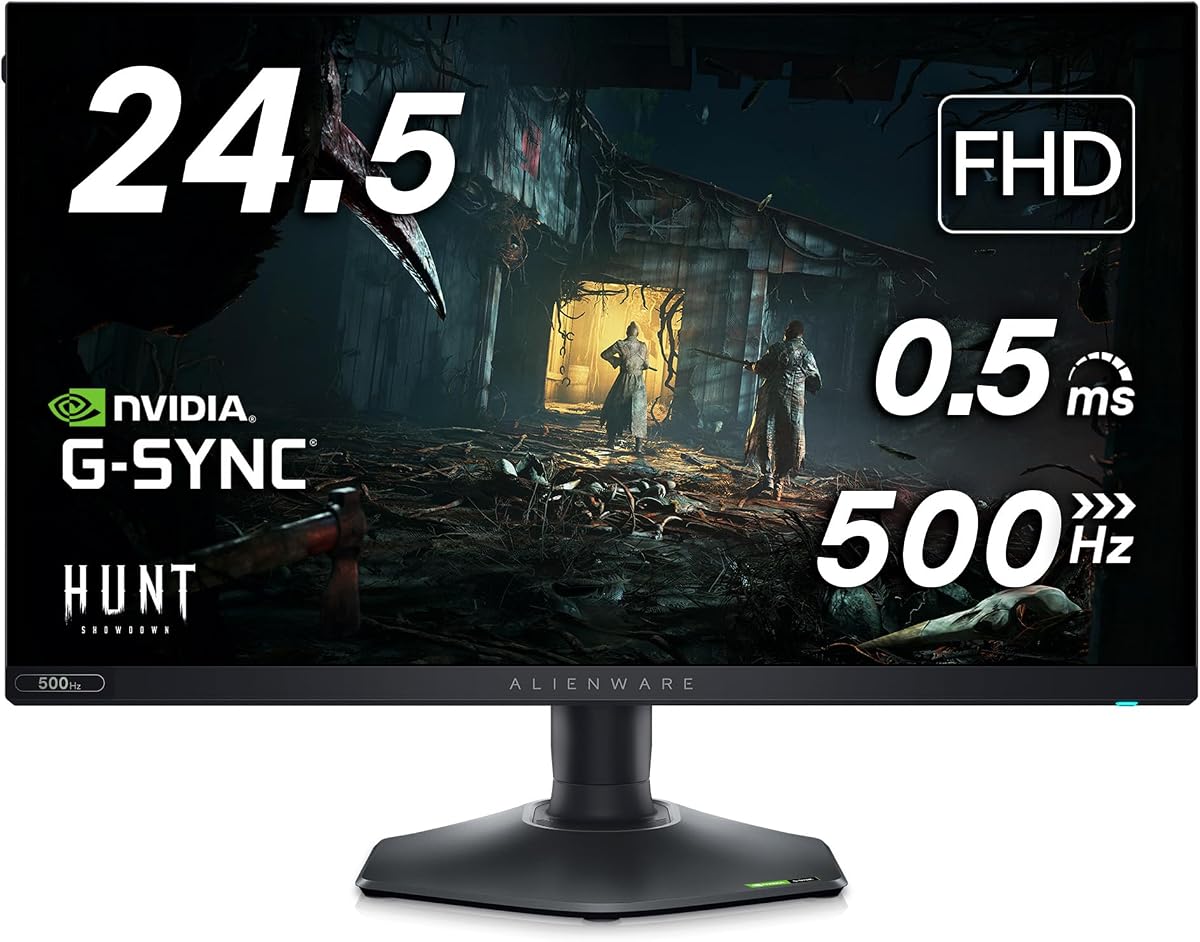
This model is designed for competitive players who need maximum speed. The 360Hz refresh rate and 0.5ms response time deliver ultra-smooth gameplay. Its design prioritizes function with a hexagonal base that saves desk space.
We may earn a commission when you buy through this link, at no additional cost to you.
AMD FreeSync Premium ensures tear-free visuals without needing expensive GPU upgrades. The stand supports height, tilt, swivel, and pivot adjustments, making it versatile for different seating positions. A headset hanger adds convenience.
The trade-off is Full HD resolution, which may lack detail for media consumption. However, for esports titles where clarity and speed matter most, this monitor excels. It is a smart choice for budget-conscious pros.
Buy this if you play FPS or MOBA games and prioritize frame rates over resolution. It delivers professional-grade performance at a price point accessible to most gamers.
The 360Hz refresh rate allows you to see enemy movements faster, reducing reaction times and improving competitive edge significantly.
The hexagonal base reduces footprint, giving you more room for keyboard and mouse movement during intense gaming sessions.
We may earn a commission when you buy through this link, at no additional cost to you.
This monitor brings premium OLED quality to gaming with G-SYNC ULTIMATE support. The 175Hz refresh rate and 0.1ms response ensure smooth motion while colors span 1.07 billion shades. Design includes 360-degree ventilation for longevity.
We may earn a commission when you buy through this link, at no additional cost to you.
Creator Mode allows precise color adjustments for work and play. The curved 1800R panel enhances immersion. Cable management and a centralized joystick simplify setup and daily usage. Lighting effects personalize your station.
While OLED panels offer unmatched visuals, users should manage burn-in risk by enabling pixel refresh features. The price is steep but justified by the top-tier technology and build quality.
Choose this if you want the ultimate visual experience for AAA titles. It suits gamers who value color depth, contrast, and smooth motion above all else.
True 0.1ms response time and infinite contrast ratio deliver cinematic quality with deep blacks and vivid highlights.
Ventilation and heat management systems help protect the OLED panel, extending the life of your premium display.
We may earn a commission when you buy through this link, at no additional cost to you.
This monitor offers a balanced mix of speed and clarity. The 180Hz refresh rate and WQHD resolution work well for both gaming and productivity. Color coverage reaches 95% DCI-P3, ensuring vibrant visuals.
We may earn a commission when you buy through this link, at no additional cost to you.
Low blue light technology reduces strain during long sessions. A console mode optimizes settings for connected systems. The design is clean and fits most setups without overwhelming the desk space.
While HDR brightness is modest compared to OLED, it handles SDR content well. This makes it a reliable choice for daily use without the complexity of premium panels.
Buy this for a reliable all-rounder. It is perfect for mixed-use setups where gaming and work balance equally.
Hardware-based low blue light preserves color accuracy while reducing eye strain, enabling longer comfortable use.
Dedicated console mode adjusts inputs and visuals for optimal performance with next-gen gaming consoles.
We may earn a commission when you buy through this link, at no additional cost to you.
This model merges QD-OLED visuals with a compact 27-inch footprint. The 240Hz refresh rate supports high-performance gaming. Quantum Dot technology enhances brightness and color purity over standard OLED.
We may earn a commission when you buy through this link, at no additional cost to you.
Its size fits well on standard desks while delivering immersive visuals. The panel covers a broad color spectrum, making content pop. Ventilation and design ensure stability and style.
Gaming on this display feels responsive and visually rich. However, smaller size may not appeal to ultrawide enthusiasts. It is ideal for focused gaming setups where desk space is limited.
Choose this for high-speed gaming without sacrificing OLED quality. It suits players wanting vibrant visuals in a compact form factor.
The 27-inch size offers a concentrated visual field perfect for competitive gaming and detailed media consumption.
Quantum Dot layers boost brightness and vibrancy, ensuring HDR content looks impactful even in bright rooms.
We may earn a commission when you buy through this link, at no additional cost to you.
This 4K model delivers extreme detail with 166 PPI. The 240Hz refresh rate supports high frame rates. Dolby Vision and OLED technology create stunning dark and light scenes.
We may earn a commission when you buy through this link, at no additional cost to you.
Renewed models offer significant savings while retaining core performance. The design features efficient cable management. However, verify warranty and inspection reports when purchasing renewed units.
Gaming at 4K requires powerful hardware, but visuals are unmatched. This monitor is for those wanting maximum sharpness and color depth.
Buy this if you seek top resolution and have a capable GPU. It transforms media and single-player gaming into vivid experiences.
166 PPI provides incredibly sharp text and image detail, reducing strain during productivity and immersive gaming.
Dolby Vision enhances dynamic range, delivering richer colors and deeper contrast for movies and games.
We may earn a commission when you buy through this link, at no additional cost to you.
This monitor pushes refresh rates to 480Hz, providing unmatched fluidity. 0.5ms response and NVIDIA Reflex minimize latency for peak competitive play. Anti-glare coating ensures clear visibility in bright environments.
We may earn a commission when you buy through this link, at no additional cost to you.
Fast IPS offers consistent colors across angles. Adjustability options let you set the perfect viewing position. It focuses purely on performance metrics that matter most to pros.
While it sacrifices resolution, the speed advantage is clear. It is ideal for players who value reaction times and smooth motion above all else.
Choose this for serious esports. If speed is your top priority, this display delivers professional-grade results.
NVIDIA Reflex Latency Analyzer integrates directly with the monitor to reduce system lag for faster reactions.
Anti-glare coating reduces reflections, ensuring clear visuals even in brightly lit gaming rooms.
We may earn a commission when you buy through this link, at no additional cost to you.
This bundle includes essential accessories like a USB hub and LED lighting. The monitor itself offers 360Hz speed and ergonomic adjustments. It simplifies setup by adding useful peripherals.
We may earn a commission when you buy through this link, at no additional cost to you.
The hub offers multiple ports for connectivity. The LED light adds ambiance to your setup. Together with the monitor, this package provides a complete station solution.
For gamers wanting convenience, this bundle is practical. The included tools reduce the need for third-party purchases.
Buy this for an all-in-one competitive setup. It saves time and effort in assembling a full gaming station.
The included USB hub provides convenient connectivity for multiple devices without adding cable clutter.
LED lighting enhances the aesthetic appeal of your setup with customizable illumination effects.
We may earn a commission when you buy through this link, at no additional cost to you.
This model offers 280Hz overclocked speeds and HDR600 brightness. The Nano Color panel delivers accurate colors. G-SYNC and FreeSync Premium Pro ensure tear-free visuals on any GPU.
We may earn a commission when you buy through this link, at no additional cost to you.
Fully ergonomic stand allows precise adjustments. The design balances style and function. It is suitable for HDR gaming and content consumption.
HDR content shines with higher brightness and contrast. This monitor brings cinematic quality to gaming without OLED complexity.
Choose this for HDR enthusiasts. It delivers bright, vibrant visuals and solid speed for most gaming needs.
HDR 600 certification ensures bright highlights and detailed shadows for immersive visual storytelling.
Nano Color technology expands color volume, making images more vibrant and true to life.
We may earn a commission when you buy through this link, at no additional cost to you.
This model set the standard for ultrawide gaming. The 120Hz refresh rate and Nano color tech ensure smooth visuals and accurate hues. G-SYNC guarantees synchronization for smooth motion.
We may earn a commission when you buy through this link, at no additional cost to you.
Anti-glare coating minimizes reflections. The curved screen enhances immersion. While older, its build quality and features remain relevant for most users.
It is a dependable choice for mixed-use and casual gaming. For those preferring stability and proven design, it is a strong contender.
Buy this for reliable, established performance. It suits gamers valuing proven quality over bleeding-edge specs.
This model's established design ensures long-term reliability and consistent performance over time.
Nano color technology enhances color volume and accuracy for vivid, true-to-life visuals.
We may earn a commission when you buy through this link, at no additional cost to you.
Selecting the ideal Alienware monitor requires balancing performance specs with personal needs. This guide outlines key factors to consider.
Refresh rate determines how many frames per second the display shows. Higher rates like 240Hz or 360Hz reduce motion blur and improve responsiveness. Competitive gamers benefit most from these high speeds.
Prioritize refresh rate if you play fast-paced shooters or need quick reactions.
Response time measures how quickly a pixel changes color. Faster times reduce ghosting and blur during motion. Aim for 1ms or less for optimal clarity.
Look for low response times to ensure sharp visuals during dynamic scenes.
Panel types include IPS, OLED, and QD-OLED. IPS offers consistent colors and wide viewing angles. OLED provides deeper blacks and infinite contrast. QD-OLED combines both for vibrant performance.
Choose panel type based on desired color accuracy and contrast levels.
Resolution affects image sharpness and detail. WQHD offers a balance of performance and clarity. 4K provides maximum detail but demands stronger hardware. FHD prioritizes speed over sharpness.
Select resolution based on your GPU capabilities and screen size.
Modern monitors support HDMI and DisplayPort. Check refresh rates supported per port to ensure compatibility with your GPU. Some models include USB hubs or USB-C for versatility.
Verify port types and versions to maximize performance potential.
Adjustable stands support height, tilt, swivel, and pivot. Proper ergonomics reduce strain during long sessions. Look for VESA mount compatibility if you prefer wall mounts.
Prioritize ergonomic adjustments for comfortable daily use.
G-SYNC and FreeSync prevent screen tearing by syncing refresh rates with GPU output. G-SYNC ULTIMATE offers advanced features but requires compatible hardware.
Choose sync technology matching your GPU brand for smooth visuals.
Features like HDR, RGB lighting, and low blue light modes enhance experience. HDR improves contrast in supported content. Blue light filters reduce eye strain during extended play.
Consider extra features that align with your usage habits.
Connect the monitor using the highest-quality DisplayPort cable supported by your setup. Ensure your GPU drivers are up to date to enable the full refresh rate and adaptive sync features.
Adjust brightness and contrast settings through the OSD menu to match your room lighting. Use the ergonomic stand to align the screen with your eye level for comfort during long sessions.
Protect OLED panels by enabling pixel shifting and screen savers. Clean the display with a soft microfiber cloth. Avoid harsh chemicals to preserve the coating and longevity.
QD-OLED uses quantum dots to boost brightness and color volume while retaining OLED benefits like infinite contrast. This results in more vibrant colors and better HDR performance compared to standard OLED panels.
Yes, Alienware monitors work with Mac computers via HDMI or DisplayPort. However, some proprietary features like G-SYNC require Windows and NVIDIA GPUs for full functionality.
Connect your monitor using DisplayPort and ensure G-SYNC is enabled in NVIDIA Control Panel. In the monitor OSD menu, activate G-SYNC compatible mode for optimal performance.
Most models include VESA 100x100mm mount compatibility. Check the specific model details to confirm exact dimensions and mounting requirements.
Yes, many models support HDMI 2.1 and offer console modes optimized for next-gen consoles. These settings reduce input lag and optimize picture modes for console output.
Higher refresh rates improve smoothness, with 144Hz or higher recommended for competitive gaming. For mixed-use or casual gaming, 60Hz to 120Hz may suffice depending on preferences.
OLED-based monitors have higher burn-in risk than IPS. However, built-in features like pixel refresh and screen shifting help mitigate this risk significantly.
These monitors are built for longevity, typically lasting 5-7 years with proper care. OLED panels may require more maintenance than traditional LCD or IPS options.
Our top picks balance speed, color, and affordability across various needs. Whether you prioritize esports performance or immersive visuals, Alienware offers robust options.
Focus on refresh rate, panel technology, and ergonomics to match your specific setup and preferences. Higher refresh rates benefit competitive play while OLED excels in cinematic experiences.
Always verify current availability and model specifications before purchasing to ensure compatibility with your system and performance expectations.