
ASRock DeskMeet X300 Mini PC
4.8Editor score
AMD AM4 Socket Support
500W PSU Included
8 Liter Compact Size
Discover the top rated barebone desktop PCs for customization including mini PCs and compact kits tailored for gaming professionals and office environments in
Choosing the right barebone desktop PC allows you to tailor performance and storage to your specific needs without the cost of prebuilt systems. These compact kits provide a flexible foundation for building powerful workstations or gaming rigs in a small footprint.
We evaluated ten leading models based on processor power expansion options cooling efficiency and connectivity features. Our comparison covers mini PCs and small form factor kits from top brands to help you find the perfect match for your workflow.
Each pick highlights key strengths ideal use cases and important considerations for DIY builders. Please note that availability and configurations can change so verify the latest details before making your final purchasing decision today.
4.8Editor score
4.0Editor score

5.0Editor score
This side by side comparison lists every model we reviewed with their core specifications to help you quickly identify which kit meets your performance and connectivity requirements for your next build.




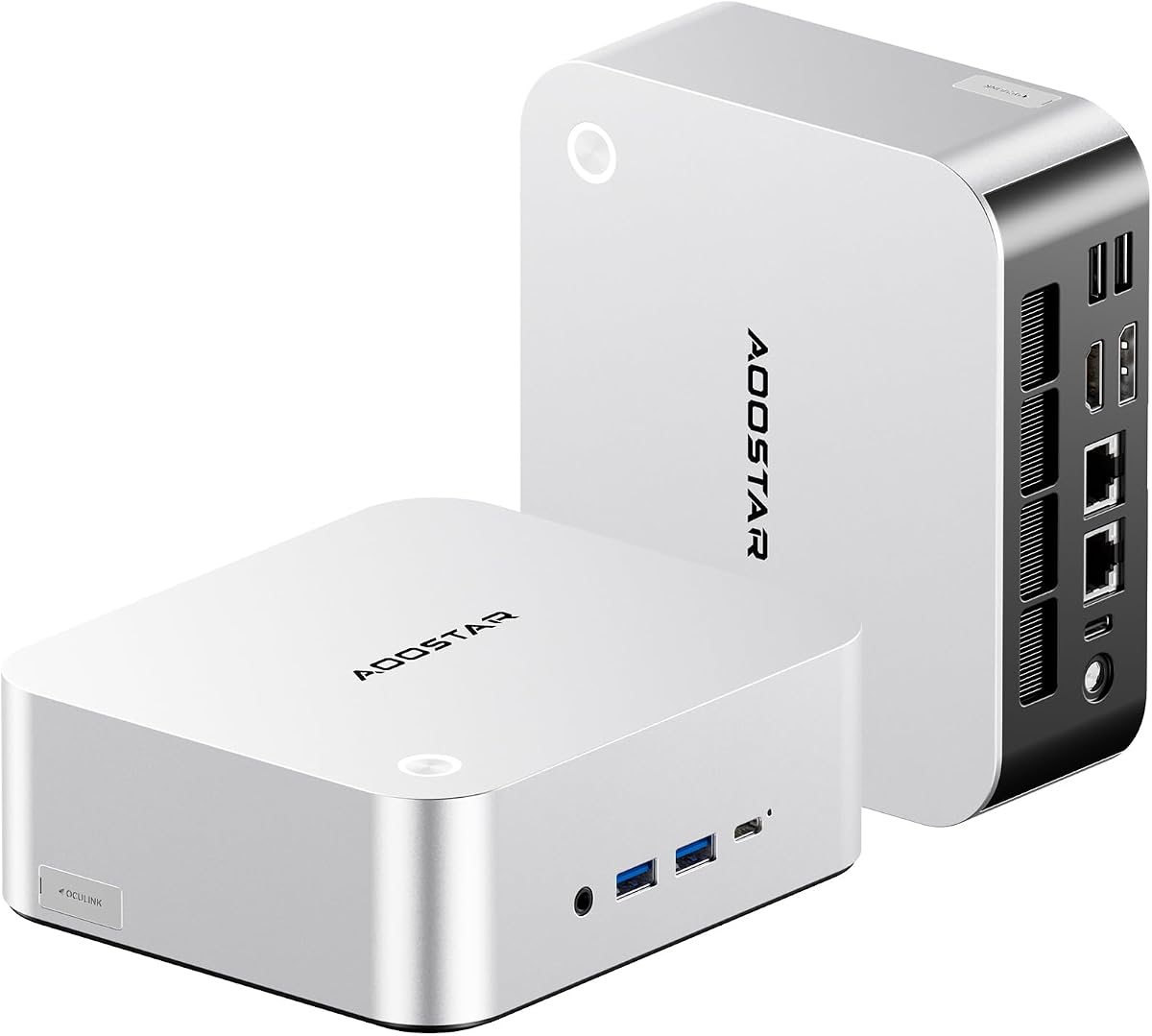
The AOOSTAR MACO stands out as our top pick for its balance of power and connectivity. It features the AMD Ryzen 7 PRO 8845HS which delivers robust performance for both work and gaming tasks.
We may earn a commission when you buy through this link, at no additional cost to you.
Its standout feature is the OCuLink port which allows external GPU connections with minimal latency. This makes it ideal for users who need extra graphical power without sacrificing portability.
While it lacks pre-installed memory or storage it offers flexible expansion with dual DDR5 slots and M.2 drives. The cooling system handles loads well but may generate noise under heavy stress.
Buy this if you want a compact machine capable of heavy workloads. It is perfect for creators and gamers who need customization flexibility without building a large tower.
The OCuLink port provides direct PCIe access to external GPUs for faster performance than USB4 alternatives.
Dual USB4 ports support 8K displays and 40Gbps transfer speeds making this a hub for high speed peripherals.
We may earn a commission when you buy through this link, at no additional cost to you.
The ASUS NUC 15 Pro brings enterprise grade reliability to the barebone category. It runs on the latest Intel Core Ultra processor which optimizes efficiency for modern workloads.
We may earn a commission when you buy through this link, at no additional cost to you.
Connectivity is a strong suit here with Wi-Fi 7 and support for four 4K displays. This makes it a great choice for multi monitor productivity setups or digital signage.
It lacks storage and memory but the tool-less design makes upgrades easy. The build quality is solid with MIL-STD certification ensuring durability in demanding environments.
Choose this for professional deployments where reliability and connectivity matter most. The warranty support adds peace of mind for business users needing stable performance.
Connect up to four 4K displays using HDMI and Thunderbolt ports for a highly productive workspace.
The Core Ultra processor includes NPU units designed to handle AI tasks efficiently without heavy CPU usage.
We may earn a commission when you buy through this link, at no additional cost to you.
The ASRock DeskMeet X300 offers exceptional value for budget builders. It supports the familiar AM4 socket allowing you to reuse existing CPUs or choose cost-effective options.
We may earn a commission when you buy through this link, at no additional cost to you.
It includes a 500W power supply which is a rare find in barebone kits. This saves you money and simplifies the build process significantly for first-time DIYers.
While it is larger than mini PCs it provides standard desktop expansion via PCIe slots. You get dual M.2 storage and support for large RAM capacities.
Get this if you want a cheap entry into custom PC building. It is ideal for home offices or media centers where cost savings are a priority.
The 500W 80+ Bronze PSU is included so you do not need to buy a separate power unit.
A PCIe 3.0 x16 slot allows for discrete graphics cards or capture cards if needed.
We may earn a commission when you buy through this link, at no additional cost to you.
This variant of the NUC 15 Pro mirrors the earlier model with minor packaging updates. It continues to deliver top tier Intel performance with a focus on stability and connectivity.
We may earn a commission when you buy through this link, at no additional cost to you.
The inclusion of Wi-Fi 7 ensures you are ready for next generation wireless networks. Combined with Thunderbolt 4 it offers versatile docking capabilities.
It is built to endure harsh conditions with MIL-STD certification. This makes it suitable for industrial or field use where reliability is non-negotiable.
Consider this for corporate environments needing consistent uptime. The robust construction ensures it can handle demanding daily tasks without failure.
MIL-STD-810H certification means the unit has passed rigorous testing for durability in extreme conditions.
Advanced cooling keeps the system running smoothly even under continuous heavy workloads without overheating.
We may earn a commission when you buy through this link, at no additional cost to you.
The Cubi NUC AI+ is an ultra compact powerhouse designed for portability. It uses the Core Ultra 9 processor which delivers high performance in a tiny 0.51L chassis.
We may earn a commission when you buy through this link, at no additional cost to you.
Copilot+ PC certification means it is optimized for Windows AI features. This is future proofing for users who want to leverage local AI processing.
It supports Thunderbolt 4 for high speed data and charging. The small form factor allows it to hide behind monitors or desks cleanly.
Buy this for mobile professionals or kiosks needing low profile hardware. The advance replacement warranty provides quick support if issues arise.
Optimized for next gen AI workloads with hardware acceleration for smooth local AI processing.
The 0.51L size is ideal for tight spaces where traditional desktops simply cannot fit comfortably.
We may earn a commission when you buy through this link, at no additional cost to you.
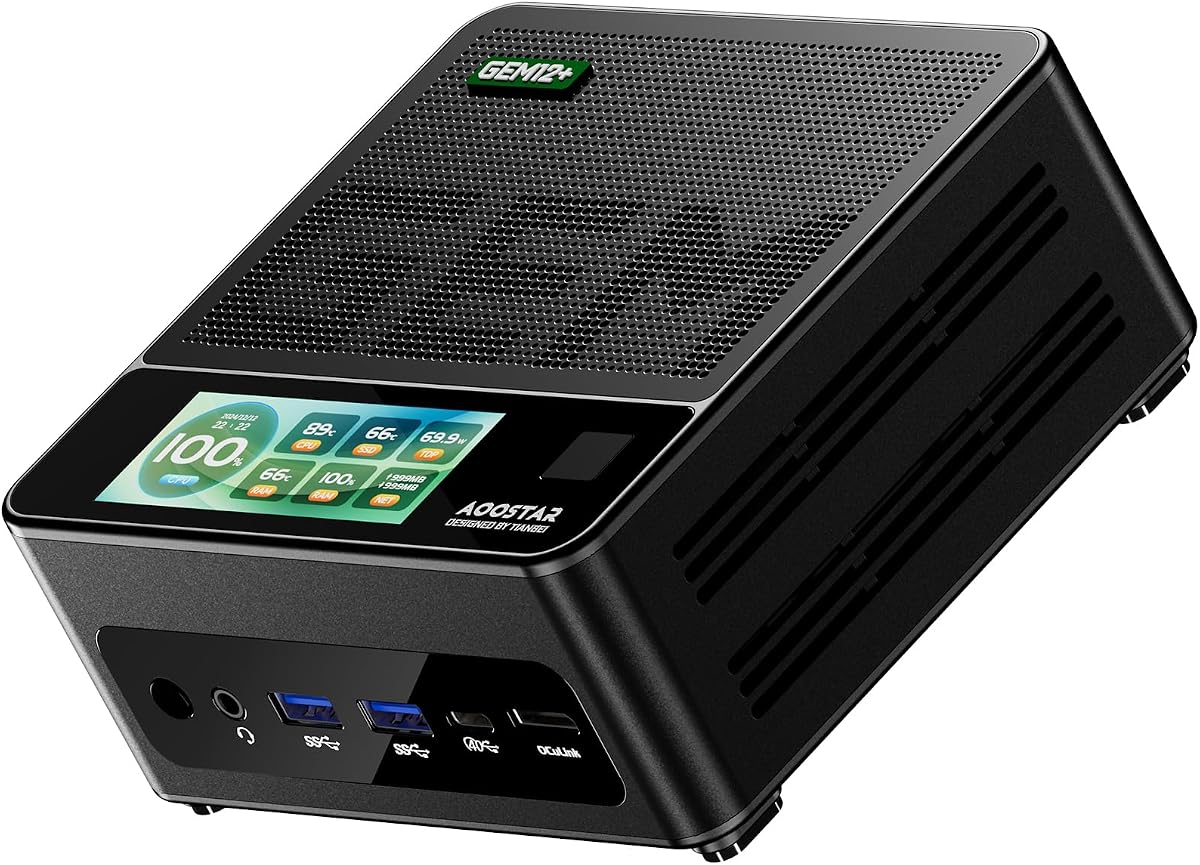
The GEM12+ is built specifically with gaming and performance in mind. It shares the Ryzen 7 PRO 8845HS CPU with the MACO but offers different feature sets.
We may earn a commission when you buy through this link, at no additional cost to you.
The OCuLink port allows for external GPUs which is a game changer for small form factor gaming. This lets you enjoy high frame rates without a bulky tower.
Cooling is handled by a vapor chamber that keeps temps low during intense sessions. BIOS settings let you balance between silent operation and performance.
Choose this for a dedicated mini gaming setup. It is perfect for enthusiasts who want to use external GPUs for maximum visual fidelity.
OCuLink offers lower latency than USB4 for external GPUs ensuring minimal performance loss during gaming.
The vapor chamber technology spreads heat efficiently to keep the CPU cool under prolonged heavy loads.
We may earn a commission when you buy through this link, at no additional cost to you.
The GEM12+ PRO adds security features to the gaming focused base model. Fingerprint unlock simplifies access for daily users keeping your device secure without passwords.
We may earn a commission when you buy through this link, at no additional cost to you.
It supports four 4K screens making it versatile for both work and entertainment. The OCuLink port remains a key highlight for graphical expansion.
Vapor chamber cooling ensures sustained performance without throttling. The design focuses on energy efficiency which reduces heat and power usage over time.
Get this for a secure home office or entertainment center. The extra security and screen support make it stand out for daily tasks.
Built-in fingerprint recognition allows quick and secure access to your system without typing passwords.
Power saving architecture reduces consumption by up to twenty percent compared to standard mini computer designs.
We may earn a commission when you buy through this link, at no additional cost to you.
The DeskMeet B760 brings Intel LGA1700 power to a compact 8-liter case. It supports 12th through 14th Gen Core processors for a wide range of performance needs.
We may earn a commission when you buy through this link, at no additional cost to you.
A 500W PSU is included which is a major plus for DIY builders. The PCIe 4.0 x16 slot allows for modern discrete graphics cards up to 20cm.
It offers triple display outputs for multitasking setups. Memory support goes up to 128GB DDR4 providing plenty of bandwidth for heavy workloads.
Choose this for a versatile small desktop using Intel CPUs. It balances cost with performance for general use or light gaming.
Supports 14th 13th and 12th Gen Intel Core processors for latest features and performance.
A PCIe 4.0 x16 slot accommodates dual-slot graphics cards for capable gaming and creative work.
We may earn a commission when you buy through this link, at no additional cost to you.
The msi Cubi 5 is an entry level option designed for efficient daily tasks. It uses the Core 3-100U processor which is suitable for web browsing and office apps.
We may earn a commission when you buy through this link, at no additional cost to you.
Despite the budget CPU it includes Thunderbolt 4 for fast data transfer. It supports up to four displays which is generous for this class of device.
An external power switch makes it easy to turn on and off without reaching behind. The warranty offers advance replacement for quick support.
Ideal for light home use or retail kiosks. It delivers reliability and connectivity without the cost of high-end components.
The external power switch allows convenient operation without needing to access the rear of the unit.
Supports up to four displays via HDMI and Thunderbolt to improve productivity and multitasking.
We may earn a commission when you buy through this link, at no additional cost to you.
The NUC 16 Pro is designed for enterprise and industrial deployments. It supports Intel vPro for advanced security and remote management capabilities.
We may earn a commission when you buy through this link, at no additional cost to you.
Dual 2.5G LAN ports ensure network redundancy and high throughput. It is built to handle harsh environments and long-term use.
Modular design allows for flexible upgrades in storage or connectivity. The compact form factor fits in tight industrial spaces.
Choose this for business infrastructure requiring reliability. It is suited for edge computing tasks or secure corporate networks.
Intel vPro support provides hardware based security and centralized management for IT departments.
Modular design supports long-term deployment in harsh environments typical of industrial automation.
We may earn a commission when you buy through this link, at no additional cost to you.
Selecting a barebone desktop requires understanding your specific needs for performance storage and connectivity. This guide breaks down the key factors to consider before you build.
Look for processors that match your workload. AMD Ryzen 7 PRO chips are great for graphics and AI tasks while Intel Core Ultra excels in efficiency and connectivity.
Choose a CPU that balances performance with power usage for your specific use case.
Check how many DDR5 slots the chassis supports to ensure you can upgrade RAM later. Dual M.2 slots are essential for high speed storage expansion.
Ensure the system allows enough storage for your files without bottlenecks.
Ports like OCuLink Thunderbolt 4 and USB4 define how you connect external devices. Consider if you need external GPU support for gaming.
Select a model with enough ports for your monitors and peripherals.
Decide between mini PCs like 0.5L units or small desktops around 8L. Smaller units save space but may have less airflow.
Match the size to your available desk space and cooling needs.
Some kits include a 500W PSU while others require you to buy one separately. An included unit saves cost and simplifies assembly.
Verify power needs match your planned components before building.
Vapor chambers and VC heat spreaders keep systems cool under load. Good cooling prevents thermal throttling during intensive tasks.
Choose a model with advanced cooling if you run heavy applications.
Brands like ASUS offer multi-year warranties for peace of mind. Check if advance replacement is available for business use.
Prioritize vendors with strong support policies for reliability.
Budget kits save money upfront but may lack premium features like Wi-Fi 7. Balance the cost against the features you need.
Focus on value by prioritizing specs that matter most to you.
Always handle internal components like RAM and SSDs carefully to avoid static discharge. Ground yourself before opening the chassis to install memory and storage.
Install a cooling fan on the SSD if possible to keep temperatures low. This extends the life of your drives especially when running intensive games or rendering.
Regularly clean dust from the fans and vents to maintain airflow. Overheating can reduce performance so keep the unit in a well-ventilated area.
A barebone desktop is a computer kit that includes the chassis motherboard power supply and cooling but excludes memory storage and operating system. You must install RAM and drives yourself to use it.
Barebone kits allow you to customize components to fit your specific needs. This gives you flexibility to pick RAM and storage that match your budget and performance goals.
Basic technical skills are needed to install RAM and SSDs. Most kits come with clear guides and tool-less designs to make assembly easier for beginners.
Yes especially if they have OCuLink or PCIe support for external GPUs. Many mini PCs use integrated graphics that handle light games well or allow external card upgrades.
Start with 16GB for general use and increase to 32GB for video editing or multitasking. Check the kit support for up to 128GB if you need more later.
Not all kits include one but models like the ASRock DeskMeet do. An included PSU saves you time and money when assembling your build.
We found the AOOSTAR MACO ASUS NUC 15 Pro and ASRock DeskMeet X300 top standouts for their balance of performance connectivity and value.
Prioritize the processor platform and storage options that align with your workflow whether that is creative work office tasks or gaming.
Check current availability and configurations on our links to ensure you get the best deal for your needs today.