
X9 Large Print Backlit Computer Keyboard
4.5Editor score
Large bold print keys
Seven color backlight options
Full size layout design
Discover the top backlit illuminated keyboard options for visibility and comfort. This guide compares features, lighting, and ergonomics to help you choose.
Finding a backlit illuminated keyboard can transform your typing experience especially if you work in dim environments. These devices combine visibility with comfort ensuring you can type accurately without straining your eyes during late night sessions or in low light offices.
We evaluated ten top rated models focusing on key factors like backlight quality font size and build durability. Each product was selected for its ability to deliver reliable performance and clear visibility making them ideal choices for users who need extra visual aid.
Every pick highlights specific strengths from large print designs to quiet typing mechanisms. Prices fluctuate so check current listings before buying. This guide helps you find the perfect match for your workspace needs today.
4.5Editor score

4.9Editor score

4.1Editor score
This side by side comparison outlines key specs for every model selected. Use it to quickly identify the best fit for your specific typing needs and workspace environment.

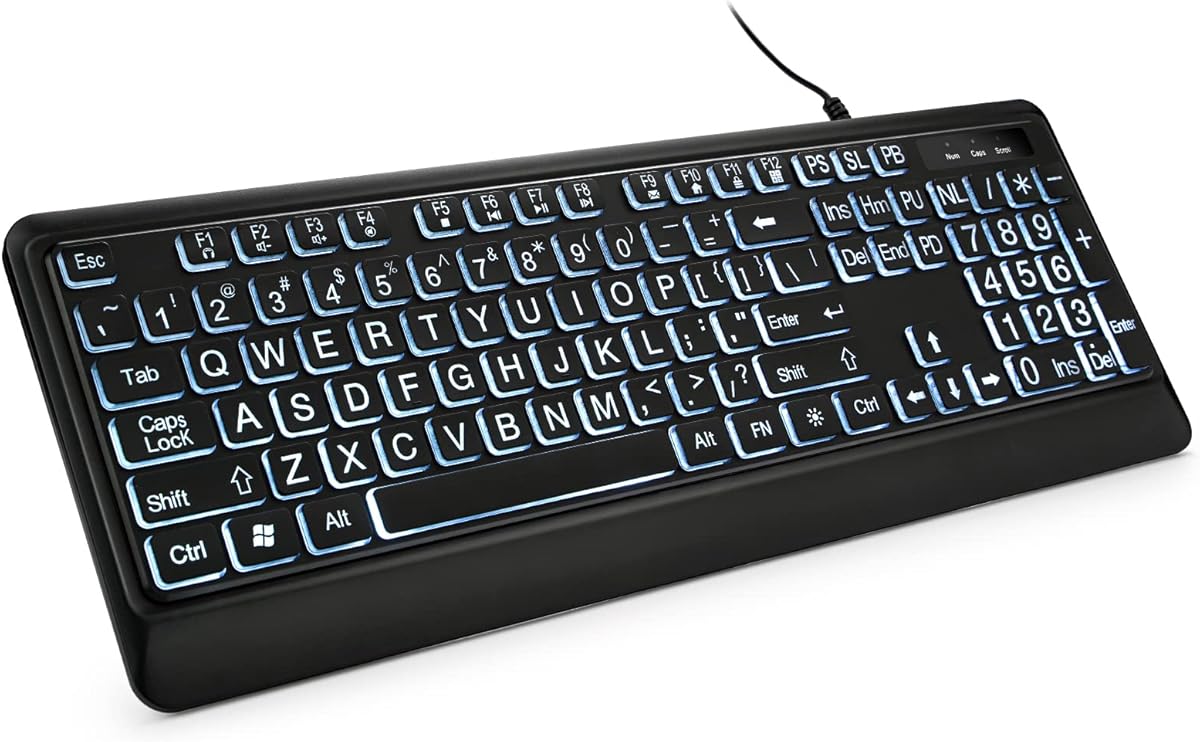


This X9 keyboard offers a practical solution for users needing clear visibility. With large bold print keys and a full size layout it ensures comfort and accuracy. It delivers excellent value for those seeking basic backlighting without complex features.
We may earn a commission when you buy through this link, at no additional cost to you.
Its standout quality is the seven color backlight option paired with four brightness levels. This flexibility helps users adapt to different lighting conditions throughout the day. The full size layout includes a number pad for efficient data entry and workflow tasks.
Trade-offs include a lack of wireless connectivity and standard USB-only compatibility. These limitations suit fixed desktop setups but may inconvenience mobile users. However the price point and reliability make it a solid pick for home or office desks.
Buyers who prioritize ease of use and visibility will find this model ideal. It is especially suited for seniors or visually impaired users needing larger fonts. We recommend it for anyone wanting a dependable budget friendly illuminated keyboard.
The oversized key font allows easy reading without squinting reducing eye strain during long sessions.
Users can switch between seven colors and adjust brightness to match their personal preference or room lighting.
We may earn a commission when you buy through this link, at no additional cost to you.
Arteck delivers a sleek keyboard with media hotkeys and a thin profile. Its low profile keys and scissors structure provide comfortable quiet typing. The seven color backlight adds style without sacrificing functionality for daily tasks.
We may earn a commission when you buy through this link, at no additional cost to you.
The key strength lies in its portability and ergonomic design. Weighing only 17.4 ounces it fits easily on any desk while offering full size keys. The USB connection ensures stable performance and quick setup without software installation.
Limitations include fewer brightness adjustments and lack of spill resistance. While adequate for dry environments it may lack durability near liquids. Still the quiet operation and stylish lighting make it suitable for shared or quiet workspaces.
This model suits users seeking a compact stylish keyboard with basic backlight features. It is great for those needing media controls and lightweight portability. Choose it for a balance of performance and modern design.
The scissors X structure and low profile keys minimize noise for a focused environment.
Dedicated hotkeys allow quick access to volume and playback without leaving your keyboard.
We may earn a commission when you buy through this link, at no additional cost to you.
TECURS stands out with large print keys and versatile USB type C connectivity. Its silent membrane structure ensures quiet operation while maintaining durability. The seven brightness levels provide exceptional control for varied lighting environments.
We may earn a commission when you buy through this link, at no additional cost to you.
This keyboard excels in comfort and adaptability. The dual connector supports modern devices and traditional PCs offering broad compatibility. The ergonomic foot stand reduces hand fatigue during extended typing sessions for office or home use.
Trade-offs include single color backlighting and lack of RGB customization. Users seeking vivid color changes may prefer other models. However the reliability and ergonomic comfort make it a top pick for daily productivity.
Buyers prioritizing ergonomic comfort and versatile connectivity will love this option. It fits both modern laptops and older PCs with ease. We highly recommend it for anyone seeking reliability and visual clarity.
Both USB and USB C connectors ensure compatibility with a wide range of devices.
Soft membrane keys reduce noise making it ideal for shared offices or late work.
We may earn a commission when you buy through this link, at no additional cost to you.
KOPJIPPOM offers durability with its spill resistant design and long key life. The large print keys are four times bigger than standard providing clear visibility. It works seamlessly with Windows and Raspberry Pi without driver installation.
We may earn a commission when you buy through this link, at no additional cost to you.
The standout quality is its reliability and protective build. Spill resistance protects against accidents making it safe for busy desks. The white LED backlight ensures consistent visibility without color distraction for focused tasks.
Limitations include fixed white lighting and fewer customization features. Users wanting RGB effects will find this restrictive. However the sturdy build and visibility make it perfect for long term office or home use.
This model suits users needing a robust reliable keyboard for daily typing. It is ideal for offices where spills or wear are concerns. Choose it for durability and consistent visibility.
Rated for over fifty million keystrokes ensures years of reliable performance without replacement.
Built in spill resistance protects the internal components from accidental water or liquid damage.
We may earn a commission when you buy through this link, at no additional cost to you.
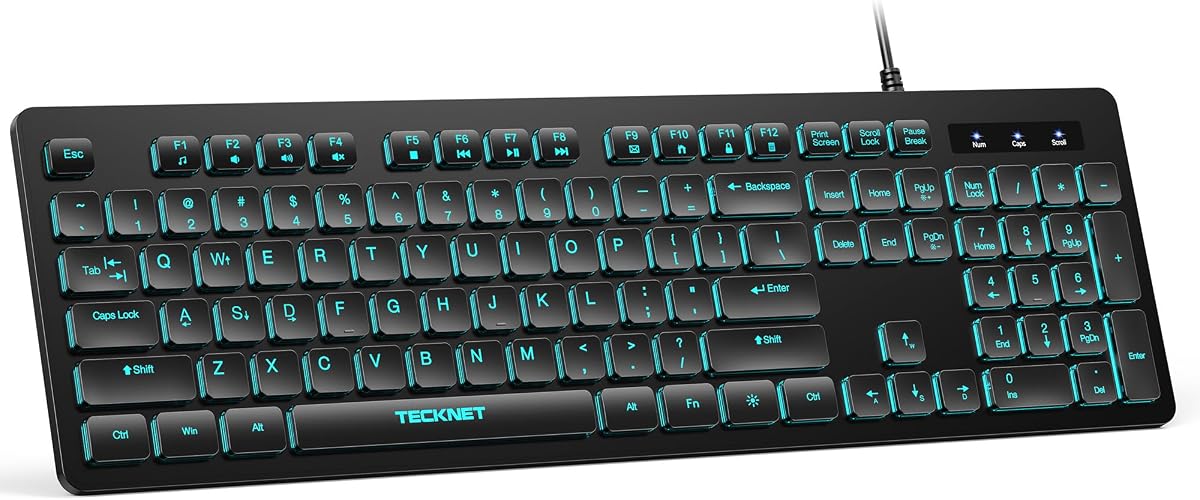
TECKNET delivers vibrant RGB lighting with silent typing comfort. The seven color options and adjustable brightness let users personalize their workspace. Its spill resistant film and lifetime warranty add value and protection.
We may earn a commission when you buy through this link, at no additional cost to you.
Key strengths include customizable lighting and quiet performance. The membrane keys reduce noise making it ideal for shared spaces. Multimedia shortcuts simplify tasks like volume control without leaving your workflow.
Trade-offs include lack of large print keys and complex lighting settings. Users needing high visibility fonts may prefer other models. However the warranty and RGB customization make it attractive for tech enthusiasts.
Buyers seeking style and quiet performance will enjoy this model. It suits users wanting RGB effects and reliable support. Choose it for a colorful durable typing experience.
Choose between static or breathing modes to match your mood or desk style.
Conductive film shielding guards against accidental liquid splashes extending keyboard lifespan.
We may earn a commission when you buy through this link, at no additional cost to you.
HP 400 combines slim design with warm white lighting for comfort. Its programmable keys allow custom shortcuts for productivity. The sanitizable surface ensures hygiene in shared or office environments.
We may earn a commission when you buy through this link, at no additional cost to you.
This model stands out for portability and premium features. The slim profile fits laptops easily while USB C ensures modern compatibility. Warm white LEDs reduce eye strain during night sessions.
Limitations include lower user ratings and limited color variety. Users may find it less customizable than RGB alternatives. However the hygiene features and slim build make it ideal for business travel.
Buyers prioritizing hygiene and portability will appreciate this design. It suits professionals needing a clean compact workspace tool. Choose it for a polished reliable typing experience.
Twelve customizable keys let you assign functions for faster workflow access.
Surface resists germs making cleaning easy for shared or public workspace use.
We may earn a commission when you buy through this link, at no additional cost to you.
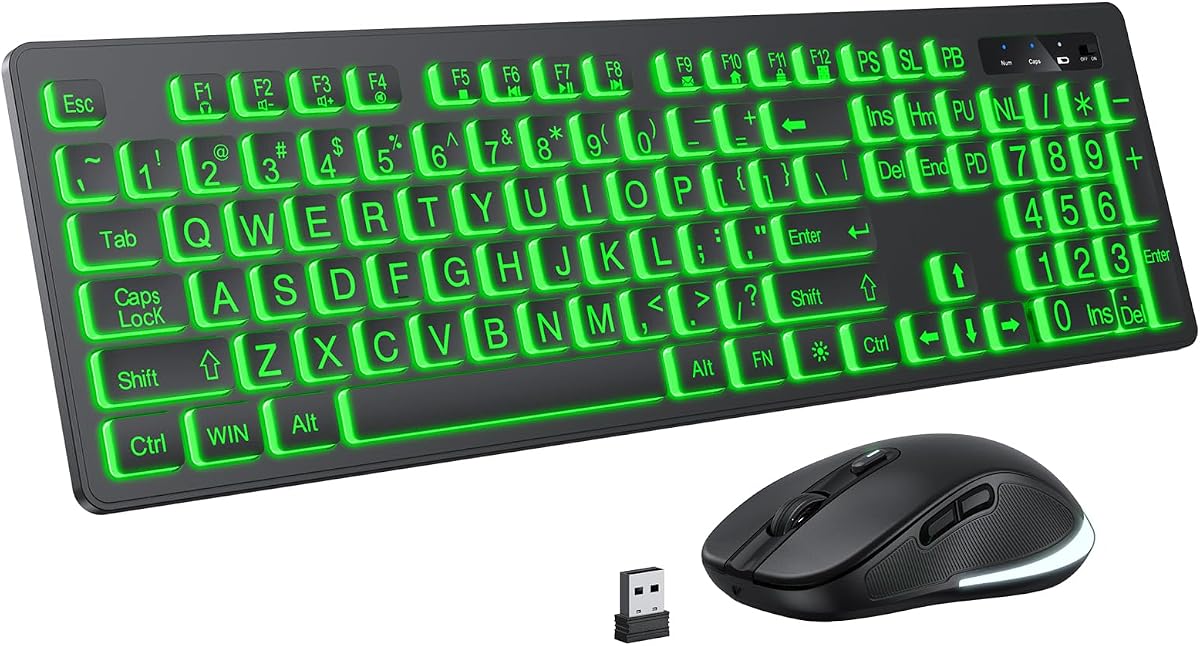
This wireless combo offers freedom with large print keys and shared receiver. Rechargeable batteries and auto sleep extend usage time. Seven color backlight enhances visibility for all users.
We may earn a commission when you buy through this link, at no additional cost to you.
Its strength lies in convenience and visual aid. The wireless range supports thirty three feet ensuring flexibility. Shared receiver reduces port usage making setup easier for desktops or laptops.
Trade-offs include battery reliance and lack of USB C support. Users needing constant wired power may prefer alternatives. However the mobility and visibility features suit home office setups.
Buyers seeking wireless flexibility and large fonts will find this useful. It suits users needing both keyboard and mouse without cables. Choose it for mobility and visibility.
One USB receiver connects both keyboard and mouse reducing port clutter.
Backlight turns off after two minutes saving battery during inactive periods.
We may earn a commission when you buy through this link, at no additional cost to you.
Perixx offers a slim full size keyboard with large print fonts. Its quiet low profile keys provide comfort. White LED backlighting ensures clear visibility without color distraction.
We may earn a commission when you buy through this link, at no additional cost to you.
Strengths include quiet typing and durable build. The five point two five feet cable supports flexible desk setups. High quality ABS printing resists wear ensuring lasting clarity.
Limitations include fixed white lighting and scroll lock conflict. Users needing RGB or scroll lock will find this restrictive. However the quiet operation suits shared environments.
Buyers prioritizing quiet typing and durability will like this model. It fits traditional desks with space constraints. Choose it for reliability and simple visibility.
Large surface low profile keys reduce typing noise for better focus.
Five point two five feet USB cable allows flexible desk placement and routing.
We may earn a commission when you buy through this link, at no additional cost to you.
This model includes a foldable wrist rest and protective cover. Large print keys and white backlight aid visibility. The cover guards against dust and spills extending key life.
We may earn a commission when you buy through this link, at no additional cost to you.
Strengths include ergonomic support and protection. The wrist rest reduces hand strain during long sessions. Protective cover adds durability for dusty or busy environments.
Limitations include bulkiness from cover and limited lighting choices. Users needing RGB may find it basic. However the protection and support suit senior or ergonomic needs.
Buyers seeking ergonomic comfort and protection will enjoy this model. It suits users needing wrist support and dust proofing. Choose it for comfort and durability.
Foldable tripod and wrist rest reduce hand fatigue during extended use.
Included cover guards against dust spills and pet shedding for extended life.
We may earn a commission when you buy through this link, at no additional cost to you.
This keyboard combines large print keys with wrist rest and seven colors. Silent keys reduce noise while ergonomic design aids comfort. Plug and play setup ensures quick use.
We may earn a commission when you buy through this link, at no additional cost to you.
Key strengths are visibility and ergonomic comfort. The wrist rest and kickstand support reduce fatigue. Seven color options allow personalization without complexity.
Limitations include lack of spill protection and moderate durability. Users needing liquid resistance may look elsewhere. However the ergonomic features and lighting suit home office needs.
Buyers prioritizing comfort and lighting variety will like this model. It fits users needing wrist support and colorful options. Choose it for ergonomic comfort.
Seven degree angle and wrist rest support reduce strain during long typing sessions.
Soft feel keys minimize clicks ensuring quiet operation for shared spaces.
We may earn a commission when you buy through this link, at no additional cost to you.
Choosing a backlit illuminated keyboard requires evaluating lighting quality comfort and compatibility. These factors ensure your setup suits your workspace and typing needs.
Backlighting ensures visibility in low light environments. Look for even distribution and adjustable brightness levels to reduce glare or eye strain.
Choose models with multiple color or brightness options to match your lighting conditions.
Large print keys help users with visual impairments or seniors. Fonts should be four times larger than standard for clear readability.
Prioritize keyboards with oversized fonts if visibility is a primary concern.
Full size layouts include number pads for data entry. Compact layouts save space but may lack dedicated numeric sections.
Select full size for office work and compact for limited desk space.
Wired USB offers stability and no battery needs. Wireless provides flexibility but requires charging or batteries.
Use wired for reliability and wireless for mobility or clutter free desks.
Spill resistance protects against accidents and extends key life. Durable construction ensures long term performance.
Look for spill proof designs to safeguard against liquid exposure.
Silent membrane keys reduce noise in shared spaces. Clicky keys may distract others during typing.
Opt for silent options in quiet or office environments.
Check OS support for Windows or Mac. USB type C support enables modern device connectivity.
Verify compatibility before buying to ensure seamless integration.
Programmable keys and wrist rests enhance comfort and productivity. These extras tailor the keyboard to your workflow.
Consider extra features based on your personal typing needs.
Connect the USB cable securely to your PC or laptop for instant recognition. Press the light toggle key to activate backlighting and adjust brightness via function keys.
Clean the keys regularly using a soft cloth to avoid dust buildup. Avoid spraying liquid directly on the surface to prevent damage.
Store in a dry environment and cover when not in use to protect keys from dust or debris. Regular maintenance ensures long lasting performance.
Most models include an on off toggle or brightness adjustment via function keys. Check the user manual for specific steps. Some models may keep backlight on until power cycle.
Many models support Mac but multimedia keys may have limited functionality. Confirm compatibility with your OS before purchase. USB connectivity ensures basic compatibility.
Some models offer wireless combos with rechargeable batteries. Wired models provide stable connectivity without battery needs. Choose based on your workspace layout.
LED backlighting typically lasts for thousands of hours. Durability depends on usage frequency and brightness settings. Regular care ensures extended performance.
Models with RGB or multiple colors allow customization via function keys. Fixed white backlight models do not support color changes. Check product specs for options.
Spill resistant models allow quick cleanup. Turn off power and dry thoroughly. Non resistant keyboards may suffer permanent damage.
The X9 and TECURS models lead in value and overall performance. Both offer reliable visibility and comfort for diverse users.
Prioritize features like key size and ergonomics to match your typing needs. Consider portability and connectivity based on your workspace.
Check current prices before buying as rates may change. This guide helps you find the perfect fit for your daily typing tasks.