
Home Security Systems for House,16Piece Instant App Alerts Alarm System
4.7Editor score
16-piece wireless kit
Instant app alerts
No monthly fees
Discover the top alarm system without monthly fee options for home security. We compare features, connectivity, and ease of use to help you choose the right
Home security systems often come with hidden costs that add up over time. Many homeowners seek reliable protection without ongoing subscription charges. This guide highlights wireless kits that offer full functionality without requiring monthly payments from your budget.
We evaluated ten top-rated systems based on connectivity options, sensor variety, and ease of installation. Each product was selected for its ability to provide robust security features while maintaining a one-time purchase model. Our analysis focuses on user experiences and technical capabilities found in verified listings.
Every pick includes key specifications and real-world performance details to help you decide. Prices may fluctuate due to market conditions and retailer policies. Check current listings before purchasing to ensure you get the best value for your specific security needs today.
4.7Editor score
4.8Editor score

4.3Editor score
This side-by-side comparison highlights key differences between ten leading wireless security kits. Review specs like connectivity, sensor count, and smart features to find the system that matches your home layout and budget needs.


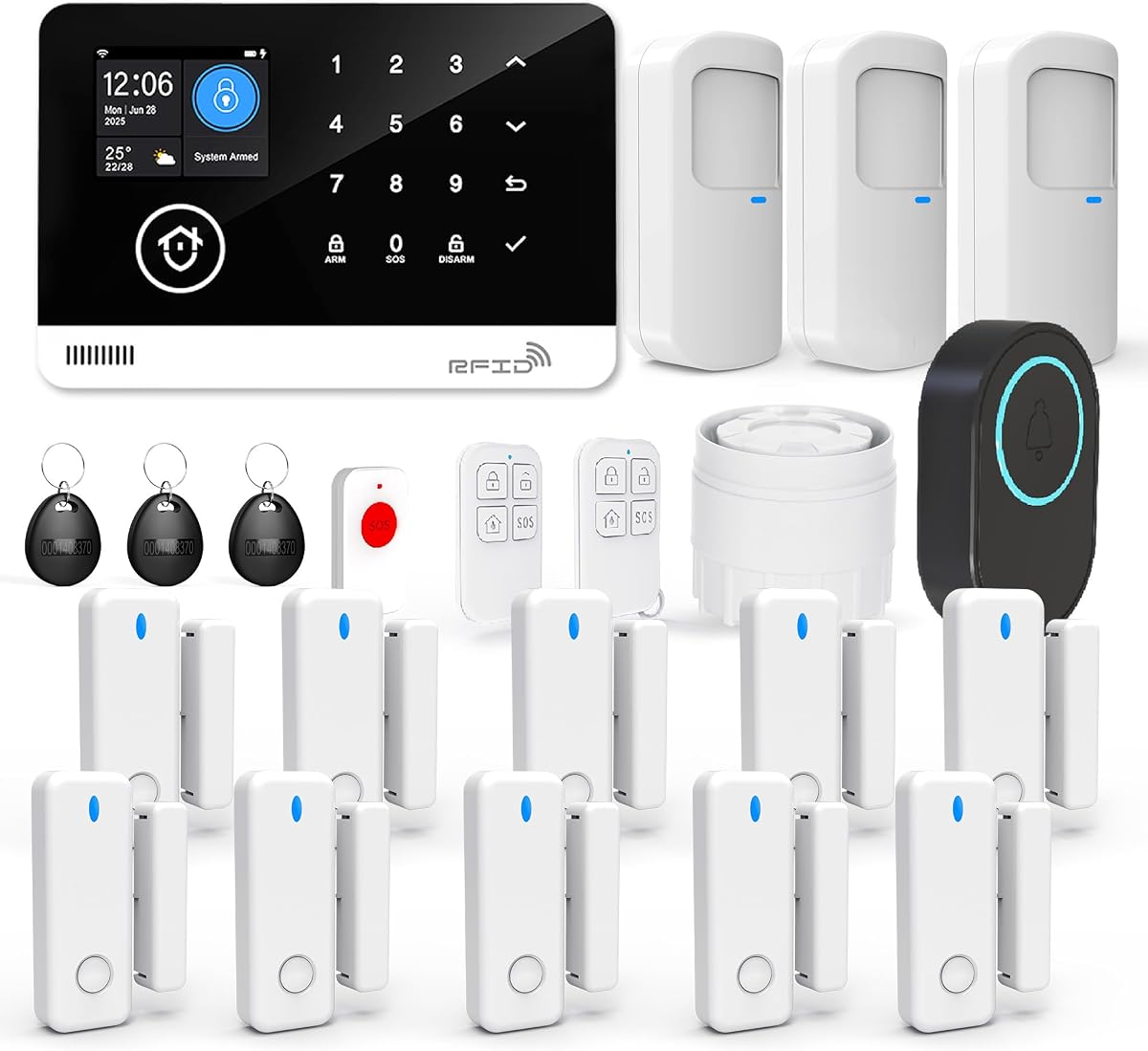
This alarm system stands out for its robust dual connectivity and high rating. It combines WiFi with 4G to ensure alerts go through even during outages. The 24-piece kit offers immediate coverage for doors, windows, and motion zones.
We may earn a commission when you buy through this link, at no additional cost to you.
Smart features include voice control with Alexa and Google Assistant. You can set automated schedules to arm and disarm based on your daily routine. The app lets you check logs and share access with family members easily.
While it lacks 5G support, the 2.4GHz connection remains stable. Note that third-party SMS or phone calls may incur carrier fees. These minor trade-offs are acceptable given the reliability and flexibility of the main system.
Ideal for homeowners needing reliable protection without subscriptions. Buy this if you want automated scheduling and redundant network paths. It delivers peace of mind through smart integration and solid hardware design.
Automatically switches to 4G when WiFi disconnects. This ensures your security stays online during internet outages for continuous monitoring.
Set automated schedules to arm or disarm the system. View logs and share access with family members through the Smart Life app.
We may earn a commission when you buy through this link, at no additional cost to you.
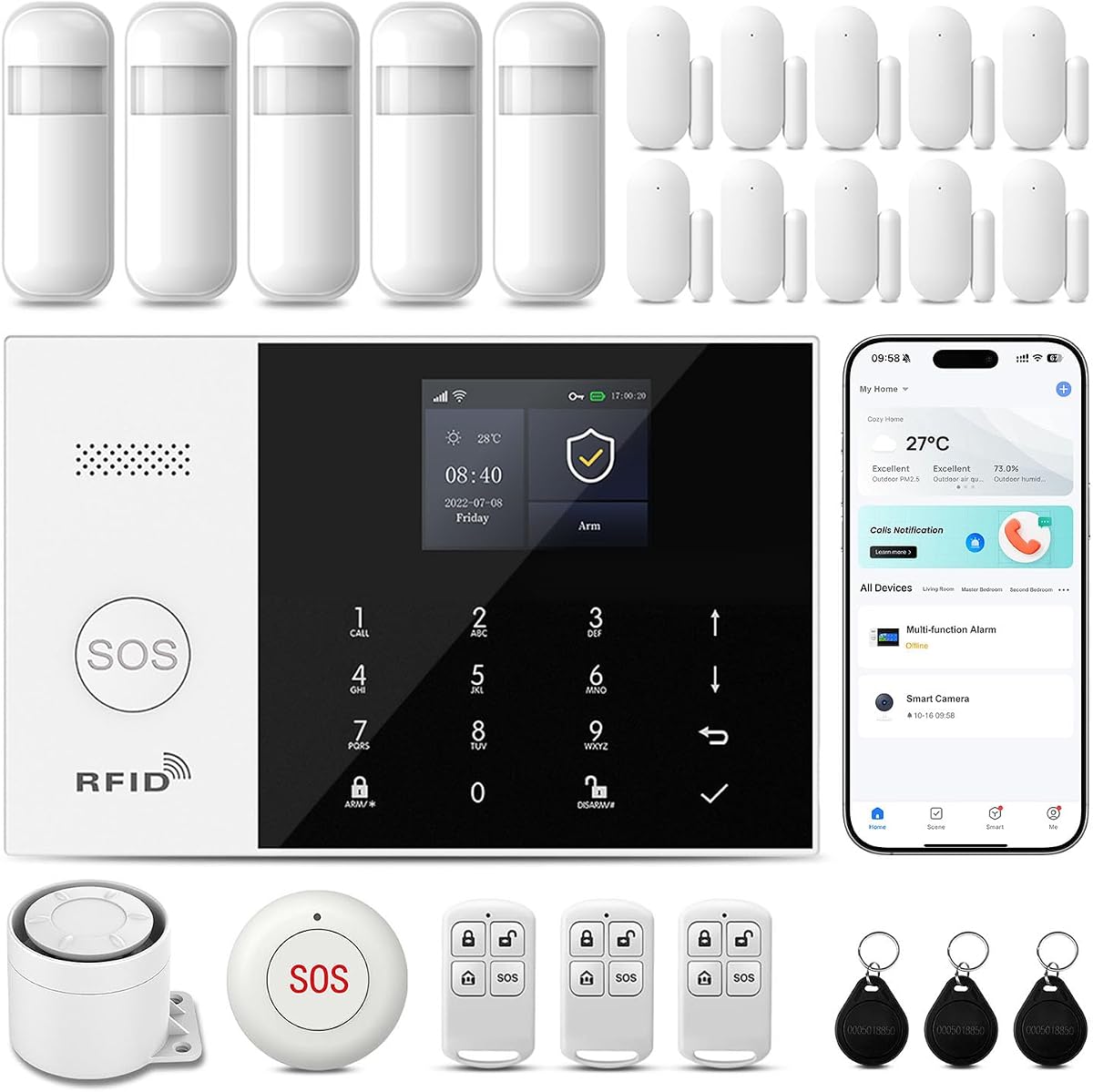
This system offers excellent value with a high rating and immediate alerts. It supports both WiFi and GSM for flexible communication options. The 16-piece kit provides enough sensors to cover most entry points in a standard home.
We may earn a commission when you buy through this link, at no additional cost to you.
You can configure multiple alarm modes through the app or keypad. The system stores up to 100 accessories allowing future expansion as needs grow. It integrates well with Smart Life and Tuya platforms for unified control.
Setup requires reading the manual carefully for pairing sensors. Performance depends on your network stability but the redundancy helps. These small efforts are worth it for the cost savings compared to subscription services.
Buy this for an affordable start to home security. Choose it if you want expandable storage and instant push notifications. It balances price and features effectively for budget-conscious buyers.
The host supports up to 100 wireless storage locations. You can add extra sensors later without replacing the base unit.
Receive alerts immediately when motion or door sensors trigger. This ensures you are informed of any activity in real time.
We may earn a commission when you buy through this link, at no additional cost to you.
This wireless kit is perfect for small apartments or starter homes. It includes essential components to protect doors and windows. The siren reaches 120dB which effectively deters intruders. Voice assistants enable convenient control.
We may earn a commission when you buy through this link, at no additional cost to you.
The setup process takes about 15 minutes with adhesive pads. You can arm or disarm remotely using the Smart Life App. The backup battery ensures it works during short power outages. A SOS button offers emergency assistance at a touch.
It lacks cellular backup and fewer sensors than larger kits. This might limit use in large properties or areas with poor WiFi. Still it meets basic security needs without requiring any monthly payments.
Choose this for low-cost protection with smart features. Buy if you need quick installation and voice control. It is a solid entry point for modern home security systems.
Works with Alexa and Google Home for hands-free control. Use simple commands to arm or disarm the system from anywhere.
The remote control includes a one-touch SOS function. Ideal for elderly members or children needing immediate assistance.
We may earn a commission when you buy through this link, at no additional cost to you.
This system is designed for homeowners who want simple setup. The siren emits 120dB to scare off intruders. It supports up to 20 sensors so you can expand coverage. App alerts keep you informed remotely.
We may earn a commission when you buy through this link, at no additional cost to you.
Installation requires no drilling thanks to adhesive pads. The backup battery keeps the system running for up to 8 hours during outages. You can add more sensors anytime to suit changing security needs.
It does not support 5G WiFi which might limit placement. The battery lasts 8 hours so extended outages need care. These are minor constraints compared to the ease and cost of the system.
Ideal for renters or owners needing a DIY solution. Buy if you want a loud alarm and easy expansion. It provides solid coverage with a one-time purchase model.
The 120dB indoor siren alerts everyone in your home. It is loud enough to be heard throughout most house layouts.
Add more sensors or remotes as your needs grow. Support for up to 20 sensors allows flexible customization.
We may earn a commission when you buy through this link, at no additional cost to you.
This kit works seamlessly with Alexa for voice control. It includes 15 pieces covering key entry points. Real-time alerts keep you updated via the app. The loud siren ensures intruders hear the alert.
We may earn a commission when you buy through this link, at no additional cost to you.
You can arm or disarm using voice commands. The system allows customization of alerts and sensor names. It supports adding up to 20 sensors for larger spaces. All features work without a monthly subscription fee.
It does not support 5GHz WiFi networks. This means your router must be set to 2.4GHz band. The interface is functional but basic compared to high-end models. Still it delivers reliable performance for the price.
Choose this for smart home integration without fees. Buy if you prioritize voice control and easy setup. It is a practical choice for standard residential needs.
Works with Alexa for hands-free operation. Arm or disarm the system using simple voice commands from your Echo device.
Receive real-time alerts directly to your phone. Customize notifications to fit your specific security requirements.
We may earn a commission when you buy through this link, at no additional cost to you.
This system offers 21 pieces to cover extensive home areas. The hub features a color screen showing status and weather. It includes 48 hours of backup power for reliability. Voice assistants allow hands-free management.
We may earn a commission when you buy through this link, at no additional cost to you.
You can view system status and weather on the hub. Tamper alerts notify you if the hub is removed. The loud buzzer and app notifications keep you safe. It supports custom sensor names for easy identification.
It lacks cellular backup so WiFi is critical. The 2.4GHz requirement may limit setup near dual-band routers. Still the battery life and sensor count offer excellent value.
Ideal for large homes needing many sensors. Buy if you want a color display and long backup. It provides comprehensive protection without monthly payments.
The hub displays system status and weather clearly. Supports 10 languages for global family use.
The rechargeable battery provides 48 hours of backup power. Uninterrupted protection continues during extended outages.
We may earn a commission when you buy through this link, at no additional cost to you.
This system features a 4.3-inch touchscreen for easy control. It supports both WiFi and SIM card connections for reliability. The hub shows accessory status clearly. You can control via RFID, remote, or app.
We may earn a commission when you buy through this link, at no additional cost to you.
The touchscreen makes it easy for elderly users to set. Silent alarm mode alerts you without warning intruders. Multiple notifications via app and phone ensure awareness. It integrates with Smart Life and Tuya apps.
The interface is intuitive but initial pairing takes patience. App dependency means you need a stable connection. These are small trade-offs for the premium touch experience and dual network reliability.
Choose this for modern control and dual network. Buy if you want a large display and silent alerts. It offers a premium experience without monthly subscriptions.
Direct adjustment of settings via 4.3-inch screen. Large display provides clear view of all accessories.
Avoid alerting intruders while taking protective measures. Silent mode alerts you via app or notification only.
We may earn a commission when you buy through this link, at no additional cost to you.
This system includes 24 components plus a compact SOS device. The hub has a color screen showing status and weather. It uses both WiFi and 4G SIM for reliable alerts. Voice assistants enable hands-free control.
We may earn a commission when you buy through this link, at no additional cost to you.
Tamper protection triggers an alarm if the unit is removed. SMS and phone alerts add extra security layers. The SOS device is great for families with seniors or children. Custom sensor naming helps identify areas quickly.
You must insert a SIM card for 4G features. The 5G network is not supported for WiFi connections. These requirements are minor compared to the comprehensive protection offered.
Ideal for comprehensive security with SOS features. Buy if you want dual network and touch feedback. It delivers reliable monitoring without monthly contracts.
Includes a compact emergency SOS device. Press to trigger an alarm notification immediately for help.
Unauthorized removal triggers an alarm requiring a security code. This ensures the hub stays secure and active.
We may earn a commission when you buy through this link, at no additional cost to you.
This 9-piece kit suits smaller homes with basic needs. It switches to 4G when WiFi disconnects for constant online status. The keypad allows arming with different modes. Voice control helps manage the system hands-free.
We may earn a commission when you buy through this link, at no additional cost to you.
You can add more sensors as your home grows. It includes cameras for visual monitoring separately. The system sends notifications via the Smart Life or Tuya app. All features work without extra charges or subscriptions.
The kit covers less area than larger options. It does not offer silent alarm modes for stealth. Still the auto-switch feature ensures connectivity is maintained reliably.
Buy this for a compact start with expansion. Choose if you want automatic network switching. It offers flexible protection without monthly costs.
Supports 2.4G Wi-Fi and 4G networks. Automatically switches to 4G when Wi-Fi disconnects to keep the system online.
Arm, disarm and set different defense modes via keypad. Choose stay mode or emergency mode as needed.
We may earn a commission when you buy through this link, at no additional cost to you.
This system provides 22 pieces for broad coverage. It uses WiFi and 2G GSM for communication backup. A programmable arming function avoids repetitive operations. Voice assistants allow control via commands.
We may earn a commission when you buy through this link, at no additional cost to you.
It includes an SOS button and doorbell push. The app sends notifications when triggered. You can set time limits to avoid user triggers. RFID cards add another way to arm the system.
The 2G SIM may be restricted in some regions. Setup requires careful configuration of time limits. Still the volume of sensors offers comprehensive home protection.
Buy this for a large multi-mode system. Choose if you need GSM backup and RFID access. It offers extensive coverage without monthly fees.
Works with 2.4GHz WiFi and 2G SIM card. You can use GSM when WiFi is off for continuity.
Program arming and disarming to avoid repetitive operations. Set a time limit to avoid alarms triggered by users.
We may earn a commission when you buy through this link, at no additional cost to you.
Selecting a no-subscription security system requires understanding key features. This section breaks down factors to consider before buying.
Check if the system uses WiFi, GSM, or both. Dual connectivity ensures alerts go through even if internet fails. Verify 2.4GHz support as many systems do not support 5GHz.
Choose dual network options for higher reliability.
Look at the included sensor count and max support. Some kits come with 10 doors others with 20. Ensure the system allows adding more sensors later.
Pick a kit that grows with your home needs.
Ensure compatibility with Alexa or Google Assistant. Voice control adds convenience for arming or disarming. Some systems also integrate with Tuya or Smart Life apps.
Select systems that work with your existing ecosystem.
Review the app for remote access and scheduling. Look for features like logs, sharing access, and push notifications. Some allow time-based automation for daily routines.
Choose apps that offer automation and easy access.
Power outages can disable systems without backup. Check battery life during offline periods. Some offer 8 hours others up to 48 hours of support.
Prioritize models with longer backup duration.
A loud siren is essential for deterring intruders. Most kits offer around 120dB. Ensure it is audible throughout your home layout.
Check decibel ratings for adequate warning.
Physical security of the hub matters. Tamper alerts notify you if the unit is removed. This prevents thieves from disabling the system easily.
Look for tamper-proof design features.
Some systems include SOS buttons or silent alarms. These are useful for families with elderly members. Evaluate specific needs before deciding on a kit.
Consider specialized features for personal safety.
Start by placing the hub near your router and power source. Avoid areas where WiFi signal is weak. Ensure it is mounted securely to prevent accidental dislodging.
Pair each sensor to the hub using the app. Test door and motion sensors to verify connections. Keep firmware updated to maintain optimal performance.
Regularly check the battery and backup power. Replace or recharge batteries as needed. Clear logs periodically to keep the app running smoothly.
Yes, these systems use local WiFi or GSM to send alerts. They provide full protection without ongoing charges. You own the hardware and control the settings.
Systems with GSM backup switch to cellular networks. This ensures you still receive alerts even if internet fails. Check if your model supports dual connectivity for this.
Most apps are free but SMS or phone calls may cost carrier fees. Check product details regarding communication methods. App alerts are usually free.
Yes, most kits support expansion up to a limit. Look for models that support extra sensors. This allows you to customize coverage as needed.
Many models support voice assistants like Alexa. You can use commands to arm or disarm. Check compatibility before buying to ensure it matches your devices.
Most kits take 15 to 30 minutes. Adhesive pads make it easy without tools. Follow the manual for pairing sensors.
Top picks include the 24-piece dual network model and budget 16-piece kits. Each offers reliable protection without ongoing costs.
Prioritize connectivity and sensor count based on your home size. Smart features like scheduling add value.
Check current prices before purchasing as they fluctuate. Ensure you select a model that meets your specific security needs.